WAV player for Wav file with header
Dear support member,
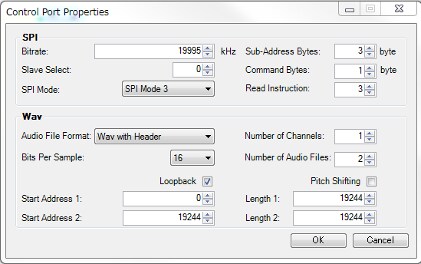
I try to use 2 Wav file with header by Wav player in ADAU1452.
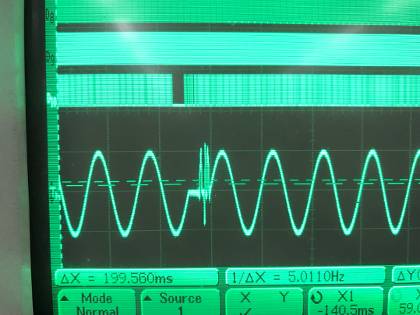
first Wav file is normaly played.
But, second Wav file can be played normal.
I think that Wav player can't skip header area of second Wav file.
Could you check it, please?
I use Wav files that are sine tone audio with 9600 samples.(16 bit data)
Header size is 44byte.
And it can't play second Wav file which include only 1 ward.
Does it have a limitation of WAV file?(Min)
Best regards,
Yabune
Audio Signal Processors
adau1452
wav player
sigma300
SigmaDSP Audio Processors
Hello Yabune,
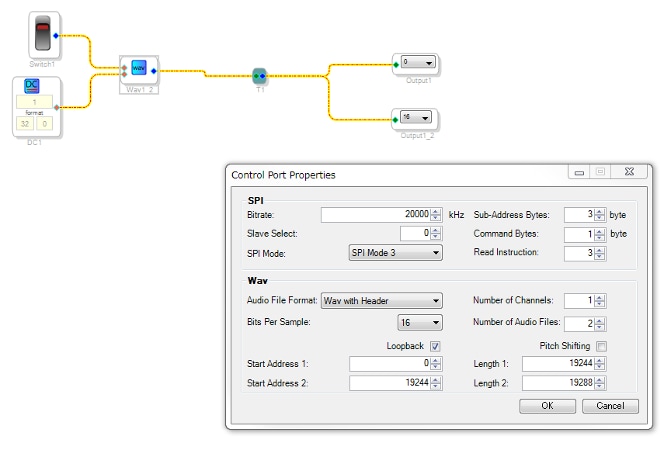
At 9600 samples you will have 19,200 bytes for the audio data. If the header is 44 bytes then the size should be 19244 bytes. For your first sample this is set correctly.
For the second sample you added 44 bytes to the size. You have it as 19288. So you are playing 9622 samples so this may be what you are seeing. If both files are of length 9600 16 bit samples then both files should have the length listed as 19244.
Dave T
Dear Dave-san,
Thank you for your supports.
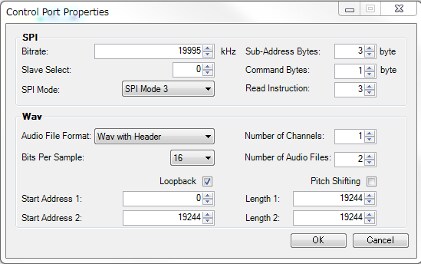
I fixed file size 19288 to 19244 at second file.
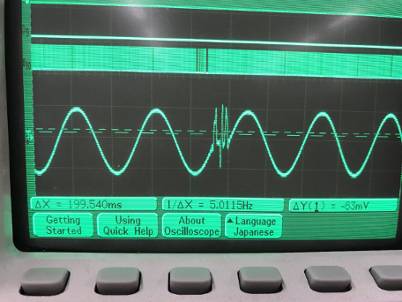
But, the issue still remain.
I think WAV player can't skip header for second file.
Could you check it again, please?
Best regards,
Yabune
Hello Yabune,
Can you attach the wave files and the program that it triggering it?
I would like to be able to test this exact setup here.
Thanks,
Dave T
Dear Dave-san,
Thank you very much for your supports.
I attatched files.
Please check it.
Best regards,
Yabune
Hello Yabune,
I have inquired with the programming team and found out that there was a bug introduced when the loopback feature was added. It is a known bug and will be fixed in SigmaStudio revision 4.2.
For now you can use a work-around.
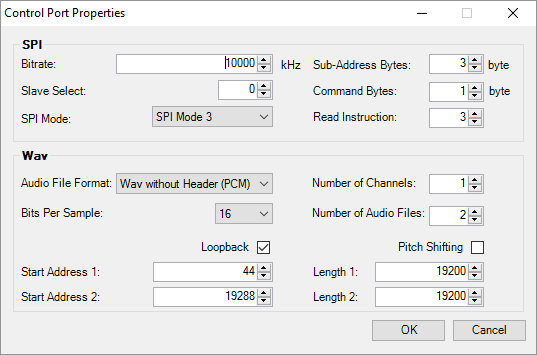
Set the file format to PCM even though the header is on the EEPROM. No need to change it there.
Then set the start address for the byte after the header. Then it will play it fine.
Once the new version is out you will only have to make these small changes.
Here is what the work-around should look like.
Dave T
Dear Dave-san,
Thank you very much for your supports.
I'm looking forward to get next version SigmaStudio.
Until that, I try to use the work-arround.
Thank you and best regards
Yabune
Please log in to reply.