How to control the output state of GPIO using timer in ADAU1401
Hi,
I want to realize the GPIO output low level when the ADAU1401 power up, After a period of seconds, the GPIO output alter to high level.
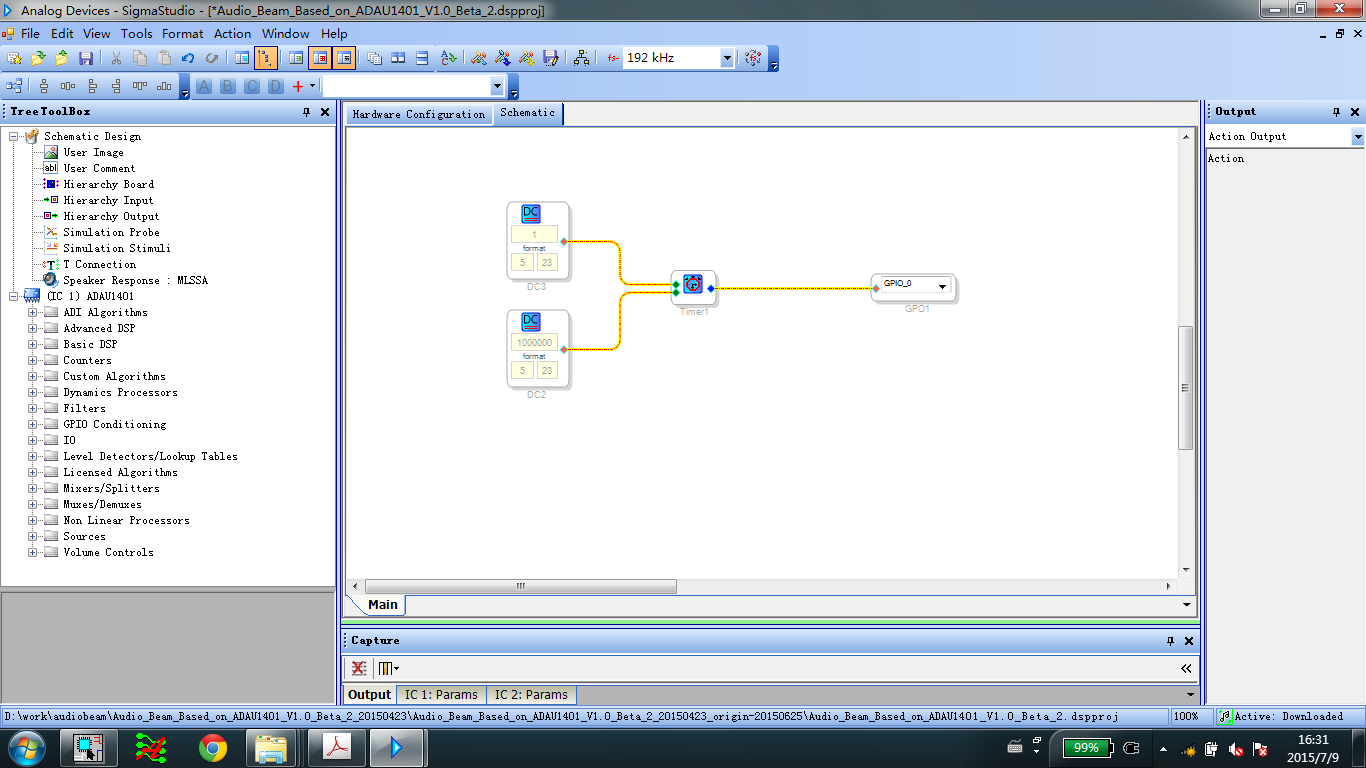
For this reasion, I add the timer in program. It is shown below. However the GPIO didn't change.
Now my question is How to realize the funtion using timer or other methods.
Best regards,
wu
Audio Signal Processors
adau1401
SigmaDSP Audio Processors
Hello,
You have the right idea, it only needs a tweak or two to work:
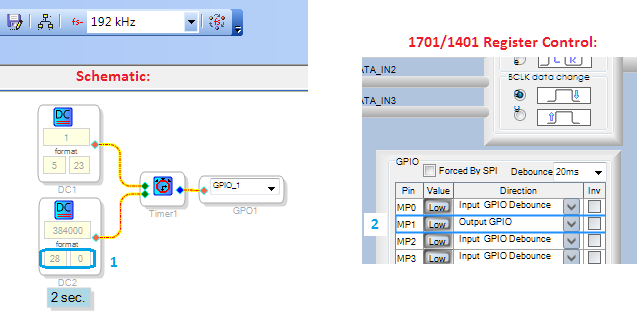
The Timer's count value input is the number of samples in integer (28.0) format, so set your DC Source accordingly. For more about these formats, see What are the number formats for SigmaDSP?
The multipurpose pins default to inputs. Thus you'll need to open the 1701/1401 Register Control tab and set your chosen MP pin to Output GPIO. Also, don't forget to set the Program Length to 4x (256 instructions) for your 192K sample rate.
Best regards,
Bob
Hi,
Bob, thank you very much. It work well.
Best regards,
wu
Please log in to reply.