The problem of adau1401 program being loaded from an external microcontroller
Hello,
According to ADAU1401 datasheet instructions, ADAU1401 programs can be loaded on power-up either from a serial EEPROM through its own self-boot mechanism or from an external microcontroller.
Now I need ADAU1401 programs are loaded from an external microcontroller, but I have none reference source, So I expect that someone can provide me same material, or examples.
Best regards,
wu
Audio Signal Processors
adau1401 program load
adau1401
SigmaDSP Audio Processors
Hello,
After you Link-Compile-Download your project, select Export System Files from the same Actions menu and save these files in a handy folder. Then, choose either method below:
ADI's canonical method, described at:
How do I create the microcontroller code to interface to my SigmaDSP?
This method involves completing some blank functions with appropriate code for your particular micro & compiler. Then including the C header files exported by SigmaStudio in your source, pulls in the needed code. This method automatically updates your uC code when you modify your SigmaStudio project. However, it has a somewhat steep learning curve.
The "primitive" method shown at: Updating SigmaDSP Parameter with a Microcontroller
works well with the ADAU170x/140x, because these older Sigma100 cores boot with fewer code sequences than do newer ones. Here you manually copy the contents of the TxBuffer export file directly into byte constants in your uC code, then write a loop that block-writes that stuff to the DSP. Of course you need to manually replace this stuff when your project updates. Where I work, we use this method because we understand how it works! You can also use this method if you're (gasp!) programming your uC in assembly language, as shown at:
Booting a SigmaDSP from a microcontroller with no C compiler
Best regards,
Bob
Hi,
Bob,Thank you very much, It is the exact answer.
Best regards,
wu
Hi,
Bob, According the ADI's canonical method, I downloaded the executable files generated from MDK-Keil in STM32F103, However there was none signal on the pin of the SCL and SDA.
In addition, I create a project of two tones outputing from DACs in ADAU1401. After Link Compile Download, the system files were exported. I have replaced the ADAU1761 exported system files with ADAU1401's. After compled and download, I have the same result.
I want to know Which step out of question.
Best regards,
Wu
Hello Wu,
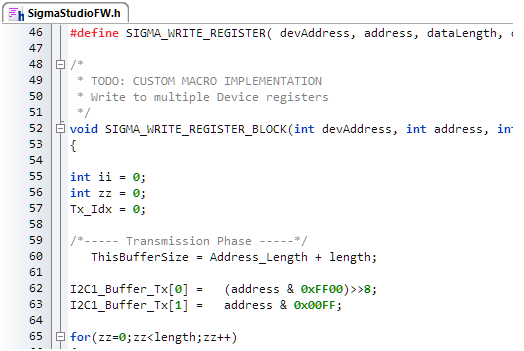
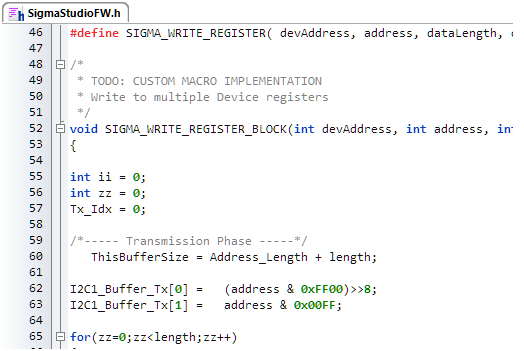
If I understand correctly, when your microcontroller boots it does not attempt to load your ADAU1401's code (there's nothing at all on the I2C bus). It's difficult for me to help with troubleshooting since I'm unfamiliar with both ARM microcontrollers (we use PICs) and ADI's canonical method (we use the primitive one). However, since you're getting no I2C activity, the first place to look is the uC code in SigmaStudioFW.h
Each engineer / programmer needs to insert their appropriate code in the various places identified with a "TODO" comment. Since this version is a worked-out example for a ADAU1761 in a particular uC system, some code has already been filled in. Yet, it may not be correct for your micro and SDK. Merely substituting "1401" for "1761" may not be sufficient. It could also be a hardware or software problem that's keeping your uC from running -- is your microcontroller doing anything else it's supposed to perform? Beyond this I cannot say, since as said above I have no ARM experience. Perhaps someone with such experience may be able to advise -- it may help to begin a new thread on your issue, as this would make it more visible.
Best regards,
Bob
Hello KJBob,
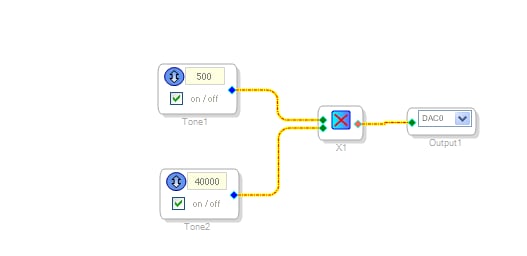
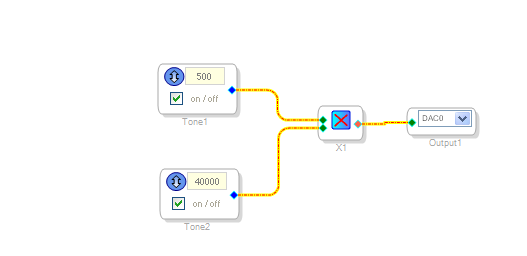
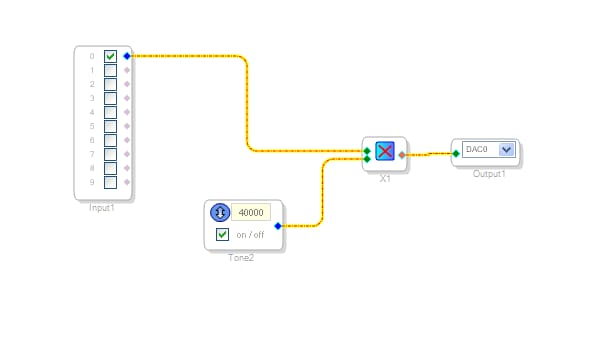
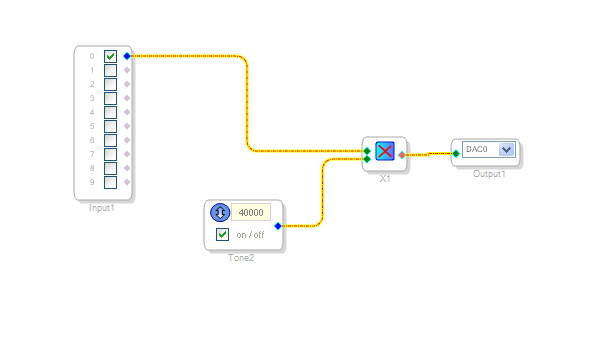
I have implemented the figure 1 project in ADAU1401 which is download from STM32F103C6T6. However, if the inputs are added in the project, the ADAU1401 of figure 2 project download from STM32F103C6T6 does not work. Both projects have been verified,so I want to know where is incorrect of the figure 2 project.
The attachment contains project 2 and both export files of project 1 and project 2. "export program file1" and "export program file2" are export files of project 1 and project 2, respectively.
Best regards,
WU
figure 1
figure 2
Please log in to reply.