first order filter dont work above 20kHz
Hi, my name is Andre and i'm working with Eval-ADAU1701Miniz. I'm using a first-order filter to make a project, but in the frequencies of 10kHz up to 20kHz the filter dont work. If i put a frequency above of the 20kHz, by example a 24kHz, the signal became pulsative in low frequency. I attached an image of the project, the signal and gain. Thanks for help.
Hello Andre,
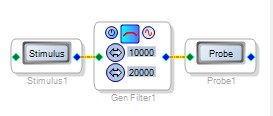
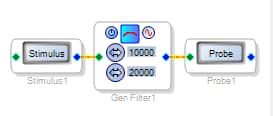
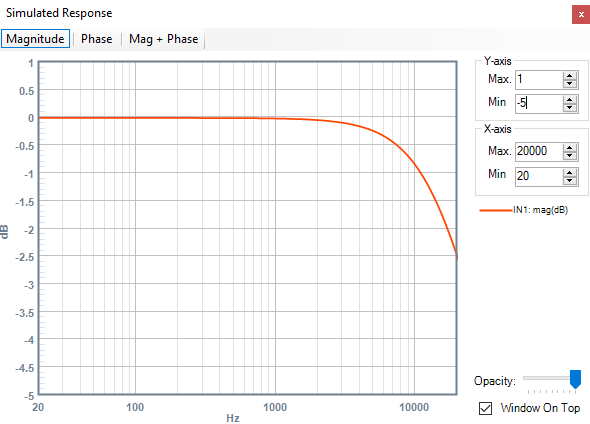
Filters with corner frequency in the 20 KHz -- 24 KHz range may not work accurately at the default 48 KHz sample rate. In effect, the math upon which the filters are based becomes strained as you approach the Nyquist frequency (Fs/2). We can observe this using SigmaStudio's built-in Stimulus-Probe tool as shown below:
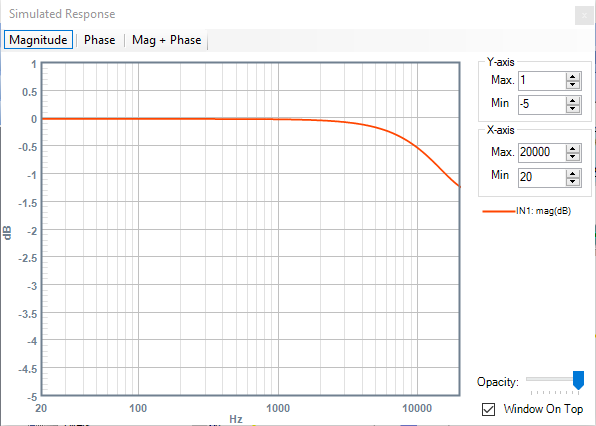
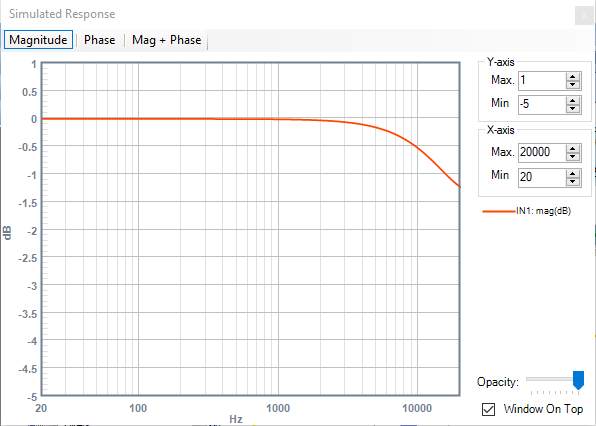
The single pole filter should drop about 3 dB at its corner frequency of 20 KHz, yet the simulated response shows only a 1.2 dB drop at 20 KHz with a 48 KHz sample rate:
We get a more accurate result when running at 96K sample rate:
The ADAU1701MINIZ board can run at 48 / 96 / 192 K ---- to set the operating sample rate, see:
FAQ: How do I change the sample rate of my SigmaStudio system?
Note how the Stimulus-Probe toll allows you to check out filter response curves without bothering with hardware. For more ideas on its use, see: Stimulus-Probe Capability and Limitations
Finally, if you must run your 20 KHz filter at a 48K sample rate, try a Second Order, Double-Precision filter. Its more complex structure better tolerates a high corner frequency. Yet it also falls apart with that frequency approaching Fs/2 -- a result which the theory again demands.
Best regards,
Bob

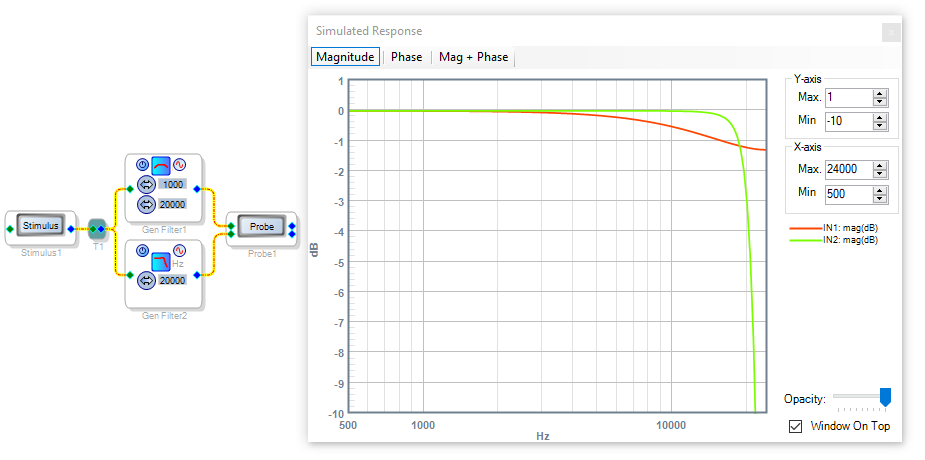
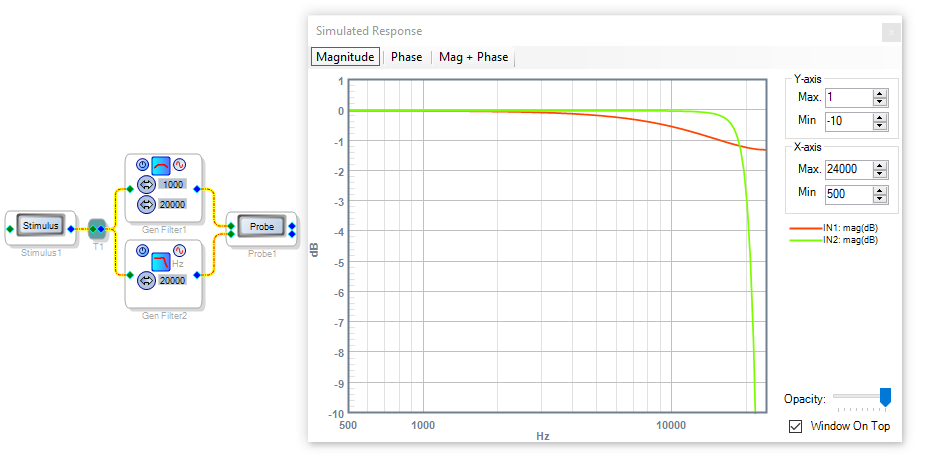
Hi Bob, thanks for the help. I have a problem because i need to make a filter using a butterworth 6db/8. And when i use the first order filter in 20kHz i have that problem. Now i'm trying to use a general filter with a factor Q in low value. The problem now its to find the relationship between the frequency i want to filter and the Q value.
If you have another solution i thank you.
André
Hello André,
The ADAU1701 includes brick-wall filters at both its analog inputs and outputs as required for proper DSP function. The input filter prevents aliasing -- generating spurious signals when the input contains energy at a frequency beyond Fs/2. The output filter begins the process of reconstructing the analog audio from the digital number stream. You can see the effect of these filters in your analyzer frequency plot -- the response drops like a rock at 24 KHz.
A first-order Butterworth filter drops about 3 dB at its corner frequency -- in this case, 20 KHz. Then it continues rolling off at your desired 6 dB/octave. At 24 KHz, this filter would drop another 1.2 dB, for a total drop of about -4.2 dB. Yet right at this point the brick-wall filters cut in so really, you hardly get to see or use much of a 20 KHz lowpass at Fs = 48K.
Since your application calls for accurate response at the frequency extreme, I suggest some more measurements:
Make a "straight wire" project (no filters) with which you can make a baseline plot with your AP.
Make a second plot, with the board set up for a sample rate of 96K.
The second plot should show a wider frequency response, because the ADAU1701 automatically adjusts its brick-wall filters with this setting. You'll notice that the response does tail off some at around 40 KHz -- this is from the basic RC reconstruction filter at the output end of your ADAU1701MINIZ board. The ADAU1701 data sheet suggests an active reconstruction filter if a better response is desired.
Now back to your desired 6 dB/8 filter: I tried adjusting the Q of the second-order filter to approximate a first-order response, but it always gives a steeper rolloff (about 12 dB/8). The stock first-order filters work fine as long as you're willing to run Fs at 96K -- does your application prevent such a choice?
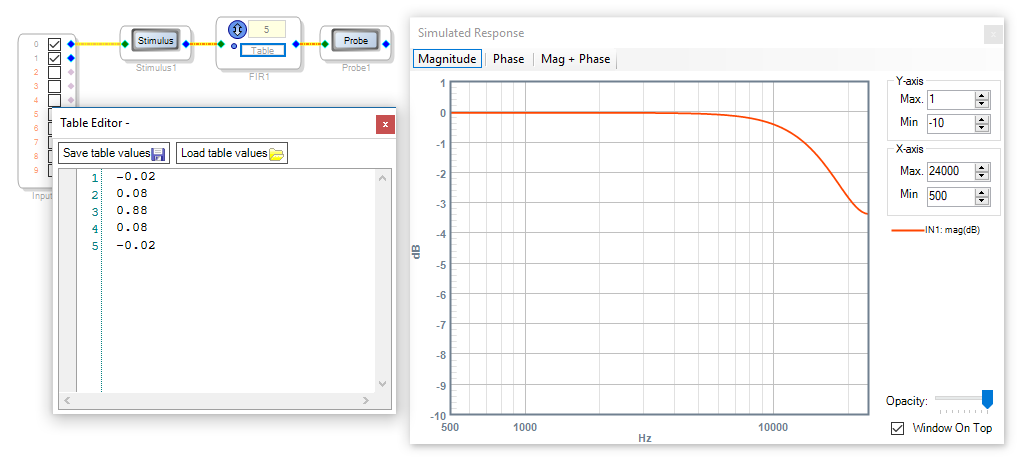
You could also try a FIR filter. SigmaStudio has no built-in utility to compute the needed table entries for FIR filters, but they are relatively short and simple when the corner frequency nears Fs/2. The attached project has a simple 5-tap FIR filter which approximates a single-pole 20 KHz low pass filter at a sample rate of 48K. I came up with the coefficient table empirically, just knowing what a windowed-sinc FIR filter typically looks like plus the normalizing rule that the table entries should sum to 1.0. I don't have access to a program like MATLAB for designing these (and wouldn't know how to use one anyway). Maybe this filter will do what you need.
Best regards,
Bob
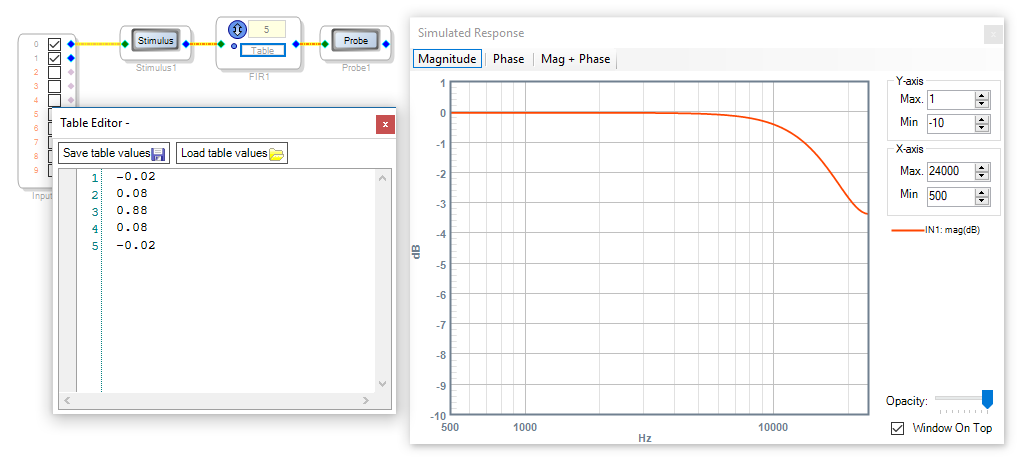
Hi KJBob, thanks for the help again. I tried to change the Fs to 96kHz and i continue with the problem. Now i'm trying to make a filter with FIR and i make some calculus to do a custom filter with gain and delays using the idea of bilinear transformation. I will try this. Thanks again.
Hi André,
I'm surprised that the sample rate change produced no difference in your testing. Just to make sure: did you change the sample rate in both required places --
Atop the Schematic window
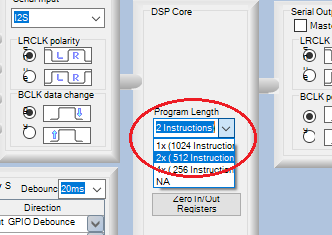
And in the Register Settings -- set the DSP Core to 2x (512 Instructions)
The second change won't affect Stimulus-Probe usage, but will profoundly affect the results you get when hardware testing with your analyzer. As for the bilinear transform, that's another topic that's over my head. There were vacuum tubes in the lab when I went to school. What little I know about DSP came from reading some books on my own. Your DSP knowledge will come in handy even though SigmaStudio is set up to be accessible without it.
Best regards,
Bob
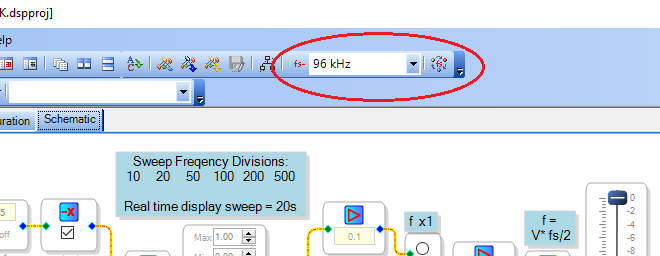
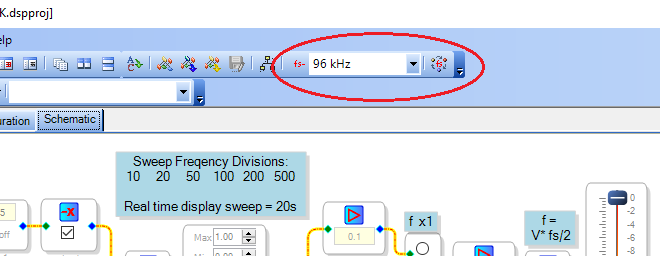
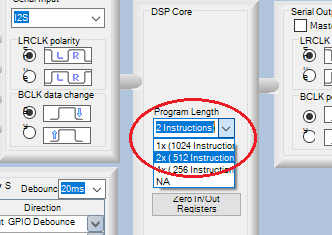
Hi Bob, i make the changes and the output became the same. I will try another ideas like the FIR filter here. If you learn only reading books you are a very intelligent. . Thanks for the help.
André.
Please log in to reply.