How to accomplish "Automatic gain compensation" in SigmaStudio Compressor
Hi,
I'm using ADAU144x and working with the SigmaStudio application.
I trying to design a standard feature which is 'Automatic Gain Compensation' post compressing.
I'm not sure which components to use in SigmaStudio to make this feature and I will appreciate if you can provide some information on this, instructions, a screenshot or a demo project so I can learn how to accomplish this.
Thanks in advance.
automatic gain compensation
Hello,
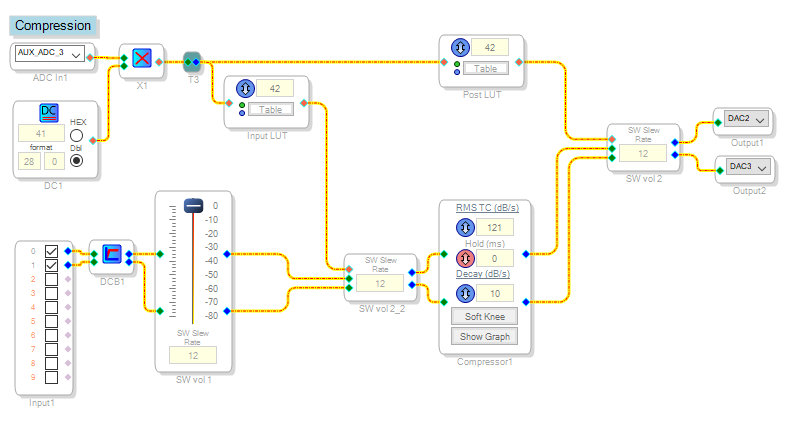
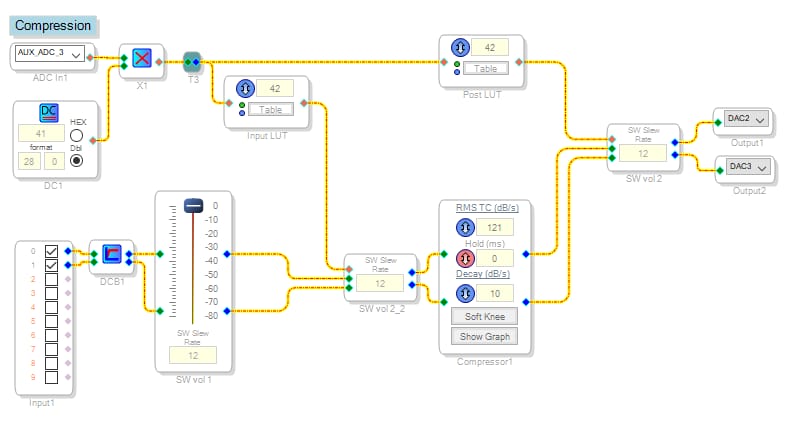
Here's a simple example to provide an idea of what can be done:
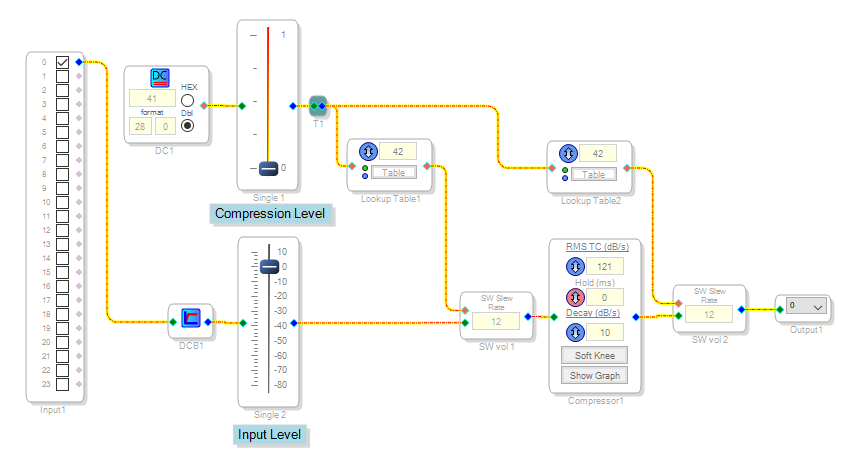
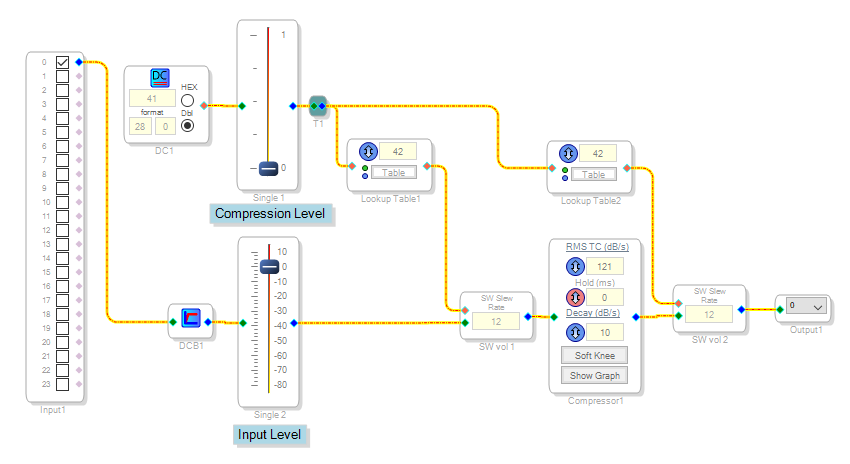
The control pot and Aux ADC drives two lookup tables, each of which operates a Volume Control. One controls the compressor's input level, effectively adjusting the compression threshold. The higher the pot setting, the higher the gain and the more compression results. The other one operates inversely, so that adjusting the Compression control has no net effect on volume until compression actually takes place. The project as attached runs on a ADAU1701MINIZ board.
Best regards,
Bob
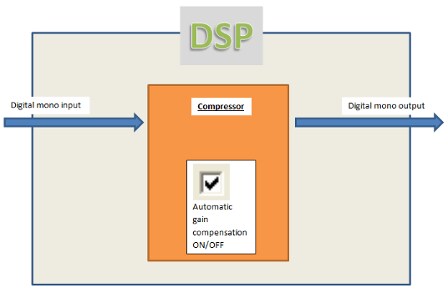
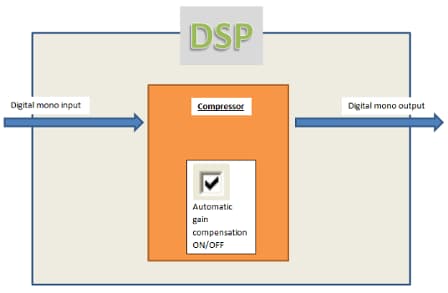
This is a high level view of what I'm trying to achieve:
I have a digital signal on input and a digital signal on output. When a compression is applied on the input signal, there is some gain loose, which I need to compensate, so user who listens the output signal will not notice difference in gain.
What is the role of AUX_ADC_3? I don't have any physically connected input other then the signal on which compression is performed. Can the design work without it?
I hope that this time I was more clear with my requirement.
If your design is not relevant in my case, can you please suggest a suitable design please?
Thanks a lot.
Sorry I overlooked that you're using a ADAU144x DSP. The Aux ADC is one way to allow your end user to adjust the compression level via an external pot at its input pin. For the sake of testing, you could substitute a GUI pot for the Aux ADC. Your project would appear like this:
I attached a ADAU144x version of this project, but unfortunately I don't have that hardware to test it.
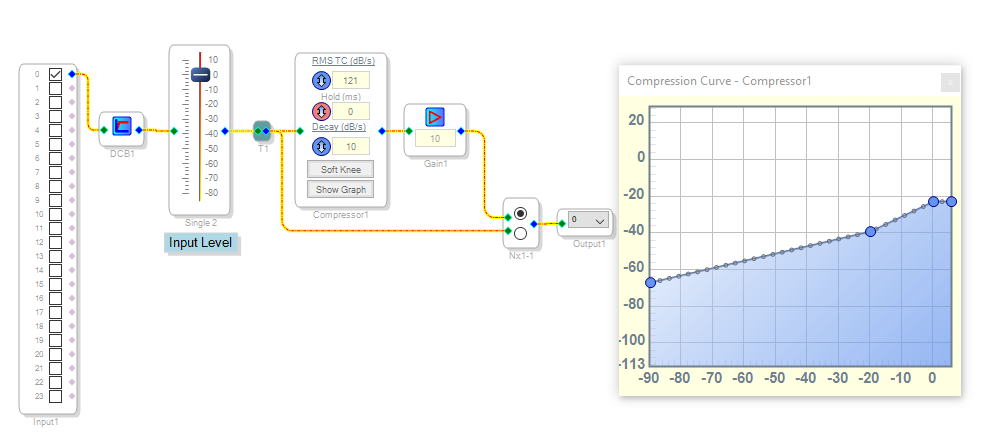
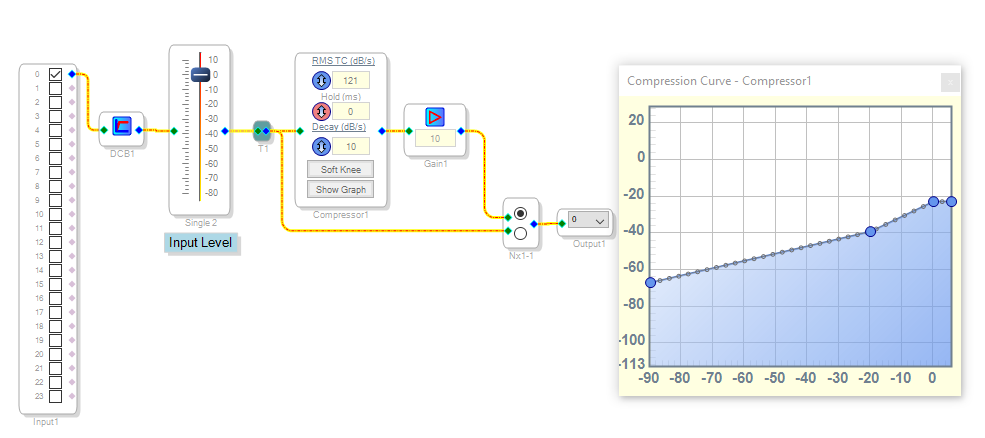
How to implement this in your final system depends upon how you wish your end user to adjust this function -- merely switch compression in and out, or provide an adjustable threshold as the above project does. For example, my home audio system has a switch called "Dynamic Range Compression" which leaves loud passages alone while boosting the low-level dialog. This is easily done by simply adjusting your compressor's graph to boost low-level signals while providing unity gain at higher levels. For example, like this:
If it turns out that these ideas do not perform your desired function, perhaps someone more familiar with the auto gain compensation could weigh in on this.
Best regards,
Bob
Please log in to reply.