ADAU1467 SigmaStudio Hierarchy Board Input pin order
Hi,
I have a question about Hierarchy Board input pin order.
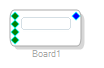
Instantiating "hierarchy board" and placing input pins are added green input pin.
The green pins are arranged from top to bottom in the order in which they are generated.
It seems like the order is fixed.
Is there a way to change this order later?
Thanks and Regards,
Audio Signal Processors
adau1467
sigmastudio
SigmaDSP Audio Processors
SigmaDSP
Hello Takumi3952,
No, you cannot change the order of the pins directly. However, you can swap them around in the board to use them for different uses and you can change the name. So there is no reason to have to be able to change the order.
Here is an example:
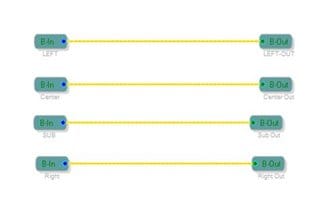
As shown above: I setup this board with four inputs and outputs.
I changed the labels so they are Left, Center, Sub and Right from the top down. I have the outputs labeled in a similar fashion.
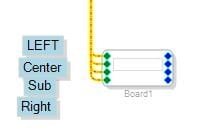
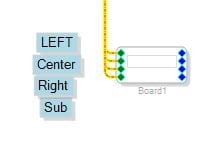
As shown above: Here is that board shown in the main program window. I placed labels since I cannot show the "flyover" pop up labels in a screenshot. But this is the order they are listed.
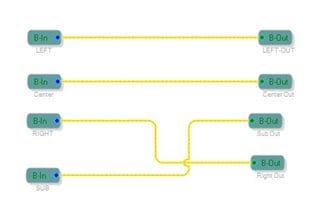
As shown above: I went into the board tab and swapped the wires to send them to different outputs.
Then I changed the labels to show the new function of the pin. I did not move any of the pins but I could have moved them. Moving them does NOT change the order.
So now the order is Left, Center, Right, Sub.
The result is that the order on the main page is now different. So if the order is not correct then simply change the function of the pin to be in the desired order.
Dave T
Please log in to reply.