ADAU1452 PLL lock not working on custom PCB
Hello, everyone!
We are developing a board with ADAU1452, which includes AD1938 and TPA3255.
We have a problem: the ADAU1452 does not work on our board, but it works on another debug board nearby.
Connecting the programmer and watching ADAU1452 in Sigma Studio I see that PLL Lock does not work: at startup you can read and write registers, as well as download the program, but the PLL lock flag indicator is always red. When you press PLL Enable/Disable, the PLL lock flag indicator lights green, but then turns red.
The voltage without PLL enabled on the PLLFILT output = 3.3V, if you force the PLL on, then about 0.9V instead of the ones described in 1.65 - 2.1V.
AVDD, PVDD = 3.3V is stable, tried from different sources, DVDD voltage = 1.2V is formed and stable.
Frequency mclk = 12.228MHz stable, tried from different sources, the board uses this generator(https://www.chipdip.ru/product/12.288mhz-hcmos-ttl) + SN74LVC1G125DBVR.
Programming via I2C, the addresses were set different, there is no difference - programming and changing the registers is correct but not started.
The connected debug board with ADAU1452 (like this: www.chipdip.ru/.../rdc3-0027v1) works without problems. Our parallel connected ADAU with a different address on the bus has started once but then stopped.
Replacing the chip with a new one does not solve the problem.
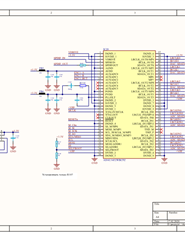
Scheme:
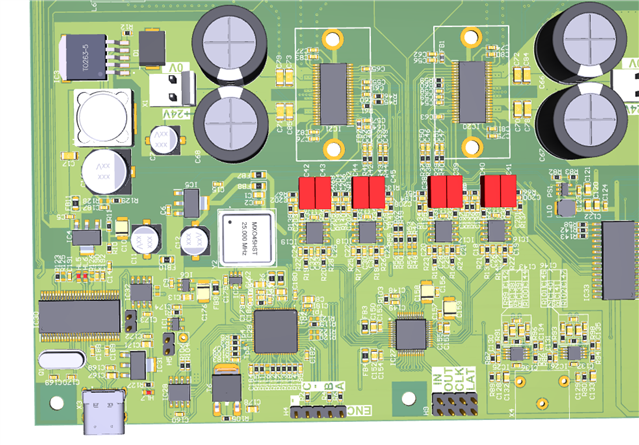
Board 3d-model (opens in acrobat):
Edit Notes
fix generator name
[edited by: vvzvlad at 2:16 PM (GMT -5) on 13 Nov 2020]
Audio Signal Processors
adau1452
pll enable
ad1938
Integrated/Special Purpose A/D Converters
pll lock
SigmaDSP Audio Processors
frequency
pll
Audio CODECs
Show More
Please log in to reply.