Timer with external clock mode for ADZS-21569
Hi,
I currently work with timer module (adi_tmr_2156x.c) with for 21569 EZKit project.
The goal is have a ISR be triggered under certain period. I used the timer in "external clock mode" so I can feed the system clock into timer and triggered the interrupt when it count certain value.
But it's weird that I never get into the ISR with external clock mode, the configuration seems correct, when I check the register value through "Register Browser", I can see Timer->TCOUNT is counting, but TIMER0->TIMER0_TMR0_CNT never changed.
And the problem was fixed when I set to "continuous pwm output mode", I known this could have the same functionality as external clock mode by giving 0 delay and width (please correct me if I am wrong), but I'd like to know why external clock mode is not working? The code is referenced from CCES sample code "timer_PWM_21569", but I can't find any example for using external clock mode.
The config table provided below:
ConfigParams.Mode= ADI_TMR_MODE_EXTCLK; // I can only make it work by setting to ADI_TMR_MODE_CONTINUOUS_PWMOUT
ConfigParams.IRQMode= ADI_TMR_IRQMODE_PERIOD; // Trigger IRQ once counter reach certain value
ConfigParams.PulsePolarity= false; // Set active edge polarity as low-high
ConfigParams.ClkInSource= ADI_TMR_CLKIN_SYSCLK; // Use system clock
ConfigParams.InputAuxIn= false;
ConfigParams.Period= timerPeriodTicks; // Set timer period in ticks
ConfigParams.Width= 0; // Same as timer period for external clock mode
ConfigParams.Delay= 0; // Same as timer period for external clock mode
ConfigParams.EnableGracefulStop= false; // No use for external clock mode
Result = adi_tmr_Config(phTMR, &ConfigParams);
Hi,
After the timer has started, it resets the TIMERx Counter register to 0x0 and then waits for the first leading edge on the input pin. This edge causes TIMERx Counter to be incremented to the value 0x1, and every
subsequent leading edge increments it by one. After the TIMER Counter register reaches the value programmed in the TIMER Period register, the corresponding TIMER_DATA_ILAT bit is set, and an interrupt
and trigger are both generated (if enabled). The next leading edge reloads the TIMERx Counter register with 0x1, and the timer continues counting until it is disabled.
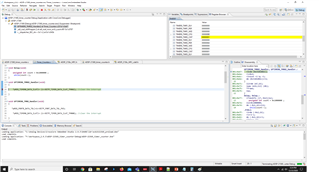
We have configured a code as Timer0 in Continuous PWM output mode and Timer2 in counter mode. The Timer0 output is given to Timer2 pin manually through a jumper wire. Please refer the attached code and screen shots.
Please refer "External Clock (EXTCLK) Mode" in chapter-17 from ADSP-2156x HRM at below link.
https://www.analog.com/media/en/dsp-documentation/processor-manuals/adsp-2156x_hwr.pdf
ADSP-21569_timer_counter.zip
Regards,
Anand Selvaraj.

Please log in to reply.