Selfboot Problem on ADAU1452
Hello,
when I download this simple test project "write latest compilation to DSP" it works fine .
Check latest Compilation through DSP workks 100%
But if I disconnect the PC and reboot the board it doesn't work.
No matter if I set "selfboot switch" ot enabled or disabled.
With a second 1452 Board its all OK.
How can I check whats wrong on the board ?
best regards, Stephan
ADAU1452_Test.zip
Audio Signal Processors
adau1452
1452
sigmastudio
SigmaDSP Audio Processors
selfboot
Show More
Hello Stephan,
Well, this is interesting. What is the model number of each board? If they are different then which one works and which one does not?
Did you perform a "Check Last Compilation through the DSP" command? Was the result successful?
We need to determine if the issue is that the EEPROM is not being programmed or if the reset/selfboot is not working properly.
Dave T
yes, the "Check Last Compilation through the DSP" was successfull.
The boards are both ADAU1452 V1 130802
Hello Stephan,
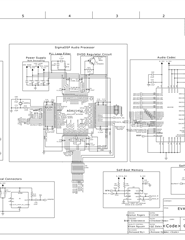
OK, so you are using the old MINIZ board. I will attach the schematic in case you do not have the older user guide.
You are going to need to use a scope to see what is or is not happening.
When you hit reset on the board this is what happens:
The reset switch is connected to a reset generator IC. That in turn will produce the reset for the DSP.
When the reset pin on the DSP goes low and back high, the DSP will check to see if the Selfboot pin is high.
If it is low it will do nothing. If it is high then it will try to selfboot.
So it will read from the first memory location of the EEPROM. If it reads an 0xAA then it will continue to read the EEPROM.
If it does not read 0xAA then it will try three times then quit and go into hibernation. I will also place some codes into the software codes register location.
If it does continue to read the EEPROM then it will calculate a checksum, once the program is all loaded it will compare the calculated checksum with the one that is stored in the EEPROM. If it matches the program runs if not it places some codes again and does not run the program.
So you have to use a scope to see if any of these are happening and work through it one step at a time.
One other little thing I want to mention. I do not think you are doing this but others reading this might. When you disconnect the USBi you must remove the ribbon cable and not just unplug the USB cable. Because, if you disconnect the USB cable it powers down the USB interface and that will hold the reset low which will keep the DSP in reset.
Dave T
Hello Dave
I have a scope.
Where should I measure ?
The Reset LED ( D3 ) gets ON when I press the Reset SW.
Also the Selfboot LED ( D2) is ON or OFF when I switch Selfboot-SW
The boards works fine now.
I have left it powerless for 12 hours, and after trying to download the code it holds the program, and selfboots correctly.
No idea why that happened.
Hello Stephan,
I guess you talked to it nicely so it decided to behave!
From what you described, I do not think this is the problem but I will mention it. You should always disable the selfboot when writing the program through the DSP. This is because SigmaStudio will reset the DSP then it starts writing the passthrough program to the DSP. When the DSP is reset it will start loading the program from the EEPROM. So then you have the DSP loading in a program and SigmaStudio loading in a program which as you can imagine can cause flaky problems. It can be different every time. If the program in EEPROM is really short you don't notice the problem because it completes the bootup before SigmaStudio starts to write the program. But, if the program is longer they will clash. In the past I found this when it was taking three or four times to write to the EEPROM through the DSP before it would actually write the new program. Once I disabled the selfboot it worked every time!
Dave T
Yes, in the past I usually did not disable the Selfboot-Switch. So maybe it corrupted the board this time.
I will take care to disable it now all the time from now.
Thanks for your advices !
Please log in to reply.