ADAU1467 Jitter on CLKOUT and BCLK
Hey together,
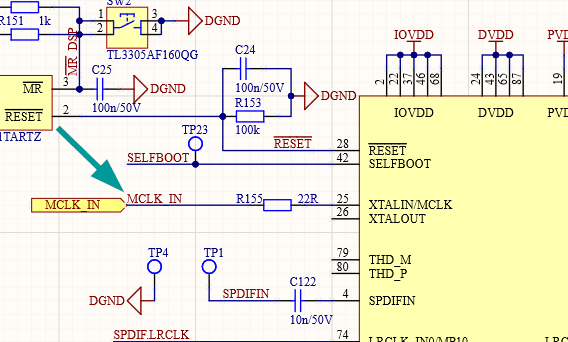
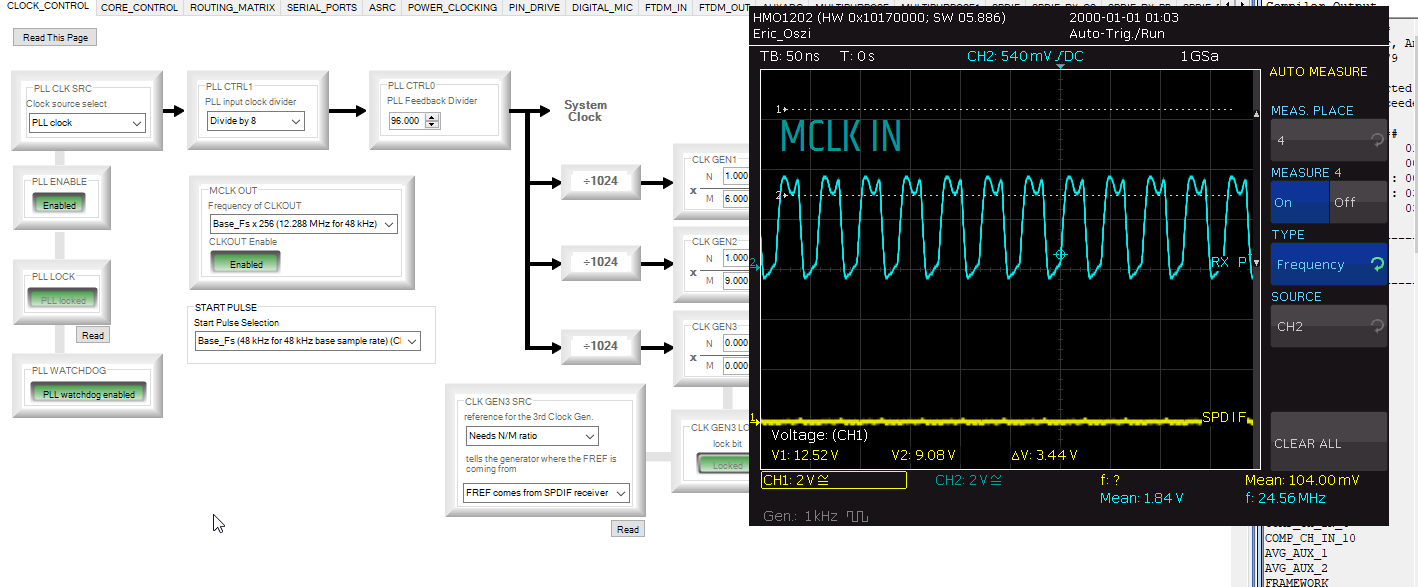
We have a problem with some jitter on CLKOUT pin as well as the BCLK pins on our ADAU1467. We supply our MCLK by a 24.576MHz oscillator. Please see the measurement of the 24.576MHz below:
As you can see the clock signal is very stable and no jitter is visable.
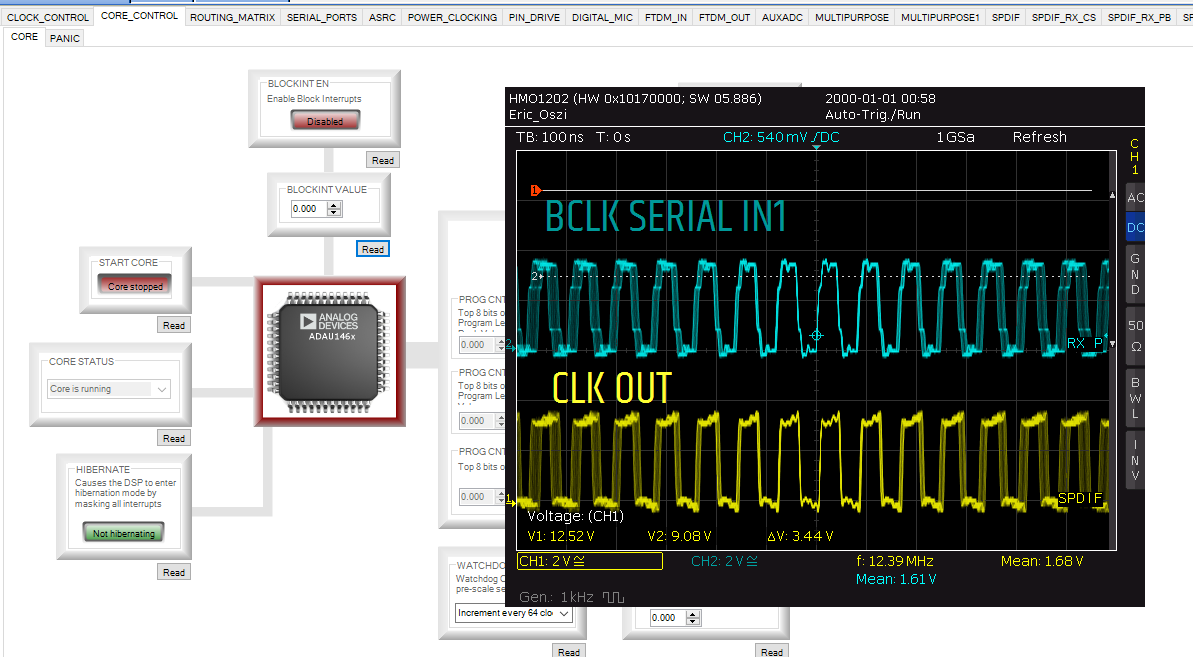
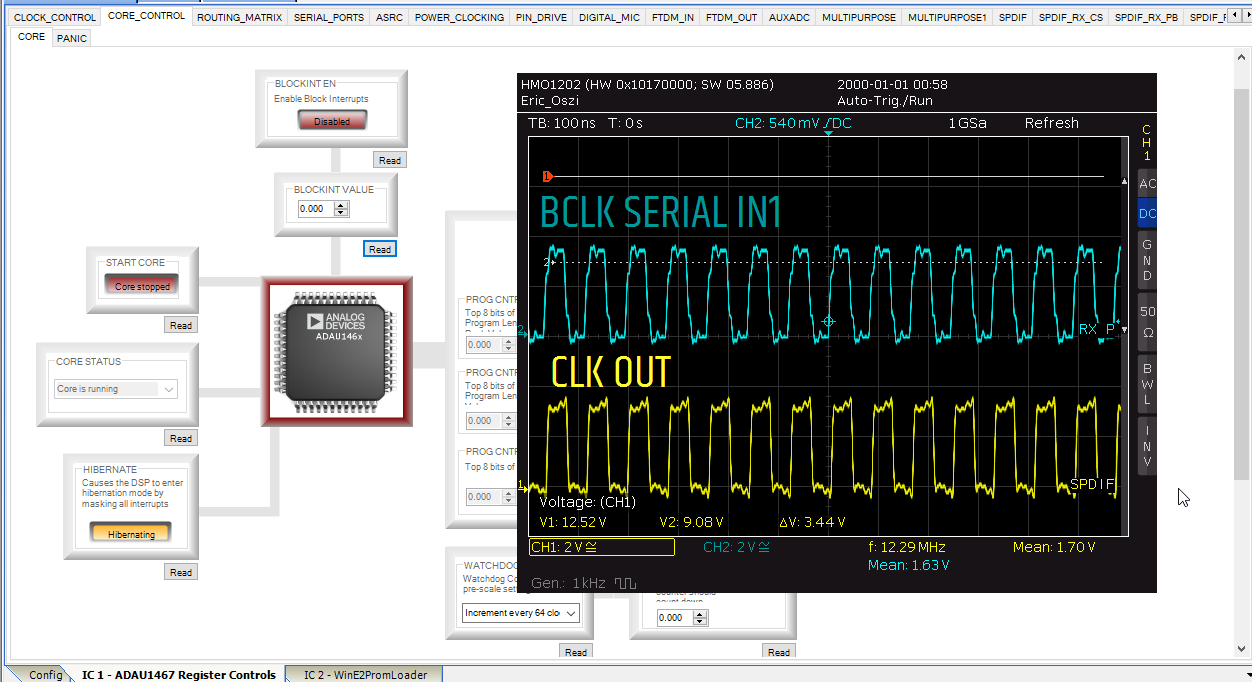
But when I hook up to the CLKOUT and BCLK pin, I can see some jitter on it.
The strange thing is that if I hibernate the core, the jitter disappears.
Is this normal, could you tell me why the jitter occurs?
Best regards and many thanks in advance,
Eric
Audio Signal Processors
jitter
adau1467
clock
SigmaDSP Audio Processors
Hey together,
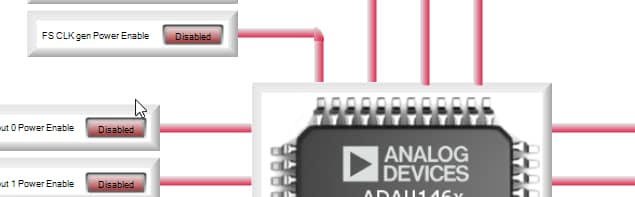
the jitter disappears as well when I disable FS CLK GEN.
Best regards,
Eric
Hey together,
I investigated the issue a bit more in detail. It seems to be related to the size of the program as well. When i upload a small or blank program the BCLK and CLKOUT looks perfectly stable.
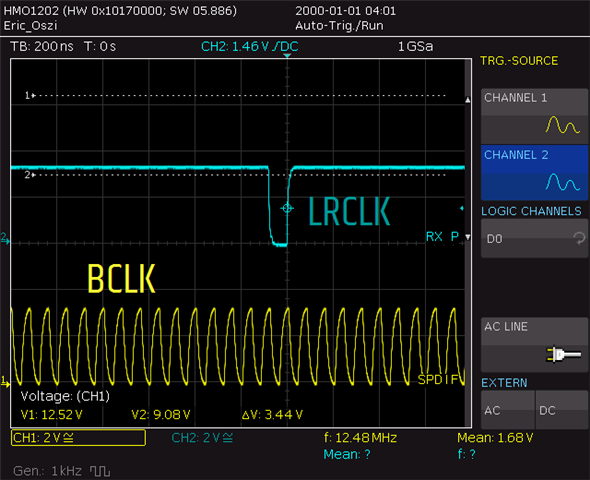
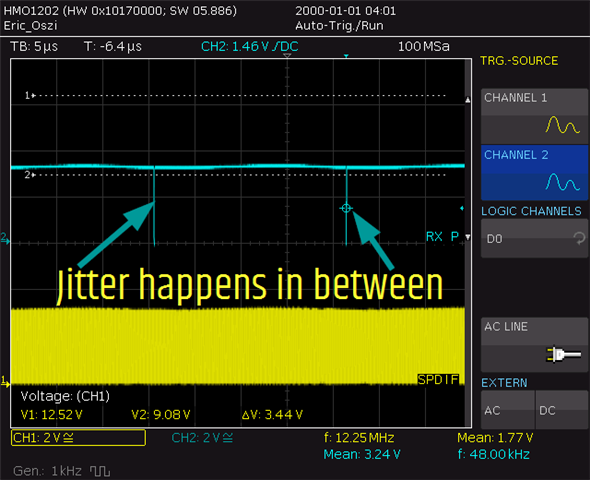
Then I checked triggering on the LRCLK. This shows also always a very stable BCLK and CLKOUT.
This means that the jitter happens only in between the LRCLK Pulses. Meaning that the jitter shouldn't be problematic.
But could you explain why the BCLK and CLKOUT jitter is affected by the size of the programm or by the interrupts of the system (hibernate removes the jitter)? I thought the BCLK and CLKOUT whould be generated by hardware.
Best regards,
Eric
Hello Eric,
What is your Loop Filter circuit?
Can you show up how that is implemented on your PCB layout?
Dave T
Hello Dave,
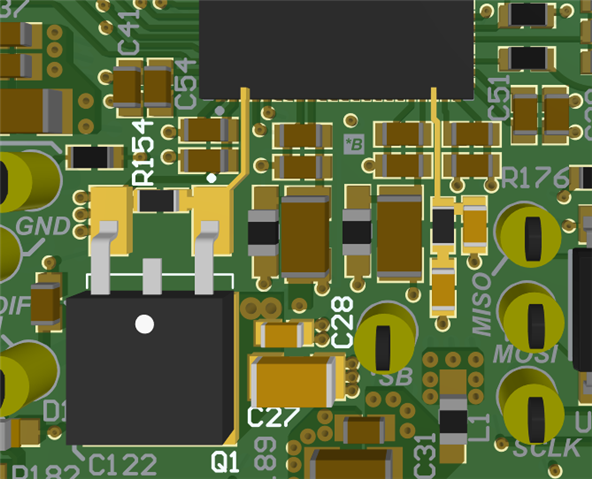
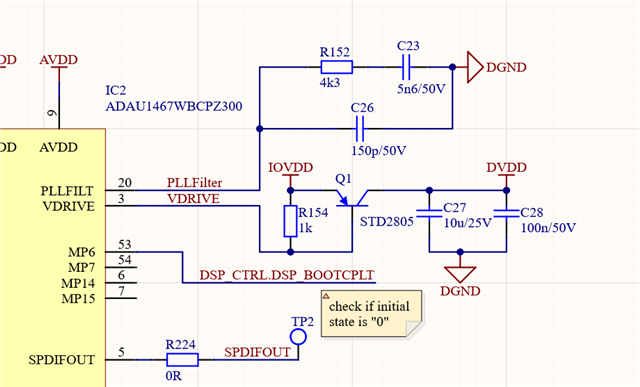
please see the schematic and the part of the layout below. We are using very closely the design from the development board. The traces are very close placed and as this is a 6-Layer PCB the connection to the VCC and GND planes are perfect.
We are just wondering as we can rid of the jitter if we use a very small DSP programm. So i can't be related to hardware, right?
Best regards,
Hello Eric,
Actually it can be related to the hardware if there is noise on the power or ground that can affect the internal circuits.
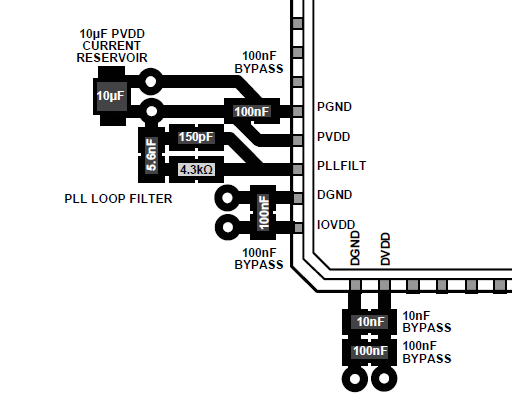
You actually missed a small detail that is very significant. The loop filter goes between the LF pin and the PVDD pin. You have it going between the LF pin and DGND. This is big difference. The filter has to bypass to the power pin and connecting it to ground will actually bring in noise off of the DGND. The PLL is actually an analog circuit which is why we power it off of AVDD on our eval boards to help it keep noise spikes off of it that will mess with the locking of the PLL.
You need to have the PLL filter on the top side of the board and it is best to not have any vias. Your screenshot was of the voltage regulator. By the way, you also should have a small resistor in series with C27 that makes up for the lack of ESR when you use a ceramic cap. The voltage regulator was designed years ago when almost everyone would use an electrolytic cap for the 10uf. The phase margin suffers without that small resistance in the electrolytic caps.
I suggest you download the ADAU1452 datasheet. Back in 2018 I had extensively updated the document so there is more up to date info on that datasheet. This part is very similar to the 1467 since they share the same core and other similar features. It is the same regulator and PLL. Here is a link to the Rev-D of he datasheet. I was told by another customer that is you search the internet you get the older version of the datasheet that is still hidden somewhere on our site.
ADAU1452/ADAU1451/ADAU1450 (Rev.D) (analog.com)
Look at Figure 88 which is near the end of the document. That is an example layout that shows how the regulator, the loop filter and bypass caps should be done. The details of where the VIAS are in relation to the caps and the part pins is important to both keep noise off of the power and ground planes but also to keep noise out of the part from external sources. Here is a screenshot but read through this section of the datasheet for details.
I am fairly certain that this is the cause for your jitter issues.
Oh! by the way, you did an Excellent job of writing your post! Great troubleshooting and recording the symptoms you were seeing. We should have a "Post of the Month" award or something like that. You would be in the running!
Dave T
Dear Dave,
good job thanks a lot. I will forward it to our layout department that they can do another revision. Then we check if it solves the issue. Thanks a lot.
Best regards,
Eric
Dear Dave,
we modified the PLL on one of our samples by hand. It solved the jitter. Thanks for your detailed feedback.
Best regards,
Eric
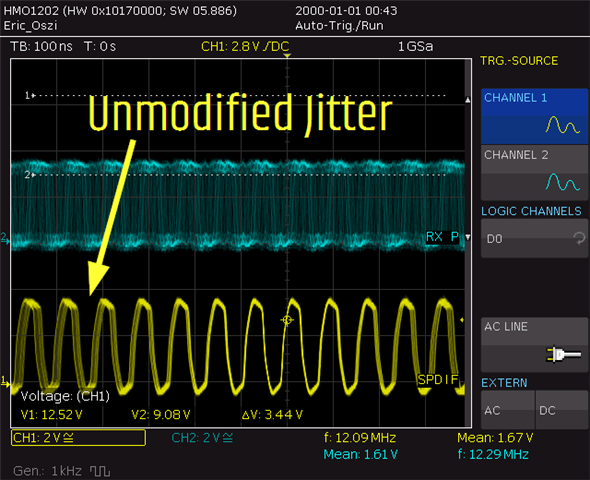
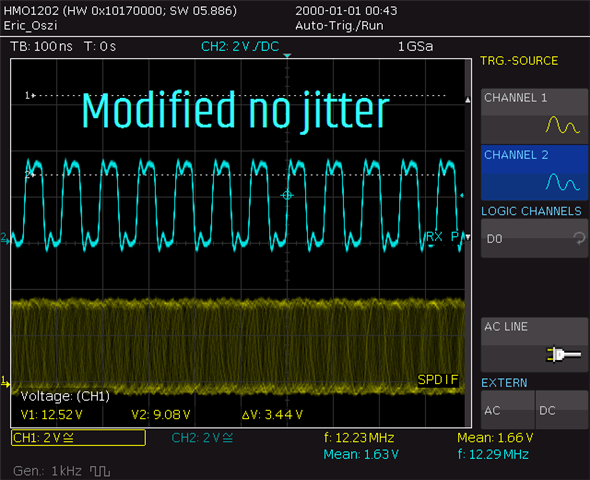
Hi, I just also wanted to thank you for the detailed answer and tell you that this also helped me fix the exact same issue with ADAU1701. For some reason, I also hooked up the PLL filter to GND instead of AVDD. After the manual fix, the signal looks splendid!
Hello Traffael,
Awesome!! It is actually an easy mistake to make because we are so conditioned to connect filters to ground on a pin not power. It becomes automatic and often we are drawing the schematics when we are tired and it is a long day!
Hope the rest of your project goes well. The 1701 is such a fun part to work with.
Dave T
Please log in to reply.