SigmaStudio Simple Graphic Equaliser
Hi there,
I am very new to this and I am trying to figure out if it is possible to create a simple graphic equaliser in with set center frequency which can be boosted or cut. Wondering if it is possible to also set the bandwidth for the graphic equaliser or the Q factor.
trying to make it so that a user can simple change the bass or treble easily using a graphic equaliser.
thank you in advance
bare in mind I am quite new to this.
Audio Signal Processors
dsp
GraphicEQ
parametric equalizer
equalization
KABD-250
sigmastudio
SigmaDSP Audio Processors
adau1701
Graphic equalization
Show More
Hello Sean2022,
There are several EQ's available in SigmaStudio with various specifications. You can adjust the cut-off frequency, Q factor, gain etc. You have slew options like hardware slew, software slew and without slew for some of the EQs. It will be found under Filters in the tree tool box and Auto speaker EQ's will be found under ADI algorithm. There are so many controls available in the auto EQ.
I'm not exactly sure which one you are looking for , So I have attached some screenshots please refer that. And can you tell us which processor you are using?
I hope you will get an idea. Kindly reply if you need anything.
Regards,
Harish
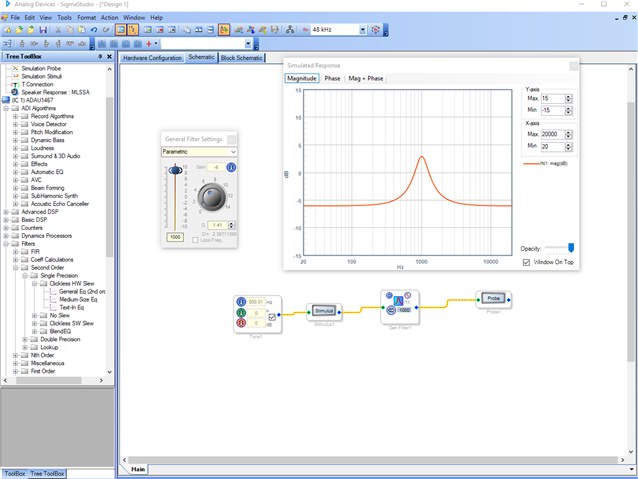
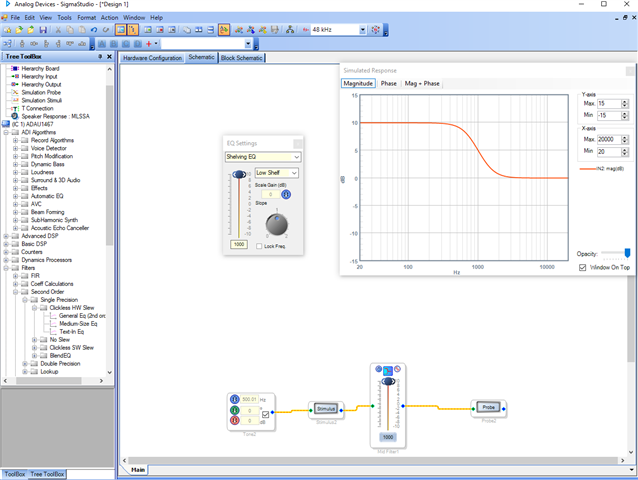
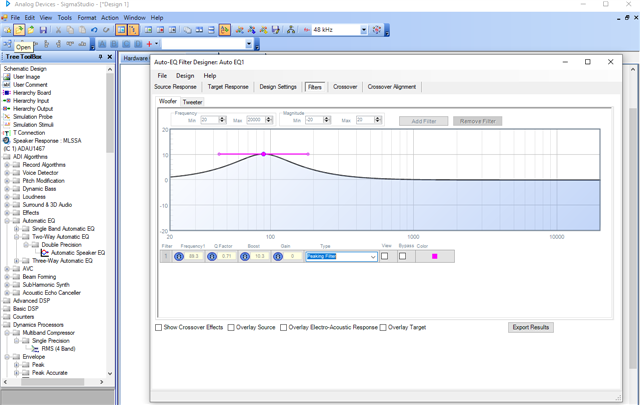
Hi there,
Thanks very much for getting back to me, i am using a Dayton Audio KABD-250 which uses an ADAU1701.
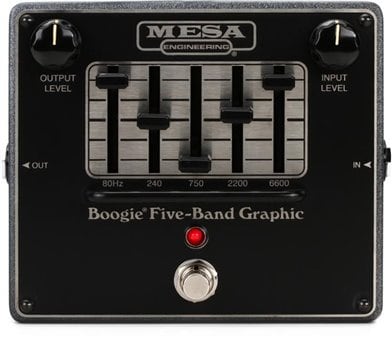
I've included an image below of a general Graphic EQ, I am wondering if it is possible to recreate this within SigmaStudio, possibly with pot Controls replicating the sliders?
Sorry i have little to no background in this area but i am creating a portable Bluetooth speaker with integrated DSP. I want to implement a simple bit of DSP through SigmaStudio with my supervisor wanting a Graphic EQ in it, i cant seem to find any options for a straight Graphic EQ. I was wondering if it is also possible to just use Parametric EQ as a graphic EQ as i have 5 fixed frequencies in order to adjust the loudness of the sound, i.e Bass/Treble
Hi,
It seems like you might be better off using hardware slider controls.
Unless your speaker will always be connected to a computer running SigmaStudio it doesn't make much sense why you would need a graphic EQ within SigmaStudio. (This application is made for programming the IC, not really as an application to be used by the end-user.)
The simplest solution if you need this EQ control would be just replacing the built-in potentiometers that control EQ and volume on the Dayton KABD-250 with sliding potentiometers and making your own faceplate like in the picture you posted.
If you want more control than what is offered built-in to the KABD-250 it would be possible to use an external microcontroller that has hardware or software controls (potentiometer or encoder/screen) that sends commands to the ADAU1701. However, this is much more complicated and would take longer.
Please log in to reply.