Multi-Tap Voltage Controlled Delay Maximum number of samples compiler error
Hello team,
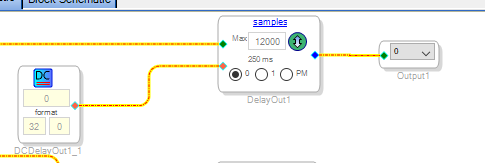
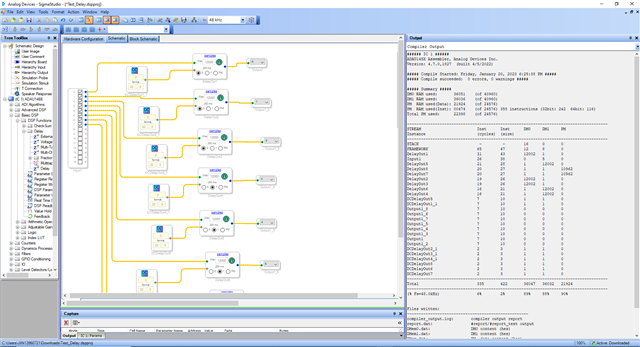
I have a simple project (attached test project) in which I have 8 channels with 8 delays of the type "Multi-Tap Voltage Controlled Delay". To make the most of the available memory I have 3 channels configured to work with the DM0, 3 channels with the DM1 and 2 channels with the PM.
The problem I have and I don't know why it happens.
Having enough memory available to put in each block 12000 delay samples, when compiling the project I get the error "Object reference not set to an instance of an object".
If I change one block from DM0 to 6000 samples and one from DM1 to 6000 samples, it compiles fine and I still have 10k of RAM free in both DM0 and DM1. I don't understand how having free memory can't use the 12K samples I need.
What is the problem?
Thanks for the help
Regards
Carlos
Test_Delay.dspproj
Edit Notes
N
[edited by: carlos@lynx at 11:53 AM (GMT -5) on 20 Jan 2023]
Audio Signal Processors
COMPILER ERROR
software
sigmaStudio 4.7
max samples
sigmastudio
SigmaDSP Audio Processors
Voltage Delay
adau1466
Show More
Hello Carlos,
Please try connecting the processor with the USBi in the schematic and then try compiling the project. In that way I get it compiled.
Please see if this works. If not, then please get back to us.
Regards,
Harish
Hello Harish,
Thanks for your quick response.
I have tried what you told me and now the project compiles without errors.
Now I have a doubt. I don't use any analog eval board. I have my own hardware that communicates with the DSP through SPI and my own code loads the program into the DSP and calculates the coefficients for each block, filters, delay, etc.
Why do you have to put this block to compile it correctly?
How does this block affect my mode of operation? since I do not connect through any board via USB with the DSP.
Can I leave this block and continue working as before?
Regards
Carlos
Hello carlos,
How are you going to program the DSP?
carlos@lynx said:
my own code loads the program into the DSP and calculates the coefficients for each block, filters, delay, etc.
Are you going to boot the DSP from a uC?
If you are booting and controlling your DSP from an external controller, then it's not a problem. You can connect the USBi with the processor in the schematic and get it compiled and then export the system files. Then it's the usual process of interfacing the DSP with the uC.
The sequence given in the IC_1.h file is very important to boot the DSP. That is exactly what sigmastudio does.
Please change the chip address accordingly in the IC_1.h file below. This address will be always zero for SPI. Since only one chip address is available in SPI mode. The 7-bit chip address is 0b0000000. The LSB of the first byte of an SPI transaction is an R/W bit.
Then you have to take care of all the parameter addresses as every uC interfacing project. These addresses will be given in the params.h file.
If you are using SPI to program the DSP then you have to put the slave control port into the SPI mode by toggling the SS pin three times(by default this port will be in I2C mode). If you use the USBi then it will automatically take care of putting the slave control port in SPI mode but if you are using your controller, then you have to add a piece of code to do that.(this code was given in the bottom of the main.c file in the Microcontroller interfacing example here).
You can program the DSP from an external source, but you have to take care of the addressing and communication protocol and boot sequences. Please refer sigmastudio's capture window, you can see an order of commands sending to the DSP. it will give you an idea of how this works. The exported files will do this from your controller. The wiki page of uC interfacing that linked above has the entire code and explanation.
I hope I have answered what you asked for. If you have specific questions, then please do reply.
Regards,
Harish

Please log in to reply.