Setup a software controlled DAC/ADC through i2c with ADAU1466
Hi everybody,
I'll detail the board as much as I can:
So, the board have a ADAU1466, 4x PCM5122 and 1x PCM1865, both ADC and DAC are software controlled through i2c, with its respective addresses correctly set.
I'm using only i2c to communicate with my USBi, because I projected this board a year ago, and I didn't thought that SPI maybe would be better that time and I set the dsp pinout only for i2c.
SDA and SCL are shared between USBi, ADAU, ADC and DAC with 2k2 pullup resistors.
My questions are:
1 - How do I control the ADC and DAC through i2c? How do I send commands, or send bits for a especific register on that address? i.e.: ADC at 0x94, register 0x0B need to be "00000000" ... Sigmastudio have any block to send this especific values to that especific address?
2- My USBi on i2c can cause problems? Because it acts as master, and ADAU need to be master as well to send commands to the i2c bus.
If need any schematics, tell me.
Sorry about this questions, but I'm coming from the simple ADAU1701 to this complex one...
Audio Signal Processors
dsp
sigma studio
adc
programming
hardware
software
i2c issue
i2c
i2s input
spi
problem
usbi
SigmaDSP Audio Processors
i2c write
SigmaDSP
audio
adau1701
adau1466
dac
Show More
Hello,
IcaroViana2 said:
Sigmastudio have any block to send this especific values to that especific address?
Sigma studio has a block called master control port, Where the DSP acts as a master for I2C/SPI. This port will program external SPI RAM, EEPROM and CODECs via the DSP. The ADC/DAC will be programmed by the DSP via the master control port. Please refer the master control port in the datasheet for more info. As you know, The other port is called slave control port, that is used by the USBi to program the DSP by I2C/SPI. In your case you are using I2C and here the DSP is a slave.
A sequence file will be attached with the master control port, that file will contain the chip address, sub addresses and data etc. in a particular format. that file will program the external IC by I2C/SPI.
The sequence file generation would have been easy if it's ADI's converters. Because by using sigma studio, we can drag and drop the codec and set up the registers and add the instructions in to the sequence file. But here, you have to make the sequence of addresses, data, based on your chip. To program the external IC, an example file is attached in the below mentioned link. Please refer your converter's datasheet for addressing, supporting types, transfer speed etc.
There are two main types here in the master control port, one is the startup boot, and another is an external trigger. This page would help you to generate the programming file and with other information's on this block.
External trigger: Master Control Port Runtime Sequential Write (ADAU145x) [Analog Devices Wiki]
Start up boot: Master Control Port Boot time I/O (ADAU145x) [Analog Devices Wiki]
Thank you! I was reading exactly about the master port… I’ll test, but I have a bigger problem now, the self boot doesn’t work.
And about the i2c communication? Both usbi and dsp technically acts as master… can cause any difficulties when configuring the dacs and adcs?
Hello,
IcaroViana2 said:
And about the i2c communication? Both usbi and dsp technically acts as master… can cause any difficulties when configuring the dacs and adcs
There are two different ports available here. The master and slave control ports, both are independent to each other. The DSP can only be a master in master control port that is, while programming an external ICs, SPI RAM, self-booting from an EEPROM and the DSP is always a slave in the slave control port which means it can't initiate a data transfer. So, to program the DSP by using USBi/uC you should use the slave control port. Where the USBi/uC is the master and the DSP is the slave.
You can program your ADC/DAC directly by using the USBi if you want, but if you want to program them from the DSP then you must use the master control port.
IcaroViana2 said:
I have a bigger problem now, the self boot doesn’t work.
Does your system already have an EEPROM connected to the master control port?
Regards,
Harish
Now, I'm using USBi through i2c and the memory are connectec through SPI.
At config tab, I configured the i2c to 0x70 (first on i2c list) and the e2prom to SPI 0x1 ADR0 (Again, first on spi list)
I'm already communicating with the DSP, I can download a program and everything is working, but memory.
I do in this way:
Compile
Pulldown the selfboot pin
Write the latest compilation through DSP
Pullup the selfboot pin
Reset
Then DSP doesn't boot...
I tried read the memory with the wine2prom tab and everything is showing FF (Think the dsp its not writing in the memory)
I'll put some schematic images to help the understanding.
The last picture shows the SCL and SDA on ADC pins... The same bus as USBi...
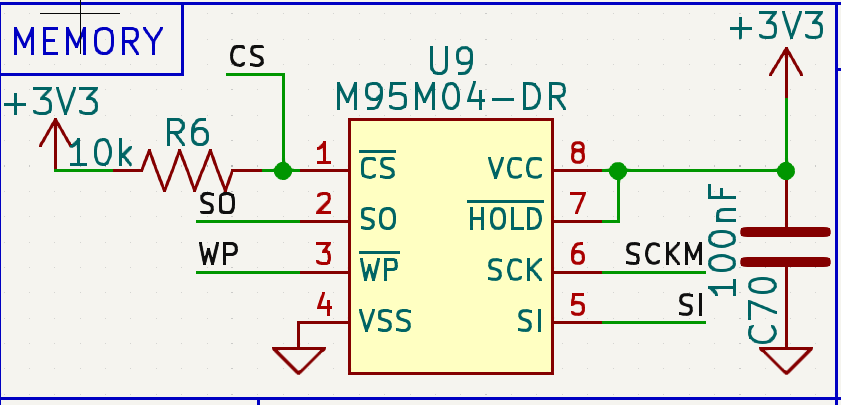
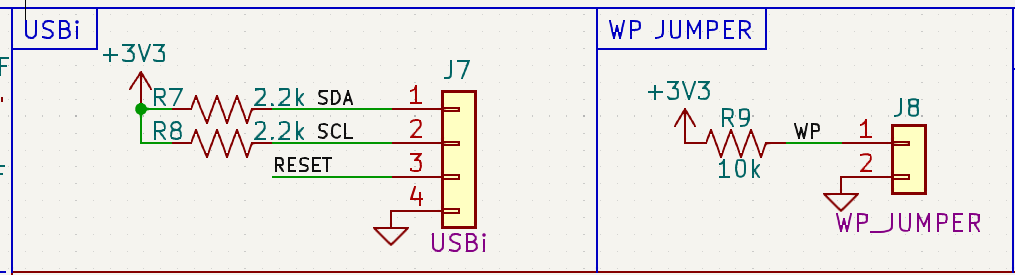
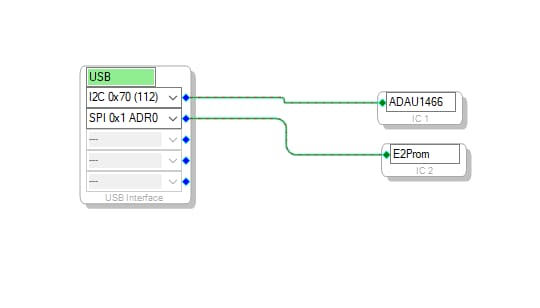
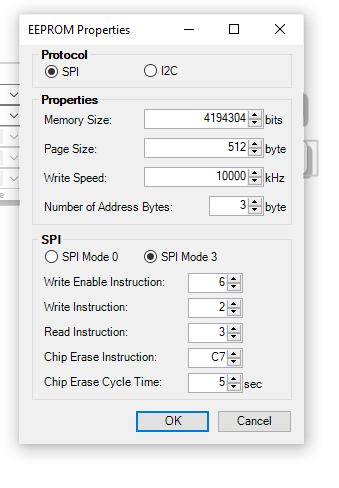
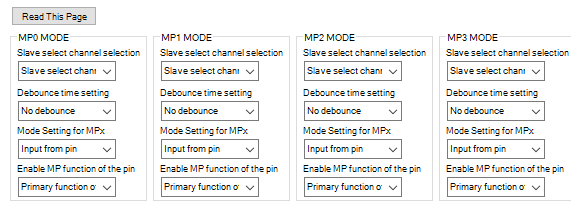
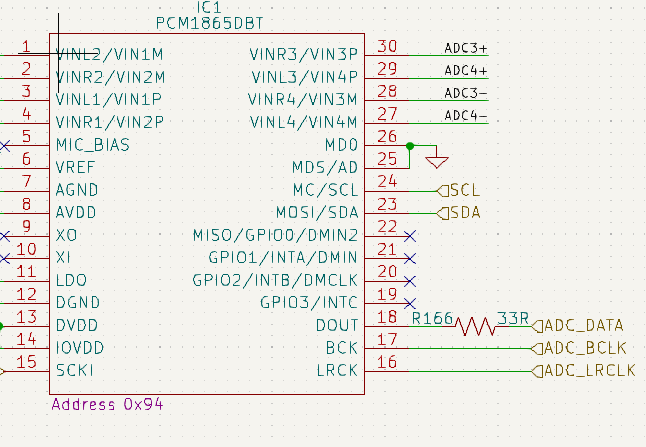
Hello IcaroViana2,
You are connecting the external parts to the I2C slave port. Harish has mentioned this that it is just a slave port and cannot be a master. When you try to communicate out to the external part what is happening is that the master port pins 28 and 29 are being changed to be a master I2C port and electrically you cannot have a SPI and I2C ports together. So it is not possible to do what you are trying to do using this exact part. The 88 pin version of this part is capable of splitting off the master I2C over to MP pins 24 and 25 and then you can boot up using SPI and then talk to external devices using I2C. The 72 pin parts do not have this capability.
Your choices are to either change the EEPROM over to an I2C version and endure the slower boot times or find codecs that communicate via SPI. The other option is to move up to the ADAU1467.
I wish I had better news. If you have a system controller in your design then as it is right now the controller could communicate directly with the ADC and DAC to set them up. You can also use a small PIC (advertise a different company,...) to simply boot up the ADC and Codec. I had written an App note doing this with one of our SPI codecs but it could just as easily be done with I2C.
I will look for the App Note,...
AN-1365 (Rev. 0) (analog.com)
Dave T
Thanks Dave!
So, one thing before I change my entire board, check if I can do one last thing:
Set the i2c slave for only USBi connection (cut the tracks)
Put a i2c memory and all ADC and DACs on i2c master pins (28 and 29) (with flying cables)
So with this I can boot up, and configure both memory and converters?
Someone can check if my thoughts are on the right way? (Sorry about the hurry, just waiting anxiousness a answer)
Hello IcaroVianna2,
Yes, but there are a few other details. Pin 26 needs to be pulled down with a 10K resistor. Pin 27 needs to be left open.
You will need to add some I2C pull-Up resistors on pins 29 and 30.
Dave T
Please log in to reply.