Serial interface clocking configuration help needed
I am looking for assistance on setting up the clocking of the output serial interface of ADAU1466.
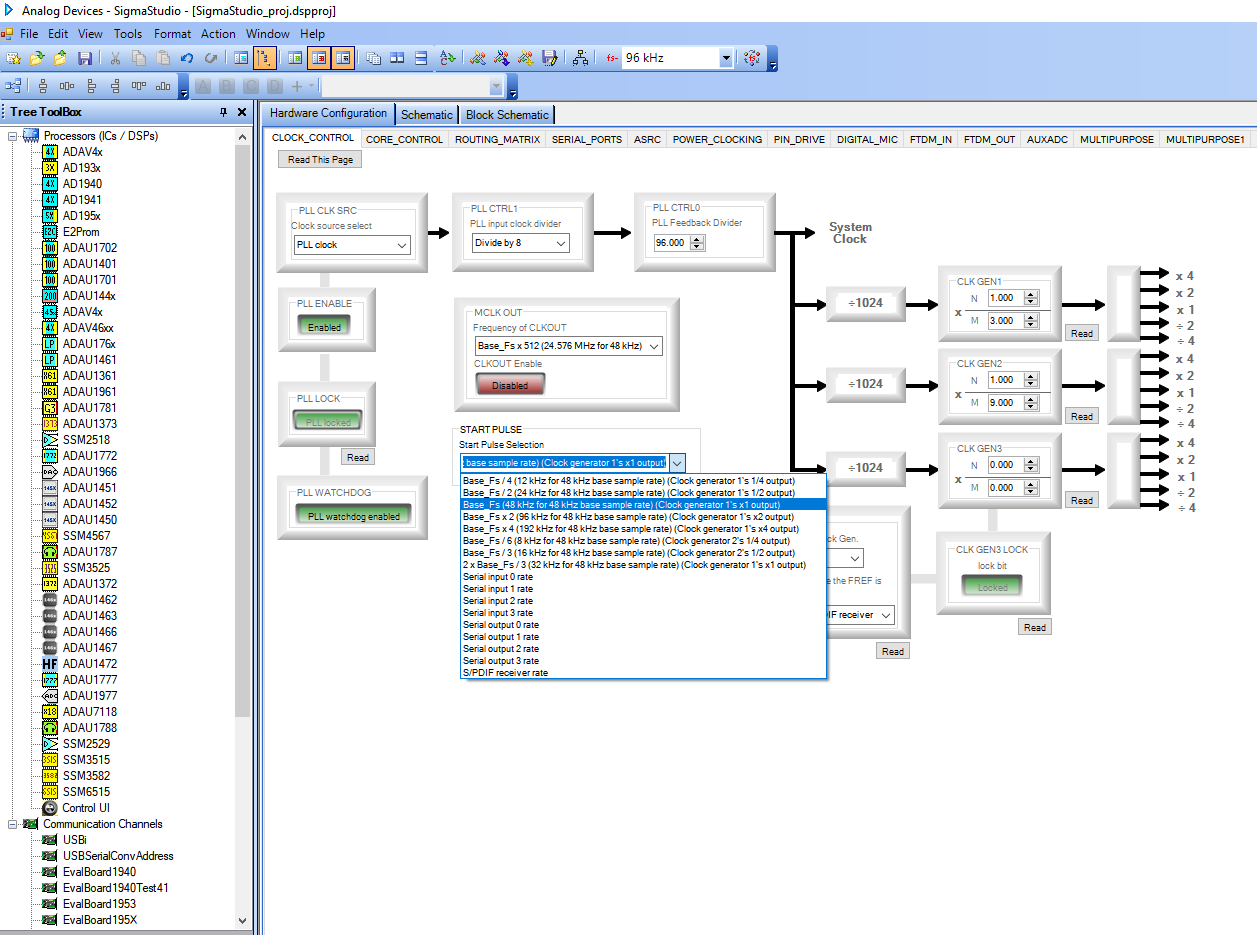
I'm using 24.576 MHz master clock fed to both ADAU1466 and 3pcs PCM1795 (connected to DSP via I2S interface). Input audio comes from the SPDIF through the internal ASRC. I would like that all my DSP processing run at 96kHz and the serial outputs to DACs to run synchronously at the same 96k rate (without any additional sampling rate conversion), so I set the sample rate to 96kHz in New Item Sampling Rate on top of the Schematic window. Please find below screenshots of my settings and attached archive with my project.
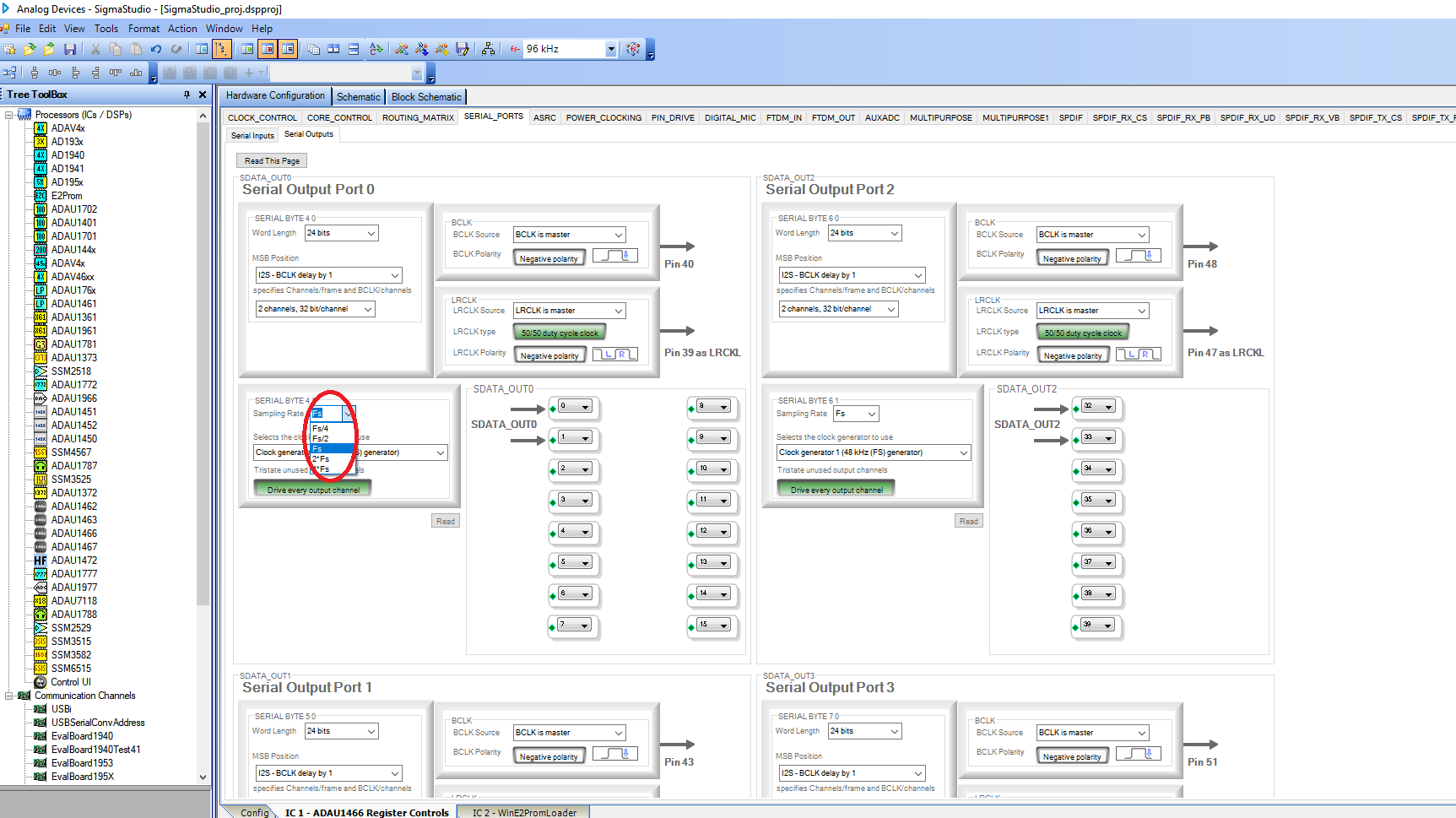
I'm confused by Sampling Rate setting in Output Serial Ports window (circled in red). Currently I'm setting it to Fs and selecting Clock Generator 1, but I'm not sure if this is the correct setting to satisfy my requirements.
What would be the expected behaviour if I change Sampling Rate from Fs to 2*Fs in the Output Serial Port window? If Clock Generator 1's frequency is set to 96kHz and Sampling Rate=Fs , does that mean that every other sample to DACs would be skipped, or it will be resampled by the ASRC?
Thanks and Best Regards,
Plamen
SigmaStudio_proj.rar
Edit Notes
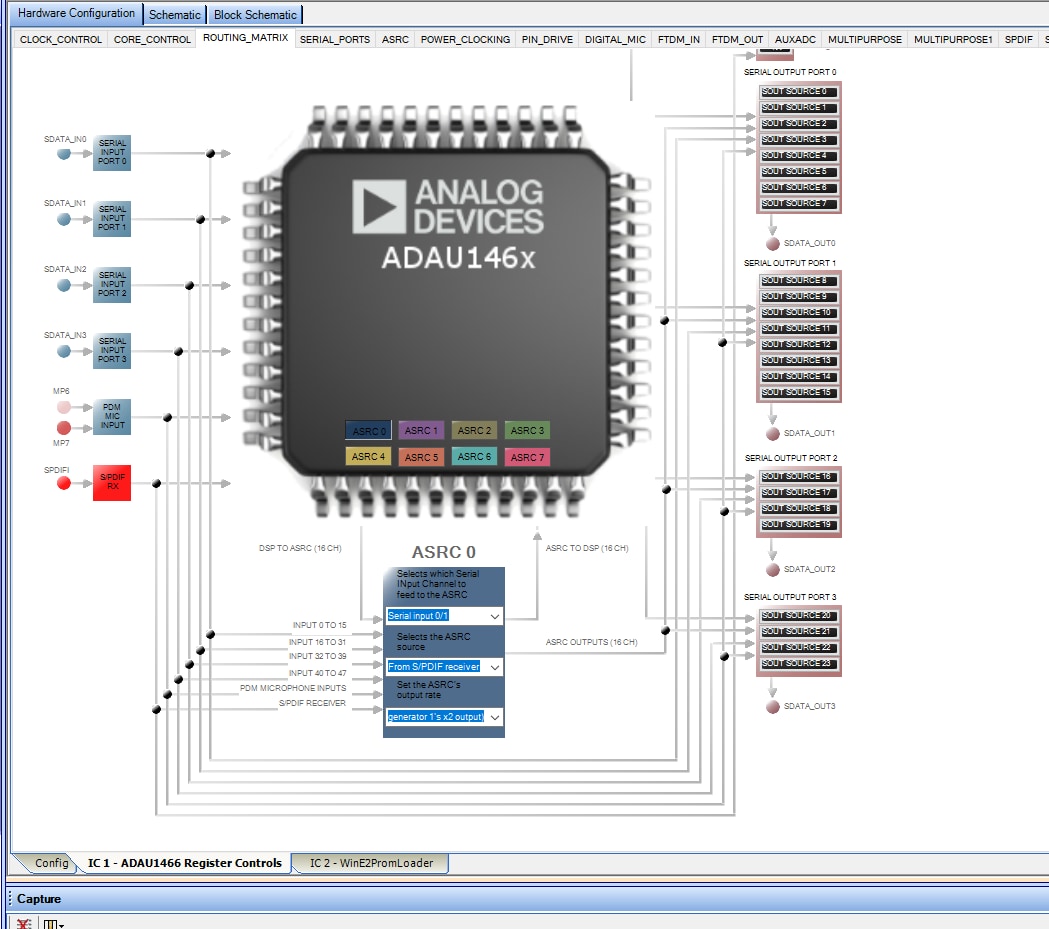
Added screenshot of Routing Matrix ASRC0 settings
[edited by: ptaskov at 4:44 PM (GMT -5) on 13 Jan 2024]
Audio Signal Processors
clocks
Audio Products
software
sample rate
Sigma Studio 4.6
serial port
Build 0
clock
SigmaDSP Audio Processors
Rev 1812
adau1466
Show More
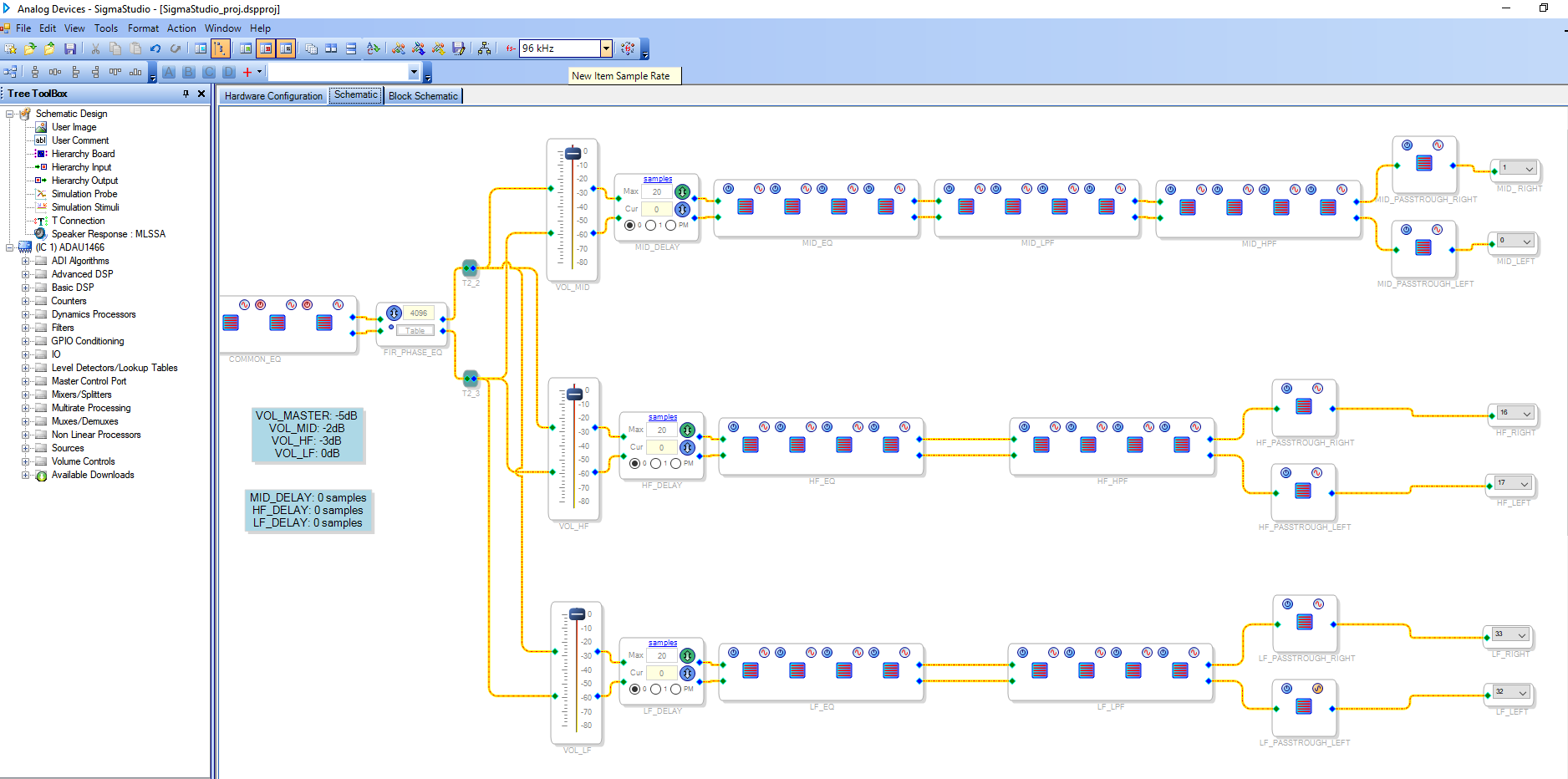
Hello Plamen,
ptaskov said:
I'm confused by Sampling Rate setting in Output Serial Ports window (circled in red). Currently I'm setting it to Fs and selecting Clock Generator 1, but I'm not sure if this is the correct setting to satisfy my requirements.
If you want your output port to run at 96KHz, then the current settings are the correct one. which is setting your clock generator 1 as N/M =1/3 (96KHz) and setting the serial port rate as Fs will make your serial output port run at 96KHz. Since you set the clock generator 1 to output at 96KHz (by writing N/M=1/3), now your Base_Fs itself is 96KHz. So choosing Base_Fs as a sample rate will get your system run at 96KHz.
Since your base Fs is 96KHz (N/M=1/3), now if you change the serial output rate to Fs*2 then the serial port will be running at 192KHz. So now your core rate is at 96KHz , the core is placing the samples at the rate of 96Khz and your serial output port will be picking it at 192KHz, Now every sample will be repeated twice in the output side. we don't want that to happen.
The core rate is something that you select in the start pulse register. If you set the start pulse as Base_fs (CG1's 1x1 output) and set the CG1 as 1/3 then your core is already set for 96KHz. No need to change anything. It seems your setting is correct.
You are receiving an input signal from SPDIF, so you need to sync it to the 96KHz core rate, so here also choosing 'use DSP rate' in the ASRC output rate register is enough to sync the input samples with the core rate.
Please make sure that your entire system is running at the same rate to avoid sample rate mismatches which lead to dropping/duplicating a sample. If your software fs is not in sync then timing-based modules will be in a mess.
Please refer this post to know more about the sample rate sub-systems in sigmaDSP.
Make sure that your MCLK is stable, are you using any clock distribution IC?
Feel free to reply if you need any further clarification.
Regards,
Harish
Hello Harish,
Thank you for the detailed explanation! It's more clear now. The link to the post is also very helpful.
If I set the start pulse to CG1's 1x output, then is there any difference between setting ASRC's output to use the DSP's rate and CG1's 1x output rate? As per my understanding, in my case both settings should be identical as DSP core is running at CG1's 1x rate.
Regarding MCLK - yes, I'm using clock distribution ICs.
Regards,
Plamen
Hello Plamen,
ptaskov said:
As per my understanding, in my case both settings should be identical as DSP core is running at CG1's 1x rate.
Yes, you are correct. Since you set the start pulse rate to be CG1's x1 output,
Now your 'internal fs (CG1's x1 output)' and 'Use DSP rate' settings from the ASRC output rate tab are the same.
Also please note that this is not always true. If your start pulse is set for some other CGs then it wouldn't be the same.
Regards,
Harish
Please log in to reply.