Strong ringing while using 44k1 to 48k resampling block
Hi,
I am preparing audio path in Sigma Studio in which I have 4 different sampling rate inputs from spdif (32k, 44k1, 48k and 96k), and I'm upsampling it to 192 kHz. I want to have different paths for each sample rate because I'm using interpolation filtr. With 48k and 96k there was no problem. While preparing path for 44k1 I have used resampling block (44k1 to 48k). Then data was upsampled 4 times and passed through interpolation filter. When sending data to the output, on DAC there is a strong ringing on audio signal.How to configure procesor properly to achieve proper behave od this path?
Audio Signal Processors
software
adau1467
sigmastudio
SigmaDSP Audio Processors
Hello CCzarkowski,
We will need to see your project. This is too complicated and too many places there could be problems and we would spend a month going back and forth with posts.
A block diagram for what the data flow and clocking is would also be handy.
Let me see if I understand this correctly?
The only input is via SPDIF?
You want to upsample the SPDIF up to 192khz no matter what the input rate is?
CCzarkowski said:
While preparing path for 44k1 I have used resampling block (44k1 to 48k).
What block is this? We do not have one of these blocks that I recall? The upsampling block only upsamples by an integer value and 44.1kHz to 48kHz is an irrational ratio.
You will have to use an ASRC.
Send over the information so we have a picture of what you are doing with the entire system.
Thanks,
Dave T
A1100.dspproj
Hi Dave,
Thank you for answer. I thought that attaching project will be simplier to verify.
In this project I have only one input via SPDIF. I want to process 32k, 44k1, 48k and 96k input sample rates and upsample them to 192 kHz. Then data is send to two DAC's via Sout 2 and 3 (each DAC have its own I2S data line so left DAC is connected to channel 32 and right to channel 41).
For processing 44k1 to 48k data stream I'm using synchronous SRC.
Hello CCzarkowski,
Thank you for attaching your project. I see you are a student at a university so I am very glad you are learning how to use SigmaStudio and sigmaDSPs. I am also a professor at a couple of universities so I very much want to support students! I wish you were here local to me where you could come sit in during my office hours and we could go over the issues I see in your project. Everywhere I look in your project I see issues and things that do not make sense and are very wrong. So I really do not know where to start. The clocking setup for the DSP is a little strange. The clocking for the serial ports have some issues but I think you have the two ports you are using setup correctly. Actually, I take that back. You have serial output port 2 setup for 192kHz but you have serial output port 3 setup for 12kHz. sampling rate. Have you looked at the clock outputs on an oscilloscope to see the frequency?
The data routing path setup in the part are also strange.
You are using the ASRCs but the settings are wrong in some instances and then once you get the signal into the core you are sample rate converting them yet again!
I think I see what you want to do and it would be very simple to do. If this is for an engineering class project then I ask you to come up with some block diagrams and system clocking diagrams to show what you intend to do and what inputs and outputs are needed. Just simple functional diagrams.
It looks like you want some LEDs to show what the input sampling rate is. That is easy to do.
It looks like you also want a 3-bit GPIO output to also show the sample rate. I do not know why you need that but there are simpler ways to encode a binary 3-bit output to GPIOs than the way you are doing it.
Since you are only using the SPDIF as inputs. I suggest you simple only use one ASRC to go from the SPDIF to the core rate of 192kHz. It will automatically change when the rate changes.
Then monitor the ratio register and setup some windows where you will call it as running at one of the four rate you want to sense.
Then take those logic outputs and send them out to the LEDs. You do not need to have three or four ASRCs and sum them up. One is enough.
It also looks like you want a volume control to be stepped at 1/2dB per step and controlled by an AUXADC. You want to go between unity gain and -63dB? This may end up being a strange taper on the pot but it can be done and there may be a better way to do it.
I also need to know what hardware are you using? One of our evaluation boards?
Because, I need to know what MCLKIN frequency is coming into the part? I do not know if your PLL setup is correct. It looks a little strange.
So if I put on my professor hat, I would advise you to define the problem you are trying to solve and the features required etc. Then work to solve the problem and implement the diagrams. When I was in school I designed and wrote a greater than 20,000 line program written in Fortran as an independent study project. The first thing I did was to define ALL the functions of the program. All the menus, all the features, all the screens, in exact detail in a document that I submitted to my professor. This effort forces you to work out some of the possible issues and gives you a map of how to implement the design. This makes it so much simpler. Because after that you only have to follow what you outlined.
I also would draw flow charts for my programs and write the first draft of the program in pseudo-code and again, this simplifies the problem and you catch errors in logic early.
I wish I had some more videos made on my YouTube channel that I could point you over to for some of these issues. I will eventually have some up there.
I really look forward to seeing some diagrams from you and I am very happy to help.
Thanks,
Dave T
Hello Dave,
Yes I'm a student, and HW/SW designer. This is my first contact with DSP and I want to learn how to use it, so excuse me for some basic mistakes - this architecture is new to me.
First I will describe about issues that you're pointed.
DaveThib said:
You have serial output port 2 setup for 192kHz but you have serial output port 3 setup for 12kHz. sampling rate.
I checked frequencies on Sout 2 and 3 and both were clocked on 192 kHz, so I'm surprised that fs on Sout 3 was 12 kHz - maybe some minor mistake occoured when I was saving this project (I suppose that scroll could change that).
DaveThib said:
t looks like you want some LEDs to show what the input sampling rate is
I'm not using LED's - this block was meant to be for detecting input sample rate and redirect it for its dedicated upsampling path.
DaveThib said:
It looks like you also want a 3-bit GPIO output to also show the sample rate
GPIOS are for selecting input data source of signal (I have 6 inputs).
DaveThib said:
It also looks like you want a volume control to be stepped at 1/2dB per step and controlled by an AUXADC
Volume control was done only for desk test purposes, it won't be used in final design
DaveThib said:
I need to know what MCLKIN frequency is coming into the part?
For MCLK I wanted to deliver 49,152 MHz signal to two DAC's, so I have changed divider from 4 to 2 and decreased multiplier from 96 to 48. In this configuration I achieved higher frequency of MCLK.
DaveThib said:
I also need to know what hardware are you using? One of our evaluation boards?
I'm using custom board of my own design. I wanted to make PCB for my personal development of processing audio digital data which will receive data from digital sources like USB, Bluetooth, Rca's, Toslink's and send it to DAC. At current stage I'm sure that there are no problems with hardware.
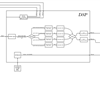
I do have block diagram for what I'm trying to achieve with my program; hope that this schematic reflects well what I want to achieve with this processor.
Also thank you very much for help in this subject, really appreciate.
Please log in to reply.