adau1761
Hi, I need a guide for the coefficient calculation for IIR filters.
attached is a straightforward project but I have a calculation problem.
7318.Design 1.dspproj
the project needs to set many IIR filters, but when trying to test the result, it failed.
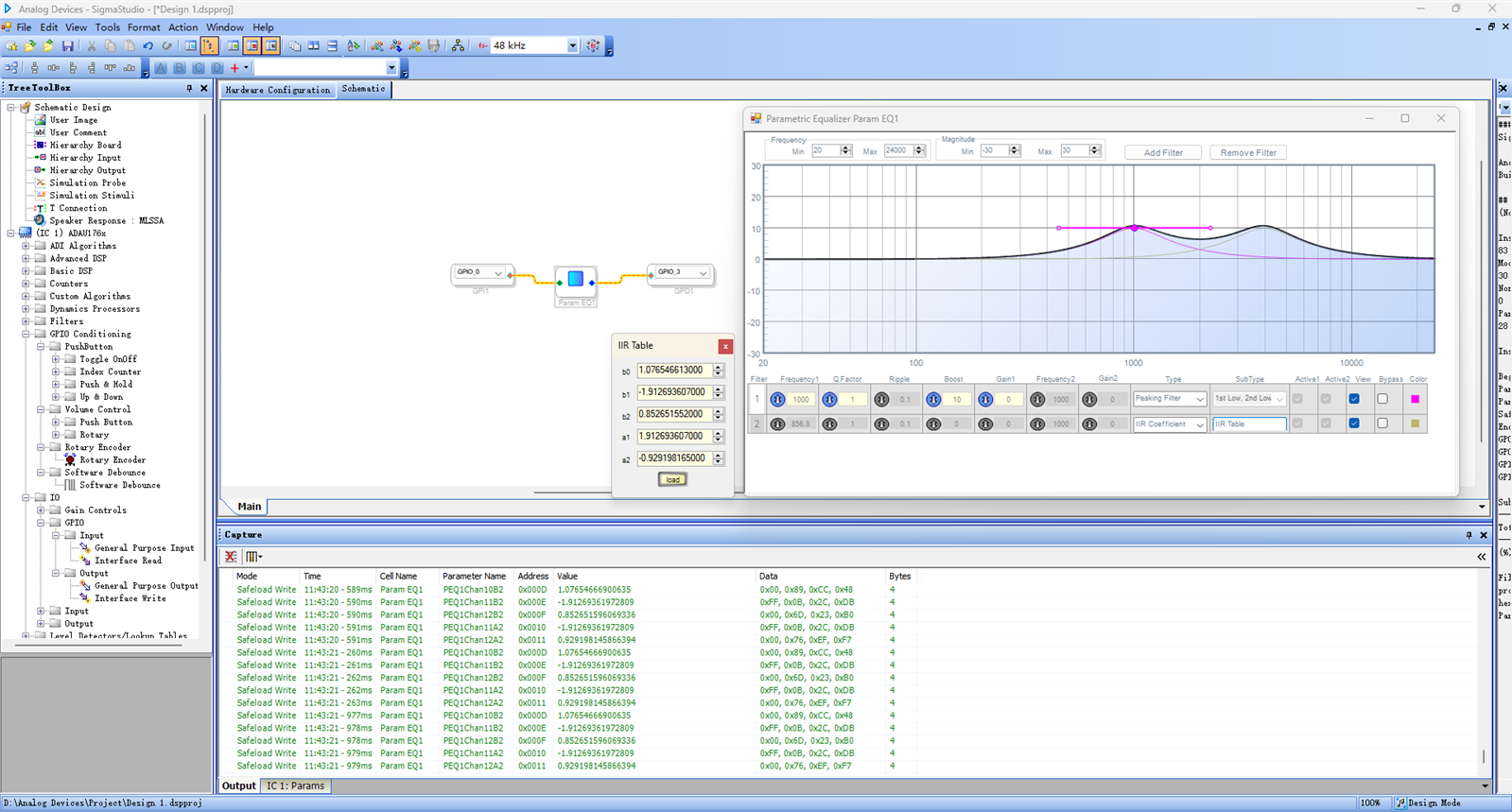
just create a PEQ and set it as a peaking filter, set freq=1k, boost=10, q=1, and the graph is correct but when adding another IIR filter and copying the peaking filter coefficient to the IIR input, always shift to other center frequency.
so check the frequency response by its module, ignoring the symbol problem, the output is correct while the PEQ window is wrong, so, my question is:
can I ignore the PEQ window display and just keep going?
Best regards,
Power Pan
Audio Signal Processors
software
sigmaStudio 4.7
PEQ display problem
IIR coef
SigmaDSP Audio Processors
adau1761
Show More
Hello Power Pan,
Thanks for your detailed info. You already figured out the issue.
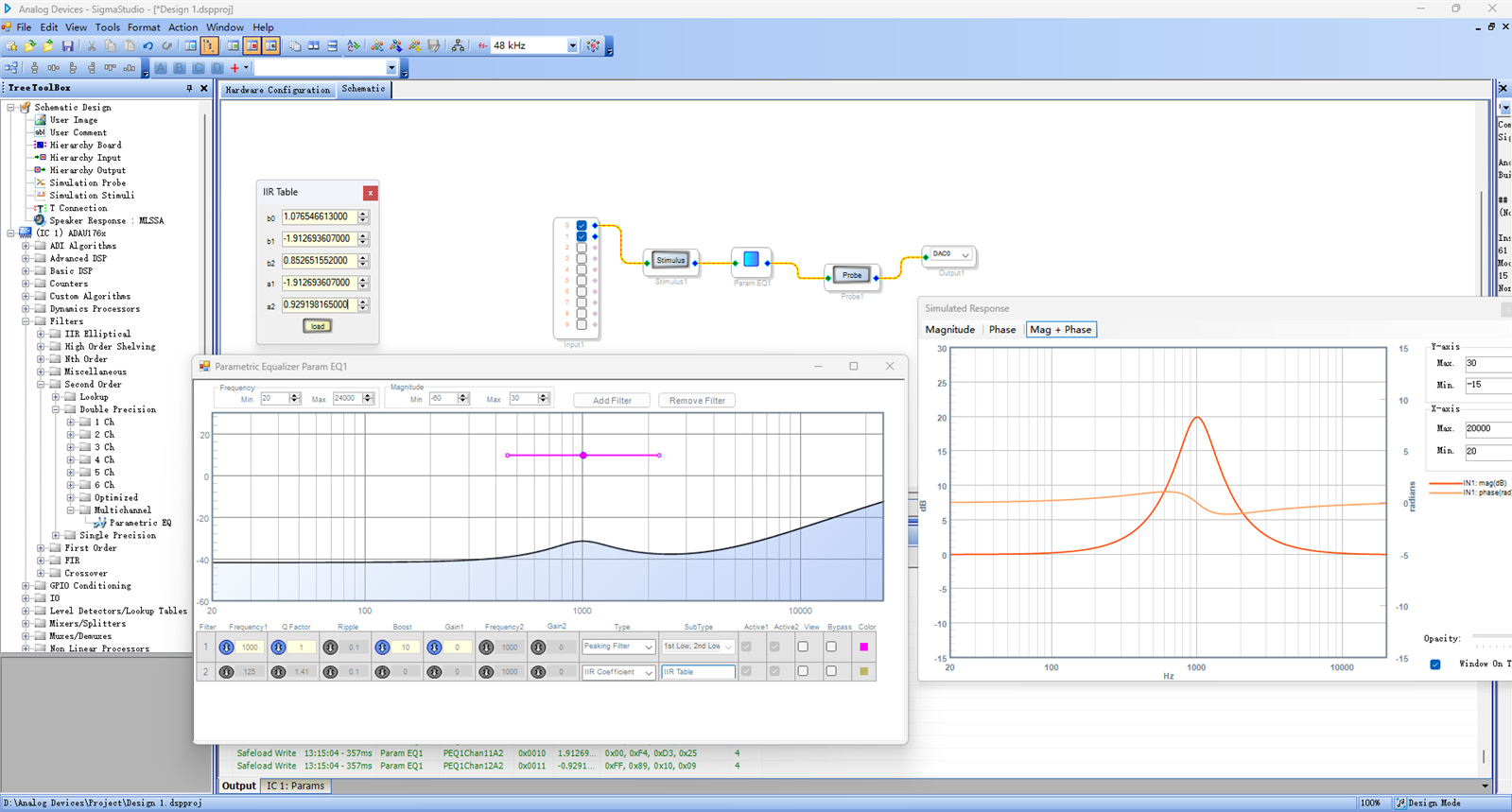
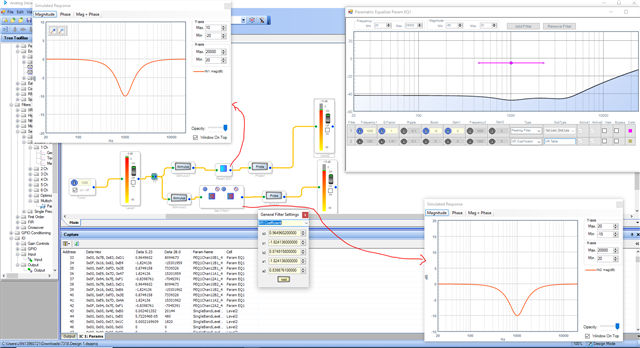
I can simulate your problem quickly. I think it's a graphical error. However, the output of the module is just fine as you mentioned. Below is the comparison between two cascaded 2nd order filter (direct IIR entry) and the PEQ (2 filters cascaded). where the stimulus and probe give us the same result in both cases, but the PEQ graph doesn't.
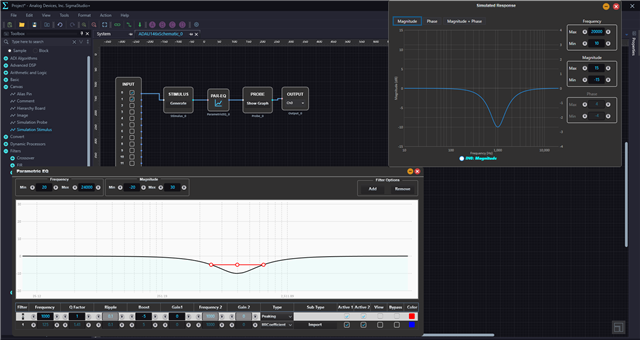
I tried the same with SS+, where it works fine.
And a little note, when writing coefficients to the DSP, the A2 must be negative. SS will take care of that usually.
when you are entering the coefficients into the IIR entry mode, make sure that the A1 is negative and A2 is positive, because the SS will flip them and send to the DSP in the correct order (A1 and -A2). You can see that in the capture window that I entered A2 as positive in the IIR entry block and SS changed it as negative in the capture window. SS will send them to the DSP as A1 and -A2. You have to send the same (A1 and -A2) if you are sending from your uC.
Regards,
Harish
Hello Harish
thanks for your prompt reply.
I posted before and I figured out the PEQ symbol problem years ago https://ez.analog.com/dsp/sigmadsp/f/q-a/543279/bug-for-frequency-response-calculation, and the symbol is not a problem for me.
if SS+ doesn't have the problem, then I have no problem now.
Best regards,
Power Pan
Hi, Harish
I have one quick question: Where can I find the IIR coef file format, or how can I make that file for SS+ to import? After a quick search, I could not find the answer.
tried many formats it didn't work while the file worked in SS. where could I verify the imported value in ss+ without any prompt?
best regards,
Power Pan
Hello power pan,
I'm not sure I fully understand your question.
The ADAU1761 is not openly available with SS+, if you want to check the coefficients, then just use any sigma3xx cores and compile.
When you drag and drop the filter block then you will have an option to select IIR entry and you will have a space for uploading the coefficients just like SS.
You can use the same text file with SS+ that you used with SS.
You can open the capture window and verify the uploaded values.
Regards,
Harish

Hello Harish
thanks for your detailed reply, it works. so, I should use the old SS to develop the application instead of SS+, right?
Best regards,
Power Pan
Hello PowerPan,
Yes, use the old SigmaStudio version because the older parts have not been migrated over to SS+ as of this date. This applies to the ADAU1701, ADAU1442 and ADAU1761 family of parts. The Sigma300/350 parts have been migrated over. Those are the ADAU1452 and ADAU1467 families. But, I personally still prefer to use the old SigmaStudio even for these parts unless you are using A2B.
Dave T
Roger!
thanks a lot, Dave.
Best regards,
Power Pan
Please log in to reply.