Parametric EQ block has bugs?
The following is a 3-step process that causes 2 separate bugs, would appreciate if anyone has input/if there's a known workarounds.
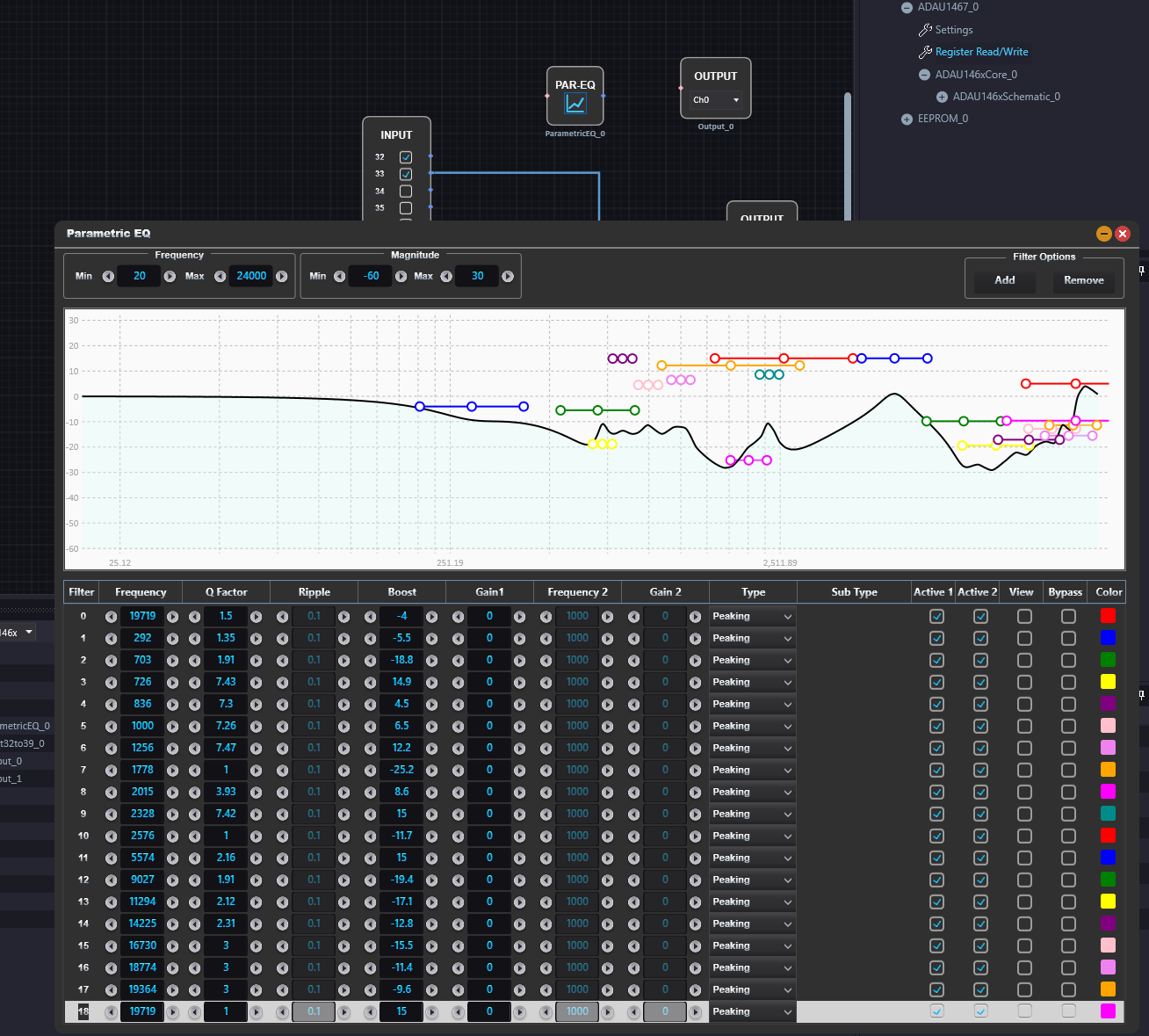
Create a parametric EQ block and enter the 19 filters. I close it and re-open the block's GUI to check that it hasn't changed, then close it again
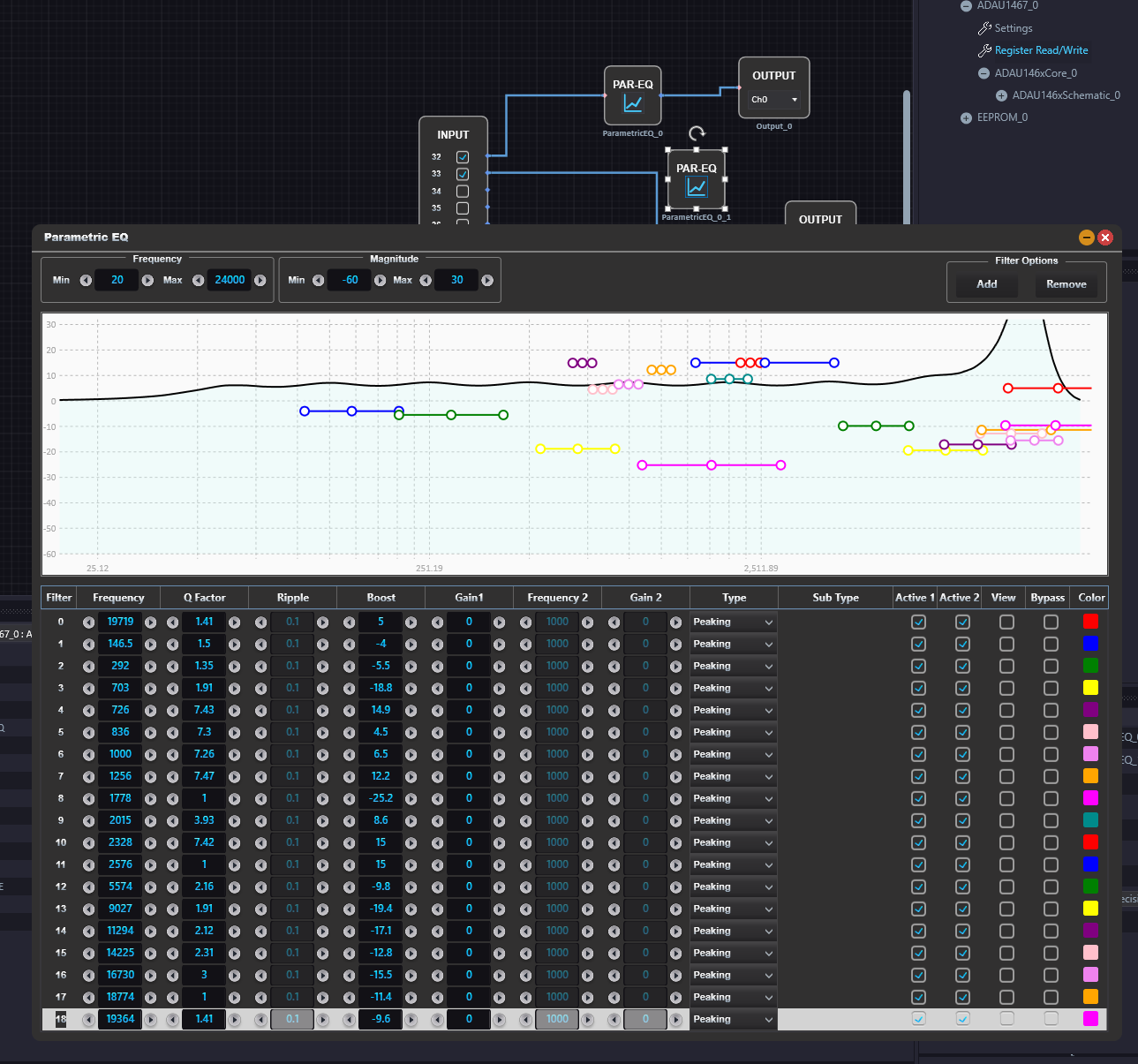
Issue 1: I copy/paste the block to edit it slightly for a second channel. Some values have stayed the same, some have changed? Unfortunately makes copy/pasting useless and I'd have to re-enter 19 rows manually to reduce confusion (no way to re-order the rows)
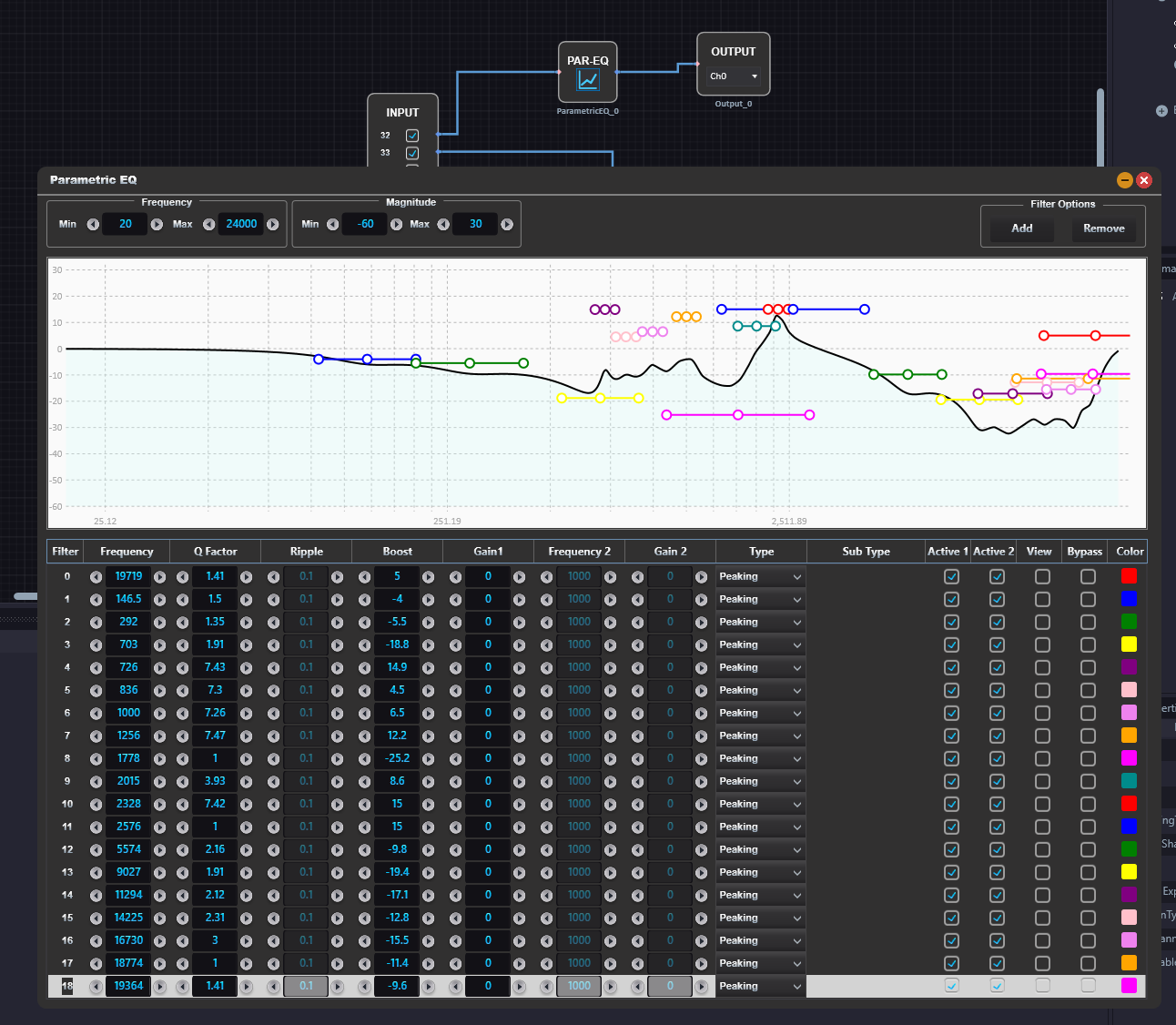
Issue 2: I delete the second EQ block and save/close the program. I re-open the parametric EQ block and the values have changed.
Can anyone advise how to use this block without issue? Not being able to copy/paste is frustrating but workable, but not being able to save/close/open a file is unworkable. Thanks
software
Parametric EQ
Sigmastudio+
sigmastudio
2.3.0
Hello Alrc,
Please have a look below, this is what I tried.
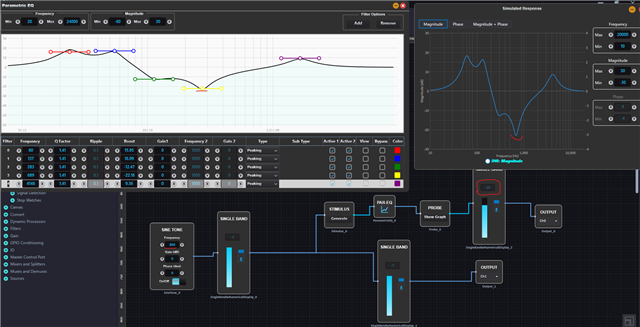
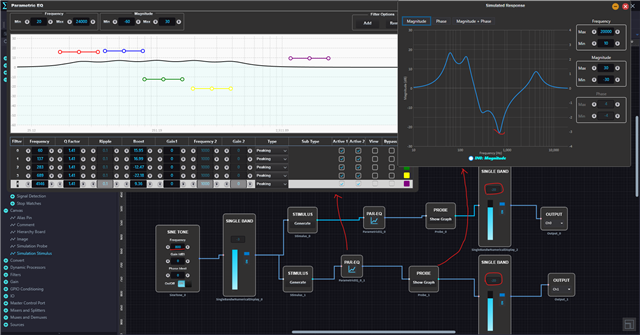
I have connected the PEQ block in one channel path and I opened the PEQ block and set 5 filters in it. You can see that, the PEQ and stimulus and probe graph are just the same, and audio out is according to the PEQ curve, that you can verify in the meter.
Now I have copied the PEQ block and pasted in my second channel path and link compile downloaded, If I open the PEQ window, it is something like the below picture (filters have changed in the GUI) where the filters are not retained in the graph, but it's a GUI issue, when you open the stimulus and probe graph, it's just the same as the first PEQ block. which means, the block that we copied and pasted did retain all the filter parameters, but just the GUI is broken. However, the block does the filtering correctly, you can see the meter.
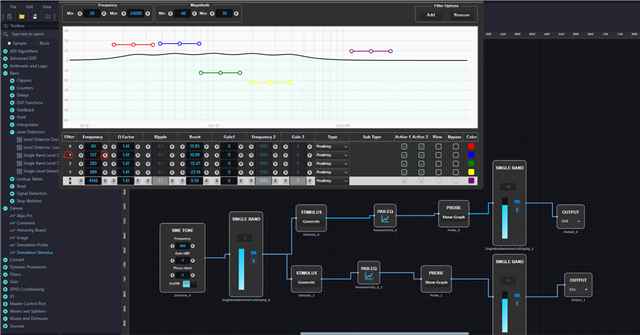
One other thing that I found to retain the lost GUI while copy/paste is that, when you copy/paste the block and connect everything and open the PEQ window, it will look like below.
Just take any filter parameters from the window and change it back and forth to retain the window. Here, I took the filter1 and changed its frequency by the arrow given (to increase the frequency by 0.1). As soon as I clicked, my window got updated.
I understand that it's little frustrating, we apologize for the trouble caused.
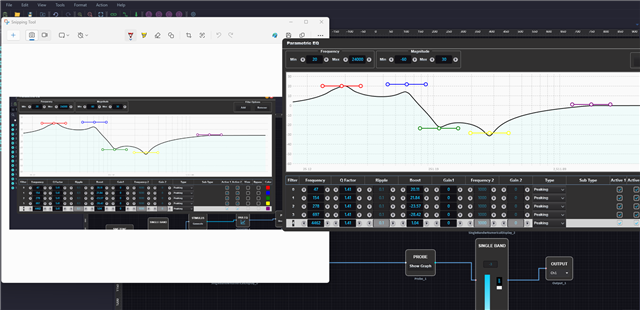
For the second issue, it can't seem to simulate it, when I deleted the 2nd PEQ block and saved/closed, and when I re-opened it, the first PEQ curve is shown correctly as expected. I set the curve to an easily notable shape, and I took a screenshot of the curve before I close the project. when I closed and re-opened the project and opened the PEQ window, those curves are just the same.
Please attach your project, which will help me simulate your issue quickly.
If I didn't understand your issue correctly, then please detail it a little more.
Regards,
Harish

Please log in to reply.