Aliasing when using Downsampler
Dear Team,
I am using the ADAU1452 REV BZ Board. My system Sampling rate is 48kHz . I would be taking input from the oscillator and downsampling it to 8kHz . I know there is a problem with the LPF that comes with the Downsampler so I LPF the signal after Downsampling and strange enough the output shows what seems to be like an alias at 500Hz . While it is well below the noise floor at the moment , what worries me is when i send it furthe down other modules in my signal chain there is a chance this will inevitable cause the alias to show us a peak with anywhere above the Noise Floor. Is this typical of DS or what can be done to prevent the alias from creeping in and wreaking havoc.
Regards,
Frank
Audio Signal Processors
adau1452
Datasheet/Specs
SigmaDSP Audio Processors

Hello Frank,
There are a few things that I can see here.
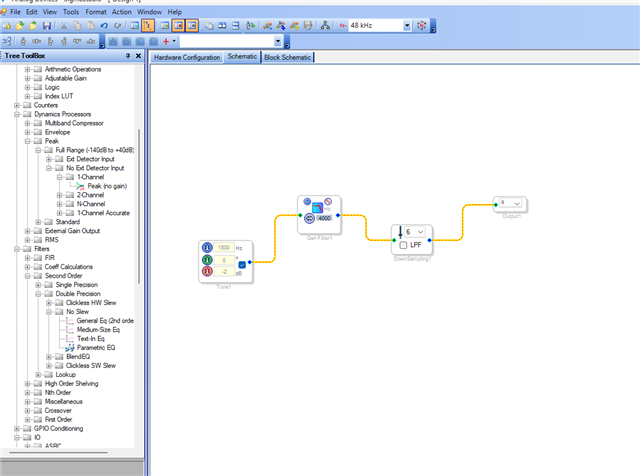
I hope your serial output port is running at 48kHz, and I see your signal at 8KHz fs is directly being sent to the serial output port without being up sampled to 48KHz.
And the signal sent out of DSP core to serial out port is 1.23 (after truncation/saturation enabled), so it's a 24-bit number which has the DR of 144dB. What you are having is -165dB signal. it's not even representable with a 24-bit number. So, it's not coming from the DSP.
Here is the post, which is similar to yours and discusses this topic, please go to the bottom of the post and see Dave's reply.
Regards,
Harish
Hello Franky45,
I see you set the filter for exactly 4kHz. this means it will be only 3dB down at 4kHz. You will need to either set it to like 3.5Khz and also you may have to use a filter with a steeper cut off curve. I do not know if this is a single order or second order filter. You might need to use a higher order filter if you want to assure you have very low amount of aliasing. I like to be -60dB or more at the Nyquist frequency. Use the stimulas and probe feature to see what the filter is doing at Nyquist.
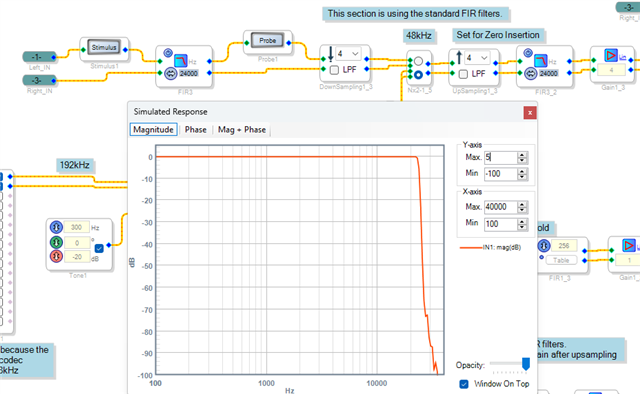
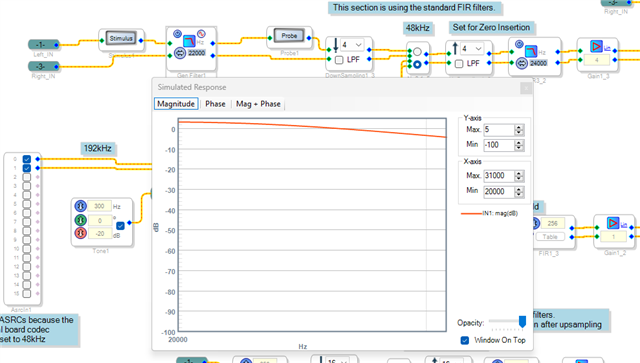
Here is an example from my multirate example project. This is the section where I use an FIR filter from the standard library. You can see that if you set the cutoff exactly to the Nyquist it allows audio to pass above Nyquist. I will put up several screenshots with different settings on the probe.
Note that this project is set for 192kHz fs so I am able to use the probe above 24kHz. the probe feature only works up to the Nyqust frequency of the schematic section where it is being used. Digital theory still applies. LOL
Note that the cut off (the order) of the FIR is good.
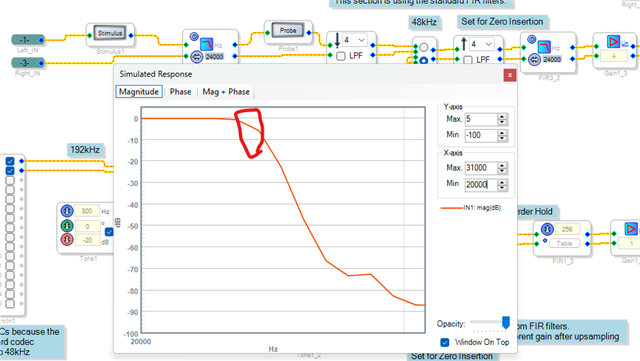
Here it is zoomed in a bit. I wish there was a cursor feature on the probe block but there is not. I roughly circled the area around 24kHz which in this case is the Nyquist of the down sampled rate.
So you would have tons of aliasing!!
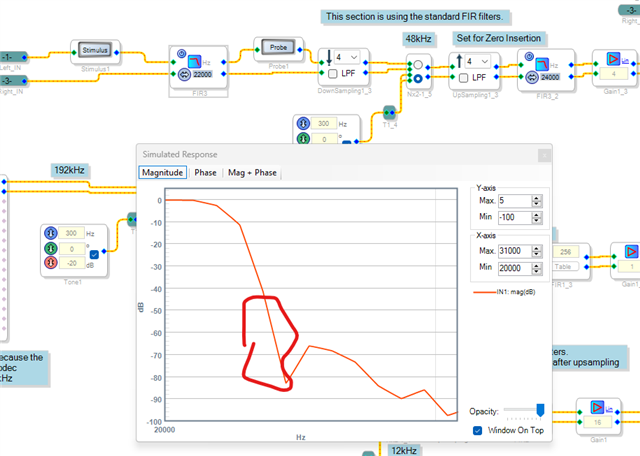
Setting the filter to 22kHz gives around a -60 to -70dB reduction at Nyquist.
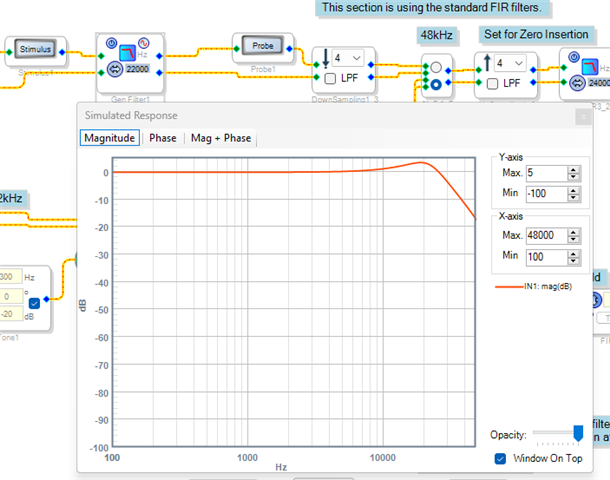
So now I swapped out a 2nd order IIR filter from the library. With the same 22kHz corner frequency this is what I get:
NO Attenuation AT ALL!
Let me back away to see a wider response.
This is the filter response. An IIR filter is very gentle. They sound great and sound like analog filters but are lousy for this sort of use. You would have to use a higher order IIR
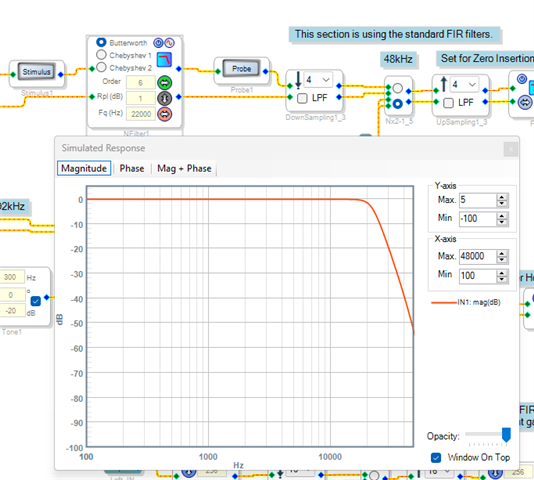
Here is a 6th order Butterworth. It is better but still not great. this is creating a lot of computational overhead. If you can deal with the latency of an FIR filter then use one.
I experimented a bit and to get the cutoff of -60 at 24kHz I had to set the corner frequency to 9kHz. Less than half of what Nyquist is for the new rate!
I think I am proving my case to use an FIR filter.
Dave T
Please log in to reply.