I have problem with connect chinese board adau14562 to pcm1502 dac over i2s. No sound from internal sine generator. I'd appreciate a sample project so I can get my system up and running. Ultimately, I'd like to use the SPDIF input, but first I need
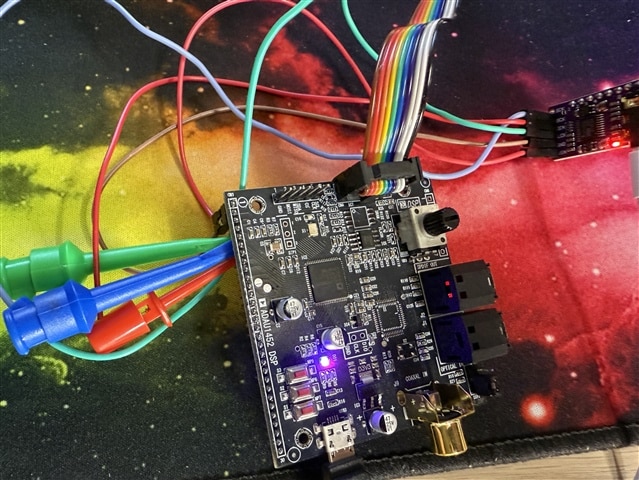
My setup:
Audio Signal Processors
adau1452
software
sigmastudio
SigmaDSP Audio Processors
Hello yabba235,
We need some more info from you to assist you better.
Please attach the board's schematic, if you don't have the schematic then send us a picture of the board with serial port headers visible. Because I have no idea which serial ports are available on the headers or connected to DAC. So, please tell us which serial output port is connected to the DAC.
I believe your sample rate is 48KHz. Below is the sample schematic where I configured all four output ports to output an I2S signal and all ports are masters, SPDIF in and out is also configured.
You can run this project on your hardware and probe the serial output ports then you will be able to see the signal. Make sure your DAC is properly setup. I believe the MCLK to the DAC is from the DSP's CLKOUT pin.
I2S_SPDIF_OUT.dspproj
Feel free to reach out if you have any issues and also provide some information with the issue you are facing.
Regards,
Harish
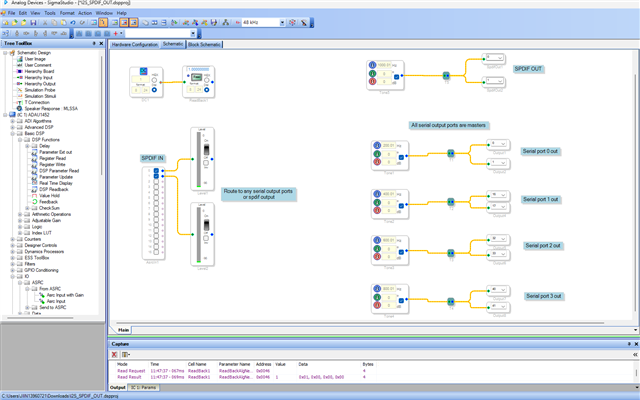
Thank you very much for the sample project - now I have a starting point for testing. I'll send photos of my board soon.
Nope, don't work.
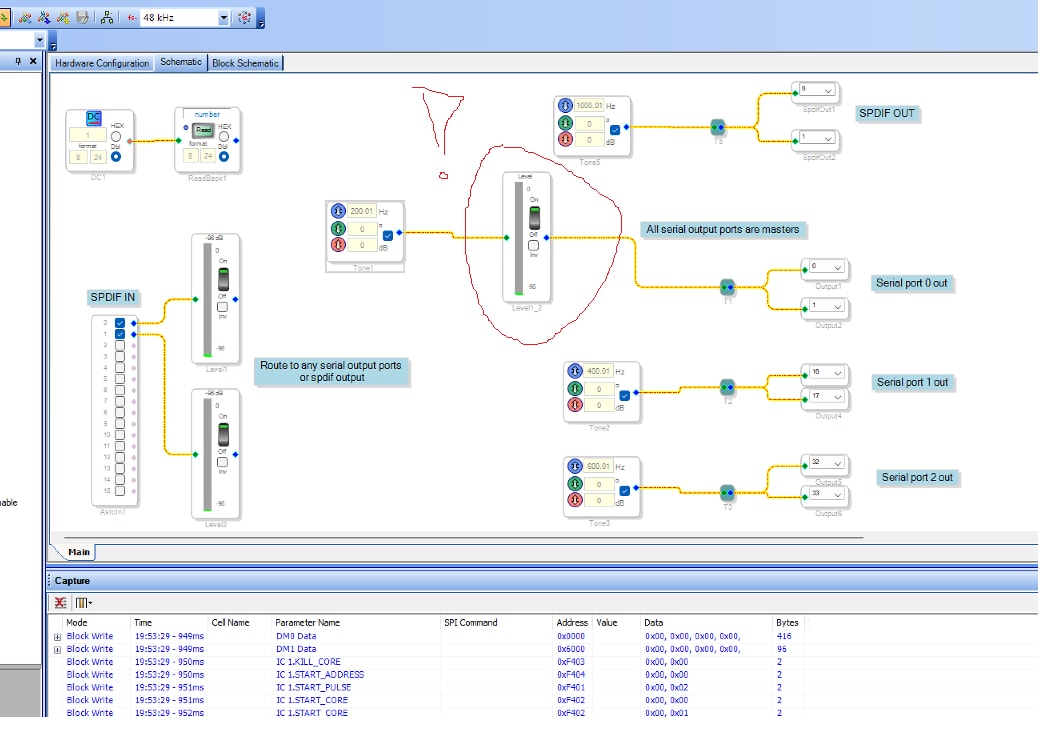
Shouldn't this indicator show the generator signal level? The generator is turned on, but the indicator doesn't show anything, which is probably why there's silence at the output.
PCB layout my adau1452 board:

Hello yabba235,
Then I don't think your DSP is correctly programmed and it seems the DSP isn't running.
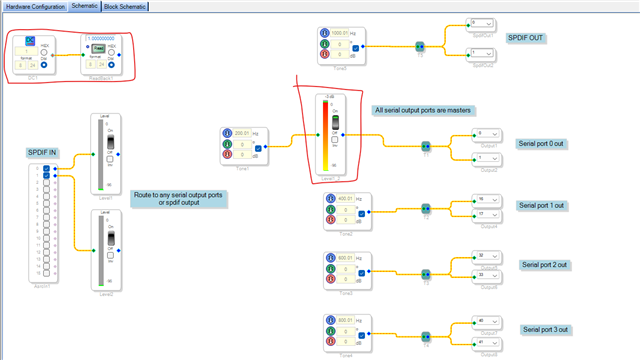
Try reading the readback cell like below (even tone module with level meter in your screenshot indicates the DSP isn't running)
So, are you using SPI or I2C?
My project is configured for SPI, if you use I2C then you will have to change it in the USBi module, and you have to make sure that I2C address is correctly given.
what is happening with the reset pin?
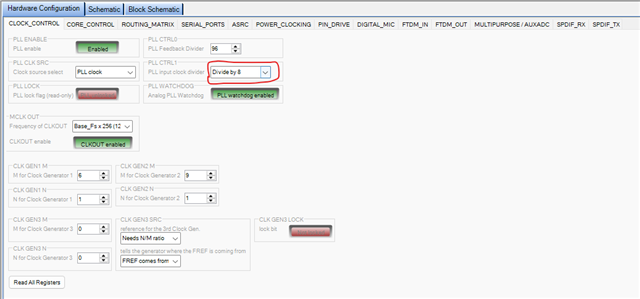
what is your MCLKIN frequency? my project's PLL settings are configured for 12.288MHz and if you are using 24.576MHz then you have to change the setting like below.
Make sure that you are getting required voltage in the respective pins.
Regards,
Harish
Now I see I messed up by buying this board from China. Unfortunately, original AD dev boards are too expensive for me – I'm a hobbyist.
Could you give me a simple diagram for connecting the SPI programmer to the ADAU1452 plus the EPROM, and how to check if the DSP is working – where to check the voltages and what they should be when the chip is powered on?
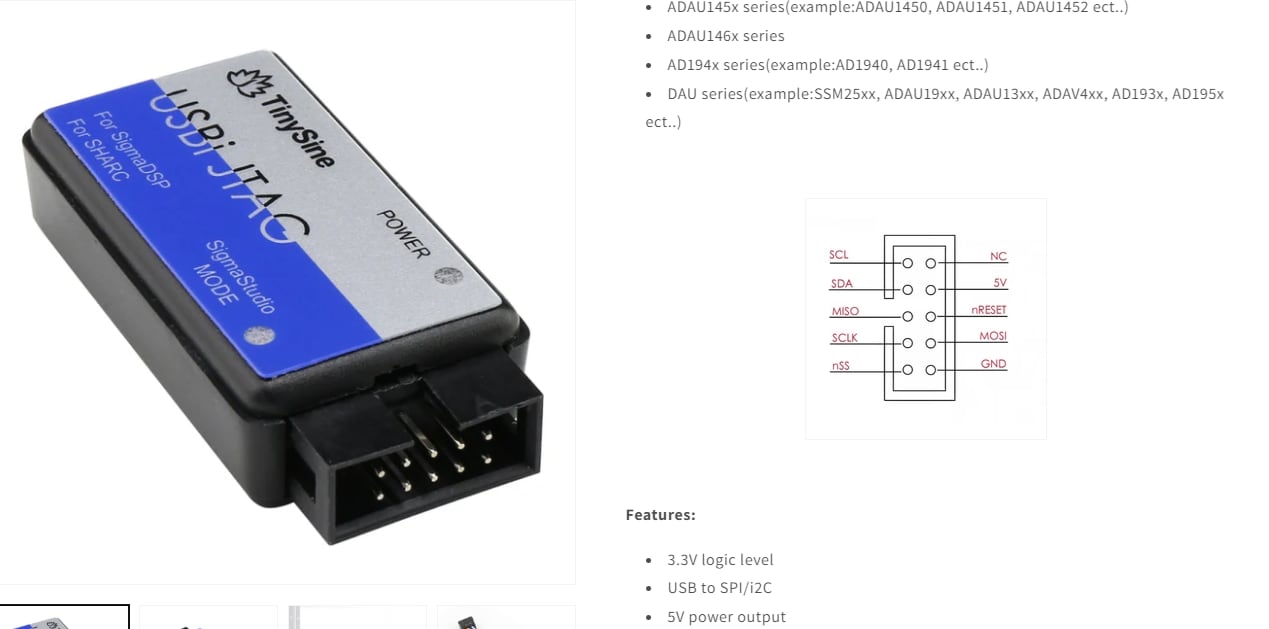
I can't count on the Chinese seller for help. I only have what I provided. I don't have any connection errors in Sigma Studio – the USB light is green and it gives me active:loaded messages, but as you noticed, the DSP doesn't seem to be working. I remember seeing some kind of hibernation message in the output window. I'm using this programmer.
Hello yabba235,
These boards you purchased are not horrible and are very cost effective. The problem you will have is to interface them to the programmer correctly. I can see that the 10-way header on the eval board is NOT connected to the serial comms port of the DSP. I think it is connected to the serial AUDIO ports. Looking at the schematic if they supplied one would be the best to verify this. From what I see this is the comms connector:
So you will need to build an adapter from this five pin port over to the 10-way of the programmer.
Then the next thing I want to point you to is my video about troubleshooting. I actually start really basic which is exactly where you are at the moment. It will answer some of the questions you just asked in your last post!
How to use SigmaStudio for troubleshooting - YouTube
The first six of seven minutes covers these issues you are facing right now!
I have seen people have these issues a lot which is why I made the video.
Dave T
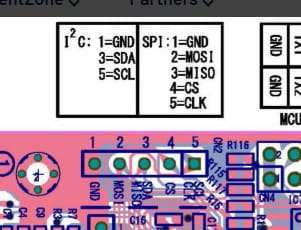
Thank you very much - this is it !! I'm wrong mapping programator pins - now I cant control dev board remotly !
Please log in to reply.