How to configure the ADAU1452 signal processing on the EVAL-AD2437A1NZ
Using SigmaStudio+, I connected two EVAL-AD2437A1NZ boards via USBi, configuring one as Main and the other as Sub. The connection is established correctly.
The EVAL-AD2437A1NZ Manual states that SigmaStudio+ can be used to perform signal processing on the ADAU1452. I want to configure settings such as input/output routing and volume control. Please advise on how to do this.
Thread Notes
shinkai - Moved from A2B to SigmaDSP Processors & SigmaStudio Dev. Tool. Post date updated from Monday, November 10, 2025 2:30 AM UTC to Monday, November 10, 2025 2:39 AM UTC to reflect the move.
Audio Signal Processors
software
AD2437
SigmaDSP Audio Processors
SigmaStudio+ 2.4.0
Hello shinkai,
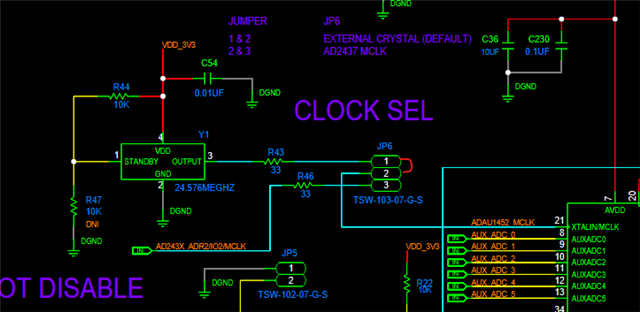
Make sure you set the correct jumper position to provide MCLK to the DSP.
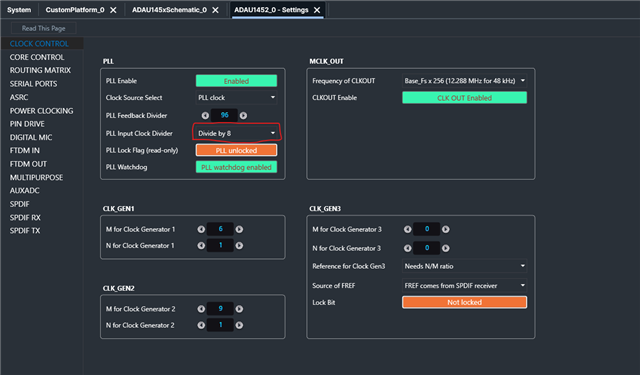
Connect a jumper between pin 1 and 2 of JP6 to use the on-board crystal Osc. Since the MCLK is 24.576MHz, you will have to set the PLL divider to 'divide by 8'. please refer below.
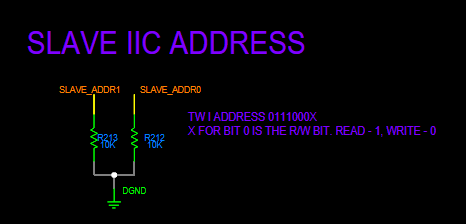
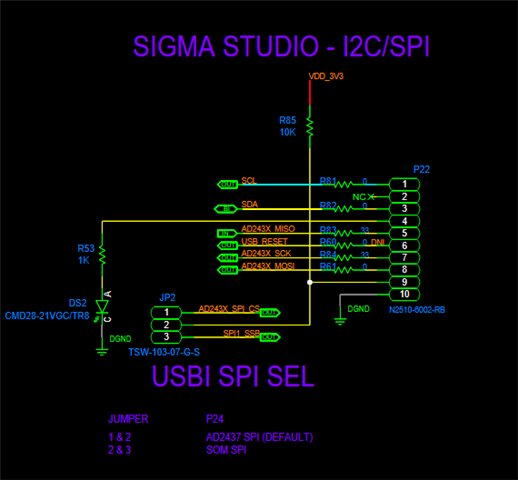
Then connect the USBi in the slave port P22. Since the ADDR0 and ADDR1 are grounded, the I2C address will be 0x70. Set that in schematic like below.
Refer the schematics below
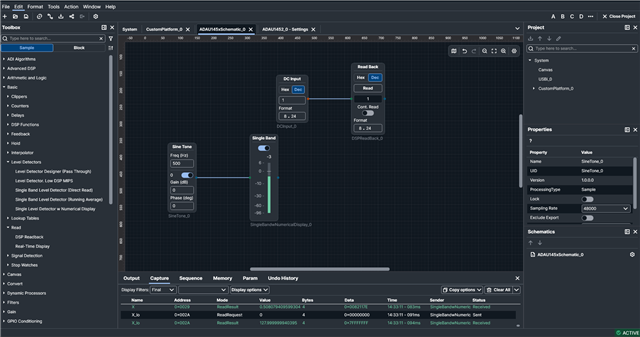
I have included basic DSP running test blocks. You can see the DSP running fine since the readback value is correct and level detector shows the signal level.
DSP running test:
Please have a look at the schematics to set the jumpers and other pins as needed for I2C communication.
I will attach the project below, please try this and let us know.
SS+ test.ssprj
Regards,
Harish

Hello Harishgowtham,
I was able to add the signal processing block using the above procedure.
Thank you for your support.
Best Regards,
Shinkai
Please log in to reply.