Error during generate XML file
Good morning,
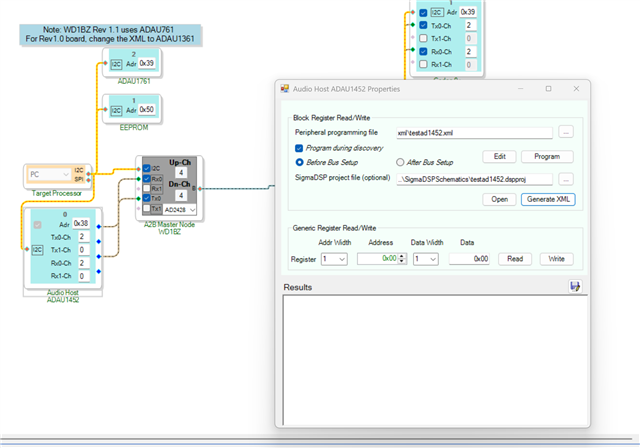
I have a problem when I try to generate the XML file to use during the discovery of A2B network to configure the peripheral of eval board. When I click on Generate XML, SigmaStudio open the file correctly but an error message show up with the following text:
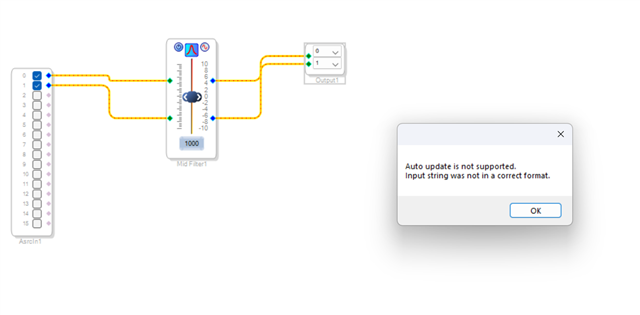
"Auto update is not supported.
Input string was not in a correct format."
I tried to create a new project with few blocks but it didn't work.
With SigmaStudio 4.6 the XML Generate works correctly. How can I solve this issue with SigmaStudio 4.7?
Thanks in advanced,
Stefano
a2b
software
sigmaStudio 4.7
SigmaStudio 4.7 Rev 1831 A2B Rel 19.11.1
Interface Transceivers & Isolators
ad2428
Show More
Hi StevenNob
Please install SigmaStudio 4.7 along with the corresponding A2B plug‑in version 19.11.1.
After installing, follow the Quick Start document to install the required DLL file. You can find the document in the folder:
C:\Analog Devices\ADI_A2B_Software-Rel19.11.1\Docs
Once the installation is complete, restart SigmaStudio and your PC.
After that, try again and check whether the same error message appears.
Following the documentation I took another approach to generate the XML so, I performed the following steps:
Link-Compile-Download
Copy the Capture Window into the Sequence Window
Export the Sequence Window as XML.
I attach an image from the document AE_09_A2B_SigmaStudio_UserGuide inside the installation folder of ADI_A2B_Software-Rel19.11.1.
In this way I was able to generate the XML file to program the peripheral during the A2B discovering.
The question can be closed, thanks!

Please log in to reply.