Readback Block
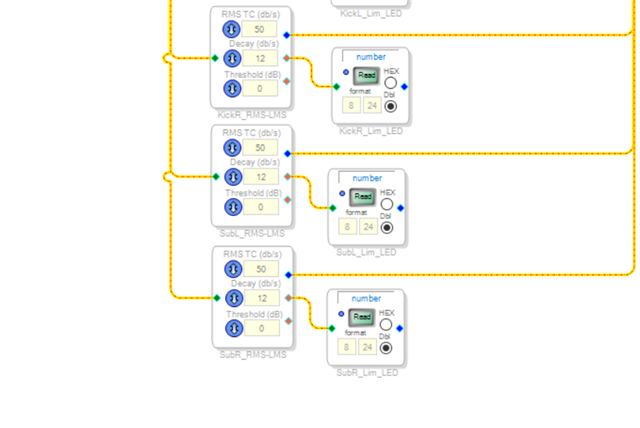
I'm trying to read data from my readback blocks in an Arduino/platform IO project. The readbacks are layed out as follows in my .dspproj
In my code, I'm attempting to read the register values using the following function:
double SIGMA_READ_REGISTER_FLOAT(int address) {
int32_t integer_val = SIGMA_READ_REGISTER_INTEGER(address, 4);
#if DSP_TYPE == DSP_TYPE_SIGMA300_350
return double(integer_val) / (1 << 24);
#else
return double(integer_val) / (1 << 23);
#endif
}
I'm calling this function from within my loop and passing in the address of the register for the block. All that I'm getting returned from the function is a value of "0". Even when the limiter is definitely active.
I've also tried to use the following functions to read from the block aswell:
int32_t SIGMA_READ_REGISTER_INTEGER(int address, int length) {
int32_t result = 0;
byte register_value[length];
SIGMA_READ_REGISTER_BYTES(address, length, register_value);
for (int i = 0; i < length; i++) {
result = (result << 8) + register_value[i];
}
return result;
}
void SIGMA_READ_REGISTER_BYTES(int address, int length, byte *pData) {
#if USE_SPI
digitalWrite(DSP_SS_PIN, LOW);
SPI.beginTransaction(settingsA);
// SPI read address + read/!write bit
SPI.transfer(0x1);
SPI.transfer(address >> 8);
SPI.transfer(address & 0xff);
for (int i = 0; i < length; i++) {
pData[i] = SPI.transfer(0);
}
SPI.endTransaction();
digitalWrite(DSP_SS_PIN, HIGH);
#else
Wire.beginTransmission(DSP_I2C_ADDR);
Wire.write(address >> 8);
Wire.write(address & 0xff);
Wire.endTransmission(false);
Wire.requestFrom(DSP_I2C_ADDR, length);
for (int i = 0; i < length; i++) {
if (Wire.available()) pData[i] = Wire.read();
}
#endif
}
These also seem to just return a 0 or NULL value.
Is there anything I'm doing blatantly wrong?
Audio Signal Processors
software
sigmaStudio 4.7
adau1467
Sigma 4.7
sigmastudio
SigmaDSP Audio Processors
Show More
Hello zuluzu,
I did not study your code. Check the address you are reading from.
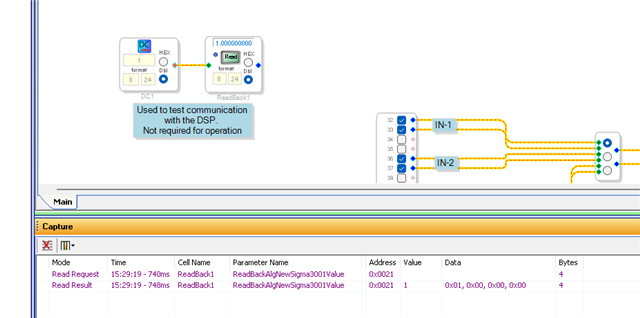
Check that it agrees with what SigmaStudio is using. Click on the button in SigmaStuio and note what comes up in the capture window.
In all my projects I have a DC cell and a readback to test that the program is properly loaded and running. This is a screenshot of what came up on the Capture Window when I clicked on the READ button.
This Wiki Help page might be helpful but I think you are doing things right...
DSP Readback [Analog Devices Wiki]
If you still have issues and you can read from SigmaStudio OK. Then you might want to do a screen capture on a scope of the comm port data to see if it is formatted properly and also if the correct data is being sent and enough clocks to read back all the data.
Dave T
Hi Dave,
I've checked all addresses and wired up the blocks exactly how you indicated in your screenshot.
All I get back from the readback in my serial monitor is 0, despite what I might set the DC block to.
I can confirm that the program is fully up and running and everything works apart from this one aspect.
What do you mean when you say "if the correct data is being sent and enough clocks to read back all the data"
Cheers
Hello zuluzu,
I did not catch in your reply if you clicked on the "READ" button on the screen in SigmaStudio and see a number other than zero displayed on the screen?
Then verify with the capture window that you are indeed trying to read the correct address?
I programmed my eval board with the program I showed in the last post where the DC cell was set to a 1.0.
Then I setup my scope to read the SPI comms lines between the USBi and the eval board. You will connect it from your MCU to the DSP.
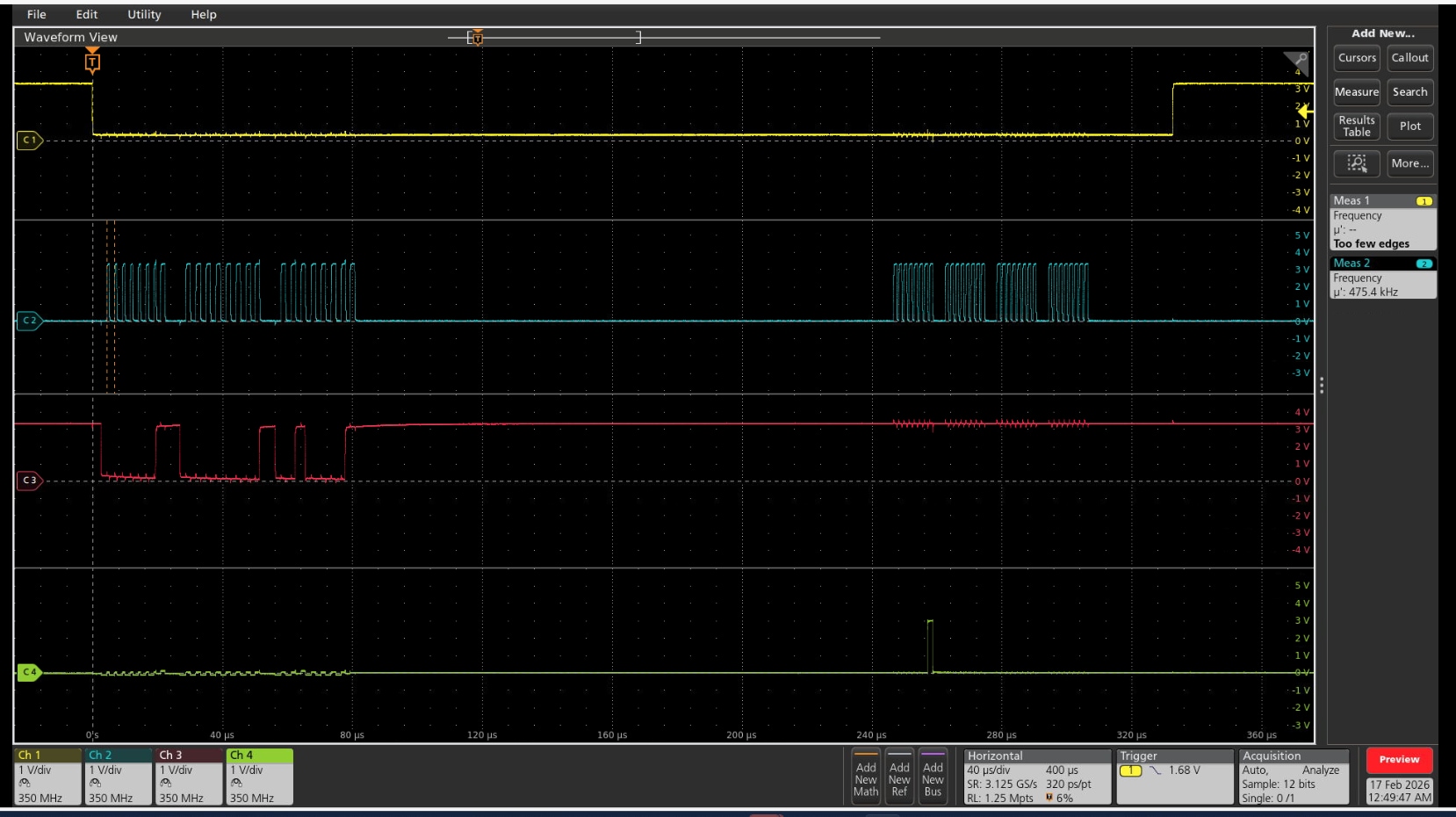
The top trace is yellow and it is on the SS line. So it will go low to start the transfer.
The next trace down is the blue one that is connected to the CCLK pin which is the clocks.
The next trace down is the red trace and it is connected to the MOSI so it is the data from the USBi going to the DSP.
The next trace is the green trace and it is the MISO. So this is the output of the DSP going back to the USBi.
Here is the transmission when I click on the "READ" button in SigmaStudio.
You see the slave select go down.
Then you see the clocks on the blue trace to send the address which is on the red trace. So the address is sent.
Then there is a wait period of around 1.6ms and then it sends out clocks to read in four bytes of data.
The data is on the green trace and in this case there is one "1" and the rest are zeros.
Now, let's dig down into the control and address sequence.
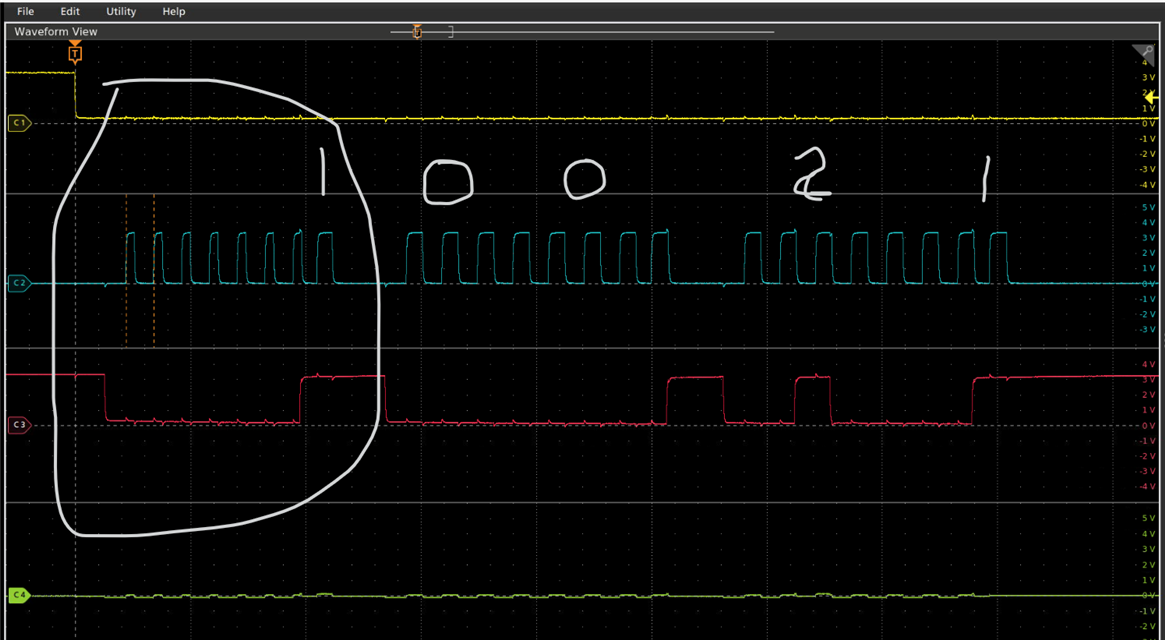
I zoomed in with the screen capture and marked it up a bit.
As the datasheet says:
"The first byte (Byte 0) of a control port write contains the 7-bit chip address plus the R/W bit. The next two bytes (Byte 1 and Byte 2) together form the subaddress of the register location"
So byte zero is a "1" because the chip address is zero and this transaction is a Read so the data is a "1" to signify a Read.
Then the other two bytes is the address of the memory we are reading from which in this case is the location of the ReadBack cell which is address:
0x0021
This is what I meant about using a screen capture with a scope. You can quickly see if there is an issue. Also, using SigmaStudio at first is always a good idea.
I hope this helps you find where the issue it located.
Dave T
Hello zuluzu,
I had another random thought when looking into something else this morning. Actually, several thoughts to ask you about...
Are you toggling the SS line three times to put the slave port into API mode after powerup?
Is the PLL locked when you are writing to the DSP?
What SPI clock speed are you using?
In my earlier post I mentioned a 1.6ms delay before the clocks are sent to clock out the data. I did more research in the datasheet and the delay to wait for the data to be fetched, loaded into the shift register and then able to be clocked out is 8 MCLK cycles. If the PLL is locked this time is very very small but if you are running without the PLL locked it can be longer depending on the MCLK frequency coming into the DSP.
Dave T
Hello zuluzu,
Dave has given some great responses with SPI scope shots for you to verify and debug the issue at your end.
I just want to attach an example project that I have. I used teensy (Arduino based) MCU for booting the ADAU1467 and reading back the value from Readback cell.
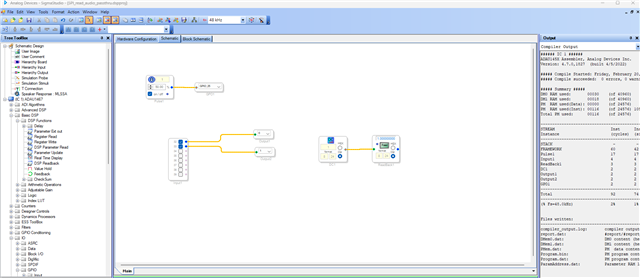
The Sigma studio project has an audio pass thru blocks and LED blink and DC cell feeding a readback cell.
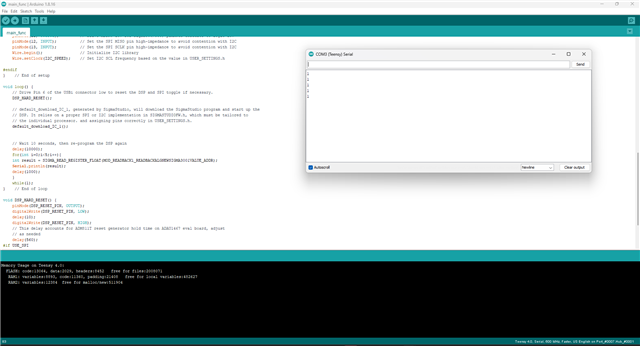
Below is the Arduino code with the value printed in the serial monitor.
You can just take attached files and run it in your hardware.
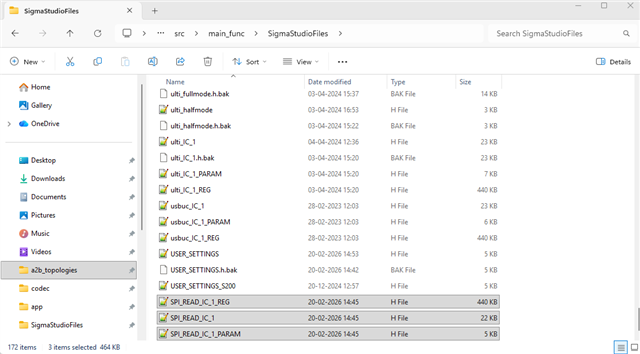
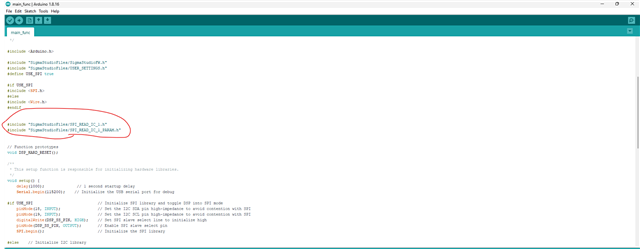
I have made the sigma studio schematic with respect to my ADAU1467Z Eval board, so the serial port for audio pass thru, MPs for LED may change for your hardware, so you can redraw the schematics according to your hardware and export the system files and copy these three (.h) files into the source folder and add those files into the main file.
Below is the code and SS project.
SPI_READ.zip
Regards,
Harish
Please log in to reply.