EVAL-ADAU1787Z: DAC0 Muted EXCLUSIVELY when routed from FastDSP (Works fine with SigmaDSP & Bypass). Hardware defect or clocking issue?
Hi everyone,
I'm a software engineer transitioning into bare-metal DSP development, currently working on an ultra-low latency FxLMS ANC project using the EVAL-ADAU1787Z.
I've run into a bizarre routing/output issue where DAC0 completely mutes when receiving signals from the FastDSP core, but works perfectly under other conditions. DAC1, on the other hand, works flawlessly across all scenarios.
Here is the detailed breakdown of my troubleshooting process. I'm trying to figure out if I missed a specific high-frequency clocking configuration, or if I just received a defective board.
Hardware & Setup:
Board: EVAL-ADAU1787Z
Input: Analog inputs or DMIC
Output physical connection: J23 (Stereo Output). Tip = Left (DAC0), Ring = Right (DAC1).
The Symptoms & Cross-Testing:
DAC1 is perfectly fine: DAC1 outputs audio perfectly whether it's routed from SigmaDSP Output (48kHz) or FastDSP Output (384kHz). This confirms the FastDSP core is running properly and DAC1 can handle the high-speed FINT signals.
DAC0 analog path is intact: If I set DAC0_ROUTE to SigmaDSP Output 0 or directly bypass to ADC2, the left speaker outputs audio clearly. This rules out any physical damage to the DAC0 analog circuitry, coupling capacitors, the S7 switch, or the physical 3.5mm jack.
The Dead End (FastDSP to DAC0): The moment I set DAC0_ROUTE to FastDSP Output 0 (or FastDSP Output 1), the left channel goes completely dead.
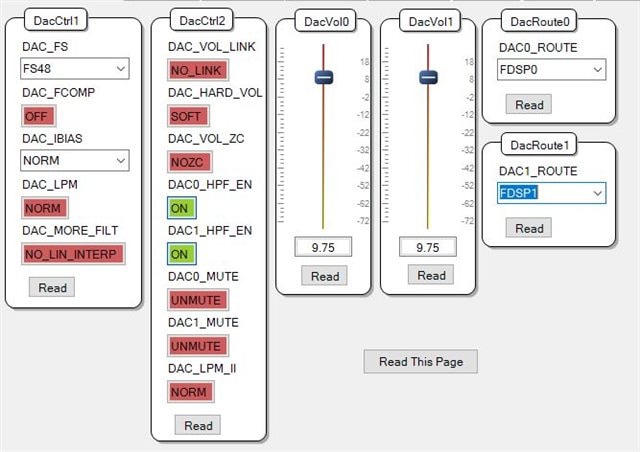
Register Verification: To ensure this isn't a SigmaStudio UI/Compiler bug optimizing the path out, I read register 0xC03E (DAC_ROUTE0) directly via I2C. The value is exactly 0x20 (binary 00100000), confirming the digital matrix is indeed switched to FastDSP Channel 0.
My Question: Based on the block diagram, there is no Slow-to-Fast Interpolator (FINT) between the FastDSP and the DACs. Given that DAC0 survives SDSP and bypass signals but completely fails when facing the 384kHz/768kHz FastDSP data stream, my hypothesis is that there might be a physical defect in the DAC0 silicon or its dedicated clock receiver on this specific board (failing to lock onto the high-frequency clock).
As I am relatively new to ADI's register-level clock trees:
Is there any hidden register, PLL setting, or power-management bit specifically required for DAC0 to handle FastDSP signals that I might have missed? * Or does this cross-testing definitively point to a defective evaluation board that requires an RMA?
Any insights or pointers would be greatly appreciated. Thank you!
Cindy
here's the picture of my project and the project file:
1207.ADAU1787_REW_Bypass.dspproj
TRANSLATE with x
English
Arabic
Hebrew
Polish
Bulgarian
Hindi
Portuguese
Catalan
Hmong Daw
Romanian
Chinese Simplified
Hungarian
Russian
Chinese Traditional
Indonesian
Slovak
Czech
Italian
Slovenian
Danish
Japanese
Spanish
Dutch
Klingon
Swedish
English
Korean
Thai
Estonian
Latvian
Turkish
Finnish
Lithuanian
Ukrainian
French
Malay
Urdu
German
Maltese
Vietnamese
Greek
Norwegian
Welsh
Haitian Creole
Persian
TRANSLATE with
COPY THE URL BELOW
Back
EMBED THE SNIPPET BELOW IN YOUR SITE
Enable collaborative features and customize widget: Bing Webmaster Portal
Back
Thread Notes
Harishgowtham - Moved from Processors & DSP to SigmaDSP Processors & SigmaStudio Dev. Tool. Post date updated from Friday, March 13, 2026 7:45 AM UTC to Tuesday, March 17, 2026 6:14 AM UTC to reflect the move.
Harishgowtham - Moved from Processors & DSP to SigmaDSP Processors & SigmaStudio Dev. Tool. Post date updated from Tuesday, March 17, 2026 6:14 AM UTC to Tuesday, March 17, 2026 6:14 AM UTC to reflect the move.
cindyhsieh - Moved from SigmaDSP Processors & SigmaStudio Dev. Tool to Processors & DSP. Post date updated from Friday, March 13, 2026 7:45 AM UTC to Wednesday, March 18, 2026 8:11 AM UTC to reflect the move.
cindyhsieh - Moved from SigmaDSP Processors & SigmaStudio Dev. Tool to Processors & DSP. Post date updated from Wednesday, March 18, 2026 8:11 AM UTC to Wednesday, March 18, 2026 8:11 AM UTC to reflect the move.
hardware
ADAU1787
adau1787z
processors and dsp
adc0
Processors and Microcontrollers
EVAL-ADAU1787Z
fastDsp
Show More
Hello cindyhsieh,
Sorry for the delay in reply, please post your query hereafter in the SigmaDSP and Sigmastudio forum here. You will get quickly answered there.
Thanks for the detailed post and some tests from your side, you supplied a lot of info clearly which is very helpful.
I'm not sure if you have tried the below scenario, if you didn't then please give it a try.
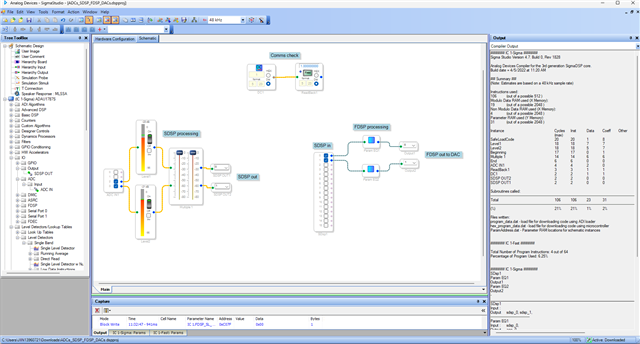
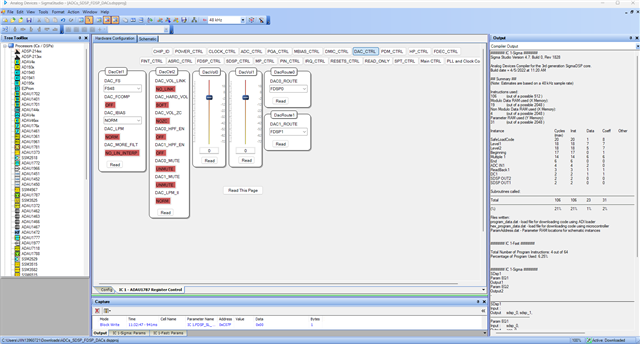
I have attached a project below which is a pass thru from ADC>>SDSP>>FDSP>>DAC, here a filter is used in the FDSP section and FDSP output (filter output) is routed to the DACs, and I'm able to hear the output on both channels. I have also used the eval board, so just run this project in the eval board and connect your stereo input to jack J22 and headphones to jack J23.
2450.ADCs_SDSP_FDSP_DACs.dspproj
I'm looking at your original question now; I will get back to you.
Regards,
Harish
Hello again,
I have trouble with your project alone, when I created a fresh project and configured it exactly like you then I'm able to hear both channels from the DAC.
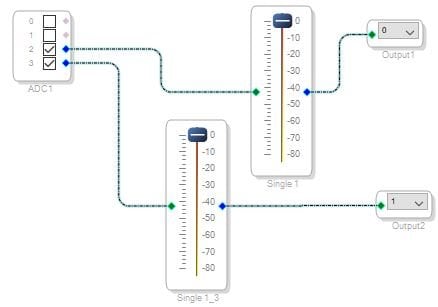
The schematic is fairly simple, an ADC input feeding an output, both input and output blocks are taken from FDSP section. Then the DAC source register is configured to FDSP0 and FDSP1 outputs.
I'm not sure why your project didn't work as expected, it could have been corrupted.
So, could you please quickly try this attached project in your end and get back?
2630.Working_project.dspproj
Regards,
Harish

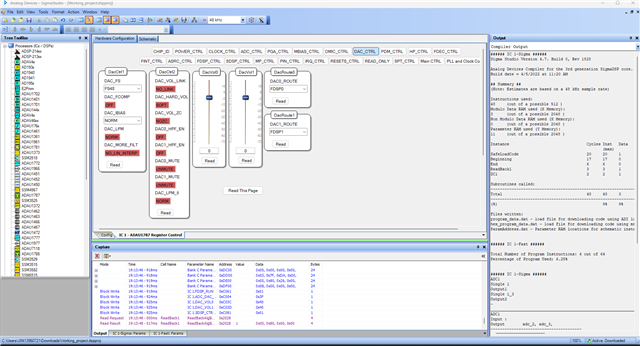
Hello Harish,
Thank you so much for taking the time to look into this and for providing the project file!
The great news is that using your .proj file, both DAC0 and DAC1 work perfectly with the FastDSP routing. I am really relieved to confirm that my evaluation board does not have a hardware defect.
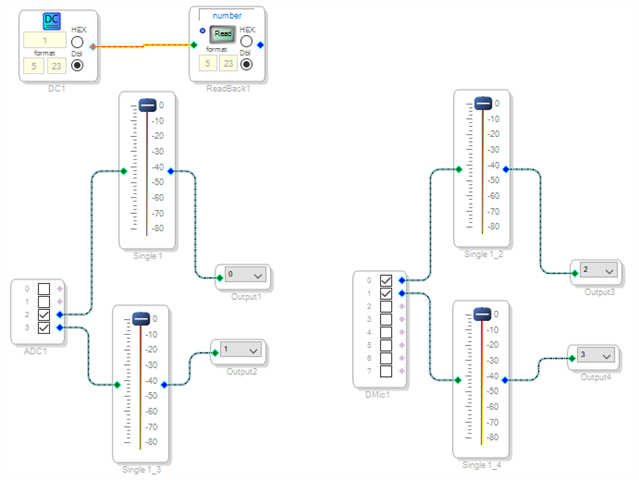
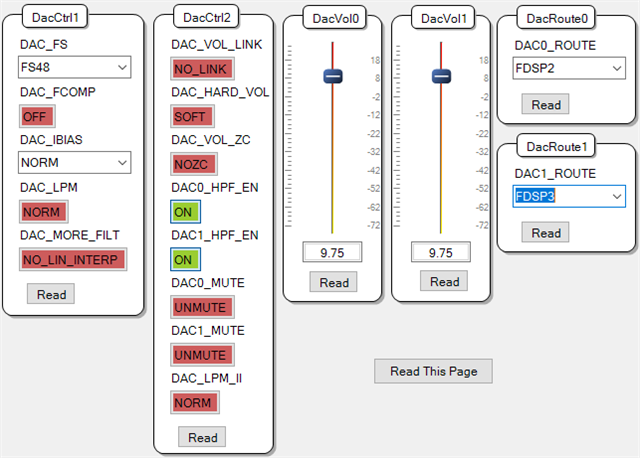
I initially suspected that the issue might be related to the DMIC running at a 384 kHz sample rate. However, when I added my DMIC routing (DMIC -> FDSP -> DAC) to your project, the routing successfully passed through at 384 kHz. I have attached my updated project file where I added DMIC0 and DMIC1. While DAC0 and DAC1 can successfully receive FDSPOutput2 and FDSPOutput3 from the DMIC inputs, the noise floor is very loud. (By the way, I also tried routing DMIC0 and DMIC1 directly to DAC0 and DAC1, bypassing the DSP, but that failed with no sound).
ADAU1787_REW_Bypass_dmic.dspproj
Since the routing works, it seems the 384 kHz setting is not the root cause either. I suspect I must have misconfigured some specific registers (perhaps related to the clock tree or power management) in my original project, which inadvertently muted DAC0.
I will use your project as my golden template moving forward. Thank you again for your time and excellent support! It helped me get completely unblocked.
Best,
Cindy
Please log in to reply.