Help with Sigma Studios Parameter Update block
I am using Sigma Studios 3.14 to program an ADAU1761. I am trying to use the output of a Look Up Table (w/ min and max) going into a Parameter Update block to control the threshold parameter of a Voice Activity Detector Flag. However, I'm not able to achieve the results I'm expecting using this method. The Parameter Update block seems to affect the signal before and after the VAD (it attenuates it), even though all it should be doing is controlling the threshold at which the VAD goes high. The index to the LUT is selected with a 28.0 DC source block, and the values at each index in the LUT are negative dB values in 5.23 format. The LUT block is set to integer input and fractional output. When the dB checkbox in the table view is checked, the 16 values I defined go from -96 to -9 dB in nonlinear increments to feed into the VAD. Am I missing something with the way these blocks work? Is the format for the input and output values for the respective algorithms wrong? What could be the problem here?
adau1x61ebz eval board
Audio Signal Processors
sigma studios
SigmaDSP Audio Processors
adau1761
SigmaDSP
look up table
Show More
Hello,
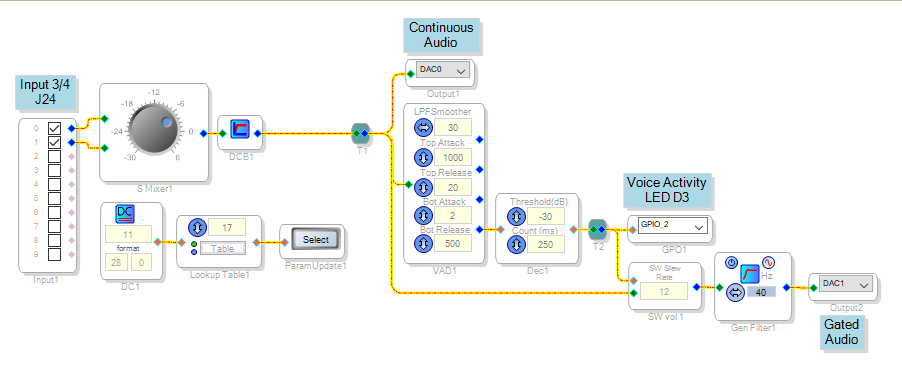
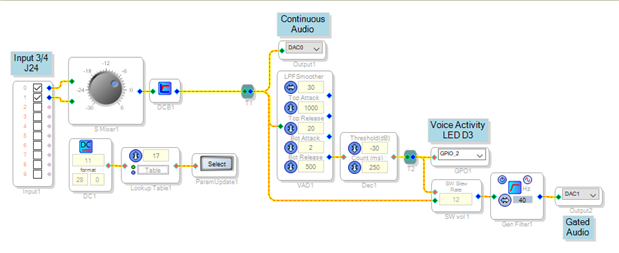
I built a facsimile of your project and after troubleshooting some of my own misunderstandings, got it to work. It lights LED D3 when voice is present, with threshold set by the integer DC source via the Parameter Update block. BTW, the Parameter Update block is new to me and is really handy! I wish it were available for the -1701!
I'm a bit confused about your symptom of volume changing with the LUT input, because the VAD block has no audio output. You simply tap the audio before the VAD, as shown above. If you wish a voice-gate effect, operate an External Slew Volume Control with the VAD Flag, also shown above. I attached the project which runs on the -1761 eval board. In case of further difficulties, please attach your project to get more effective help.
Best regards,
Bob
So after working on it some more yesterday, I got it working as well and found what was causing the problem. I have a similar setup to yours actually, but at the very input I had a General 2nd Order Double Precision Optimized 1ch Filter (butterworth high pass at 300hz cutoff) block before (left to right) a Noise Reduction block. I rearranged it so the noise Reduction block was before the filter instead, and everything works. The filter works on its own as well, but the Noise reduction block does not work on its own. I have no idea why this is. The only reason I figured out this was the problem is because I re-made the project from scratch without the filter or noise block the first time I got it working after posting this question, and everything stopped functioning when the filter and noise blocks were added ( in that specific order of filter first, noise reduction second). Any ideas why this might be? KJBob
Appreciate the help!
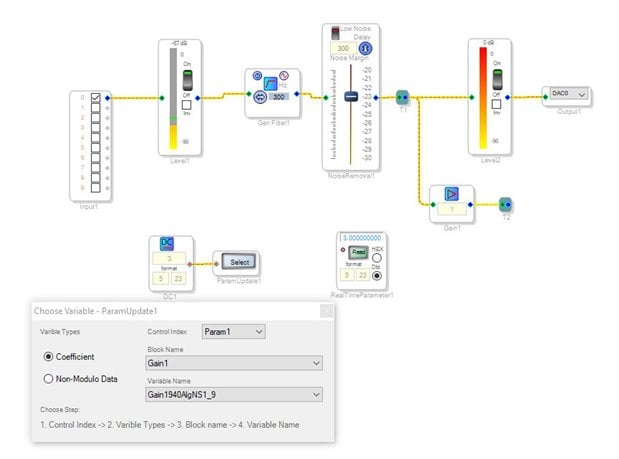
Sorry to double post, but I wanted to create a very simplified schematic to attach and illustrate the problem I'm facing. As you can see below, I have a Filter and a Noise Reduction block with a Linear Gain split after which is doing absolutely nothing. I added level indicators so it is easier to see how the signal is being affected at the input and output. The Parameter Update block is simply updating the Linear Gain parameter, and shouldn't affect anything else in the circuit. To the left of the Parameter Update block is a Parameter Readback block with the same parameter selection to indicate--independently from the Parameter Update block-- that the Linear Gain is indeed being written to correctly. Playing around with the parameter selection and the order of the filter and noise removal blocks yields different results whether the signal reaches the output as it should.
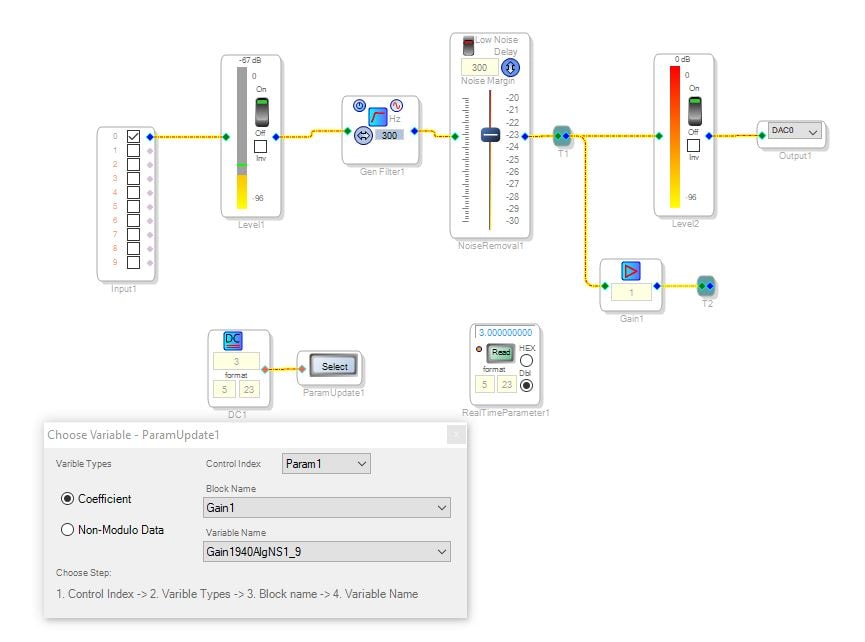
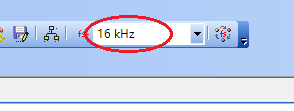
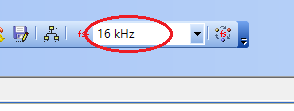
Yes, I found the same symptoms,. First, the sample rate setting is more complex than it appears. The setting atop the schematic window is the software sample rate. SigmaStudio calculates block parameters such as filter and timing coefficients according to this software sample rate. You have correctly set this to 16000 in order to accommodate the Noise Removal block:
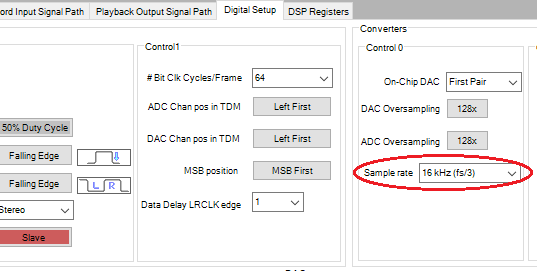
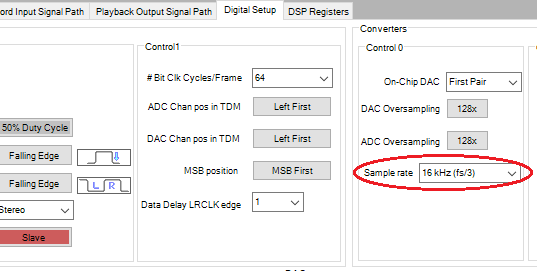
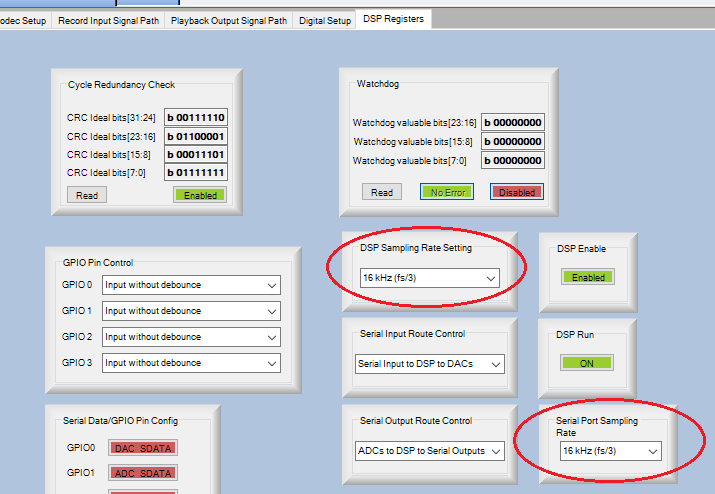
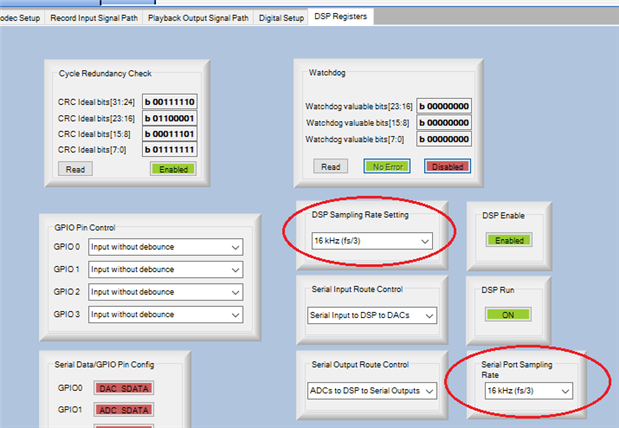
However, this setting does not change the hardware sample rate -- at which the DSP core, converters, and serial audio ports run. You have to go into the HW Configuration window to adjust these, as shown below:
This is documented in the post, FAQ: How do I change the sample rate of my SigmaStudio system?
So I adjusted these in your project and it still would not pass audio through the Noise Removal block. I placed a DSP Readback after the Gain block and found that the gain adjusted according the square of the DC source value! Finally I removed the Parameter Update block entirely and then the Noise Removal block began to pass audio.
So as far as I can tell, there's a bug causing this unwanted interaction between the Parameter Update and Noise Removal blocks. Something beyond my ability to help -- perhaps an ADI support engineer or SigmaStudio programmer could take over at this point.
By the way, I've experimented with several noise-reduction solutions made from basic blocks. They may or may not work as well as ADI's Noise Removal, but they run at full sample rate. Unfortunately none were made on a -1761, but you could build a similar project for your DSP:
https://ez.analog.com/message/86840?commentID=86840#comment-86840
Noise Gate not Functioning Properly
Best regards,
Bob
Many thanks for taking the time and effort to look into this issue with me! I have since also chalked it up as just some sort of unfortunate bug I'm not able to correct. I have an alternative circuit working, however, so it won't impede progress on what I'm working on, though it isn't as ideal as this one would have been. Do you know how I could get into contact with a SigmaStudios programmer? I think I entered a support ticket but was just told that all SigmaStudios inquiries should just be taken here to EngineerZone, unless I misunderstood
Hello,
I looked into this and found several issues. I have documented them and submitted it to the programming team. Sorry for the trouble.
Dave T
Thanks Dave!
Bob
I appreciate it greatly! Please let me know what they find!
Hello,
I just got the notification from the programming team that this issue has been fixed and will be included in the 3.16 release. (not the beta)
So you should see this soon. I think by the end of the month but I am not 100% sure when the release will happen.
Dave T
This question has been assumed as answered either offline via email or with a multi-part answer. This question has now been closed out. If you have an inquiry related to this topic please post a new question in the applicable product forum.
Thank you,
EZ Admin
Please log in to reply.