About ADAU1761 DSP Control in Linux
Heiio,
I have been able to control the ADAU1761 through the MCU, including various functions in DSP. Now I want to control ADAU1761 in Linux, especially modules in DSP. For example, I have used the notch filter in DSP, and now I want to change the notch frequency in Linux. What should I do?
I have exported .xml file, created the binary file(adau1761.bin) and built it into kernel. Referring to other posts, the register settings are not part of the firmware file. It only contains the DSP program. All other configuration settings are handled by the driver and can be configured using the ALSA mixer API.
But how I control the module parameters of DSP in Linux ??
Thank you!
Audio Signal Processors
linux programming
SigmaDSP Audio Processors
adau1761
SigmaDSP
Hello,
Are you using the Linux driver we supply?
https://wiki.analog.com/resources/tools-software/linux-drivers/sound/adau1361
Dave T
Hello,
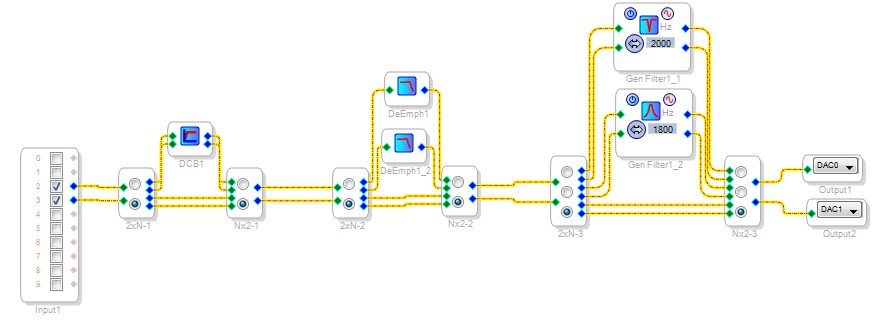
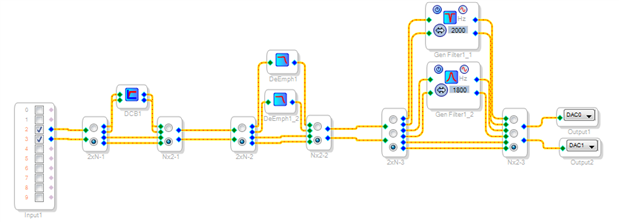
Yes, I have used the Linux driver. However the Linux driver doesn't include the functions in DSP. So, how to control the module parameters of DSP, such as the notch frequency and the mode selection. As is shown in picture below, this is the processing path I set up in DSP.
Thank you!
Hello,
To control the DSP's functions at runtime, you need to safeload parameters for the desired effect into the -1761's parameter memory. I assume that the Linux driver does the loading, so what you need help with is the needed parameter addresses and values. The easiest way to get familiar with these is to view what happens in the Capture Window when you change a feature in your signal flow.
First, you can simplify the filter selections several ways:
No need to route signals into filters with de-multiplexers, just choose the desired output with a mux.
The Index-Selectable filters can handle multiple filter choices more simply than with individual filters.
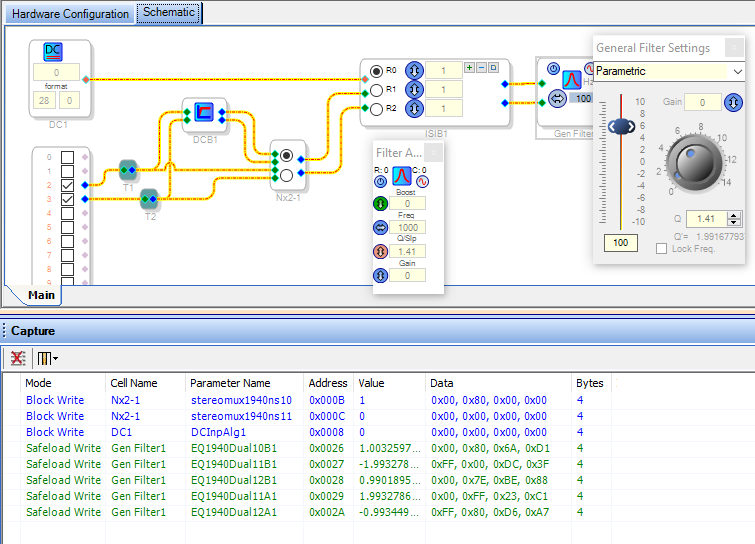
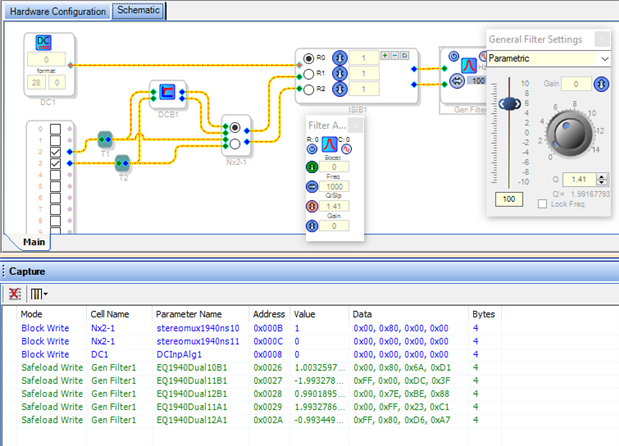
To find out the parameter addresses and values needed to control functions, exercise the function while viewing the Capture Window:
Clicking the Mux sets Address 0x000B to value 1, and Address 0x000C to value 0.
Setting the DC Source (to drive the Index Filter selection) sets Parameter Address 0x0008 to the new value.
Changing a General Filter response safeloads a total of five Parameter Addresses with new coefficients.
These coefficients depend upon your filter type and response in a complex, nonlinear manner. SigmaStudio calculates these when you adjust a filter in the GUI, and pre-loads them in advance when you set up an Index Filter. But otherwise, to change filter response at runtime, you need to program your Linux computer or microcontroller to store or calculate these coefficients. One way to do this is to examine the formulas in the attached spreadsheet, then have your program do similar calculations. You'll find several forum threads which explain this in greater detail.
Best regards,
Bob
Hello,
I know the parameter addresses and values. But the Linux driver doesn't include the functions in DSP.
So how to control the DSP parameter?
Thank you!
Please log in to reply.