Bug in sigma studio with adau1401/1701 running on 96khz?!
Hi,
While making a sigmastudio file on a ADAU1401 system with external ADC and DAC, with the DSP as Master I found a very strange phenomenon. Included are 2 screenshot showing my design with the sigmastudio set at 48kHz and 96kHz. When switching from 48 to 96 or vice versa, I also change the Register control program length/Frame sync frequency and BLCK frequency to the appropriate settings as described in a post on the forum by Brett I think.
On both screenshot I have a 10kHz sinewave feed into the external ADC. The problem maintains if I change frequency or level of input. On the 48kHz file you can see that the level bars are showing normal levels through the whole design. On the Dig0 channel the level bars show almost no signal because there is a lowpass filter on it at 1300hz. On the Dig1 channel you can see the level bars showing signal and also after the addition of 2 signal paths the level does not comes into clipping territory.
On the 96kHz file however, you see that after the add block of both channels the signal levels are gone crazy, constantly clipping into 0dB level. Also the DSP won't output any signal on the Sdata out into the external DAC anymore. It does not matter at all what kind of add function block I use (mixer, signal merger, etc) after the mixing point of 2 signal paths the DSP is going banana's....
I really want to run on 96kHz, which should be possible I think, but I have no clue what is causing this issue. It seems like a bug in the SIGMAstudio to me. Maybe in combination with the ADAU1401/1701 chip, I don't know as I only have a test boards with this chip.
Anyone got a clue or a solution to this issue? I rather have a hurry to solve this as I need these systems in production soon...
Bazeman
Audio Signal Processors
sigma studio
adau1401
96khz
adau
signal clip
sigmastudio
SigmaDSP Audio Processors
SigmaDSP
add function
adau1701
Show More
I have tried some more things and actually it's getting weirder all the time... As you can see on the ouputs after the Add function blocks, the first level bar does not show any input, which is the case in this screenshot, but a second level bar connected directly to the previous and which is connected to a output (it does not matter if I choose the internal DACS or the external DAC outputs) goes crazy... When switching the exact same file to 48Khz everything works normally.
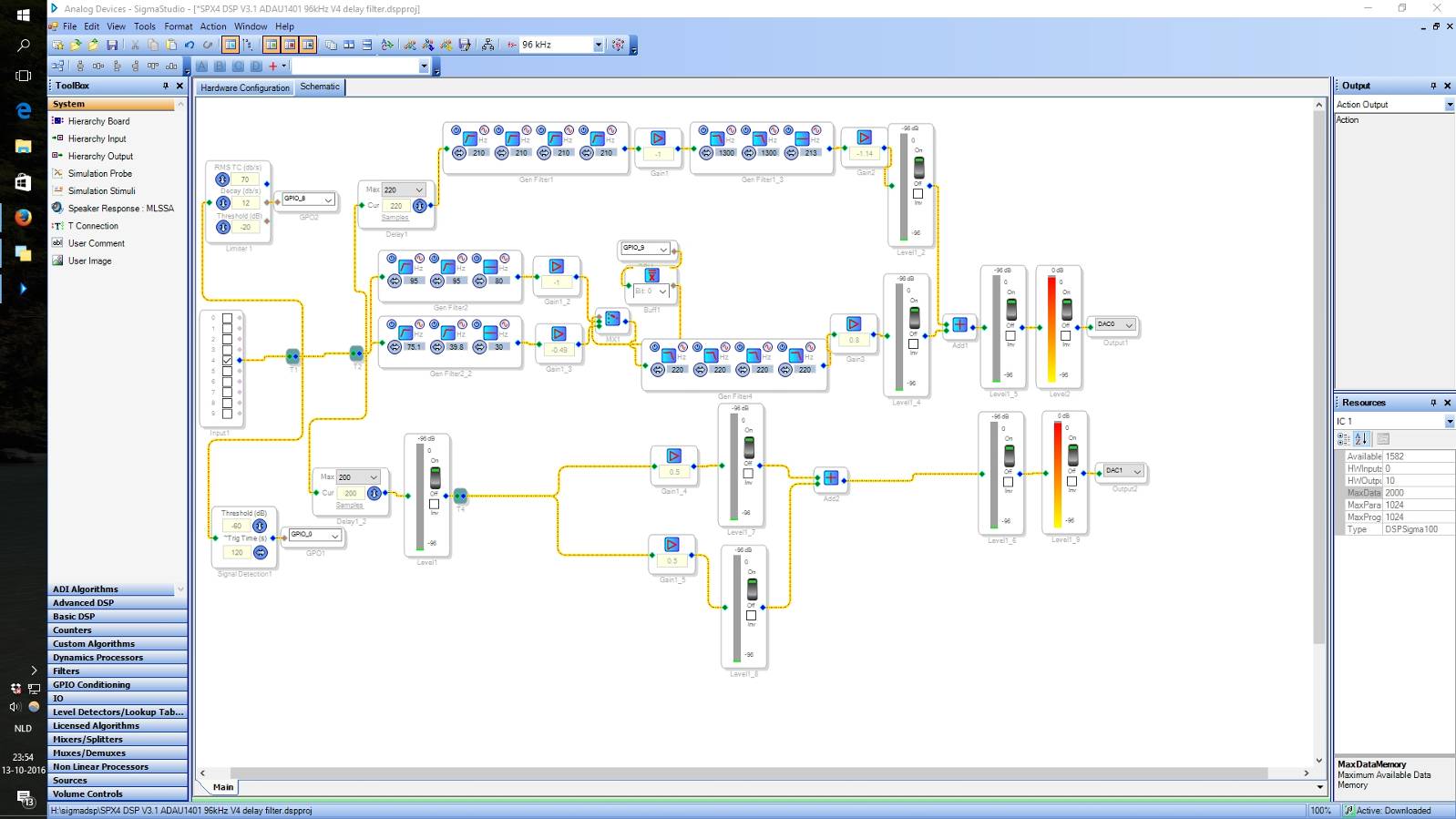
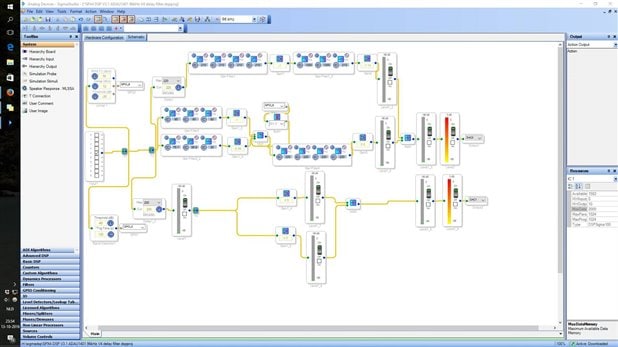
Ok, I found the issue.... The program is using too much resources in 96kHz mode.. (above 500 instructions) :-(
It would be very helpfull and much less frustrating though if sigmastudio would give you a warning that you exceed the available instructions in the design calculated for every sample rate... Will that ever be included in a update?
Here is the link explaining how to check the used resources for a ADAU1401/1701 dsp (probably the same for all others)
Hello Bazeman,
I am glad you figured it out before I had a chance to see this.
I do not know how close you are to having this program fit into DSP running at 96kHz, but if it is close you can certainly benefit by optimizing your project. I see several places where you can save instructions and memory.
First lets start at T2. This is the second "T" you have in right at the input. First of all, you do not need two "T's". One "T" can go to all those cells. However, before you remove it let me move on to my next point.
The output of T2 goes to two delay lines. These use up a lot of memory. Since they both have the same input I propose you use one delay then use a "T" on the output to feed it to two places. Now I do see that you have one set for a slightly longer delay, then just add a second delay on the output of the first that is only 20 samples long and you will save 200 words of memory.
Most of the signal path going to DAC1 is redundant and really not doing much at all. You have a meter feeding two gain cells set to reduce the gain by 6dB feeding two meters that add the signals back together to get back to where you started from. Then you feed two meters with the same signal? Really all you need on the output of the delay line is one meter and then feed it to the DAC.
On the top of your project you have a chain of EQs and gain cells. Gen Filter 1 is a series of HPF all set to 210. So it looks to me that you want an 8th order filter. I think it would be more instruction efficient to use the Nth Order filter cell and set it to be an 8th order HPF. Insert it into your project and see how much the instruction usage changes.
Then that filer is going through a gain stage set to -1. So you are inverting the signal polarity. This functionality is built into the filter cells. There is a little button that looks like a sine wave that allows you to invert the signal.
So Gain 1 is not needed.
Then again you seem to be using a 2nd order filter as an Nth Order filter for a LPF.
Then you invert the signal again and slightly gain it up. If you need that then you cannot simplify that at all.
Now, one other question. Why do you have an RMS limiter sending its ratio output to a GPIO pin? Are you using that as a flag to see when a signal is there or not? Let me know what you want to do. There may be a more instruction efficient way to do that. Compressors and Limiters use a lot of instructions.
Enough for now...
Dave T
@Dave
After many more hours of testing/reading/frustration, I think I got it to work... With the old program that was below 1024 instructions and on 48kHz everything worked. But because it had to work on 96kHz I start to work on reducing the program. I think I have read somewhere that on 96kHz (set the DSP core to 2x under program length) that you need to be under 500 instructions? (Which is stated in the "compiler_output.txt" file located in the "net_list_out2 folder" of that SigmaStudio project)
512 instructions (half of 1024 in 48kHz) should be ok also right? Or are there extra instructions needed or lost running at 96kHz?
I have the program under 500 instructions now, but I may need to squeeze a few blocks later...
Hello Bazeman,
Sorry, I thought you had figured that out a few posts ago that you need to change the program length to 2x to actually change the core rate to 96kHz. Otherwise, I would have mentioned it.
There is really nothing else to do. Whatever you do, leave the RAM Modulo setting to whatever SigmaStudio sets it to. This control never should have been available to be changed.
Then after the Program Length register, what sets the sampling rate is the master clock frequency and the PLL mode pin settings. So what are you feeding into the part for an MCLK?
What do you have the PLL Mode pins set to?
Then in SigmaStudio you will need to set the system sampling rate to 96kHz and click on the Propagate button to propagate it to all the cells. You can also right click on source cells like the input cell, a DC cell or an oscillator and there you will find a choice for setting the sampling rate. This is just so the software knows what the sampling rate will be and produce code accordingly. The actual sampling rate is always set by hardware and clocks into the part. SigmaStudio has no idea what it actually is.
Dave T
Please log in to reply.