ADAU1761 MIC Gain
Hi
I am using ADAU1761 mated with BF707 EZ-Kit.
Capturing the data using the on board MICs stereo 44.1kHz sampling.
But the captured data volume is very low, when dumped to a file and verified in the Audacity tool.
Please suggest us how to increase the input gains for the mic on ADAU1761.
Also, suggest us how to configure ADAU1761 to 16 bit capture of MIC data of mono,
instead of 24 bit of stereo of on board MICs.
Thanks
Mahesh Muni
Audio Signal Processors
SigmaDSP Audio Processors
adau1761
Hello Mahesh,
We will need a lot more information.
Are these analog mics that you are feeding into the analog inputs of the 1761?
Are you using the DSP?
How are you dumping this into a file?
Are you using SigmaStudio to program the 1761? If yes then supply the project so I can see all your settings.
How does the level look in the DSP? Have you inserted level meters into the project?
Thanks,
Dave T
Hi Dave
Thanks for the immediate reply.
The analog mics U3 and U4 are on board of ADAU1761 which are using to capture the digital data.
We are using the DSP.
We have mated the ADAU1761 to BF707 EZ Kit. Playing a sine wave(500Hz) from the speaker which is around 1ft away from the board(BF707-ADAU1761).From micro usb(which is connected to the BF707) the captured digital data of sampling rate 44.1kHz is dumping to the PC using the hostapp.exe command line utility.
We are using the SigmaStudio to program the adau1761. The project is attached here for your reference.
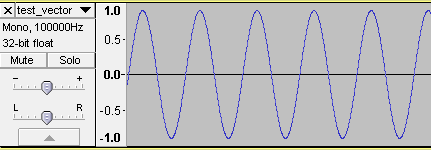
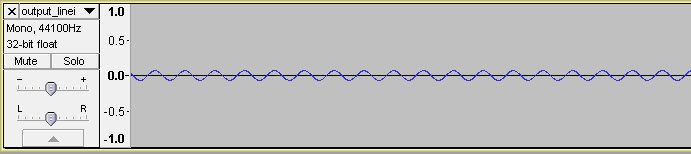
The level of the mic data dump is very low (If the signal is of 1.0 of full dynamic range, then the captured signal has only 0.05 of the amplitude)when we take out of 24 bits upper 16 bits for the dump.
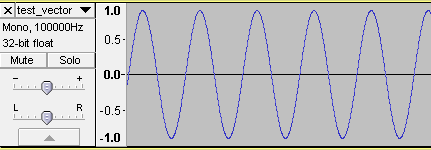
The input sine wave played at the speaker is:
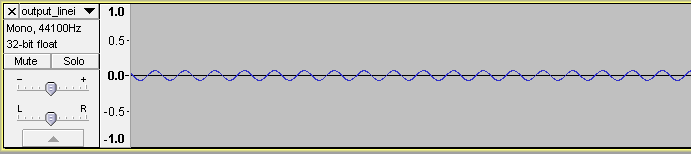
The output digital data dump 16 bit is:
Thanks
Mahesh Muni
Hello Mahesh,
Thanks for the info. The project was very helpful.
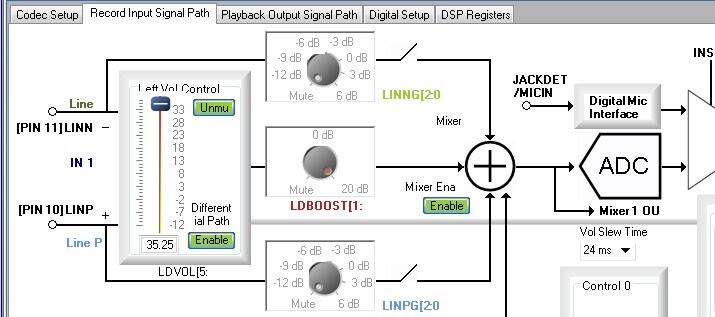
This part is very flexible with analog and digital routing but that makes it easy for things to be set wrong based on what you intend. So I will detail a few things I noticed. I took some screenshots of your project.
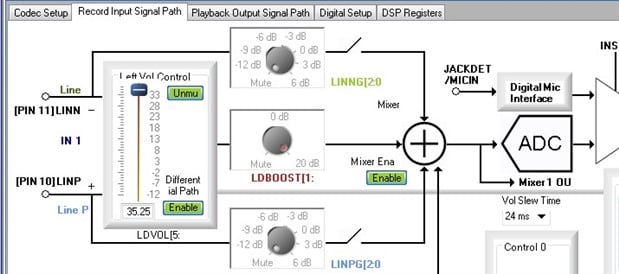
This screenshot in the input signal path. You are using the differential input and have 35dB of gain in the PGA. Then you have another 20dB of gain at the LDBOOST control for a total of 55dB of gain. That is plenty of gain! The only signal you have into the mixer is the mic input so that is perfect. Note in the block diagram that the mixer output goes to the ADC but it also goes to "Mixer 1 OU". This really should say "Input Mixer 1 Output" but there is not enough room. This is a direct path to the output mixer. Now, I will go to the output panel:...
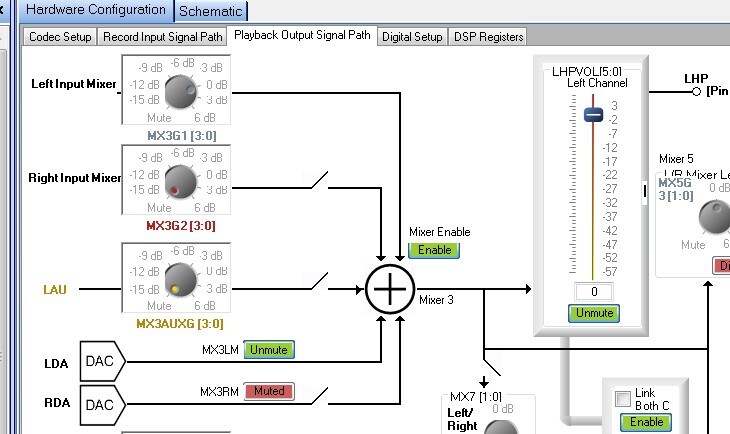
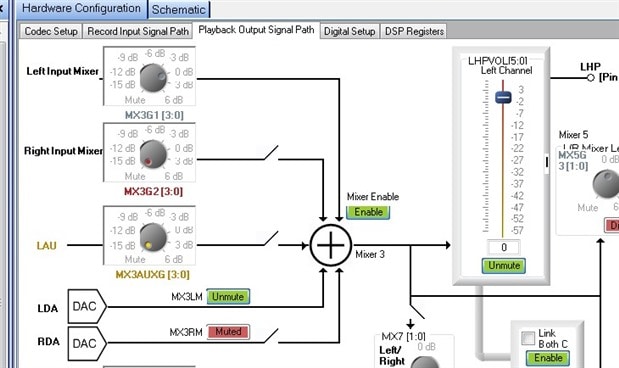
Notice at the very top is the Left Input Mixer signal. This is that direct send I mentioned from the input mixer. Notice that you have it set to 0dB and it is being mixed into the output. You also are mixing the signal from the left channel DAC. So you have two signals being mixed. I would turn down the input mixer so you can monitor the DSP output signal.
One other thing about the Input panel. You have the ALC enabled. I would disable it until after you have setup all the basic levels and signal paths. Then introduce that variable. You may be losing some gain there.
The Digital Setup panel looks good at this point. I am not sure exactly what serial format you need but it seems to be setup for I2S.
Now on to the DSP Registers Panel:
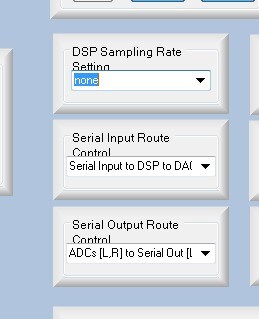
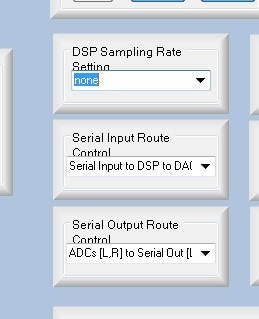
Right in the middle of this panel are three controls that are important. First, you have no sampling rate chosen. Select 48kHZ. If you want 44.1kHZ then the master clock input frequency needs to be 11.2896MHZ but all the settings will say 48kHZ but you will be clocking it slightly slower.
The serial input route and serial output route controls need to be set. Right now they are set to take the ADC output directly to the serial output port. This is NOT going through the DSP. There is a selection for ADC-->DSP--> Serial port.
You have the serial input port set to go to the DSP then the output of the DSP to the DACs. In the schematic you are sending this serial input directly out of the DSP to the serial port output but you are not using the DSP output for the serial port. So this is going nowhere. Let me explain.
Input 2&3 are the first two digital inputs from the serial port. This signal you are sending to the digital outputs 0 and 1. There is a signal there since you have the serial input port register set to go to the DSP but the digital output from the DSP is going nowhere since you have the digital output register set to send out data from the ADCs only, not the DSP.
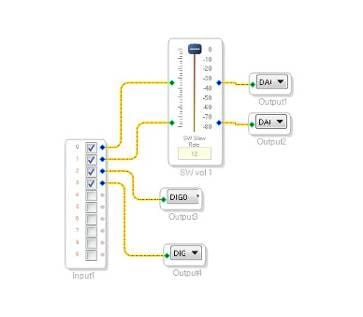
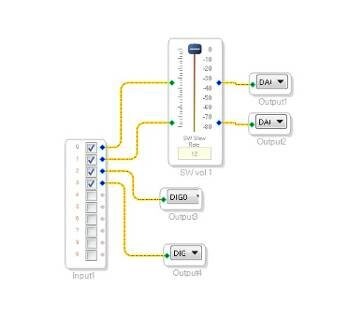
I am guessing you only want the digital output right now. So change your project to look like this. Use a meter so you can see the level inside the DSP and then use a "T" to distribute the signal to the DACs and the same signal to the serial port. Here is a screenshot:
This should get you further... Let me know how it goes.
Dave T
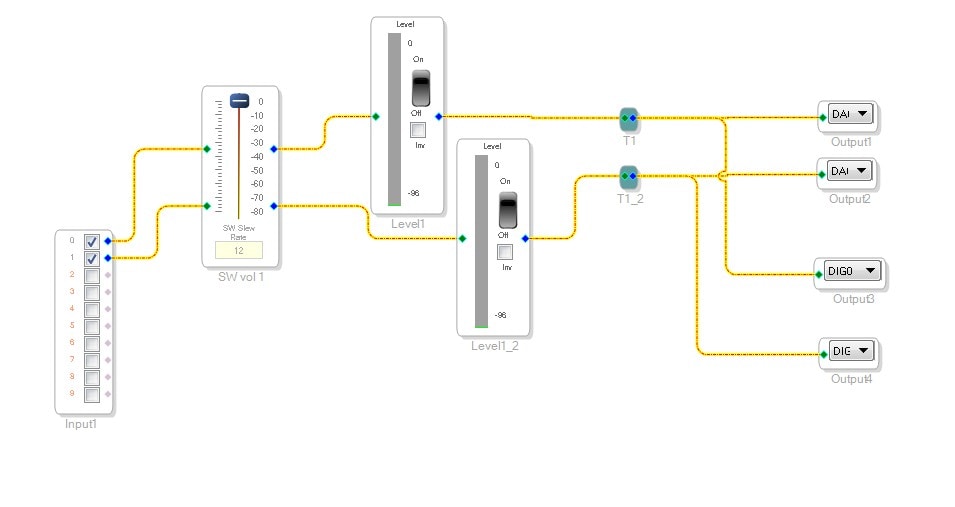
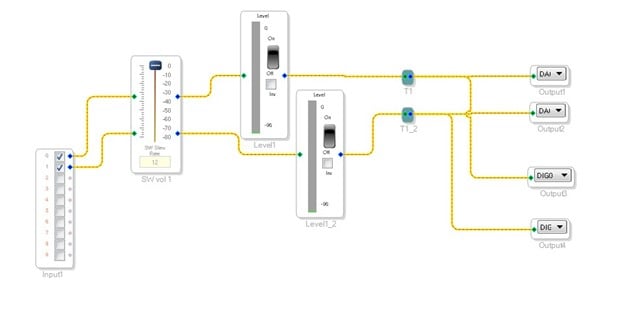
Hi Dave
Thank you for the detailed response, step by step explanation for each module. After applying your suggestions on the Sigma Studio project, the on board mic capture dump file is having a DC offset null sigal that's it.
Please suggest how to enable the digital mic output to serial output via DSP.
Attached the sigma studio project here with suggestion as mentioned in your last post.
Also want to know how to capture the 16 bit data instead 24 bit data on ADAU1761 without doing the same in software.
Thanks
Mahesh Muni
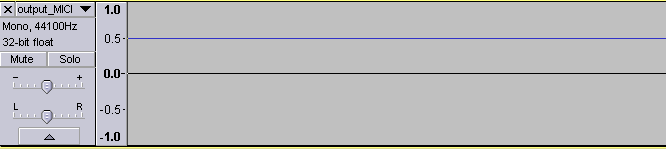
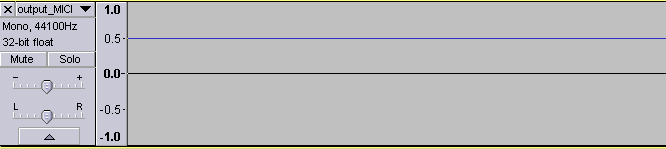
Hi Dave
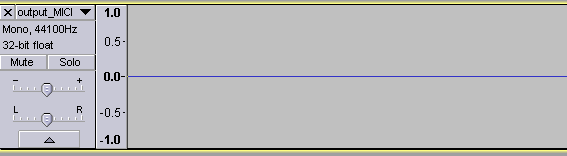
In my previous post, I have added the magnitude 16384 to boost the mic signal and removed now and there is no dc shift(as attached in the below).
But still the dump of digital mic data is null.
Thanks
Mahesh Muni

Hello Mahesh,
I was trying to walk you through some troubleshooting in a step by step fashion but I guess I will just jump to your request.
I have attached a project that should send a digital mic to the serial port. There is a meter in the project so you can turn it on and see if the signal is in the DSP.
I also sent the output to the DACs so you can put on some headphones and listen.
The project has a DC block filter in it. Digital mics can have a lot of DC offset so that may have been what you were seeing.
On your measurement of this DC level, where were you measuring this? Output of the DACs? Output of the serial port?
Keep in mind that the DACs will be sitting up at a common mode voltage and not ground.
The file you attached was not a SigmaStudio project. So I started from a blank project and set it up for you.
Regarding the 16 bits vs 24 bits. You do not have to worry about the bit depth. As long as you truncate the LSBs from 24 to 16 it will be fine. So transmit all 24 bits and just truncate in the other DSP. You will find that between the mic noise floor and the room ambient acoustic noise that the most you will get is about 12 or 13 bits anyway. So you will not be losing anything when you truncate. The serial data will be shifting out MSB first so you do not need to know the bit depth when transmitting. On the receiving side you could simply receive it as 16 bits and then ignore the rest of the 16 bits for that channel. I2S is 32 bits per channel.
If you need mono then you can either use one channel, or you can sum the two up in the DSP and send both out of the serial port as a sum of the two mics. You are free to do whatever you need to do.
Dave T
Hi Dave
I have used the Digital Mic to Serial port output DT.dspproj for ADAU1761 on board mic testing, Observed that the MIC picup is in the range of +1.0 to -1.0 and the signal strength is good.
For 24 bit to 16 bit data conversion, typecasting the 32 bit data to 16 bit ((short)32_bitvariable), i.e, discarding the upper 16 bits of the data. After this change the captured signal (dumped into file) has very good strength.
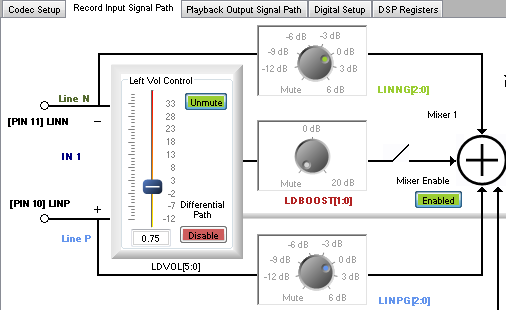
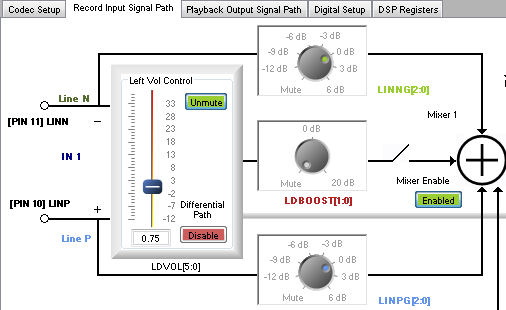
To use the same SigmaStudio project (Digital Mic to Serial port output DT.dspproj) for LINE_IN input, done the following change
Please suggest us on the above change(Is LDBOOST has to be enabled for more gain which can increase the noise component in the signal proportionally?).
Thank you for the support.
Thanks
Mahesh Muni
Hello Mahesh Muni,
If you engage the Boost then you should disconnect the line input controls LINNG and LINPG or you will be getting the same signal twice. Yes, if you boost the signal you will be boosting the noise floor as well.
The LDVOL/RDVOL control is the volume of the PGA. If you use the PGA you have more gain and the LDBOOST/RDBOOST is available for even more gain. This is for using a microphone but it can be used to line level signals as well. The bonus is that the PGA gain can be used by the ALC circuit for automatic gain control. This can be done in analog but it also the sidchain gain signal can come from inside the DSP which is a really powerful feature!
Dave T
Please log in to reply.