Change USBi to ADAU1452 comms from SPI -> I2C
In hardware Configuration window of the project, USBi automatically selects SPI 0x1 ADR0 for ADAU1452. But I would like to change it to I2C. When I use drop down menu to select the range of available I2C addresses and compile it, It gives the error of 'Compiled, Comms Failed'.
What do I need to do to establish USBi to I2C comms with the DSP?
The intention behind this requirement is to control the USBi (ADUSB2Z) board using my third party (c# application), and NOT SigmaStudio... This will happen after DSP is programmed and Parametric equaliser has to be controlled by the user. The chip CY7C680's on ADUSB2Z board has a data sheet that only suggests USB to I2C conversion, not USB to SPI conversion, this has me wondering how is SPI comms conducted by this board? (I understand this is not a domain of ADI but I hope this is a basic question)
Audio Signal Processors
adau1452
i2c issue
i2c
spi problem
sigmastudio
SigmaDSP Audio Processors
Show More
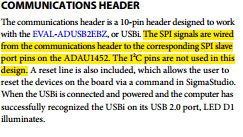
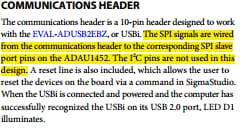
I think I found the answer in EVAL-ADAU1452MINIZ Guide.
The board does not wire I2C lines. The ADUSB2Z board still lights up I2C Yellow LED.
Now I am more confused about the second part of my question.
I haven't tried it, but you should be able to re-route the I2C pins on the header connector. Note that MISO and SCLK are connected to SDA and SCL on the 1452. So jumper MISO to SDA and SCLK to SCL. (I'm not sure if you need to remove the old connections to MISO/SCLK).
Let us know if it works! It would be handy for anyone developing with I2C.
Thanks joe42.
I shall just use SPI for now to avoid any routing changes.
Please log in to reply.