Adau1451 problem with the analog volume control.
Hello , the problem lies in the analog volume control . Made processing SigmaStudio 3.12 as follows:
Signal strength varies inexplicably . Tell me what am I doing wrong ? Many thanks.
Audio Signal Processors
adau1451
adau1451 problem with the analog volume control.
SigmaDSP Audio Processors
Hello,
If I remember correctly, the ADAU145x Aux ADC puts out values from 0 to 1023 Integer (32.0 format). The Standard Lookup Tables need a maximum integer input according to the number of entries in the table. Thus, presently the Aux ADC output is much too large for the LUT, possibly causing your issue. Unfortunately I don't have my hardware handy to test the following arrangement, however you can try dividing the Aux ADC value by 32 (or multiply by 0.03125 as shown) before the LUT. Also, if your LUT is set up as dB, you'll want to fill the table with dB values similar to what I've shown below.
Best regards,
Bob
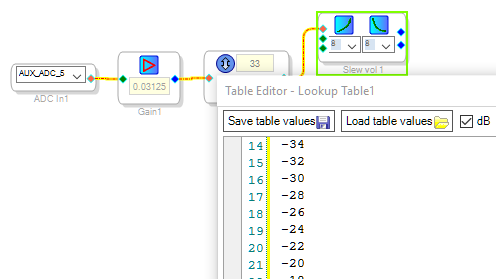

Thanks Bob member , unfortunately does not work, if you multiply 0.03125 , there is no signal . Tried other dividers 0,256 signal jumping up and down, while turning in one direction , a feeling that only two values . I would be grateful for the help .
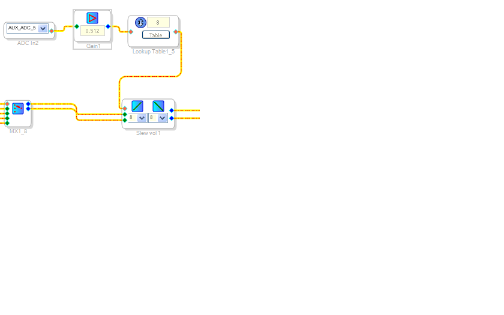
Hello Mikl,
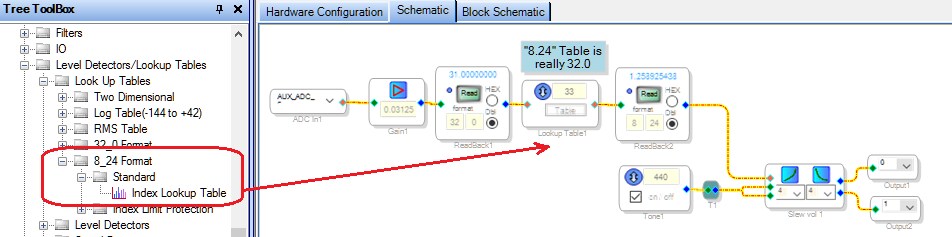
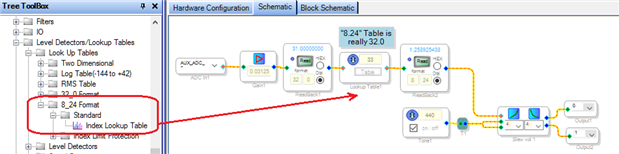
Experimenting with the Lookup Tables on the hardware, I discovered that the version of SigmaStudio makes a difference. The Lookup Table in your project does not have the format selection buttons included with the latest 3.12.4 Beta -- thus it appears that you're using SIgmaStudio 3.11 or a similar version. These earlier versions have their LUT formats incorrectly labeled. The arrangement I suggested above uses a 32.0 integer index table -- but to get this table you need to select the one labeled 8_24 Format, as shown below:
Since your project uses a ADAU1451, likely you're running on your own hardware (custom pcb). I assume that your Aux ADC 5 input is correctly wired to a control signal that runs from 0 to 3.3 V. You can troubleshoot LUT issues by including DSP Readbacks as I have above, also by substituting DC Sources at various spots to apply known signals.
The arrangement shown here tests fine on the ADAU1452MINIZ Evaluation Board. I attached the project although of course you would need to change its Hardware Config to a ADAU1451. In any event, looking at the project file itself in SigmaStudio is easier and more informative than these screenshots. If you continue to experience difficulties, I could provide better help if you attach your own project file (after removing irrelevant portions if desired).
Best regards.
Bob
Hi Bob member , I will not find any like SigmaStudio 3.12.4 beta x86, downloading is still 3.12 , it turns out that the tabs that you have shown to me - . They are not. In version 3.11 there, but the whole project to 3.12 ) ) ) Thank you very much for the tip .
Bob member , I picked up the table , thank you very much . Then I can send the project as finished .
Please log in to reply.