SigmaStudio Level Detector issue
There was some doubt about the Level detector in Sigmastudio.
My tese condition, ADAU1761, iPhone6.
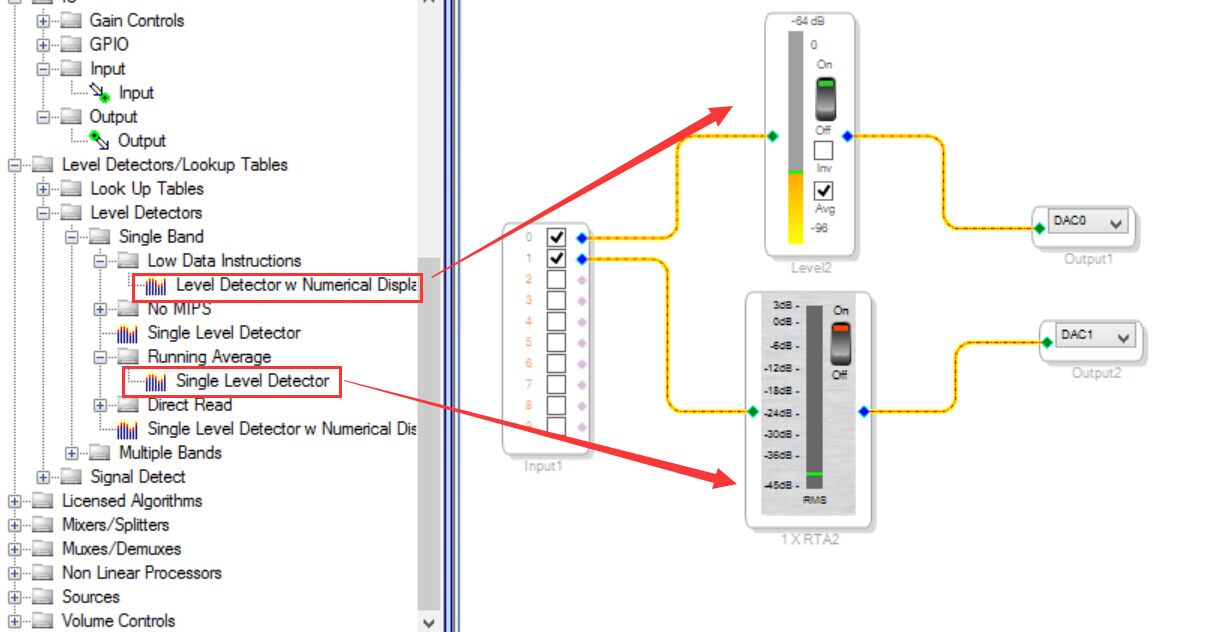
1. when set up project as below figure, there were display -64db level in the block while no input source.
so my question is:
① where are the -64db noise from? ADAU1761 ADC noise?
② whether the "single level detector" indicate range equal to other one.
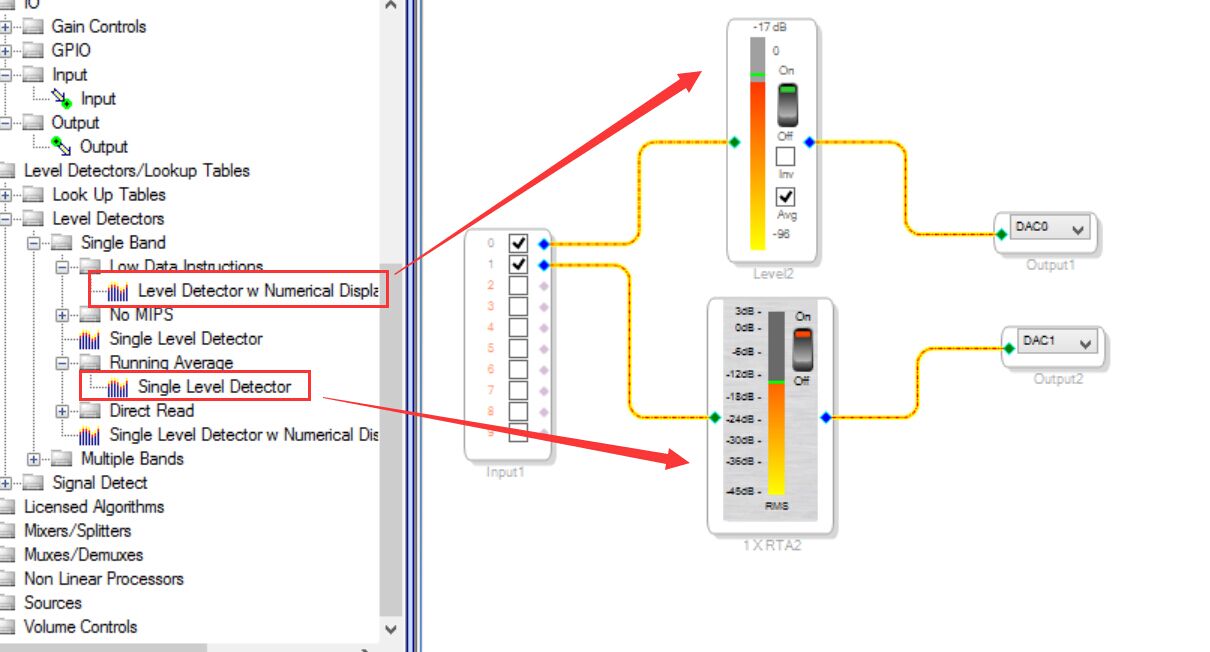
2. when set up project as below figure, input 1khz 0db source from iPhone6(1V RMS),there will indicate different level, it close.
so my question is:
① why those block cannot match the real input source level? where are difference value 17db come from?(ADAU1761 AUX ADC channel set to 0db)
② is there any way to read the indicate value in 1761 register? or some document to discribe reduction formula?
In some application, need read the input level to save power, look forward replay, TKS!
Audio Signal Processors
SigmaDSP Audio Processors
adau1761
Hello Felix,
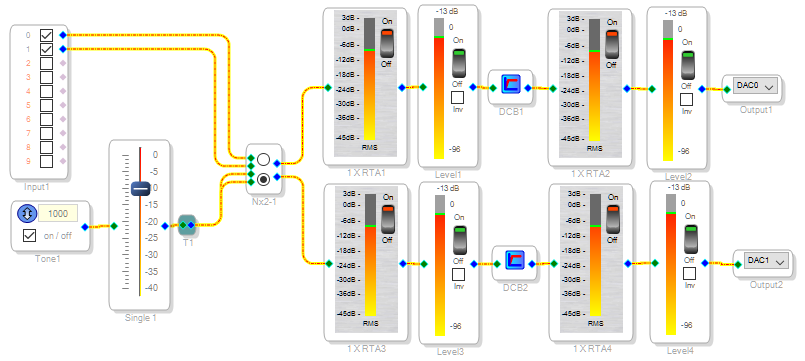
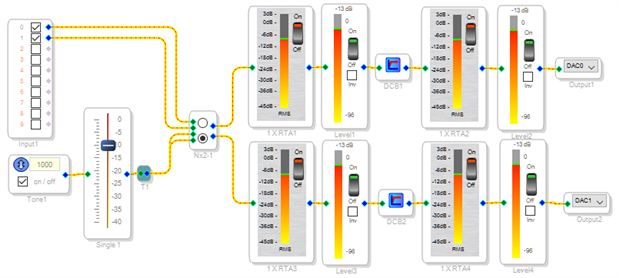
It appears that the RTA Level detector is peak responding (although labeled "RMS") -- thus with a sine wave input it reads about 3 dB higher than the Numerical Level detector. The circuit below demonstrates this:
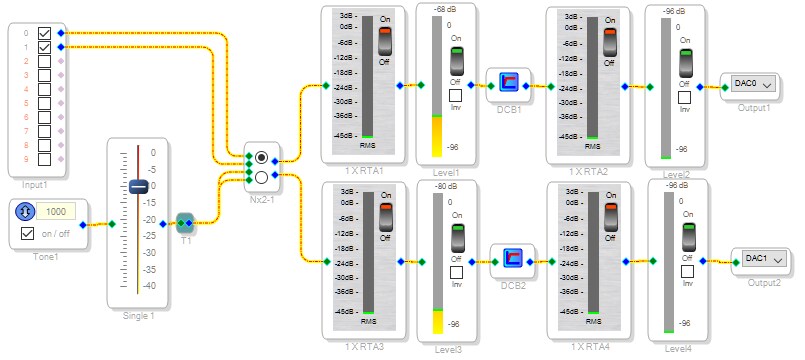
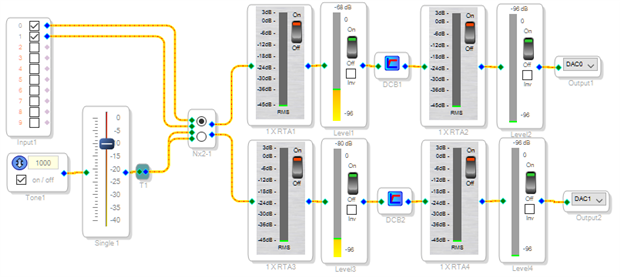
With a no-signal ADC input, we do see a residual reading. This is from the ADCs, but it's not noise. Rather it's their DC imbalance or offset. This offset is about 0.1% FS which is rather good as sigma-delta ADCs go, but in dB terms it shows up alarmingly on the Level Detectors (which do respond to DC). To get rid of it, insert a DC Blocking filter (under Filters/Miscellaneous) before the detectors. Note below the quiet readings after the filters.
The DC Blocking filters are flat down to below 3 Hz, thus won't affect bass response.
Best regards,
Bob
Tks,Bob.
I think got the piont.
and there was another question need your help, we need measure the input signal exactly in own application.
I found there was several parameter register can read data from Level detect, and the data will change base on input source level, but I don't know how to change the data from hex/5.23 to dB format, so would you share the Level detector formula for us?
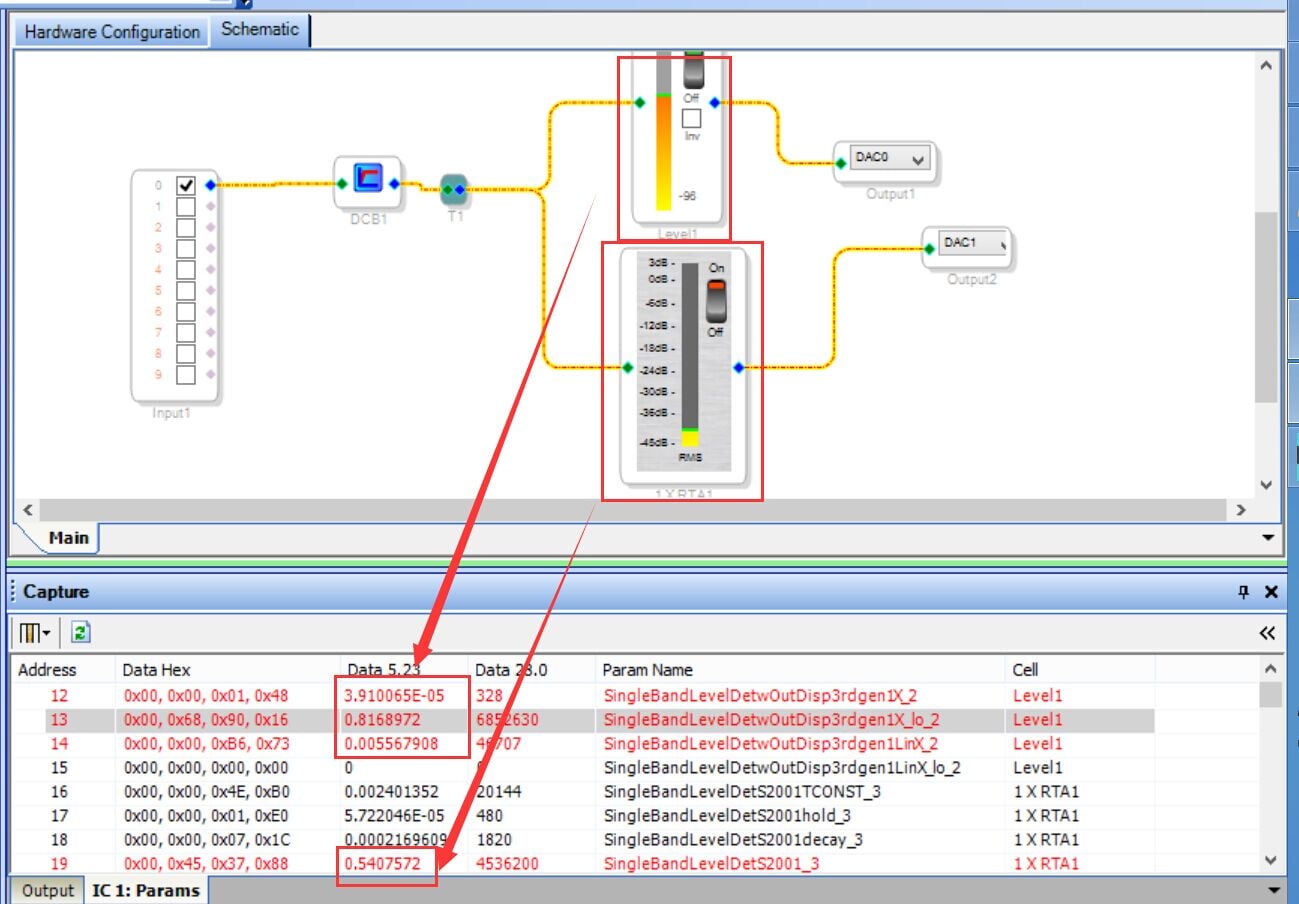
Hello Felix,
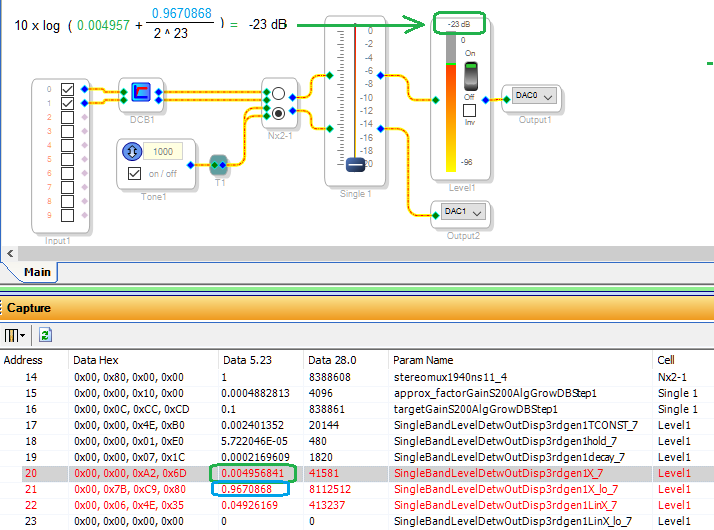
By trying different inputs and observing the results, we can see how to convert the data to dB:
The two data words circled in the Capture Window below together form a double-precision (56 bit) word. This value is equal to the square of the RMS input -- so to convert to dB, we multiply its base-10 log by 10 instead of the usual 20. The result is dB referenced to 1.0 RMS (thus a full-scale sine wave with + and - 1.0 peaks, or 0.707 RMS, reads as -3 dB).. The formula is shown below:
Best regards,
Bob
It is a perfect answer.
BTW, what is the "0.004957.." & "0.9670.." means? voltage peak?
what the "0.04926" data(address 22) use for?
Hello Felix,
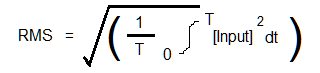
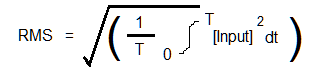
RMS measurement is defined as,
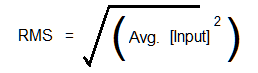
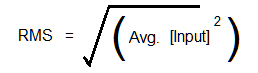
The commonly-used adaptation for measuring instruments substitutes a lowpass filter for the definite integral,
The double-precision number from addresses 20 and 21 above represents a series of samples squared and lowpass filtered (averaged). All that's left to do is take the square root and convert to dB. This is further simplified by moving the square root outside the logarithm -- thus we multiply the log of the averaged squares by 10 instead of 20 as with the traditional voltage-dB formula.
The number at address 22 is simply a stream of samples picked from the input series, as fast as the interface can fetch them. You can average this to measure any DC input presented to the RMS block.
Best regards,
Bob
Hello,
I would like to use the "single level detector" block instead of the "single level detector with numerical display", because of the MIPS cost of the block which is half size (when the project become big, it can be a problem). I can read the numerical value from the single level detector from my MCU but i can't find the calculation for this block to have the same answer as sigma studio.
for example, i have -18dBfs on sigma studio (with a 1kHz sinus, the visualization is stable), the answer i expected, with a numerical value of 0x83B91 / 539537 (decimal). What is the formula to found -18dBfs with that ? When i do : 20 * log ( 0x83B91 / 0x800000 ) = -23.8 dBfs. What am i missing ?
thanks !
Please log in to reply.