SigmaStudio AUTO EQ Error
When Sigmastudio update to Version3.12.3, found Auto-EQ as new module add in ADI algorithm box.
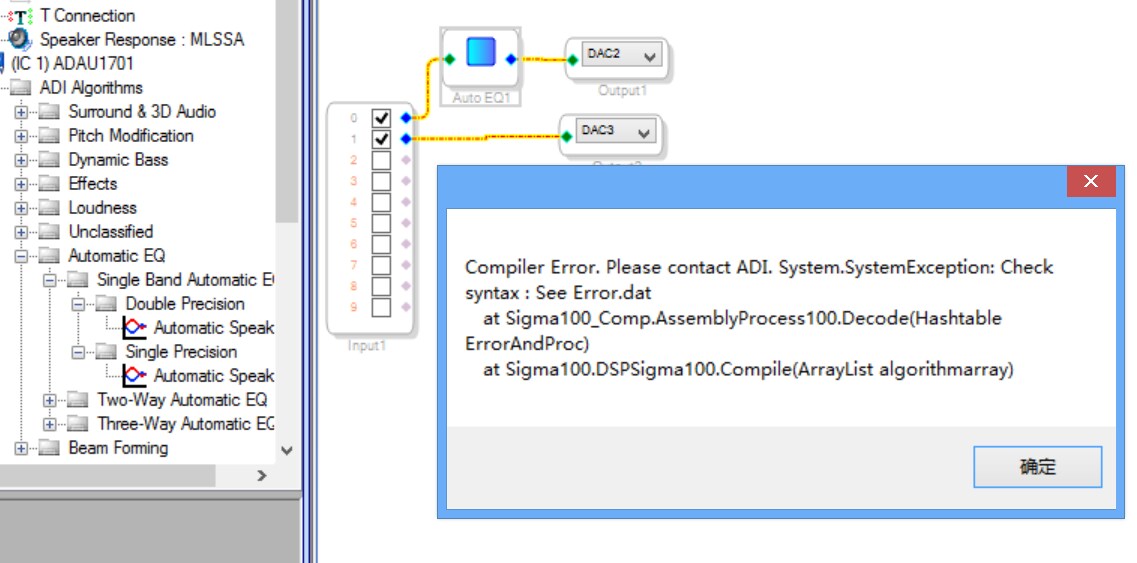
But it runs error after compile a sample project, analog input --> Auto EQ --> output, both error in ADAU1701 & ADAU1761, show as below figure.
So is there any misuse piont?
And how to design Auto EQ algorithm, any help documents or example to explain it?
look forward your reply
Audio Signal Processors
SigmaDSP Audio Processors
adau1761
adau1701
HI:
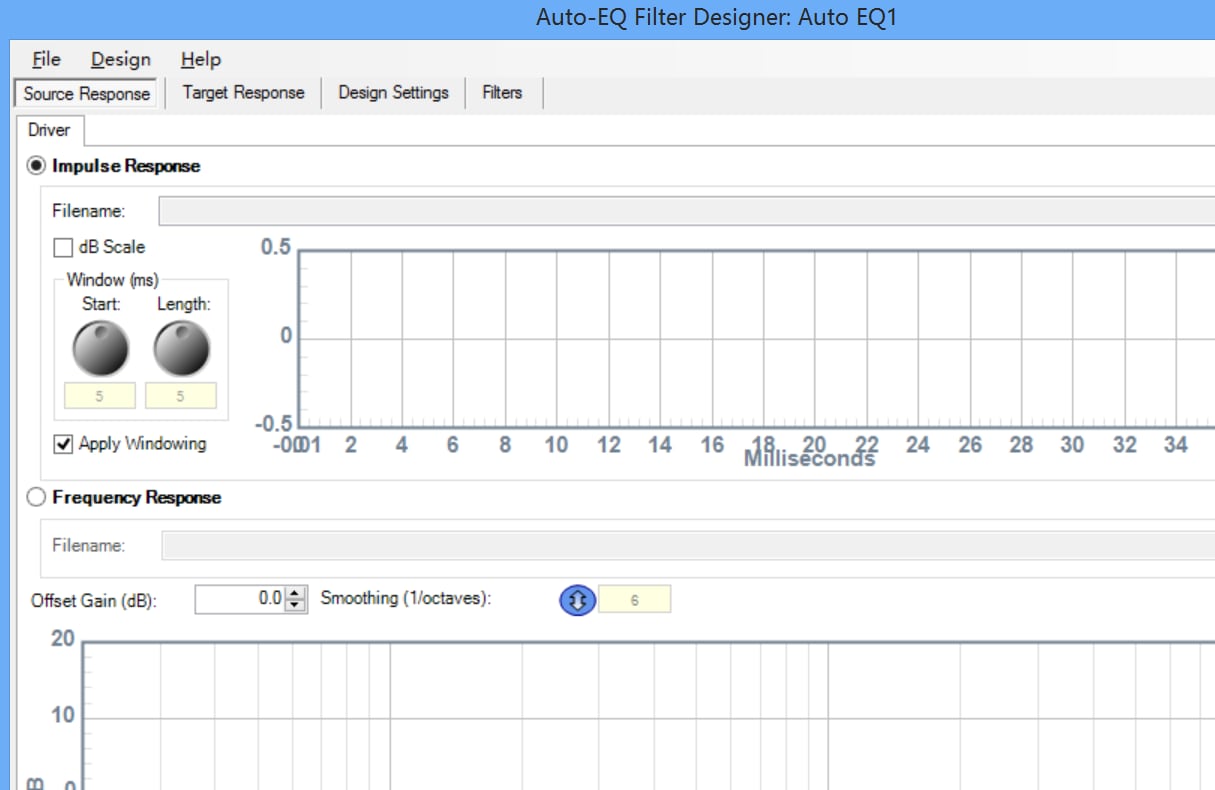
I was able to reproduce your problem. For now, sou will need to enter an impulse response such as the ones provided during the installation process to avoid this error.
Can you please tell us what you are trying to do: The Auto EQ is not an algorithm that allows to create automatic EQ systems. It's simply a design tool intended to be used by speaker manufacturers and systems engineers in connection/collaboration with SigmaStudio. NOT in stand alone systems.
In other words, filters and their calculation are done in the PC.
Please comment
Miguel
Tks Miguel.
have got it means, we was regret that Auto EQ was not use for what it name means.
and we have changed another way to implement audio algorithm.
Heey, i have the same problem. couldnt solve it.
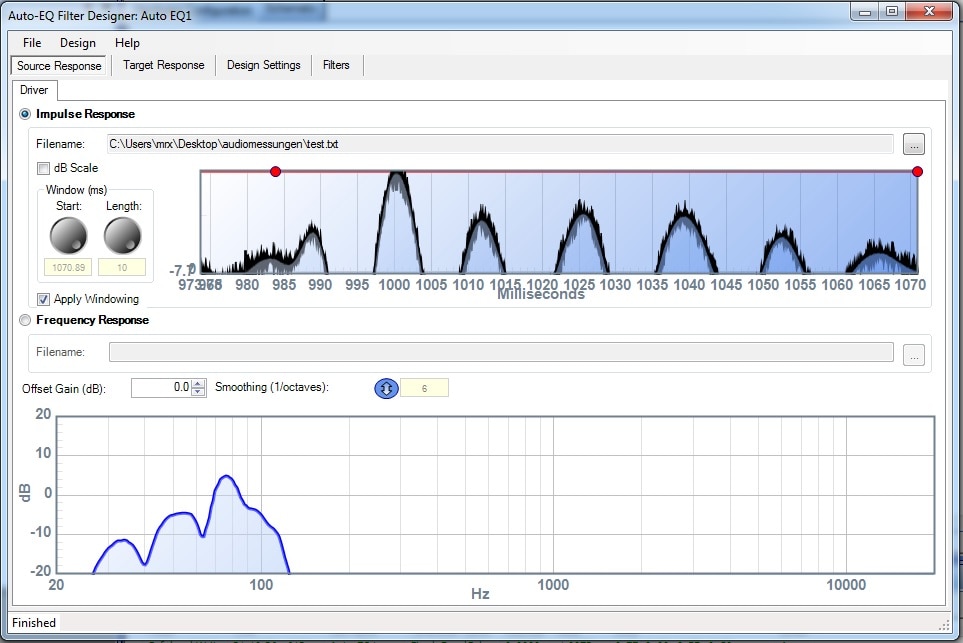
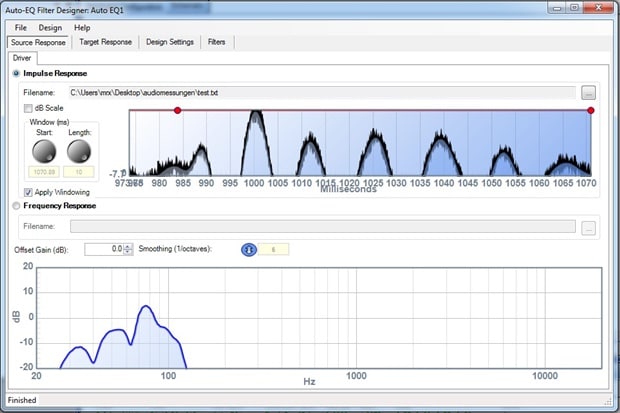
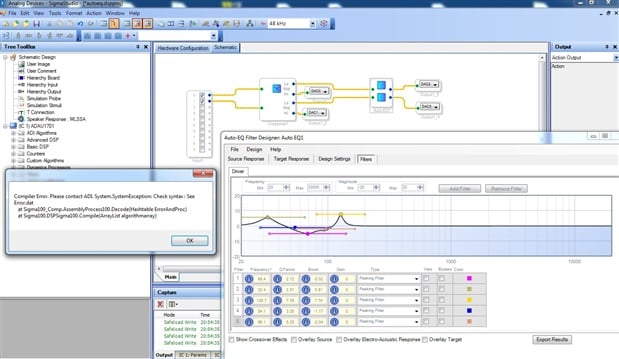
imported the impulse response and designed 5 filters as shown on the picture but i get still the error.
any suggestions?
error.dat : " Error in Line Number: 138 - biquad_in_zm0_0_3 variable used is not defined in RAM or not a RAM directive"

HI Joh:
It doesn't seem like you are using an impulse response as an input to the Auto EQ. Also, if you use the auto EQ, I suggest you use the 2 way Auto EQ. It will align your crossover as well as doing the Auto EQ. What SW are you using to get your impulse response? For the error you are seing, can you please post your schematic? Althought I have a feeling if you follow my above suggestions, things will start working out for you.
Please comment.
Miguel
Hi Miguel,
Thank you for your Help.
you're absolutely right and now everything works fine:
"I suggest you use the 2 way Auto EQ. It will align your crossover as well as doing the Auto EQ."
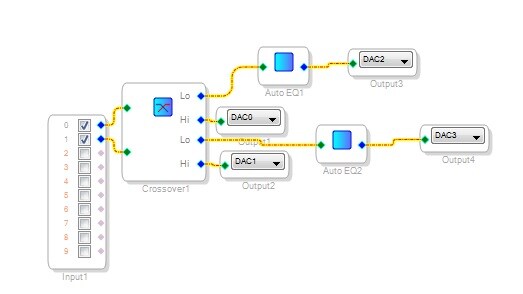
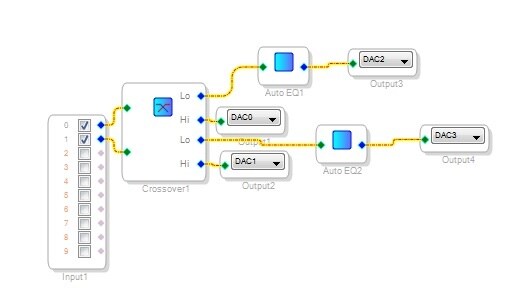
my problem was that i did a syntax error because i used the crossover and the single auto-eq.
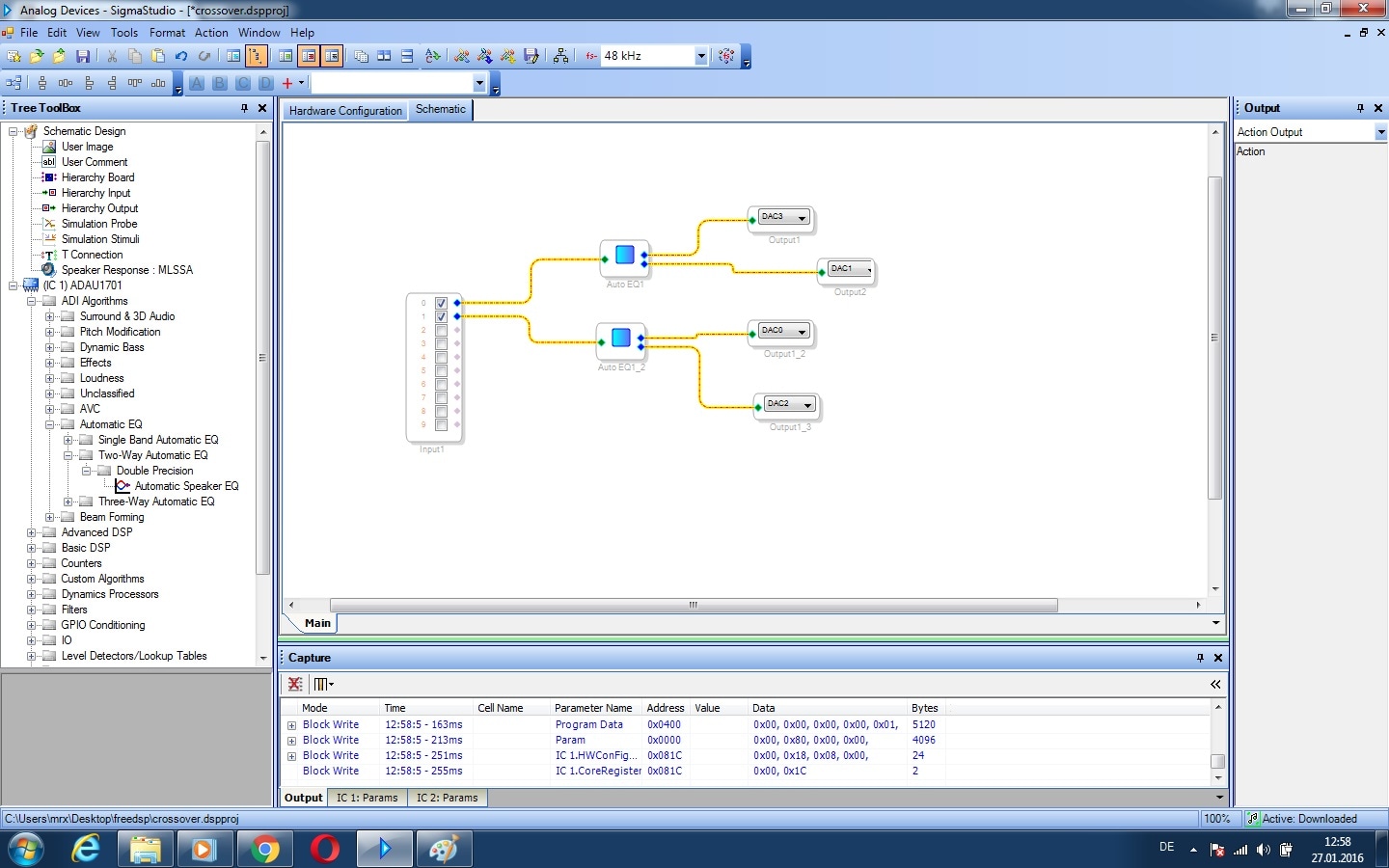
now it makes more sense to use the 2 way auto-eq like you said.
pic one shows the wrong configuration. pic 2 the actual working one.
thanks a lot,
John
Please log in to reply.