ADAU1761 and SigmaStudio
Hi all,
I use ADAU1761 with a BF707 development board. I use the codec only like dac and work perfectly. I send my data and the dac play audio stream.
Now I would like to use a feature of ADAU1761 DSP like filter.
For first I would like load a simple schematic in ADAU1761, the schematic must take the I2S stream and reproduce it with the dac.
I changed this setting:
- Serial Input rout control:
- Changed "Serial In L0-R0 to dacs" in "Serial input to DSP to dacs"
- Serial output rout control
- Changed "ADC to Serial Out L0-R0" in "Serial output to DSP to dacs"
With the default setting ( Serial in L'-R0 to dacs) the dac works, when I change in Serial input to DSP to dacs the codec not works.
I don't understand why my schematic not work. Could you find my project as attachment.
Thank you very much and excuse my english.
Audio Signal Processors
adau1761 not work
SigmaDSP Audio Processors
adau1761 how use dsp
adau1761
i2s input to dac
Show More
Hello Alessandro,
The first register change you did was good. You set the input to the DACs to be the output of the DSP.
You need to leave the ADC to route to the DSP which is the normal default value.
Then in Sigma Studio you insert the input block. Notice that this block has 10 input selections. 0-9. Inputs 0 and 1 are the output of the ADC. Inputs 2-9 are the eight serial port signal inputs. This part can do up to 8 TDM data channels. So all you have to do is uncheck the 0, and 1 selections and check the 2 and 3 selection to take two channels of audio from the serial port digital stream. I am assuming you are running I2S stereo audio.
So inputs 2-9 correspond to slots 1-8 of the serial data stream if you are using TDM8.
So then for the output GUI in SigmaStudio you have the same situation. You can output directly to the DAC by using settings 0 and 1 or you can output to the serial data port by using setting 2-9.
I have attached a screenshot showing a simple project to take frost two serial port channels and sending it to the DACs.
Thanks,
Dave T
Hi there, I use 3 ADAU1761 on a project. one of the 3 uses an external stereo ADC.
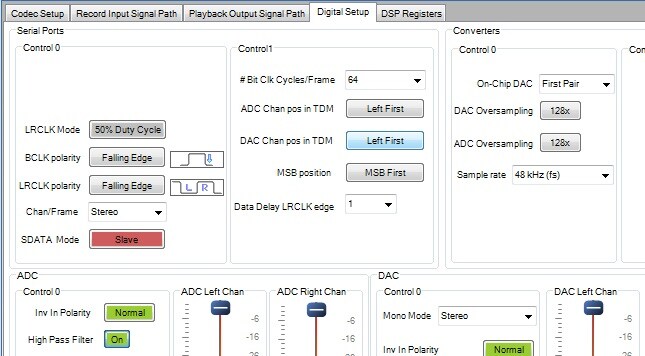
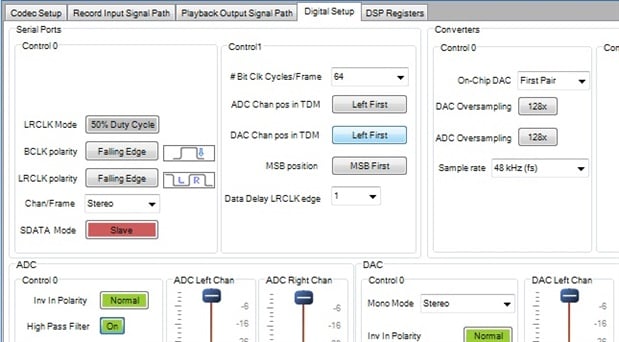
your project is mostly the same as my setup except. the master slave on digital setup
i use an AKM stereo ADC and turns out that device needs to be the master. set the ADC to slave should work
This question has been assumed as answered either offline via email or with a multi-part answer. This question has now been closed out. If you have an inquiry related to this topic please post a new question in the applicable product forum.
Thank you,
EZ Admin
Please log in to reply.