Exactly what i2c boot content is required for the ADAU1761?
The data sheet for the ADAU1761, page 45, paragraph STARTUP states:
The following steps should be performed every time a new program is loaded...
Set the DSPEN bit in R61
Set DSPSR to 1111 in R57
Set DSPRUN to 0 in R62
Download registers, program RAM and parameter RAM
Set DSPRUN to 1 in R62
Set DSPSR to 01 in R57
How do I know what registers to load. They look to be sequentially loadable like the program and parameters, but there is no consolidated content visible, like with program and parameters. If the register load format is variable that becomes more of a problem for production loading and installing updates.
Can the registers be loaded from an array, and how do you locate or conveniently build one?
Audio Signal Processors
SigmaDSP Audio Processors
adau1761
Hello Michael,
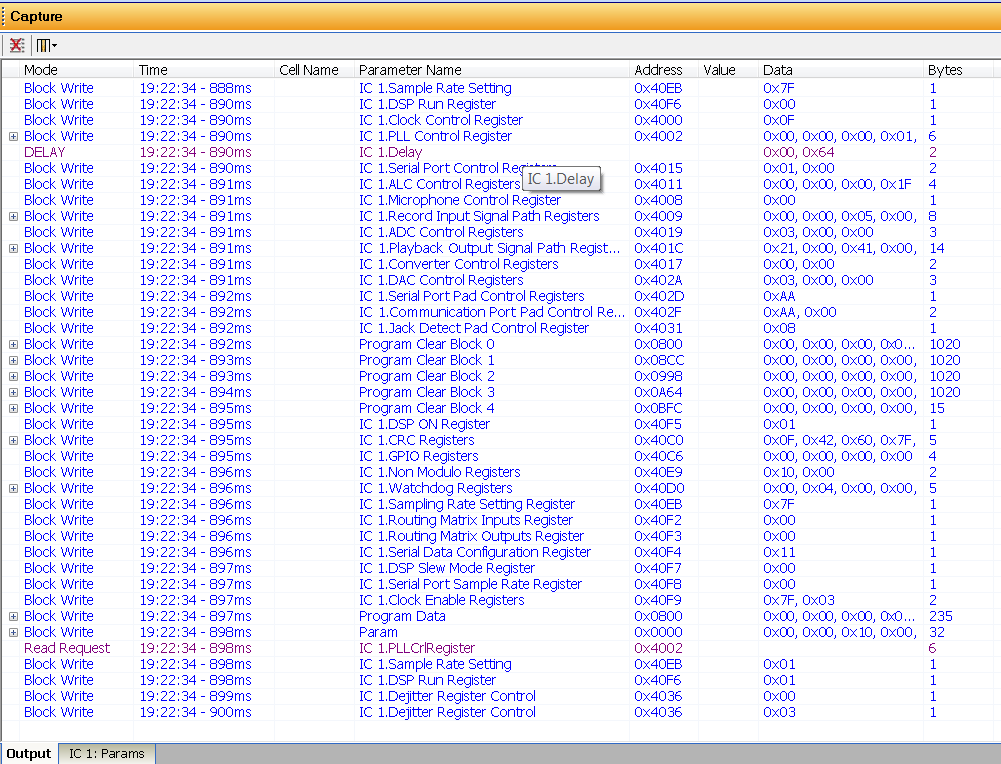
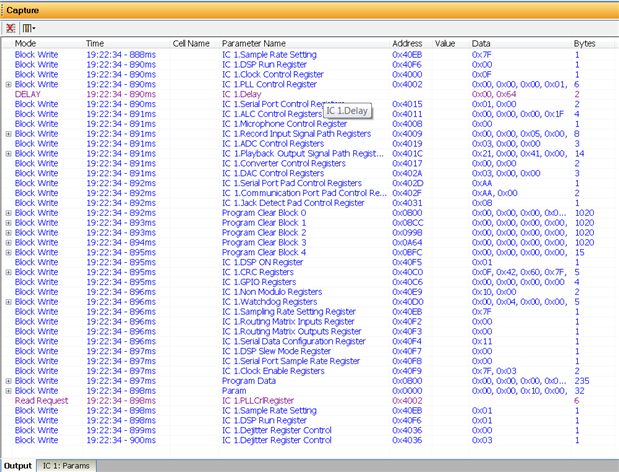
The best way to know what registers you need to load during I2C boot is to look at the output Capture window in SigmaStudio. The capture window will show all SPI or I2C bus activity after reset/boot when you execute the "link-compile-download" command. For example, for a simple talkthru, the following register sequence is used in the SigmaStudio download to the ADAU1761.
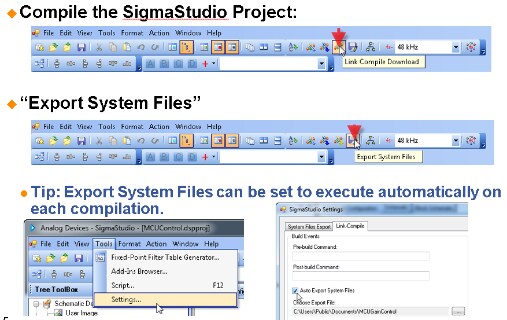
The recommended method for generating the host microcontroller code which would write in this register sequence is to use the "Export System Files" feature under the Action pulldown menu. It will generate the necessary header files to initialize the on-chip registers, parameter memory and program memory using arrays for program and data memories.
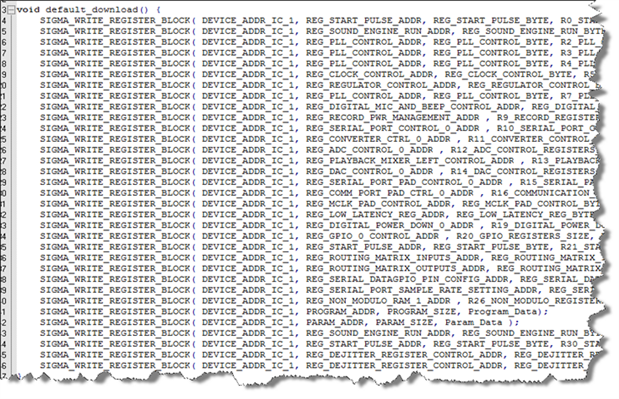
In the generated file "xxx_IC_1.h" , there is a function called default_download() which calls all the registers and commands exactly as they appear on the capture window.
-JT


This question has been assumed as answered either offline via email or with a multi-part answer. This question has now been closed out. If you have an inquiry related to this topic please post a new question in the applicable product forum.
Thank you,
EZ Admin
Please log in to reply.