Using Serial Output Ports in 32 bit mode on ADAU1452
Hi there,
I cannot find out how to use the Serial Output Ports in 32 bit mode on my ADAU1452.
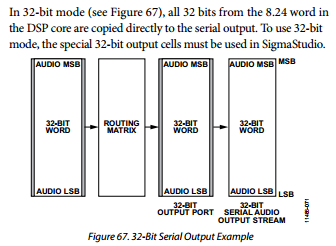
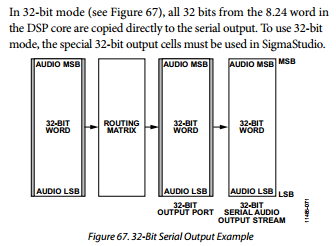
In the ADAU1452_1451_1450 datasheet (Rev.C), it is written on page 61 :
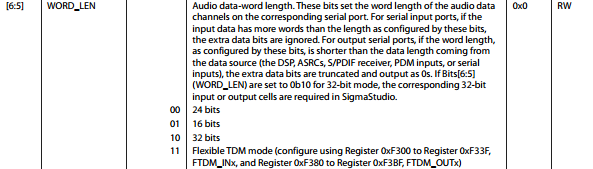
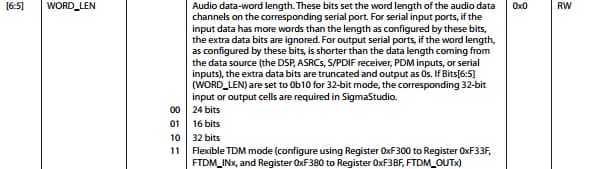
Also on page 112 :
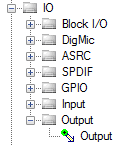
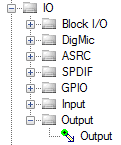
I have SigmaStudio Version 3.11 Build 1, Rev 1356 and I can choose only one type of output cell:
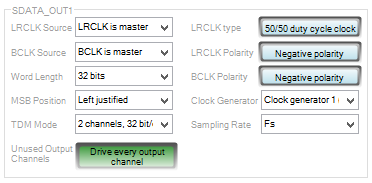
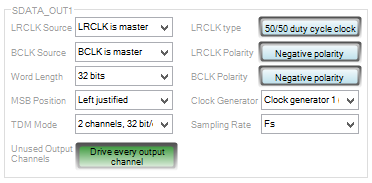
The Serial Port I would like to use seems properly configured in the ADAU145x Register Controls :
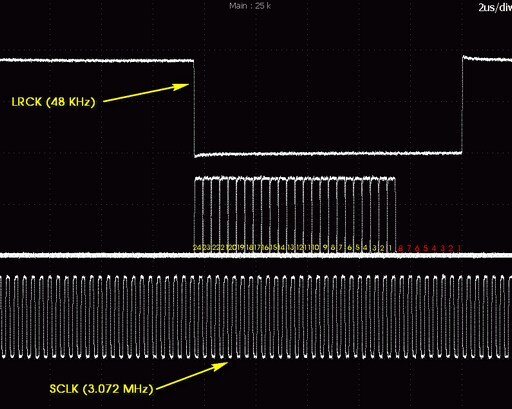
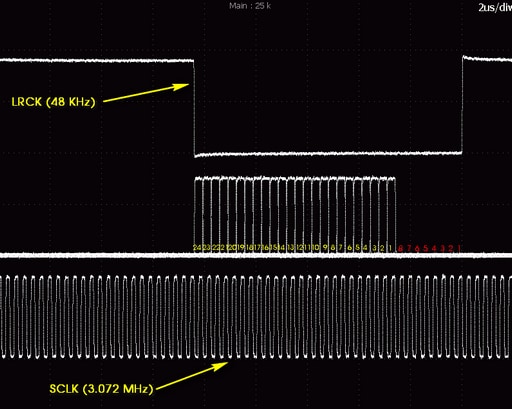
But unfortunately, even if I do send 32 bits data on this port using a DC Input Entry directly on the output (checked with a DSP Readback block just before the output cell eventually), my scope is always showing a 24 bits output. I've also checked that the 8 MSB are ignored, like when using 1.23 format, as you can see on the pictures bellow.
The first 8 bits are always shown as zero, like if only the 24 LSB of the output cell are taken into account, and then left justified.
I've checked that the problem remains even when changing the MSB Postion from left justified to right justified in the SDATA_OUT1 configuration register.
My assumption is that the special 32-bit output cell is not available yet in SigmaStudio : Can anyone confirm or help me please, I must be sure that the ADAU1452 is capable of outputting 32 bits data before going further in my design.
Thank you,
Regards,
Michel
Audio Signal Processors
adau1452
digital ouput ports
sigmastudio
SigmaDSP Audio Processors
SigmaDSP
dsp audio
Show More
Hi Michel,
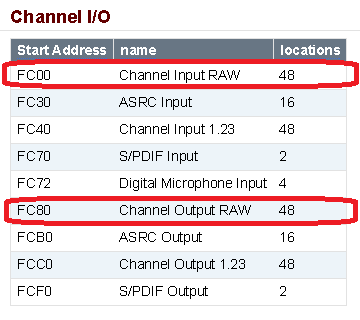
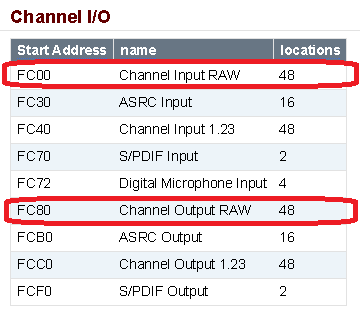
What is happening is you are writing to the serial port registers which truncate the 32-bit data in the internal core registers result to 24-bits. These are the default accessible registers in SigmaStudio. However, SigmaStudio tools currently do not support the alternate "RAW" 32-bit data registers that you would use in 32-bit mode. The Datasheet also currently does not document the address of these registers, but here is where they are located in DM0 memory space.
We will try to come up with a temporary workaround to offer you an alternate custom library that will allow you to read and write to these registers. I also just saw your support request come in through the sales channel, so I will contact you directly by email to give you some workarounds to read/write to these RAW 32-bit data registers.
Lastly, I will put in a request to the SigmaStudio developers to add RAW input/output support in the next SigmaStudio release.
-JT
Hi John,
Thank you for your answer, I'm waiting for your email.
Regards,
Michel
Hello John,
Would you please send me a copy about the workaround or how-to in order to use the raw 32-bit word mode for ADAU1452? I really need to use the extra 8 bits in my project. My address is Lixun.Xia@harman.com
Thank you,
Lixun
John,
I, too would request a copy of the workaround for 32-bit mode in the ADAU1452. Is Sigma Studio updated yet to support 32-bit I/O?
Thanks,
Hello Everyone,
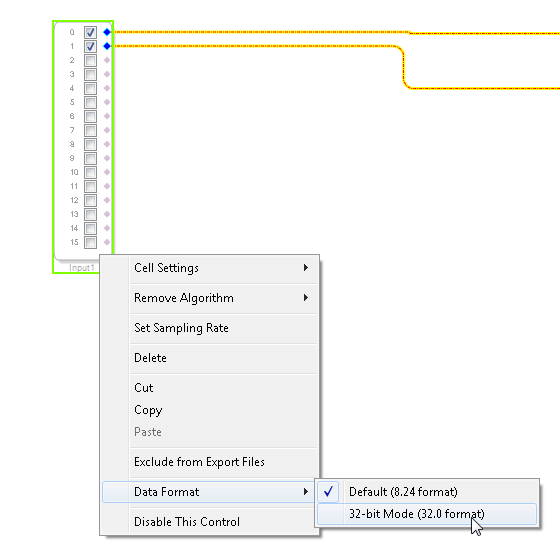
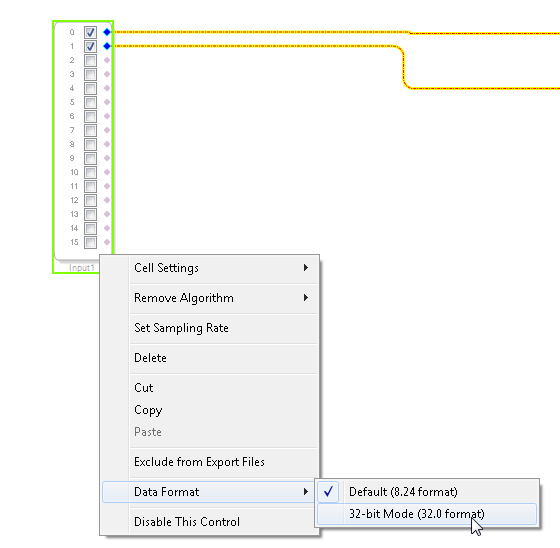
There is a preliminary version of SigmaStudio 3.12.1 Beta which includes support on the I/O blocks for 32-bit mode.
The release is not publicly posted on the web yet. If you would like an advanced copy, let me know. The file is too large to upload or email so I will arrange another way to get the file over to you.
-JT
John,
Thanks for offering the 3.12 beta. I emailed you a couple weeks ago with my mailing address, but can do an FTP or other solution. I haven't heard back from you yet. What's the best process for getting a copy of the beta? I have not been able to find 3.12 online anywhere and I'm looking forward to using the 32-bit feature.
Thanks!
Hi Ed,
I apologize for missing your email a few weeks back. I will send you information shortly on how to download right now.
-JT
John,
Just wanted to thank you for sending the 3.12 beta. I'm still testing the 32-bit serial input, but it appears to be working. Performance has also improved (particularly load time). I also love that I can move a delay to DM0 if necessary, which in my case, saved me a little memory space!
Thanks!
Please log in to reply.