How do you change a dspproj file from ADAU1702 to ADAU1701?
or vice versa. The only difference between these chips is the MIPS and memory size, right? So we can prototype with the bigger IC and then optimize for the smaller one?
But if you try to delete the existing chip from the config tab, it says:
"The selected IC is being used by one or more algorithms. Please remove used algorithms before removing the IC"
So I guess you have to create the new chip, then select all, "Change IC", select the new IC, then delete the old IC. But this doesn't work in a big project, either. Like ABCD blocks need to be recreated with the new IC?
Is there a simpler way than recreating everything by hand?
Audio Signal Processors
adau1702
sigma studio
dspproj
sigmastudio
SigmaDSP Audio Processors
adau1701
Show More
Hi,
Here's a way to transport your project from the -1702 to the (larger) -1701:
Open your original ADAU1702 project.
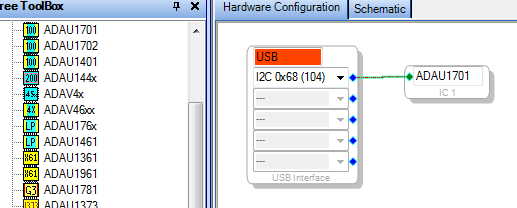
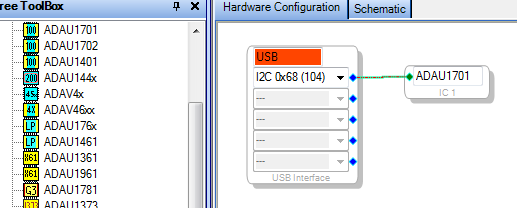
Make a new project with the ADAU1701:
Select the original project in SigmaStudio's Windows menu (SigmaStudio now allows multiple open projects).
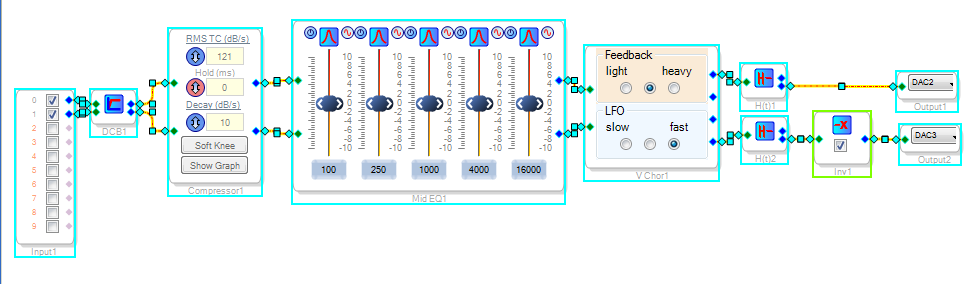
With the original project's Schematic tab showing, select all and copy (Ctrl-A, Ctrl-C).
Switch back to the new project, open its Schematic tab and paste (Ctrl-V).
The project I threw together above as a test, which would not fit into a ADAU1702, now runs fine on the ADAU1701. I haven't tested how well this would work, however, if the project you wish to transport includes hierarchy boards.
Best regards,
Bob
Yeah I tried this with hierarchy boards and nothing happens when I Paste. It seems to work if I create each hierarchy board and copy and paste their internals into the new project. So that's better than redrawing everything by hand, but still not great.
And don't forget to change the Hardware Configuration to match as well.
Also linear interpolation blocks don't save their tables
Going from 1701 to 1702 is not so easy, though:
1. Single-precision EQ: EQ1940SingleS_0, IC (IC 2) does not support algorithm (EQ1940SingleS).
2. Double-precision EQ: EQ1940Single_0, IC (IC 2) does not support algorithm (EQ1940Single).
3. WIRE: Single-precision EQ - INPUT #1, Wire connection failed.
So I have to manually recreate each item and set their values?
Yes, it sure looks that way. Fortunately at least for the lookup tables you can save their values as a text file and load them back into the new table. Generally it is difficult, as you've found out, to change the DSP chip in an existing project. SigmaStudio does have a few rough edges, but nothing else has brought the power of DSP down to earth for us.
Best Regards,
Bob
I found a similar problem to with SigmaStudio13.3 transferring a design with subsheets from 1701 to 1401a
Copy and pasting didn't paste anything. Paste special didn't bring up the paste special box (Copy/Paste [Analog Devices Wiki] ).
My workaround was:
In hardware view Add the new 1401 IC and reroute, leaving the 1701 unconnected.
In schematic Delete input and output DAC blocks.
In schematic Select all and change IC on the main page
In schematic Select all and change IC on the subsheets
In schematic Recreate inputs and outputs
In hardware view Delete the 1701.
Hope that helps people who have the same problem in future.
This question has been assumed as answered either offline via email or with a multi-part answer. This question has now been closed out. If you have an inquiry related to this topic please post a new question in the applicable product forum.
Thank you,
EZ Admin
Please log in to reply.