GPIO problem w/ ADAU1761
I'm trying to do something that I thought would be simple. I've been using SigmaStudio and the ADAU1761 for several years and I thought I understood how everything works; it looks like I'm coming up short now. Consider a very simple example: a DC Input Entry whose output is tied directly to a GPIO. I'm using GPIO1 and I've set the GPIO Pin Control register and Serial Data/GPIO Pin Config registers accordingly (output set by DSP core no pullup & GPIO Enabled). My SigmaStudio project also reads serial digital audio from the input serial port (DAC_SDATA, BCLK, LRCLK) and I can verify that the program is working because I have a simple level detector in the signal path and I can very clearly see audio level. So I know the chip is booting and handling audio correctly. But there's nothing I can do to get GPIO1 to do anything in response to the DC Input Entry -- no matter what I set it to, the GPIO aways outputs a logic low.
Am I missing something obvious?
Audio Signal Processors
gpios
SigmaDSP Audio Processors
gpio
adau1761
Hi Glennz,
First off, the GPIOs should respond to a DC value of 0 with logic low and a DC value of 1 with logic high. However, they will only output the value if you have properly configured them to be outputs.
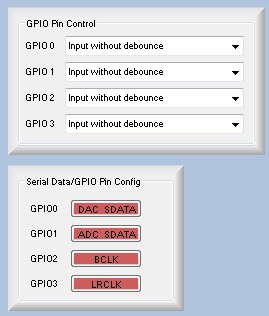
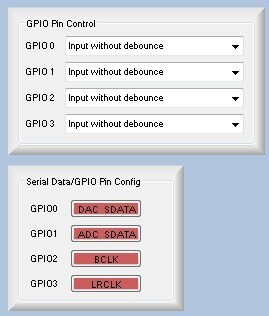
There are two places where you have to configure the registers to set up the MP (multipurpose) pins for either serial port operation or GPIO operation. Here's a screenshot (this is from the DSP Registers tab in the register control window):
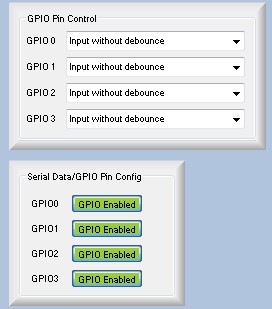
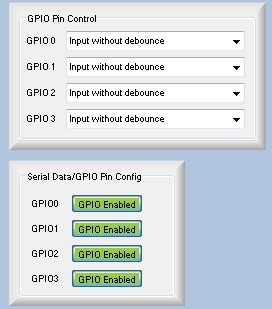
By default, the pins are set up in serial port mode (you can see this in the red boxes at the bottom). First, click each of those red boxes to make them turn green. This will enable GPIO mode on those pins.
Next, you'll need to set the pins as inputs or outputs using the drop down menus at the top. For now, I'll just set all of them to outputs. There are four options when setting the pins as outputs. You can have them be controlled directly from the I2C/SPI port (read more in the datasheet about that) or set by the DSP program. Your use case is to have them set by the DSP.
You can optionally use a pull-up. I guess that depends on your circuit design. It's probably OK to not include the pull-up.
By the way, you can find some tutorials about GPIO here:
https://wiki.analog.com/resources/tools-software/sigmastudio/tutorials
...and here:
GPIO Conditioning Examples [Analog Devices Wiki]
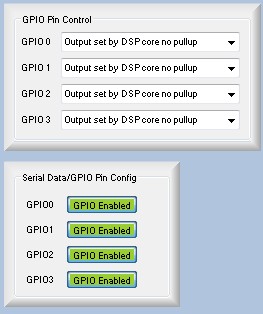
Thanks for the well thought-out response. But guess what? It was a problem with SigmaStudio. The GPIO0 and GPIO1 buttons were reversed!
This question has been assumed as answered either offline via email or with a multi-part answer. This question has now been closed out. If you have an inquiry related to this topic please post a new question in the applicable product forum.
Thank you,
EZ Admin
Please log in to reply.