No audio when using ADAU1701 with I2S in from ADC
I am using an ADAU1701 as master and have a Wolfson WM8786 ADC in I2S mode (have also set the DSP to that of course). I can see that the ADC is generating bits and the DSP is generating the word clock (96kHz) and the bitclock correctly (32 bits per word clock). The master clock is 24,576MHz. But there is no audio coming out of the DSP? I can generate signals on the internal ADC and also on an external DAC when using the software signal generators in Sigma Studio so I know that most of the circuit is working. I am using input 2 and 3 on the input symbol.
Does anyone have an idea about what to do?
Audio Signal Processors
adc
i2s
sigmastudio
SigmaDSP Audio Processors
SigmaDSP
adau1701
Show More
Hello Pabo,
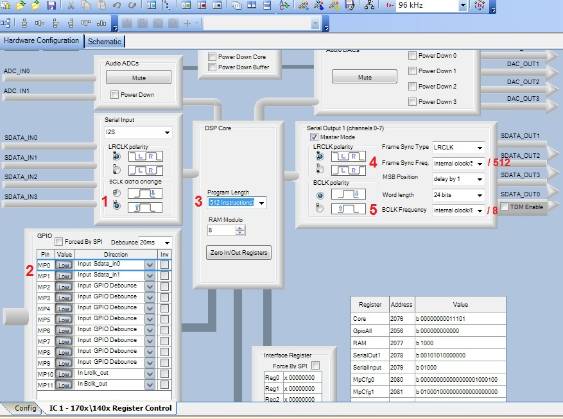
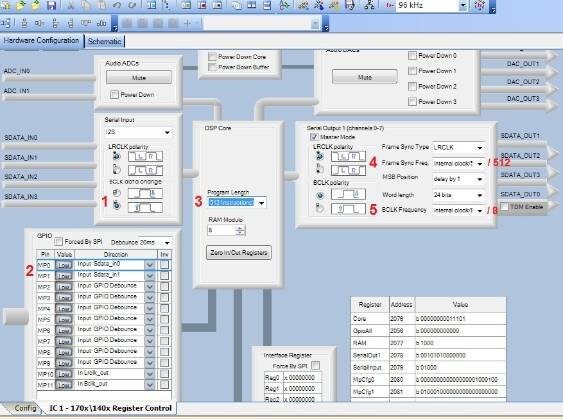
Since the ADC is getting its clocks from the ADAU1701 and sending back serial data, it appears that the I2S connections are correct. Let's review the ADAU1701 Hardware Config Register settings in SigmaStudio:
The WM8786 ADC sends its data on the rising edge of BCLK, so set this accordingly.
In addition to configuring the -1701 for I2S, its MP pins need to be set for serial input.
Since your word clock (LRCLK) is 96KHz, I assume your sample rate is also 96KHz (you get the left channel when LRCLK is low, the right when LRCLK is high). In addition to setting the sample rate atop the schematic window, select 2x (512 Instructions) for the Core register. I assume you have wired your -1701's two PLL divider pins for a 24.576MHz MCLK -- both pins 38 and 39 should be high. For more details, see https://ez.analog.com/docs/DOC-3167 and https://ez.analog.com/docs/DOC-1431
To get a word clock rate of 96KHz, set the Frame Sync Freq to internal clock / 512. The "internal clock" is the MIPS clock, which is the base sample rate (48KHz even if the DSP core is set for 96KHz) x 1024. Dividing by 512 yields 96Khz.
In order to have BCLK run at 64 bits (32 x2 channels) for each LRCLK, divide the internal clock by 1/64 the divisor for LRCLK -- set it for internal clock / 16.
Best regards,
Bob
Hi Bob
Thank you so much for taking time to help me with this. Unfortunately it did not help.
These are my settings.
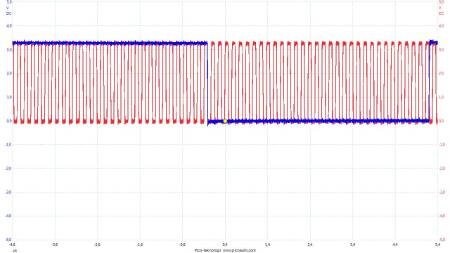
This is a shot of WCLK and BTCLK. WCLK is 96kHz and I have 32 bits per WCLK.
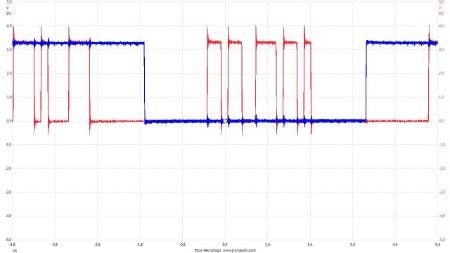
This is a shot of WCLK and S_DATA just to show that the ADC is actually doing something.
But there is no DATA out from ADAU1701.
Note that I can generate signals from the DSP to the DAC if I use the software signal generators so the setting to the DAC is OK.
Message was edited by: Patrik Boström 14-05-26 19:59


Hello Patrik,
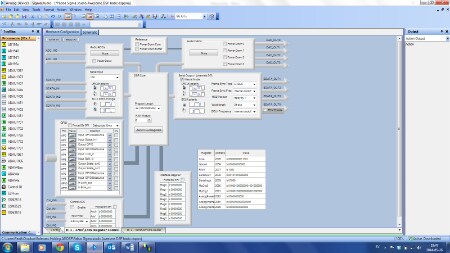
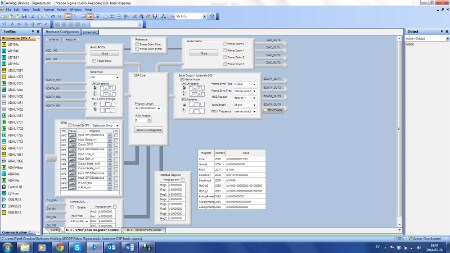
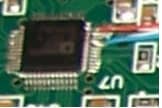
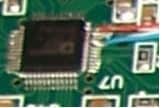
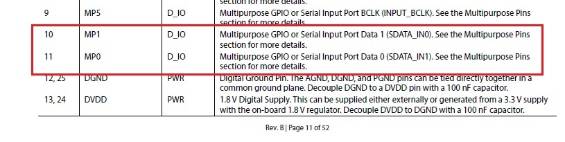
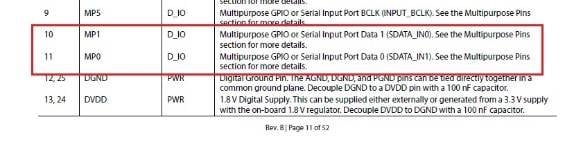
Thanks for your reply with the additional info. About a year ago I modified an old prototype board to have its ADAU1701 receive I2S from a -1401 eval board. At first it also had no sound -- perhaps your setup has the same problem I found. As shown in the photo (sorry it's so small), I lifted pins 8 and 9 for LRCLK and BCLK respectively. Originally I sent the I2S data (the orange wire) to pin 10, which I had thought was I2S input 0 according to the data sheet:
Notice, however, that Input Port Data 0 is actually pin 11 -- it's rather confusing. To make a long story short, I moved my orange wire from pin 10 to pin 11 and the fool thing worked.
Thus, if you're presently using pin 10 for your I2S input, your audio input into the SigmaStudio signal flow could very well be present on the next two ports (5, 6) of the Input block.
Bob
Hi Bob
It worked Thank you so much!
Bob,
If you have time, can you explain why the Core should be set to 2x512 instructions?
Hello Patrik,
In many DSP applications (and always for the ADAU1701), your entire project must execute during the interval between each sample and the next. Otherwise, the processor wouldn't get to do all the needed tasks before the next sample comes in, causing strange results such as half-frequency oscillators and sonic artifacts. Often the designer must manage this precious processing time manually, but SigmaStudio keeps track of it for you.
At a sample rate of 48 KHz, 20.8 uS is available for processing. The ADAU1701's core runs nominally at 49.152 MHz, roughly 50 MIPS. During the sample time it can perform 49.152 MHz x 20.8 uS = 1024 instructions. At higher sample rates you can't just speed up the core (by combining a faster crystal with an illegal PLL divider), as this would overclock the core. Thus at 96KHz, with half the processing time available, the core could only do 512 instructions. The "2x (512 instructions)' setting tells the core to only process a maximum of 512 instructions, thus it can do all of them within a 96 KHz sample interval. Since the -1701 has no branching capability, any unused instructions are filled with NOPs.
Best regards,
Bob
Please log in to reply.