How to calculate the Factional Delay sending data ?
Hi guys,
the sample delay cell, i know how to caclulate, but it have click noise when sending data. so i need to use this Factional Delay.
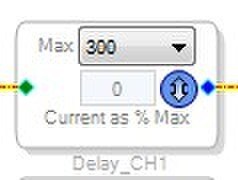
this "Factional Delay" cell,
the step is 0.01
0 --> 100% sending 0x000000 --> 0x00800000,
Questions:
1. how to caclulate this data ? the equation is not shown in help file.
2. and what the relationship between the "Current as % Max" and time "ms" ? like 50% --> how many delays (ms) ?
3. the "Max 300", is the Sample right ? so if this 300 samples is delay Max 6.2ms ?
by the way , the "Signal Invert" cell , when sending data, have click noise, any ideas ?
already use the safe write, should i operate like this: mute --> set invert --> unmute ?
thanks
Audio Signal Processors
noise
SigmaDSP Audio Processors
delay
adau1701

Hi, all
today found some pieces in EngineerZone, it's really helpful....
about the Theory:
j.L. Says: when fs = 48 kHz, T is 20.8 microseconds.
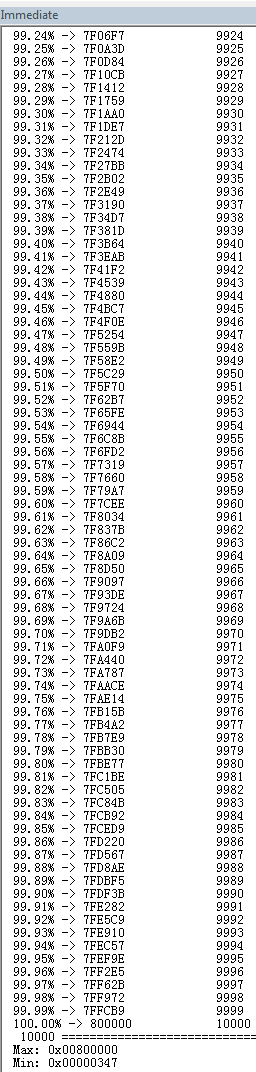
so i figured out the above Questions 1./2./3. this picture is the equation print out:
and it is matched the sigmastudio output capture.
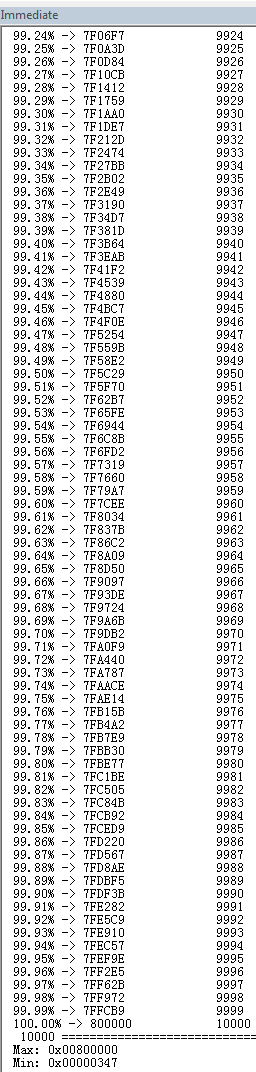
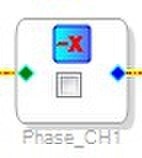
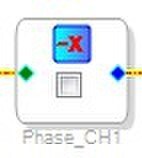
Now, just this Question, the "Signal Invert" cell , when sending data, have click noise, any ideas ?
already use the safe write, should i operate like this: mute --> set invert --> unmute ?
i had try mute --> wait some time --> set invert --> wait some time ---> unmute.
it's still have 'Click" noise,
Hi Sojourney,
I'm glad you were able to answer most of the questions on your own.
Inverting the signal at a random point in time will create a discontinuity in the signal as it "jumps" from one value to another. This will almost always create a "click" sound because of the sudden jump in the signal, which manifests itself as high frequency noise on the output.
The only way to avoid this click sound is to do a slow fade, using slew. Use an "external control slew volume control" to do this. https://wiki.analog.com/resources/tools-software/sigmastudio/toolbox/volumecontrols/singleslewextvol
Connect a "DC Input Entry" cell to the red input pin. For non-inverted operation, use a value of 1 in the DC cell. To invert, enter a value of -1. This should avoid the click sound, but it uses many more instructions.
Hi Brett,
thanks for your help.
yes, it should be works. but the project is 4 channels, no enough space now, ok, i will try to reduce some items in project and do the "slew phase"
Please log in to reply.