ADAU1701 - Problem occurs when using S-DATA INPUT
hello.
I have problem of when using ADAU1701 I2S.
And i2s of ADAU1701 is slave mode. Master is MCU.
however, this MCU is not bring to i2s function.
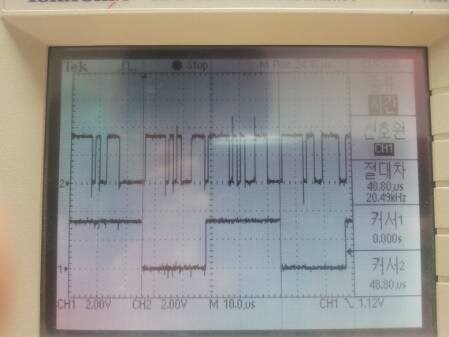
So. I made self to LRCLK-OUT and BCLK-OUT, and S_DATA_OUT was PIN state capture.
I was completed S-data-out Transmission from ADAU1701 to MCU.
At this sampling rate was 16Khz. (LRCLK signal)
That record signal is sound good.
problem is... S_DATA input.
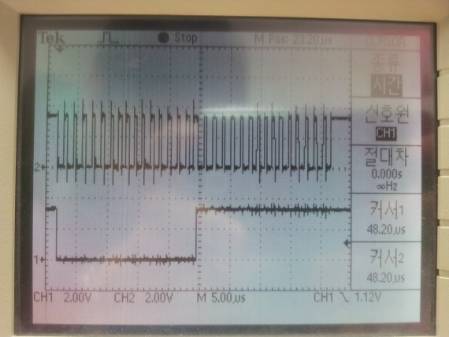
LRCLK_IN and BCLK, S_DATA_IN were generated in the same way.
and output sound was "zzzzzzzzz", seems to whitenoise....
I suppose... signal is not problem.
addition problem is other all DAC output.
when generated INPUT signal, all OUTPUT signals( DAC 0 ~ 3) was same sound "zzzzzzzzzz".
so I did another test....
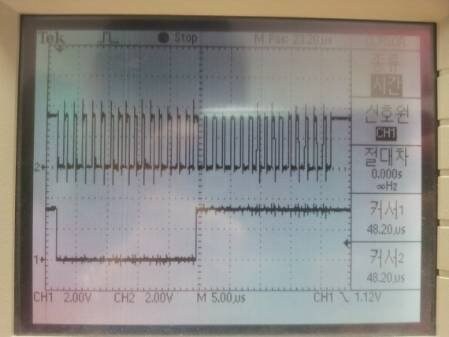
I gerated only LRCLK, BCLK. S-DATA_IN = 0.
Not the more.... output sound was "zzzzzzzzzzzzzz";;;;;
I will attach image files.
Help ME please. (T..T)
# Under is Korean of same contents.
안녕하세요.
영어실력이 많이 부족해서 혹시나하고 한글로도 남깁니다.
ADAU1701을 이용해서 녹음 및 재생을 하려고 하는데 잘 안됩니다.
ADAU1701을 Slave로 잡고 MCU를 Master로 하여서 작동 시키고있는데,
이 MCU에 i2s 기능이 없어서 직접 PIN 제어를 하고 있습니다.
LRCLK, BCLK 을 직접 만들어서 넣어주고 S-DATA를 핀 캡처를 해서 MCU 가 받는 동작은 잘되었습니다.
16Khz로 LRCLK 을 발생시키는 기준으로 해서 나온 신호를 파일로 만들어 들어보았을때는 녹음이 아주 잘되었습니다.
INPUT i2s 역시 비슷하게 구성하였습니다.
역시 PIN 제어를 통해서 LRCLK, BCLK, S_DATA_IN 을 직접 만들어서 넣어주었습니다.
문제는 다음부터 인데, 위에서 녹음된 data를 그대로 위의 방식대로 넣어주었더니
출력으로 들리는 소리가 "즈~~~~~" 거리는 백색잡음 처럼 들리는 것입니다.
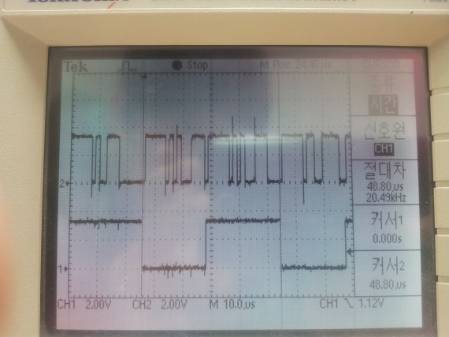
scope로 찍어본 신호 파형은 정상인것 같은데요....
그리고 또다른 이상한 점은, 그렇게 S-DATA-IN 신호를 넣어주는 동안에는
다른 모든 출력포트에서도 같은 "즈~~~~~"와 같은 백색잡음이 발생되는겁니다.
사용을 잘못하는것인지 이상합니다.
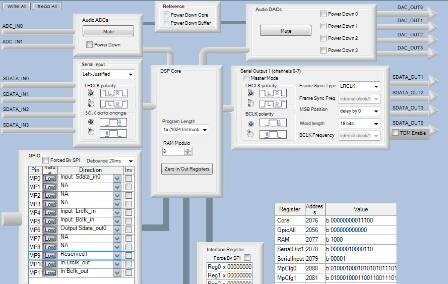
각종 툴 화면을 캡처한 이미지와 신호 파형 이미지를 함께 첨부하겠습니다.
제발 도와주세요... ㅠ.ㅠ
Audio Signal Processors
bclk
input
sdatain
lrclk
i2s
output
SigmaDSP Audio Processors
adau1701
Show More

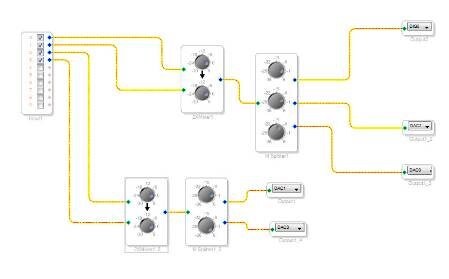
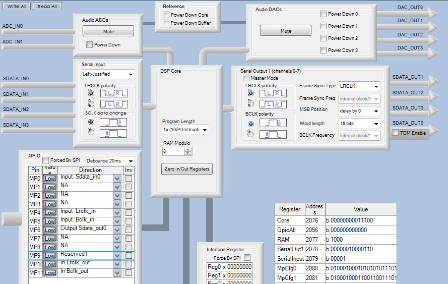
Hi,
I have moved this question from the Processors and DSP community to the SigmaDSP Processors and SigmaStudio Development Tool community. Please continue the discussion here.
Regards,
Craig.
Hello,
The ADAU1701 only supports sample rates between 44.1 kHz and 192 kHz. You can see the associate section of the datasheet here:
This is page 39 of the datasheet, revision B: http://www.analog.com/static/imported-files/data_sheets/ADAU1701.pdf
Here is a table of possible MCLKI frequencies and the corresponding audio sample rates:
MCLKI frequency (MHz)
PLL Mode
Nominal Sample Rate (kHz)
SR[1:0] = 0b00
Double Rate (kHz)
SR[1:0] = 0b01
Quadruple Rate (kHz)
SR[1:0] = 0b10
2.8224
64 x Fs
44.1
88.2
176.4
11.2896
256 x Fs
44.1
88.2
176.4
16.9344
384 x Fs
44.1
88.2
176.4
22.5792
512 x Fs
44.1
88.2
176.4
3.072
64 x Fs
48
96
192
12.288
256 x Fs
48
96
192
18.432
384 x Fs
48
96
192
24.576
512 x Fs
48
96
192
So, as you can see, 16 kHz is not supported.
The two options for your application are:
Use a higher sample rate, like 48 kHz
Put a sample rate converter between the MCU and ADAU1701 in order to convert to the proper sample rate
Best Regards,
Brett
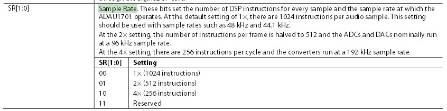
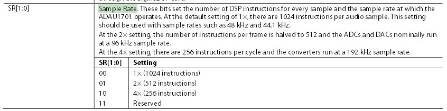
Actually, after checking in more detail, the ADAU1701 DSP core (and serial ports) definitely run down to 8 kHz sample rates. However, the ADCs and DACs may have a lower limit to their available sample rates. I will check this and post again soon.
So, the chip should be able to run at rates down to 8 kHz. However, there are a number of changes you need to make.
To run at 16 kHz...
The MCLKI frequency must be one of these 4 frequencies...
1.024 MHz (64 x Fs mode)
4.096 MHz (256 x Fs mode)
6.144 MHz (384 x Fs mode)
8.192 MHz (512 x Fs mode)
The PLL mode pins must be set accordingly.
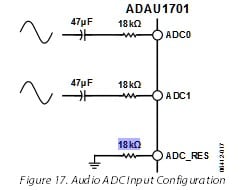
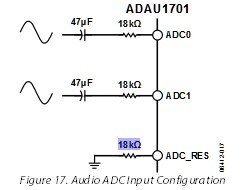
The resistor connected to ADC_RES needs to be changed from 18 kOhms to 58 kOhms. This is explained on page 20 of the datasheet.
You need to set the project sample rate to 16 kHz. Follow the instructions in this guide: https://ez.analog.com/docs/DOC-1431
Also, most importantly, the ADAU1701 must be a slave to the system master. This means that the MCLK, BCLK, and LRCLK signals must all be slaves to the microcontroller running at a 16 kHz sample rate.
It's important to note that the ADCs and DACs were designed to run at 48 kHz and higher. Running them at lower sample rates will lead to increased noise and distortion. In other words, the performance will be lower.
I strongly suggest that you change the system sample rate to 48 kHz or use a sample rate converter in order to achieve the best audio performance.
hi.
very very Thank you.
I will try Your guides.
However.... I'm curious more..
Why.... when generated INPUT signal, all OUTPUT signals( DAC 0 ~ 3) was same sound "zzzzzzzzzz".
I was only used DAC1 and DAC3 to OUTPUT for S-DATA-IN.
because also this sample rate??
Again... Thank You.
Without seeing the actual data, it's hard for me to know exactly what caused the sound, but my guess is that some samples were being skipped, which creates a lot of distortion, that could potentially create the sound that you heard.
This question has been assumed as answered either offline via email or with a multi-part answer. This question has now been closed out. If you have an inquiry related to this topic please post a new question in the applicable product forum.
Thank you,
EZ Admin
Please log in to reply.