self boot problem with 1701
Hi to everybody
The hardware that I have built is exactly equal to that of EVAL-ADAU1701MINIZ, but I doesn't succeed in making the BUT.
I write in circuit the eeprom and I correctly read her using Sigmatudio however But nothing.
What I notice connecting the interface USB to my hardware is that when I write or I read the eeprom SDA and SCL they regularly work, if I do with SigmaStudio a linkcompile when SDA and SCL have to move the data to the memory of the DSP nothing she is not transferred and finished the linkcompile SCL it goes low and so she remains.
If I reread the EEprom SCL it starts to work and at the end of the reading it stays with tall level.
I have checked everything and it is everything ok I don't understand what it happens.
Has someone of you had this problem?
Audio Signal Processors
i2c
eeprom
usbi
sigmastudio
SigmaDSP Audio Processors
gpio
evaluationboard
SigmaDSP
audio
adau1701
self-boot
Show More
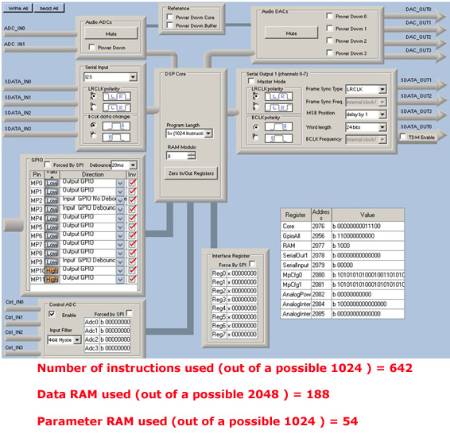
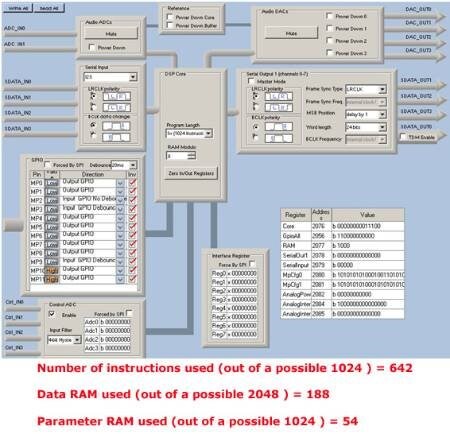
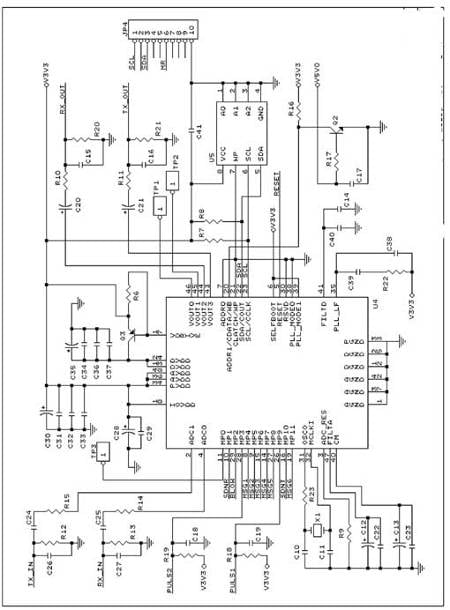
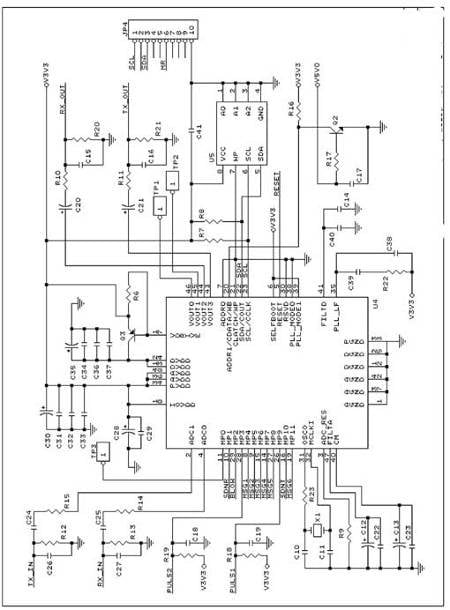
Thanks Bob,
tomorrow I try to connect the two pins with a pullup resistor to the 3.3 volt.
I had not read the page 12 of the datasheet
Piero
Hi Piero,
Pin 21 of the -1701 (CLATCH/WP) and the eeprom pin 7 (WP) should not be grounded. Instead, connect these two pins together with a pullup resistor to 3.3V. In self-boot mode, pin 21 is an open-collector output. The -1701 can only self-boot if it has control of this pin. Please see the description for pin 21 on page 12 of the data sheet:
WP: Self-Boot EEPROM Write Protect. This pin is an open-collector output when in self-boot mode. The ADAU1701 pulls this low to enable writes to an external EEPROM. This pin should be pulled high to 3.3 V. See the Self-Boot section for details.
Best regards,
Bob
Hi Bob thanks.
An error in to draw the electric scheme, now all works.
A question 2 DSP with different EEprom can work as suitable in the figure?
In my project I don't have problems of high quality and noise leading.
Thanks
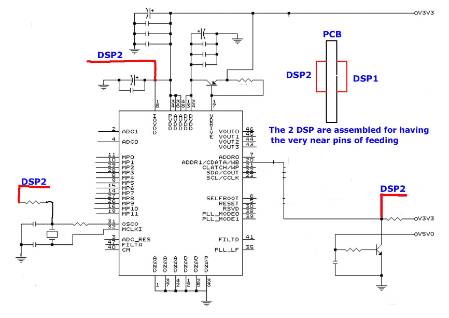
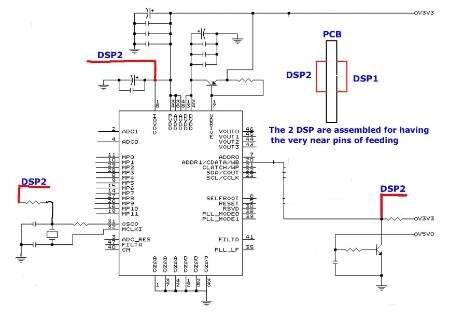
Hi Piero,
Your arrangement of DSPs on opposite sides does make the traces direct. Be careful with the wire from the OSCO pin if you intend to use it to drive the clock for the other IC, according to the data sheet (page 18):
OSCO should not be used to directly drive the crystal signal to another IC. This signal is an analog sine wave, and it is not appropriate to use it to drive a digital input. There are two options for using the ADAU1701 to provide a master clock to other ICs in the system. The first, and less recommended, method is to use a high impedance input digital buffer on the OSCO signal. If this is done, minimize the trace length to the buffer input. The second method is to use a clock from the serial output port. Pin MP11 can be set as an output (master) clock divided down from the internal core clock. If this pin is set to serial output port (OUTPUT_BCLK) mode in the multipurpose pin configuration register (2081) and the port is set to master in the serial output control register (2078), the desired output frequency can also be set in the serial control register with Bits[OBF<1:0>] (see Table 48).
If you're not linking serial digital audio between your -1701s, it may not be necessary to synchronize the two ICs -- a separate crystal for each may be easiest. Otherwise, follow the above advice. Feeding a clock from one IC to another is also covered in a general way at: https://ez.analog.com/message/54338#54338
Bob
This question has been assumed as answered either offline via email or with a multi-part answer. This question has now been closed out. If you have an inquiry related to this topic please post a new question in the applicable product forum.
Thank you,
EZ Admin
Please log in to reply.