How to synchronize hierarchical boars?
Hi everyone,
Let's suppose a scenario:
I have a project with 6 hierarchical boards on it. All the 6 hierarchical boards are identical, and they have been added to the project using the "load board" method (as described in https://ez.analog.com/message/52938#52938).
So, I made a change in one hierarchical board. This change is not propagated to the other boards.
There is a method to put all hierarchical boards in synch? I want to propagate the changes in one hierarchical board to all hierarchical boards of the same kind, but whithout loosing the routed connections.
I have tried to save the modified board and loading it to an already filled boad, but this didn't work.
The unique way is removing all hierarchical boards and placing the new version again?
The main problem is that each board have about 20 I/O connections and all this connections need to be routed again.
Can anyone point me a solution?
I'm using SigmaStudio 3.6 and ADAU1442.
Best regards,
Daniel
Audio Signal Processors
boards
adau1442
sigmastudio
SigmaDSP Audio Processors
hierarchical
Show More
Hi Daniel,
This is an interesting question. The cells are simply added to the project when a board is added. So, I think the best way to solve this problem, at least in the current software, is to remove and place the new version back in when you make a change.
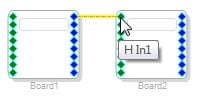
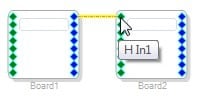
To make it somewhat less painful, you can use the Alt-click method to route multiple inputs to multiple outputs in one command. Normally, you click and drag from an output to an input in order to make a connection:
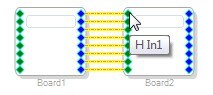
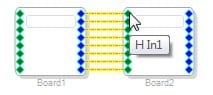
If you instead hold the Alt button while doing this, all signals will be routed at the same time:
Hopefully that will save you some time.
This question has been assumed as answered either offline via email or with a multi-part answer. This question has now been closed out. If you have an inquiry related to this topic please post a new question in the applicable product forum.
Thank you,
EZ Admin
Please log in to reply.