Tone not coming on ADAU1761 Sigmastudio project
HI,
here is the project i created in sigmastudio attached here. After exporitng the files program.bin and parameter.bin and making the firmware adau1761.bin , and copying it in romfs/lib/firmware in kernel sources and compiling it . I am still not able to get tone output . What could be the issue ?
Audio Signal Processors
SigmaDSP Audio Processors
adau1761
Check your ADAU1761 registers and make sure the input level for the input you are using is up as well.
ADAU1761 has input level settings in the registers.
laeeq,
Booting the ADAU161 is not simply a matter of writing the program and parameters. You need to do a large number of register writes to configure the PLL, data routing, and other things. You also need to write all three RAMs (Parameter, Program, Non-modulo Data).
We have a full tutorial here that shows you how to export the system files to use in a microcontroller. SigmaStudio will generate microcontroller header files that include a default_download() function that includes all register and RAM writes necessary to boot the chip:
Thanks a lot for the link, i couldn't find it .
Well actually i am using uclinux and BF548 as the master , maybe i need to re-phrase my question . Will look into the link and get back soon,
Thanks once again,
I went through the pdf's, it turns out its helpful for interfacing uc with adau1761 and writing c code for controlling the same. However my case is a bit different.
H/W setup:
We have a custom board of BF548 interfaced with ADAU1761. The board boots up with uclinux and all necessary drivers. When running for i2c devices,
i2cdetect -y 0
0 1 2 3 4 5 6 7 8 9 a b c d e f
00: -- -- -- -- -- -- -- -- -- -- -- -- --
10: -- -- -- -- -- -- -- -- -- -- -- -- -- -- -- --
20: -- -- -- -- -- -- -- -- -- -- -- -- -- -- -- --
30: -- -- -- -- -- -- -- -- 38 -- -- -- -- -- -- --
40: -- -- -- -- -- -- -- -- -- -- -- -- -- -- -- --
50: -- -- -- -- -- -- -- -- -- -- -- -- -- -- -- --
60: -- -- -- -- -- -- -- -- -- -- -- -- -- -- -- --
70: -- -- -- -- -- -- -- --
The above gets listed, Hence the sound chip is present.
root:/> sh sound_driver_mods.sh
insterting sound based modules
snd-bf5xx-i2s done
snd-soc-bf5xx-i2s done
snd-soc-adau1761 done
snd-soc-bfin-evaul-adau1x61 done
snd-pcm-oss done
The above are the modules / drivers to be loaded. As mentioned in https://wiki.analog.com/resources/tools-software/linux-drivers/sound/adau1361
root:/> i2cdetect -y 0
0 1 2 3 4 5 6 7 8 9 a b c d e f
00: -- -- -- -- -- -- -- -- -- -- -- -- --
10: -- -- -- -- -- -- -- -- -- -- -- -- -- -- -- --
20: -- -- -- -- -- -- -- -- -- -- -- -- -- -- -- --
30: -- -- -- -- -- -- -- -- UU -- -- -- -- -- -- --
40: -- -- -- -- -- -- -- -- -- -- -- -- -- -- -- --
50: -- -- -- -- -- -- -- -- -- -- -- -- -- -- -- --
60: -- -- -- -- -- -- -- -- -- -- -- -- -- -- -- --
70: -- -- -- -- -- -- -- --
root:/>
Hence, the BF548 has acquired the bus and the lines are active HIGH. After setting up necessary settings in ALSA mixer, (RIGHT, LEFT DAC on, Headphone vloume high and DSP bypass), I am able to get the tone output correctly. When not setting the DSP Bypass on, tone output doesn't come. In other words the DSP / sound chip is not able to play the sound (with bypass off) . Ps refer https://wiki.analog.com/resources/tools-software/linux-drivers/sound/adau1361
The firmware adau1761.bin has been generated by program.bin and parameter.bin exported by a test project in sigmastudio. Followed the steps from above link. even this one https://wiki.analog.com/resources/tools-software/linux-software/sigmadsp_genfirmware . Also got it confirmed here https://ez.analog.com/message/56209#56209
My query is,
1. With Bypass on tone comes, with Bypass off it doesn't, the chip is not being active. What could be the reason ?
2. If you can verify with hex editor the adau1761.bin and other bins are correct or not (attached below), that will be helpful
Note that similar issue is faced with BF537- EZKIT and the above procedures.
References:
Any updates on this ? Thanks in advance
I am not sure how you are hooking up to your BF processor, but if you are dubious about if your chip is being setup correctly you can connect the USBi board in after your BF finishes its thing and do a read back of the setup registers with sigmastudio. That should quickly tell you if anything is setup wrongly by looking at the sigmastudio gui.
Hi laeeq,
The Linux drivers and all associated software are managed by a different group than mine, so I am actually not familiar with them at all. I'm curious... what does "Bypass" mean in your description above? Does that correspond to a register in the ADAU1761 or a cell in the project?
As far as I can tell, there is no "Bypass" control for the DSP. You can either enable the DSP or disable it, but there's no register setting that allows you to simply bypass it by routing signals around it.
I think Natan's suggestion might be a good way to check the issue. It's actually quite easy to compare the register settings of your project with the register settings from the prototype board booted by BF to see if they match.
First, open your original project and compile it. The Link Compile Connect button should work fine.
Now, click Export System Files:
Give the exported files a meaningful name and save them somewhere on your hard drive.
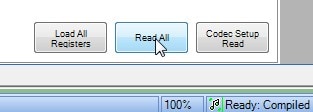
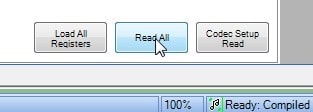
Now, take your prototype board and have it boot from the BF. After booting is complete, attach the USBi to the I2C bus and use the Read All command in SigmaStudio (with your original project file open). To find the Read All command, go to the Hardware Configuration tab, then click on the IC 1 - ADAU1761 Register Controls tab at the bottom of the screen, then scroll to the bottom and find the Read All button. Click it, and the USBi will read back all of the data from the prototype board. You should see activity on the USBi's I2C indicator LED.
Now, do a Link-Compile-Connect and Export System Files operation like you did in the previous steps. This time, give the exported files a different name.
You should now be able to compare the *_IC1_REG.h files from each of the export operations to see if the state of the registers is the same.





HI all,
Still stuck up with my queries above, couldn't resolve them
regarding the board, it a custom designed board with reference of BF537, BF548 EZKITS, as shown above with i2c utils and other verification (signals checked on osclliscope), the connections are correct.
regarding the BYPASS, its actually a setting in ALSA, more specifically in amixer and is applicable to adau1761 only. PS refer https://wiki.analog.com/resources/tools-software/linux-drivers/sound/adau1361#alsa_controls
regarding the export files,
Thanks Brett, The issue is i am not able to load the firmware at the time of booting up. Once the firmware is loaded in the chip, a read would make sense and cross verification will help. Hence need to get the firmware loaded. Have followed steps from here , https://wiki.analog.com/resources/tools-software/linux-software/sigmadsp_genfirmware
and created a romfs/lib/firmware and placed my adau1761.bin . After the boot, when running the modprobes, i get this on the console,
adau1761 0-0038 Failed to load firmware
@ Brett : if you send across my query to the Linux guys, that would be really helpful. I appreciate it. Thanks,
Hence my query stands:
1. The firmware file, sigmastudio project and its correctness. As attached earlier, is it correct ?
2. Also loading of firmware, errors persist here. is the adau1761.bin file correct ? How to load the firmware correctly ?
If the driver prints "adau1761 0-0038 Failed to load firmware" and no other error message it means it could not find the firmware file. Make sure of three things:
1. Verify that your adau1761.bin is in the '/lib/firmware' folder, or either built into your kernel image
2. Make sure you build the kernel with the 'CONFIG_FW_LOADER' option enabled.
3. If you load the firmware from userspace make sure that your driver is build as a module and not built into the kernel.
- Lars
any updates on this ?
1. Yes, it is in lib/firmware
root:/> ls -al lib/firmware/adau1761.bin
-rwx------ 1 root root 296 Sep 24 2012 lib/firmware/adau1761.bin
I normally build the adau1761.bin and copy it in /blackfin-linux-dist/romfs/lib/firmware and then do a "time make single"
2. Yes, that is selected as - kernel options-> device drivers -> generic driver ->
/sbin/hotplug) path to uevent helper │ │
│ │ [ ] Maintain a devtmpfs filesystem to mount at /dev │ │
│ │ [*] Select only drivers that don't need compile-time external firmware │ │
│ │ [*] Prevent firmware from being built │ │
│ │ <*> Userspace firmware loading support │ │
│ │ [*] Include in-kernel firmware blobs in kernel binary (NEW) │ │
│ │ () External firmware blobs to build into the kernel binary (NEW) │ │
│ │ [ ] Driver Core verbose debug messages │ │
│ │ [ ] Managed device resources verbose debug messages
3. Yes, all drivers are as modules and loaded later on. The attached script sound_driver_mods.sh does the job.
Yes. the 2nd point was needed, not it loads correctly . dmesg outputs
Madhav adau17x1_load_firmware
[ 30.743126] _process_sigma_firmware: loading firmware adau1761.bin
[ 30.765872] _process_sigma_firmware: crc=7712136b
[ 30.775176] process_sigma_action: instr:0 addr:0x8 len:237
[ 30.814857] process_sigma_actions: action returned 1
[ 30.824648] process_sigma_action: instr:0 addr:0x0 len:34
[ 30.839513] process_sigma_actions: action returned 1
[ 30.849320] _process_sigma_firmware: loaded adau1761.bin
[ 30.863516] bf5xx_pcm_i2s_new enter
[ 30.871031] bf5xx_pcm_preallocate_dma_buffer, area:03f01000, size:0x00020000
[ 30.885706] bf5xx_pcm_preallocate_dma_buffer, area:03f21000, size:0x00020000
[ 30.899700] asoc: adau-hifi <-> bfin-i2s.0 mapping ok
[ 30.957241] Maddy ret snd_soc_register_card bfin-eval-adau1x61
root:/>
It gets loaded properly, Thanks a lot Lars,
Thanks to everyone for your suggestions,
Please log in to reply.