SigmaStudio on Win7 32bits Ultility
Dear Experts,
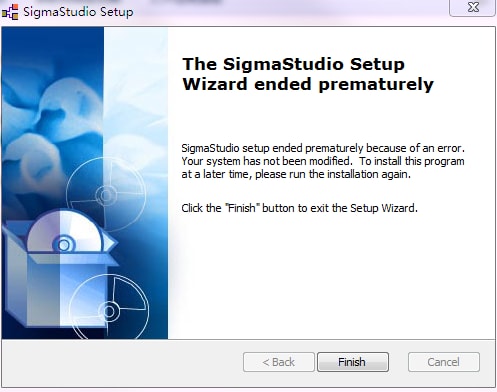
I was using SigmaStudio 3.5.7 Beta on Vista, and recently I upgraded my OP to Win7 32 bits. I have trouble to install SigmaStudio on my new Win7 system. It constantly ends with below error message.
I thought program might come with too old SigmaStudio version, I tried latest 3.6.2 release version, but result in same problem.
BTW, I tried run installation as administrator, also did not help
Does any one of you meet similar problem before?
Thanks in advance!
Junpu
sigmastudio
win7

Hi Junpu,
I have a few questions to help debug the problem:
Did you uninstall any previously existing versions of SigmaStudio from your machine? Try checking the Programs and Features option in the Control Panel to see if there is an older version of SigmaStudio that you need to uninstall.
Are you using the proper 32-bit installer (in the x86 subfolder) of the installer package?
Is your computer managed by some software group in your company, in such a way that you do not have administrator rights?
Hi Brett,
Thank you very much for your reply! My short answer to your questions below in blue
Did you uninstall any previously existing versions of SigmaStudio from your machine? Try checking the Programs and Features option in the Control Panel to see if there is an older version of SigmaStudio that you need to uninstall.
-- There is no older version left.
Are you using the proper 32-bit installer (in the x86 subfolder) of the installer package?
--Yes, I am using the 32 bits installer.
Is your computer managed by some software group in your company, in such a way that you do not have administrator rights?
--I am running my computer as an administrator. Meanwhile I also tried right-click the installer, run the setup as administrator,but it did not help
Thanks and Best Regards!
Junpu
Hi Junpu,
Do you have the Microsoft .NET Framework 3.5 SP 1 installed? If not, please download it here and install it on your machine.
Thanks Brett!
It's OK now ...
Please log in to reply.