Using Sigma Studio to Operate EVAL-ADAU1701MINIZ
Hello
I am really new to this device
I have already been studying the datasheets of Evaluation board EVAL-ADAU1701MINIZ and ADAU1701 since last 3 weeks but as I am new to this stuff so I am really finding it bit complicated
What I have to do is to convert Analog voice signal into digital and filter out the unwanted signal and amplify it
I have filter co-efficient and I have also loaded that co-efficient in FIR filter block, I have just have some basic idea to use the software
I have done both tutorial available in help of software and some start up project but really doesn’t give me the idea how do I convert analog data into digital from where I can get the digital output and how can I see it ?
Waiting for your early response
Best Regards
Abi Waqas
Audio Signal Processors
i2c
sigmastudio
SigmaDSP Audio Processors
gpio
evaluationboard
adau1701
Show More
The EVAL-ADAU1701MINIZ ships with an included QuickStart guide that shows you how to get up and running with a project in SigmaStudio. That project takes analog inputs, converts them to digital and puts them in the SigmaStudio schematic for you to process. In the example project, you'll create an EQ and volume control before outputting to the DACs (which convert the digital data back to analog so you can listen to the result).
Once you complete the example project, try replacing the EQ with an FIR filter of your own design. You can find FIR filters in the algorithm library in SigmaStudio. Hopefully this will get you started in the right direction.
Thanks for repying
I understoodd what you have replied, but the problem is that how can I observed that digital output , at which pin should I observe the digital output and how
and which pins should I use to send data to tranceiver ?
By "digital output" do you mean the I2S data stream?
This is all explained in the evaluation board guide, pages 5 and 6:
http://www.analog.com/static/imported-files/eval_boards/EVAL-ADAU1701MINIZ.pdf
You'll notice that in the evaluation board guide, it says you can only have access to the serial input port, not the serial output port.
However, if you want to look at the serial data you could always probe with an oscilloscope on a serial output data pin.
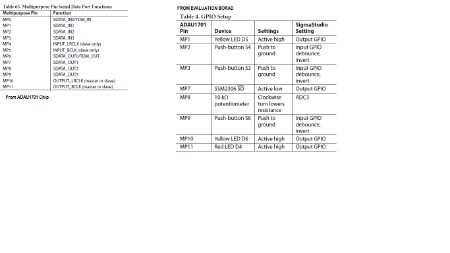
In the datasheet, you can see that some of the MP pins can either be GPIO or serial port i/o:
The I2S inputs are SDATA_INx.
The I2S outputs are SDATA_OUTx.
The clocks for the input port are INPUT_LRCLK and INPUT_BCLK.
The clocks for the output port are OUTPUT_LRCLK and OUTPUT_BCLK.
So, you can see from the datasheet excerpt above that those functions can be mapped onto those corresponding pins.
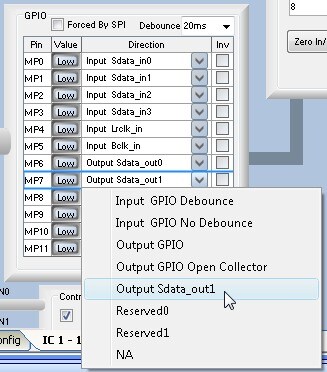
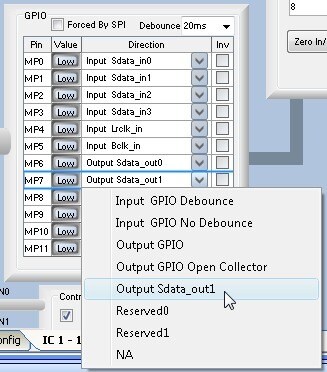
In order to set these pins to their alternate serial port functionality, go to SigmaStudio's Hardware Configuration tab and click on the IC 1 - 170x/140x Register Control tab.
Then click the drop-down menu for the appropriate GPIO pins and set them to their serial port functionality.
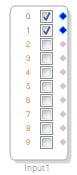
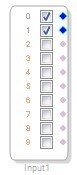
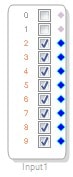
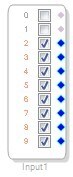
The ADCs (analog inputs) are mapped to the first two pins of SigmaStudio's input cell:
The I2S/TDM input channels (digital inputs) are mapped to the last 8 pins of SigmaStudio's input cell:
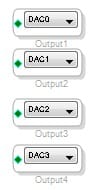
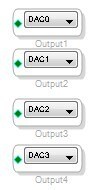
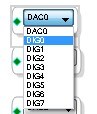
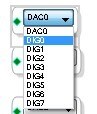
You can send audio out on the DACs (analog outputs) by connecting it to output cells labeled DACx:
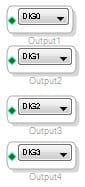
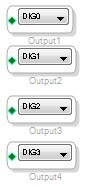
You can click on the drop-down menu and select digital outputs as well...
DIG0 and DIG1 go to SDATA_OUT0, DIG2 and DIG3 go to SDATA_OUT1, etc...








Really thanks for all your responses
but I still have problem
the file attached is showing what I have done according to your instructions
but the problem is that except Mp6 every pin is busy for other purpose as I can understand from the given pin daigram given in datasheets may be I am wrong
and I am trying to get output on Mp6 using probe of oscilloscope but I cant see any digital output please tell me way how can I get output from eval
I have to put the probe on pin number 15 on ADAU1701 chip in the evaluation kit am I right ?
I am also attaching the image showing at which place I am putting the probe in the evaluation kit
Fullscreen
415870993e571b8341c257190358b1dd.html
Download
<html><head><title>Jive SBS</title></head>
<body><font face="arial,helvetica,sans-serif">
<b>Error</b><br><font size="-1">
An general error occurred while processing your request.
</font></font></body></html>
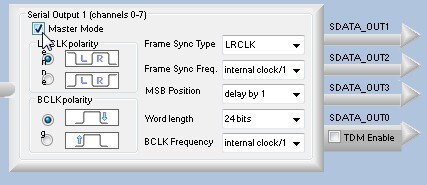
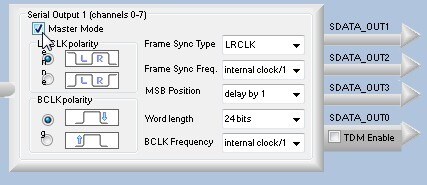
I think I forgot one step. In order to have the serial output port generate data without supplying clocks directly to its pins, you need to put it in "Master Mode." You can do so by clicking the checkbox in the register settings as shown in this picture:
thanks for the last reply
now this is clear that i will get the ouput on Mp6 pin which is not connected to, I have to modify the circuit lilttle bit but what about the BCLK_out and LRCLK_OUT , because when I input digital data back to ADAU1701 it requires the BCLK and LRCLK and the pins that are generting this output are connected somewhere else on Evaluation board
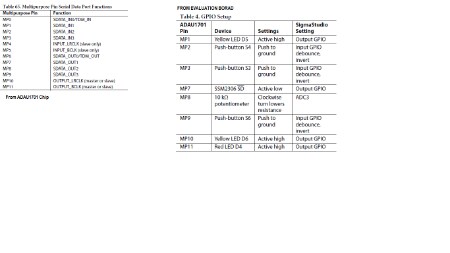
MP10 generating the LRCLK for digital and MP11 generating the BCLK and in the evaluation board they both connecting the LEDs , so it is possible to use this pin ?? ?
YOU CAN SEE THE PICTURE BY ZOOMING IT IN
HELLO
I have tried with suggestion you have given me to take the digital output , but it is not working , it cant see the output on MP6 nor i can see the outputs of LRCLK on MP10 and B_CLK output on MP11
please suggest me something effective and please soon as I am already running out of time
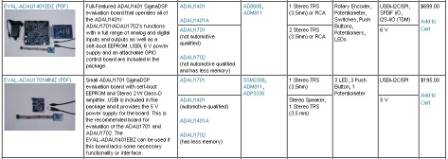
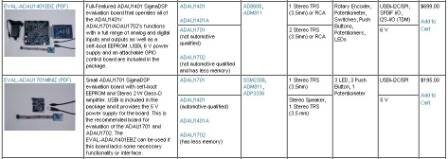
First of all, I'd like to stress again that the digital audio output on the EVAL-ADAU1701MINIZ is not a supported feature. As you can see here, we advertise that the EVAL-ADAU1701MINIZ supports analog audio I/O, but does not support I2S/TDM I/O (The EVAL-ADAU1401EBZ, on the other hand, supports all I/O capabilities of the ADAU1701).
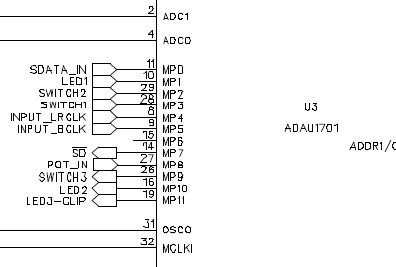
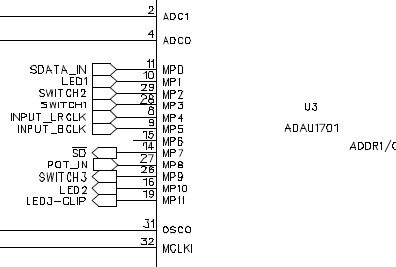
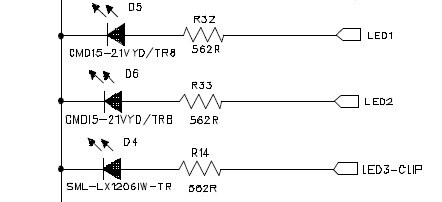
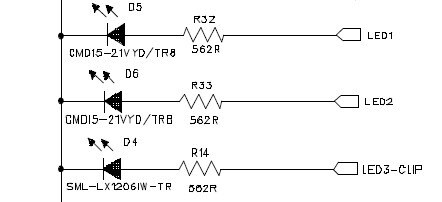
We also state clearly in the datasheet that the digital audio input is supported, but not the output. The reason is that the corresponding MP pins are hard-wired to GPIO functions. You can see that here in the evaluation board shematic:
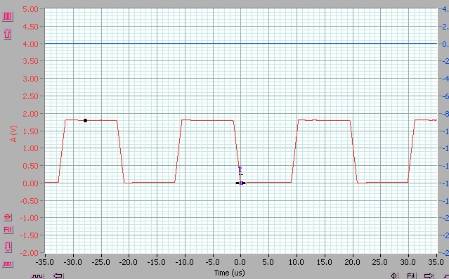
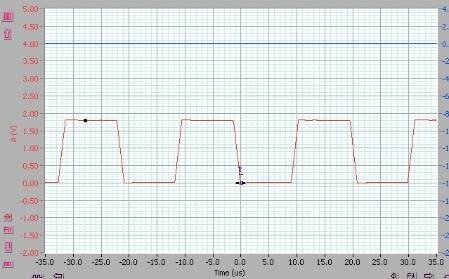
Since MP10 is driving the LRCLK signal to the LED D6 at a relatively low frequency (48 kHz), the LED lights up and the signal looks OK on the scope.
However, MP11 is trying to drive LED D4 at a very high frequency (over 3 MHz), and it looks like the pin does not have enough drive strength to do this. Of course, it was never designed to do this in the first place.
The data output SDATA_OUT0 is on pin MP6, which is not connected to anything, so you should be able to see something there. I got this capture on my desktop scope. The sample rate is kind of low on this scope, so I'm guessing it just didn't have the bandwidth to properly display the signal.
So, in order to use the digital audio output (which we don't technically support), you need to hack the board and remove LEDs D6 and D4, lift pin MP6, and connect your signals there.
However, the more appropriate way to solve the problem would be to either:
Upgrade to the EVAL-ADAU1401EBZ, or...
Create your own prototype PCB that properly connects the MP pins to the digital audio interface of your choice
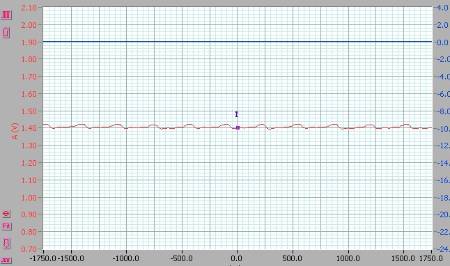
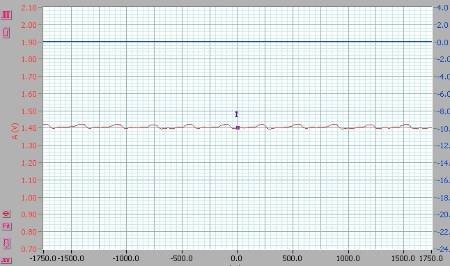
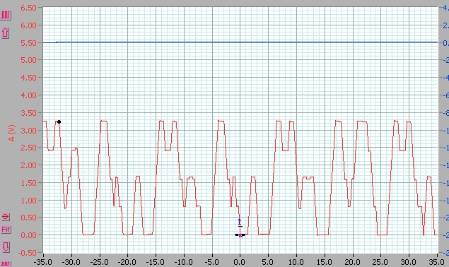
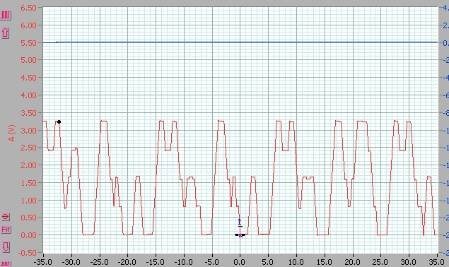
If you do the hardware hack described above and use download the attached project file to the IC, you should see the digital audio pins sending out clocks and data.
well I have already done this before you replied to me I have done the hardware hack , now the question is that , we have two output out from filter (FIR) because I am applying stereo input , so if i send one output to DIG0 and second output to DIG1 then I will observe the complete digital data on Mp6 pin ?? ?? if yes how is it possible to see two output lines on a single pin , if not what i have to do to see the output on a single pin complete output ?
please reply early
thanks for all you support it was really very helpful
The serial data output on pin MP6 is, by default, in the I2S format. This format includes two data channels on a single digital signal. In your case, these two channels are the DIG0 and DIG1 outputs from your SigmaStudio project. Pages 46-48 of the ADAU1701 datasheet describe the serial port and the I2S format. Specifically, see Figure 32 for a timing diagram of this format.
hi
can you please tell me how can i amplify the digital ouput, actually I am using the linear gain blocks just before the Dig0 and Dig1 block, but cant se any changes on the oscilloscope , I cant see any changes in the amplitude or in the voltages ,
Since that output is digital, it is quantized to two values, 0 V and 3.3 V. The digital output signal can never take on any values other than 0 V or 3.3 V.
Audio data in the DSP is represented in pulse code modulation (PCM). That means that analog voltage levels are mapped to codes that are output digitally (as a series of zeros and ones).
Therefore, applying gain in the DSP will never change the output level on the digital output pin. The digital output pin can only output zeros and ones, represented as 0 V and 3.3 V, respectively.
If you'd like to see an analog waveform on the output, I suggest you follow the tutorial that came with the evaluation board. That will output data from the DSP to the DACs, where it is converted to an analog signal that you can listen to on headphones.
If you are confused about these topics, you can do more reading here:
http://en.wikipedia.org/wiki/Digital
Hey Brett thanks for your really kind answers
I am observing the master clock (MCLK )at pin 32 I am getting the correct frequency but the the wave look like sine wave with some distortion why this so ?
I was expecting it to be square wave
The master clock signal is 12.288 MHz, which is a very high frequency, at least relative to most audio systems. The crystal circuit has some damping capacitors that round the edges of the signal a bit. Also, the capacitance of your probe and the bandwidth of your oscilloscope play a role in making the signal appear more similar to a sine wave. That's OK. As long as the signal has the right amplitude and the zero-cross transitions are clean, then it will be seen as a valid clock signal.
Hello
Formula for BCLK = 2 (no. of channel) * Fs (sampling frequency) * bits per channel (32 bits)
so
BCLK = 2*48KHz*32 = 3.08Mhz and I can this frequecy on BCLK pin
but
when I am chaning the Fs from 48KHz to 44.1KHz then BCLK should also change to 2.8224 MHz (according to fomula) , but I can't see this change on oscilloscope.
can you please tell where I am mistaken.
The minimum data rate I can obtained from the CODEC is 2 (no. of channels) * 44.1 KHz (minimum sampling rate I can chose) * 16 (mimimum number of bits) = 1411200 bits per second
Am I right ??
if Yes,
is there anyway to reduce it more ?
if No
can you please correct me where I am mistaking.
the other question is why I can't chose the sampling frequency less than 44.1 KHz, there are plenty options available in software.
Thanks for the help
Please log in to reply.