How do I output a flag based on a signal level? (Gate on/off flag)
I recently received this question from a SigmaDSP user:
I’ve been asked to provide some feed back functions related to a compressor. Assume the compressor is configured as a noise gate with the response curve 1:1 down to -40db at which point (the threshold) it drops vertically to make the gain -90. I’d like to have an indicator that says that the gate is suppressing the signal (signal is below threshold) or passing un-attenuated (signal is above threshold).
It does not appear that any of the compressors have an output like the limiter block that sets a flag.
So I have a couple of ideas: envelope peak detector + DSP read back, A>B cell plus a DC source set to the same threshold as the compressor.
flag
gate
sigmastudio
gpio
SigmaDSP
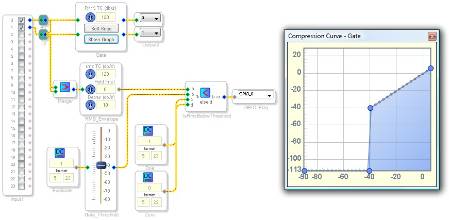
This can be implemented using an envelope cell and a logic comparison cell.
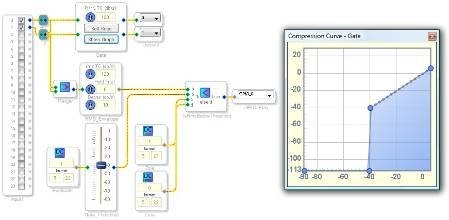
The Gate (RMS compressor) cell has a 1:1 i/o relationship and a gate at -40 dB, as required by the application.
The RMS_Envelope cell (called Running Average in the library) tracks the RMS envelope of the signal.
The FullScale DC input creates a 0 dBFS DC signal, and the Gate_Threshold cell sets the comparison level for the flag. I chose -43 dB because this would be the RMS value of a -40 dB (peak) sine wave.
The IsRmsBelowThreshold (AB in CD out Condition) cell checks to see if the envelope is below the output of the Gate_Threshold cell. If so, then the flag goes high. If not, then the flag stays low.
The flag is attached to a GPIO so it could be connected to an LED or microcontroller in the system.
The finished project is attached.
The latest version of SigmaStudio will have a Signal Detect cell that outputs a flag based on the presence or absence of an input signal based on user-defined parameters such as level threshold and timing.
I've found the new Signal Detection block in Level Detectors/Lookup Tables>>Signal Detect>>Signal Detection.
However there does not appear to be any Help available. Could you go over the parameters and operation?
Thanks
Hi db10.
I have requested this information from the software team.
My initial guess is that the parameters work like this:
Threshold (dB) is a level that the input signal must be exceeded in order for a counter to start.
Once the counter starts, it keeps going until it reaches the value shown in the Trig Time (s) control.
Threshold is expressed in RMS level and probably has some built-in averaging and release code. Trigger Time is expressed in seconds.
With the default settings of -60 dB and 120 s, it basically means that the input signal must remain greater than -60 dBRMS for two minutes until the output signal triggers. I expect that the output pin can be either 0 or 1 in 28.0 format. I'll confirm this with the software team.
Maybe simpler to subtract the output from the input and then apply a signal detector block to that? If the gate is not operating, and passing the signal at unity gain, the subtract operation will produce 0 signal. If the gate is operating, with the output = 0, then input - output will produce the input signal, which can then be detected by the signal detector block and light the LED? I need to do a similar thing for the peak compressor, since it doesn't have a LED output like the Limiter block does.
This question has been closed by the EZ team and is assumed answered.
Please log in to reply.