How to make a simple counter with blocks in SigmaStudio?
Here is the full question:
"What we need to do is have a clock signal (tone encoder block) which runs into a 4 bit binary counter the counter simply counts from 0 to F and then rolls over with the next count. Any idea how to do this using existing blocks? "
programming
counter
algorithm
sigmastudio
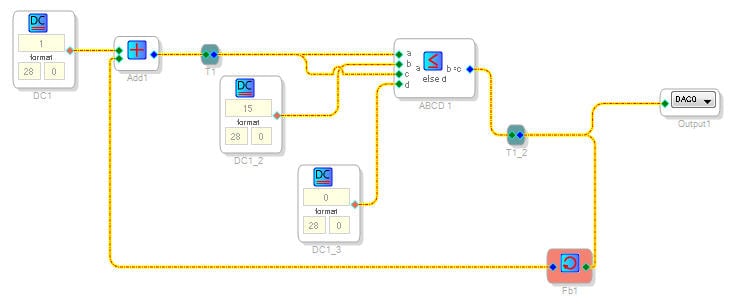
This can be accomplished with existing blocks in the SigmaStudio library:
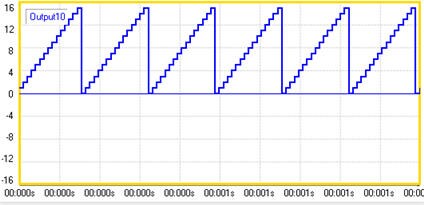
The DC1 block adds a value of 1 in 28.0 (1 LSB) to the previous counter value. Then, there is some logic though, to determine if the counter should continue counting or if it should reset to 0. The cell "DC1_2" is the max value of the counter, in this case "15" in 28.0 format. The "DC1_3" cell is the reset value of the counter which is 0. The output of the logic comparison is the counter result. The feedback path, takes the counter result and feeds the addition again. The resulting output looks like this:
That counter will have an output which counts at the sample rate. What I would like to do is count at a rate determined by a square wave source:
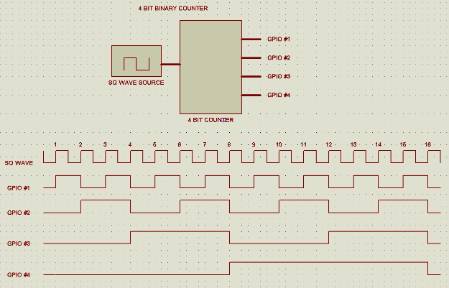
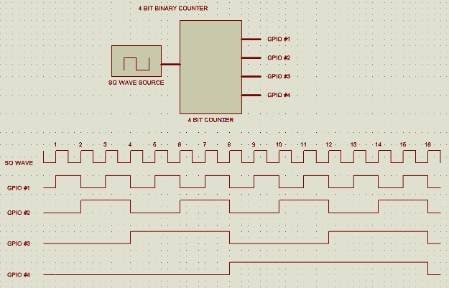
I used a square wave into a value (zero) cross detect and drove that into the pulse counter which worked to give me the count. I tried using both the
value cross detector and tolerance analyzer through a feedback block to generate the reset for the pulse counter but was not able to get that to work.
A couple of questions... is your square wave source something that is coming external?
Or is that also internally generated?
Also what is your instruction count allowance?
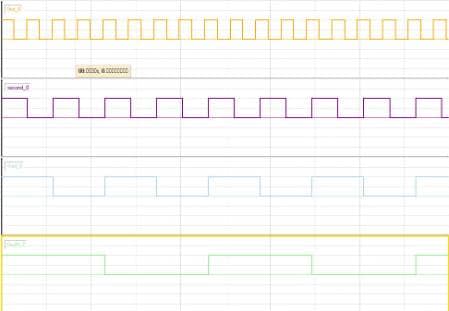
There is a solution using an input frequency driving 4 VCO's and rectifying the outputs.
However, this is costly using existing blocks (~182 instructions) and it requires that the square wave be internally generated (i.e. won't sense an external input coming into DSP)
Are those requirements ok?
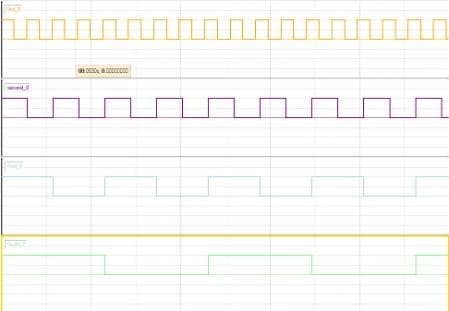
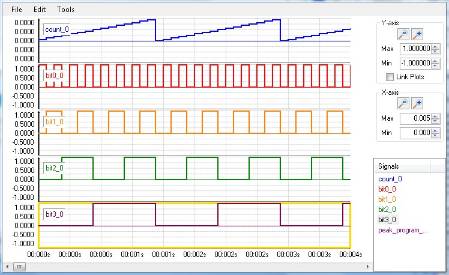
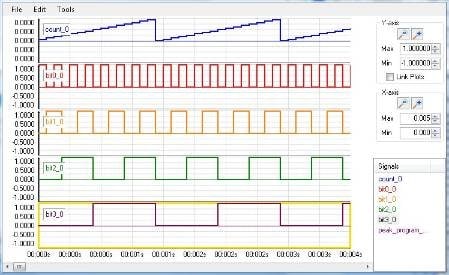
Here is the 4 outputs I can generate:
In SigmaStudio 3.3 under ADAU144x I see a Counters->Counters->Pulse Counter module. Have you tried that? If you want it slown down, I suggest ANDing it with a slow square wave to act as a gate.
This application needs to fit in an ADAU1701. The clock will be internally generated. The application requires that the counter clock be closely
tied to the clock which will set the frequency of some filters we are using in the same part so this is a cool way to sort of lock the two together
and eliminate external counters.
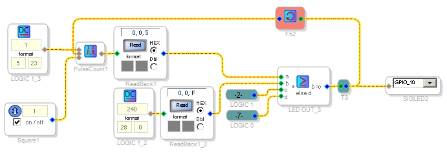
I was able to come up with the counter itself like this:
I was having some issues because I had set the DC level block to 16 but that was not the same as the output of the pulse counter. Once I manipulated
the DC level I got a count. This may or may not be the most efficient way to do what I am trying to do.
Now I need to take the 4 bit count (0 through F hex) and turn that into 4 individual GPIO pins representing the individual binary bits.
This has become an interesting exercise because the processing elements in Sigma Studio are designed for handling audio not
logical conditions.

How about using an IF to compare the count value verses a DC end value, that would give you a pulse when your count matches which would be a nice reset mechanism.
Here is another way to get the 0 to F count based on square wave input:
Sq wave drives a "value detection block" (aka zerocross) and the same implementation of the original counter is used afterward.
Thus, only when there is a zero cross, is the counter adding a "1"
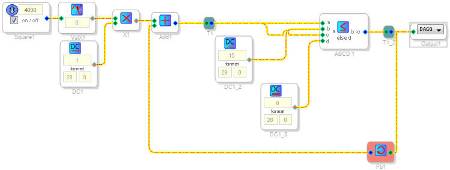
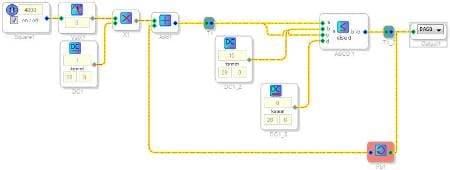
I did this:
But I don;t see the data incrementing in the readback blocks. Other than the frequency of the
square wave being very low for debugging purposes and the 2 readback blocks I can't see a
difference between my implementation and yours.
On a related note, if you use multiple squarewave sources which are
integer multiples of each other (eg: 100hz, 200hz, 400hz, 800hz) will they remain syncronized or
will they tend to have their transitions drift with time? This question also applies to your VCO implementation
of the counter.
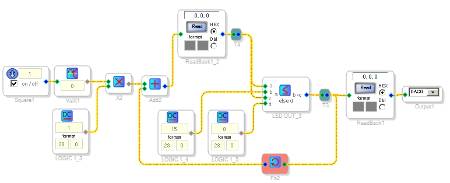

>> if you use multiple squarewave sources .. will they remain syncronized or .. drift with time?
I believe the waves are jump tables so there's no phase changing and therefore no sync changes or drifting, however they will initialize in static "arbitrary" phases. I don't know if these phases will change with different reboots though, I suspect not. I you need phase allignment I reccommend generating the lowest one and squaring it (multiplying it by itself) and DC blocking which will double the frequency.
I tried building a counter backwards- using squarewave and then doubling it 3 times to get a 4 bit count. The frequencies work out but the
waveforms are not even close to having their edges aligned. I think I need to go back to the approach with the pulse counter and work it out!
In the process I also found out that the AND logic block is not really an AND block it is an A=B block which threw me for a loop until I looked
the help.
One reason that the counter may be working unpredictably may be the feedback block necessary to reset the counter. I put an GPIO on the
signal as it goes into the feedback block and the output as well. They not even close to being identical.
Hi Ron,
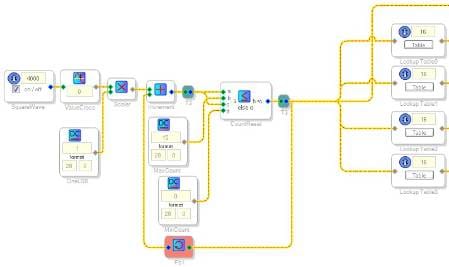
Good news. I think I have it working. It's not the most elegant implentation and could definitely be simplified with the addition of a few new low-level blocks to SigmaStudio. I'll be sure to recommend those to the software team as soon as possible.
I took the basic idea that you and Daniela came up with and I basically added a look-up table for each output bit. The resulting array is stored in parameter RAM.
Of course, this requires 64 parameters (one for each bit, for each count), so it is a little expensive in terms of resources.
I tested the design at various frequencies between DC and fs/2 and the transitions are always in perfect alignment. From all of my tests it appears to be sample-accurate. Hopefully this gets the job done for you.
I attached the project file, but you'll see that it was created with the ADAU176x. It should be simple to port it to the ADAU1701.

This question has been closed by the EZ team and is assumed answered.
Please log in to reply.