Peaking filter and Notch filter coefficient formula
Hello guys,
I have some problem on calculate the Peaking and Notch filter.
In SigmaStudio wiki ( SigmaStudio Wiki ), I can not get both filter formula information,
and I reference the Robert Bristow-Johnson Audio Cook Book website (This : http://www.musicdsp.org/files/Audio-EQ-Cookbook.txt)
I found that the cook book contain the peaking filter formula, but I am not sure the value "alpha" what the calculation formula is. And I follow the cook book to generate the formula in my excel, I found the final value which I got is different with the SigmaStudio capture window value. So I want to ask, does there have the formula for the Peaking Filter and the Notch filter? because I have some function need to use IIR filter to implement.
Please help me, thanks!
Best Regards,
Alvis.
notch filter
correlation formula
sigmastudio
general filter
iir filter
peaking filter
Show More
Hello Alvis,
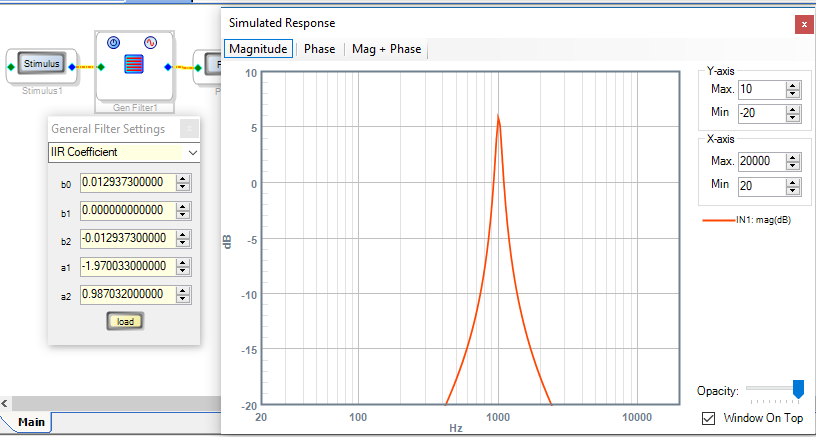
Try the attached spreadsheet which calculates the coefficients for a variety of filters. You can use the formulas in its cells to write C code (etc.) for your own coefficient calculations in your microcontroller. The easiest way to test the coefficients is to type them into the IIR Coefficient entry for a General Second-Order Filter, as shown below. This example tests the coefficients for a 1 KHz, Q = 10, 6 dB gain Peaking filter.
Remember to flip the signs of the a coefficients when programming your own safeloads. SigmaStudio does this for you, which is reflected in the Capture Window.
Best regards,
Bob
Hello Bob,
Sorry for the late reply, and thank you very much for providing me the correct formula, this is very useful !!
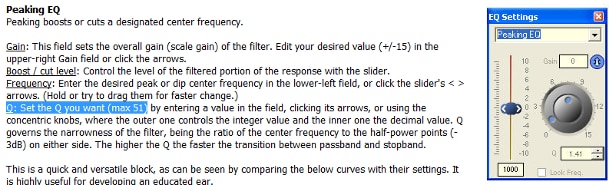
I notice that the help file in SigmaStudio which says that the Q max value is 51, as below picture:
so if we want to use this high Q, the Q limitation is at 51?
I want to check this, because I have one request is for Q value goes to 93 and I don't know the ADI DSP Q value can do the Q is 93 or not, can you help me for this question?(and to implement this I will use IIR filter block to do this! only formula calculation can do this) Thanks!
Best regards,
Alvis
Hello Alvis,
Actually "51" is a typo, the actual limit is 15.99. The ADAU1701 can only handle positive numbers that large -- yet this is not the reason for this limit. After all, SigmaStudio calculates the set of five coefficients, which typically range from -2.0 to +1.0 at unity gain, regardless of the Q. So when you calculate your own coefficients, there's no law against setting a higher Q.
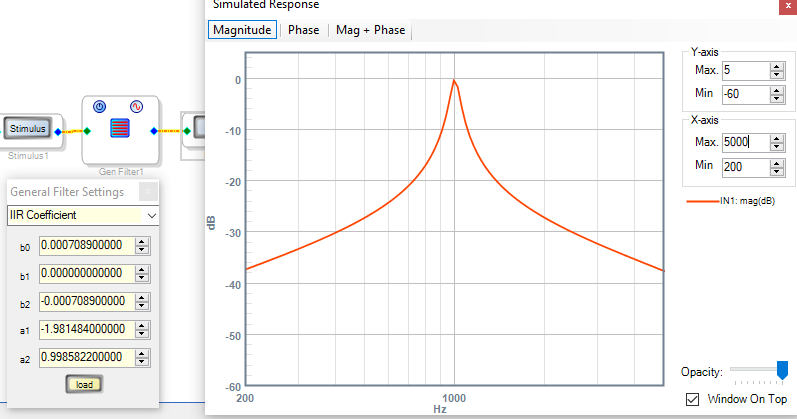
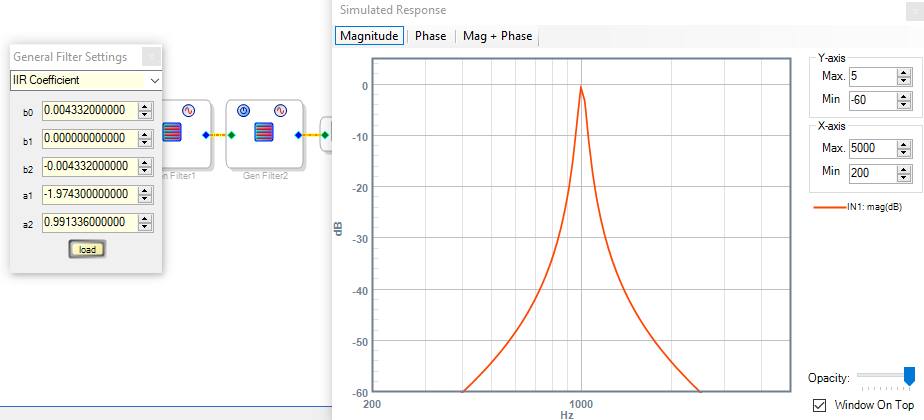
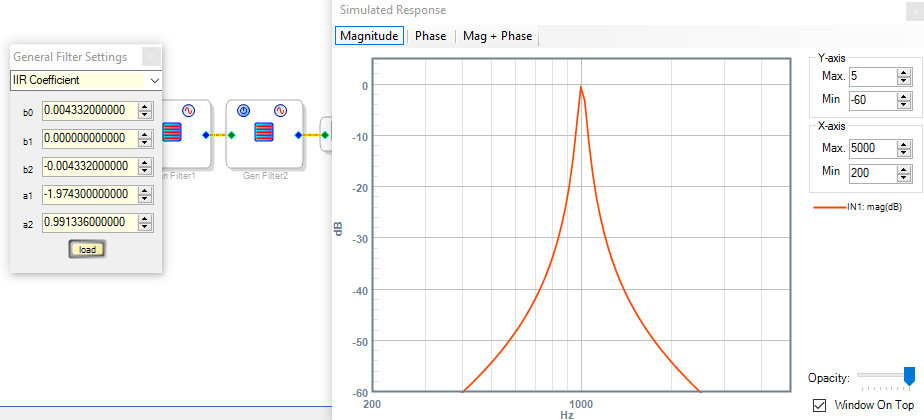
However, you may not want to. Above I entered the coefficients for Q = 92. Although the resulting peak is sharp enough to cut your finger, the skirt selectivity and ultimate rejection aren't very good. Compare this with two cascaded peaking filters each with Q=15, below -- providing a better result.
Best regards,
Bob

Hi Bob,
Thank you for answering my question!
I will discuss with our engineer.
Those information are very useful!
Thanks again!
Best regards,
Alvis
Hi,
apologies for jumping onto an old thread but I found your xls spreadsheet and it was exactly what I needed for my project with a PIC uC calculating the coefficients for an ADAU1452 running EQ.
I'm no expert but is it possible that the sign is wrong for a1 and a2 in the High-Shelf EQ Filter Coefficients (I haven't tried any other types yet) ? I copied the equations exactly as written into my PIC code and the result came out different to the values copied by SigmaStudio, specifically a1 and a2 where the opposite sign. My calculated parameters causes the audio to go 'crazy' so I inverted the sign in my calculations and they worked.
I mention it in case anyone else is trying a similar system.
Thanks for the help
PhilipJ
Please log in to reply.