About ADAU1761' I2S and Sigmastudio Module Algorithm
Hi all,
I use the ADAU1761 evaluation board to receive serial data (I2S format) from SERIAL DATA INPUT/OUTPUT PORTS, and use some modules in SigmaStudio to process the input data, and then the data output from the analog side. In this process I encountered a few questions, and hope to get your answers.
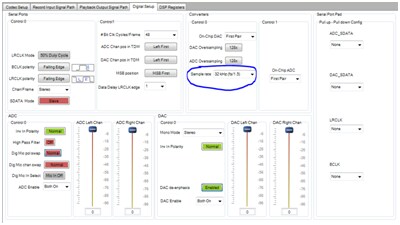
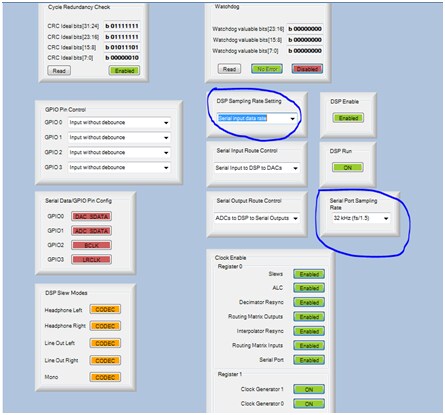
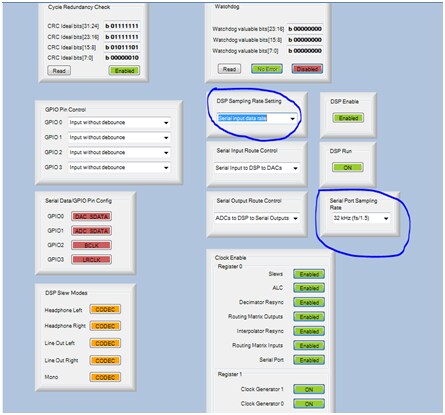
question 1 When I use the I2S input, in addition to the data, I also need three clocks : ①MCLK=256*fs,②LRCLK=fs,③BCLK=2*sample_length*fs. The sampling rate of the input data is 32kHz, but the default sampling rate of ADAU1761 is 48kHz. Which sampling rate should I use to calculate the clock? I have used 32kHz to calculate the clock, and I have confirmed the received data is correct, but some problems will appear after I add certain module in sigmastudio. Please help me to check whether the sampling rate of the register settings are correct. The following is a screen shot of the register settings of sampling rate and clock.
In the ADAU1761 chip manual mentioned “It is recommended that the sampling rates for the converters, serial ports, and DSP be set to the same value” . However, after I set the DSP sampling rate of 32kHz, something is wrong: When I used a notch filter to remove the 3kHz signal, the 2 kHz signal is filtered out instead of 3kHz. After I set the DSP sampling rate of serial input data rate(as shown above), This problem does not exist.
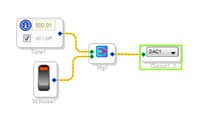
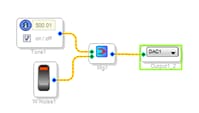
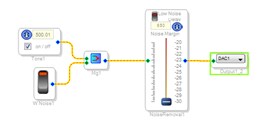
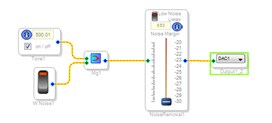
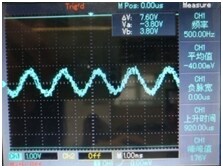
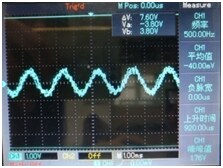
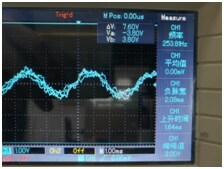
question 2 I set all sample rates to 16kHz. I used 500Hz signal source and white noise , and then add noise reduction algorithm to reduce white noise(As shown below). However, I observed the output signal is 250Hz from the oscilloscope, even I have not enabled noise reduction algorithm. Why ??
before adding noise reduction algorithm=500Hz after adding noise reduction algorithm=250Hz
I do not know whether I use this module correctly. However, When it eliminates noise, the useful signal is also reduced a lot.
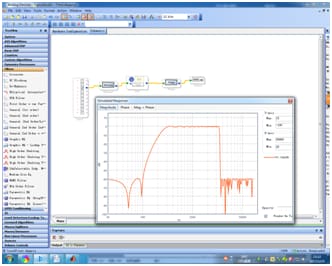
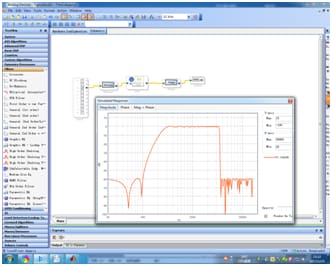
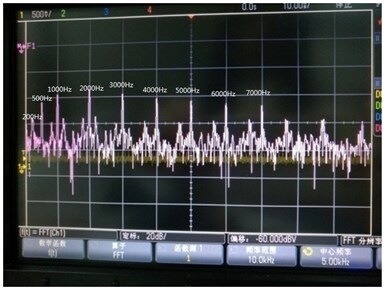
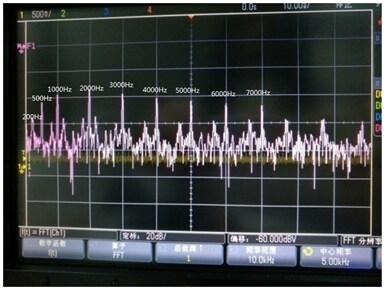
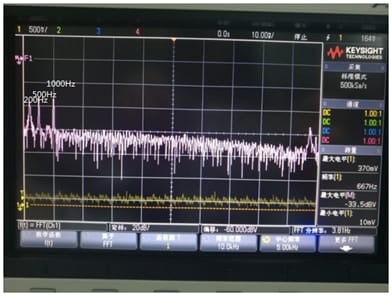
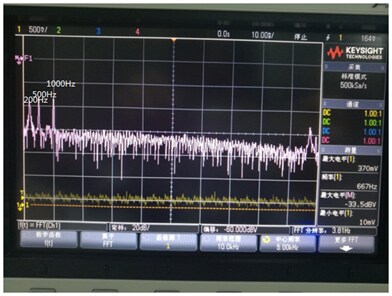
question 3 I want to use the FIR Filter in sigmastudio to design a band-pass filter (300Hz to 3400Hz). The filter coefficients are generated using FDATool in MATLAB. The filter spectrum after the coefficients are imported is shown in the following figure, which is right. When I input 200Hz/500Hz/1000Hz/2000Hz/3000Hz/4000Hz/5000Hz/6000Hz/7000Hz signal, the output signal is not what I want(As shown below). This is why???
filter spectrum
Input signal spectrum(No FIR)
Output signal spectrum(with FIR)
To prevent the picture is not clear, I have uploaded the document about these problems
to the attachment.
Best Regards,
Qiongzhuang
Audio Signal Processors
sigmastudio
SigmaDSP Audio Processors
adau1761


Hello Qiongzhuang,
SigmaStudio does not directly know what the sampling rate that is actually running in the DSP. It depends on the clocks supplied to the DSP and of course the register settings. So you need to "tell" sigmaStudio what sampling rate you are running in the DSP so it can properly scale the code when needed.
For instance, if SigmaStudio thinks the sample rate is 48kHz but the DSP is actually running at 96kHz then setting an oscillator for 1KHz will yield a 2kHz output.
So look at the top of SigmaStudio:
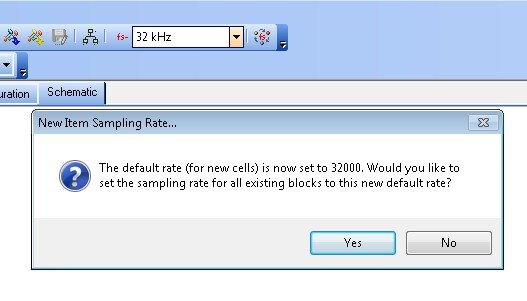
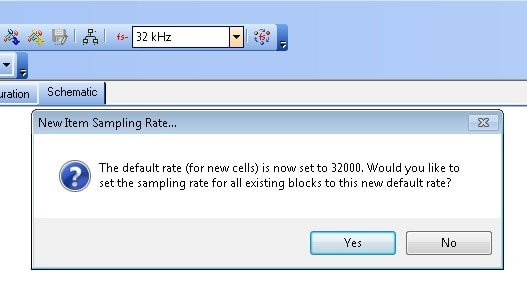
There is a sample rate selection that you will need to change to 32kHz. When you do so you will see a pop-up window like you see in the picture. Click "Yes" and then all blocks will be set to 32kHz for cells that use a sampling rate internally.
Another way to do this is with cells that are sources. Look at this example:
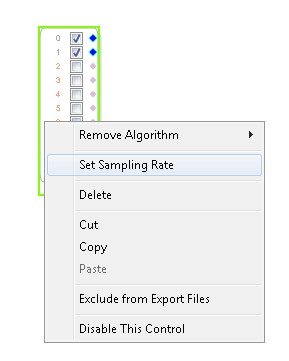
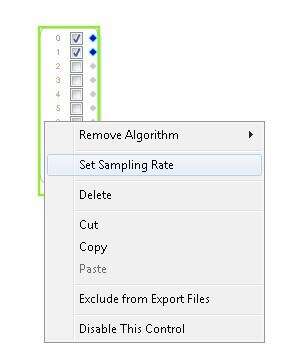
You right click on a source and you will see a selection for setting the sample rate.
This will change the rate for all cells following (connected) to this cell.
As far as register settings, you must set the serial port, the converters and the DSP sampling rate all to 32kHz.
I think your problems will all go away once the system and SigmaStudio software are all set the same.
Thanks,
Dave T
Thank you so much for your help.
I have another question that I hope to get answers. I have used sigmastudio to design the project and have exported the project file. But I do not understand what is the difference between the project file which have been exported and the ADAU1761 drive?
Should I write these generated files to the driver first and then use the MCU to control it? Or these generated files and the driver do not matter?
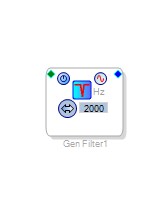
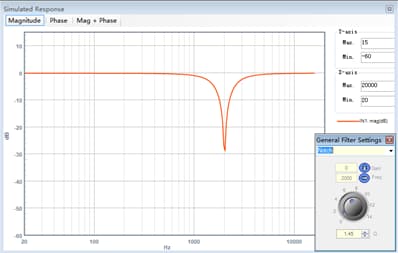
Another problem, I use the notch filter in sigmastudio to filter out some of the frequency components in the speech signal. The parameters of the notch filter are shown below.
As can be seen from the spectrum of this notch filter, its attenuation is about 30dB. When we deal with the voice signal, 30dB enough? Or do I need to rejoin several notch filters to make its attenuation more?
Best Regards,
Qiongzhuang
Hello zhuangqiong,
Yes, you can "Grow" the filter to add more sections of the filter and obtain more attenuation. I do not know how much would be good for your application. The "Q" control also will give you more attenuation with a lower Q number but you will widen the notch which is usually not desired. So cascade two in series by growing the cell. Do not drop another in the design, it is less efficient.
There are some posts about microcontroller control that may be helpful. Here are some:
This is the best one:
https://ez.analog.com/docs/DOC-1806
There is also this one:
https://ez.analog.com/thread/8218
Dave T
Thank you so much and your advice is very helpful to me.
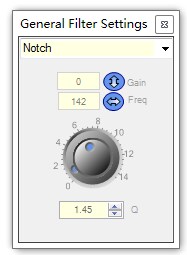
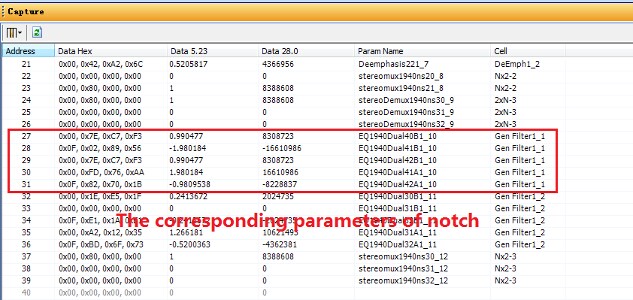
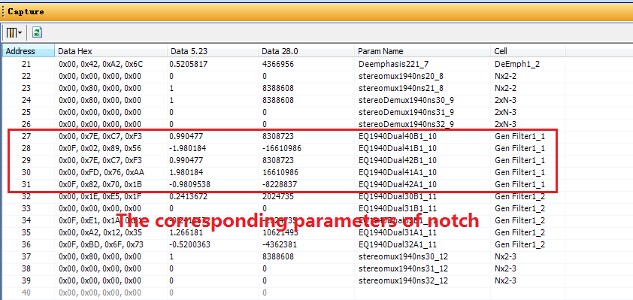
I have used sigmastudio to design the project and have exported the project file. Now I want to use the MCU to control parameters of the notch filter which is shown below. For example, I hope that in real time control I can change the frequency of the trap to any value, 1000Hz,1500Hz,3500Hz,4530Hz, etc. Or I want to change the "Q" or "Gain" to any value in real time control.
I tried to change the parameter value to find a certain law, but I failed.
How can I know the corresponding parameter value when I want to filter out a frequency??
Best Regards,
Qiongzhuang
Please log in to reply.