[Bug Report] ADAU145x multi rate problems
SigmaStudio version 3.13
Windows 7 Pro 64-bit Service Pack 1
I am seeing some really strange behavior with the new mulitrate blocks on an ADAU1451.
I created a small project to show the issue:
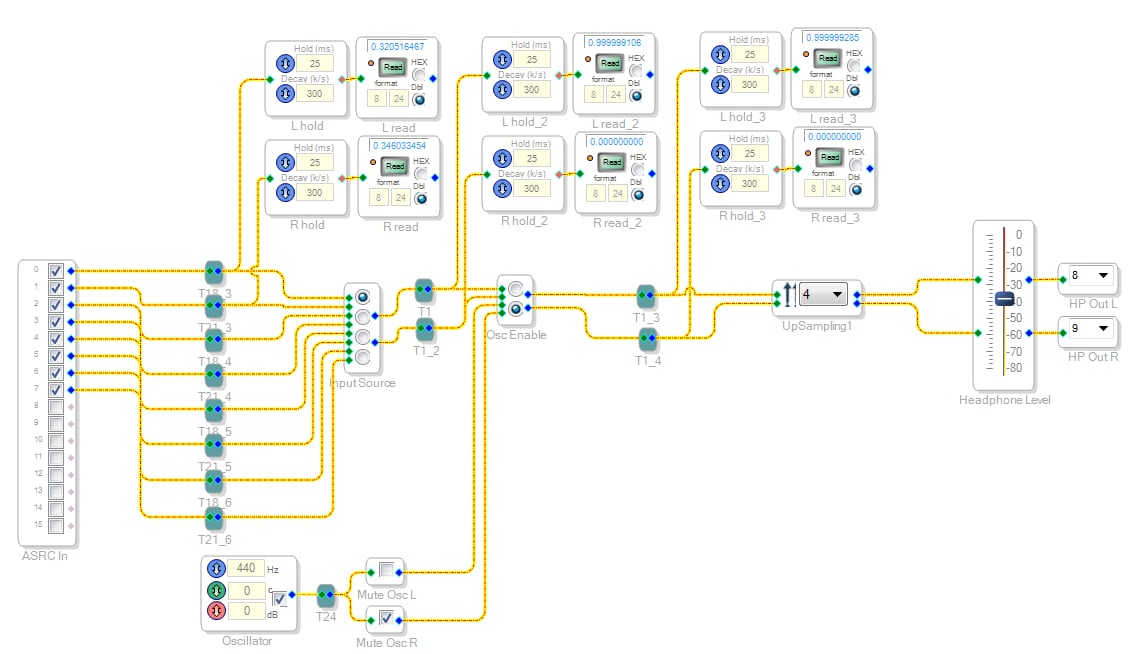
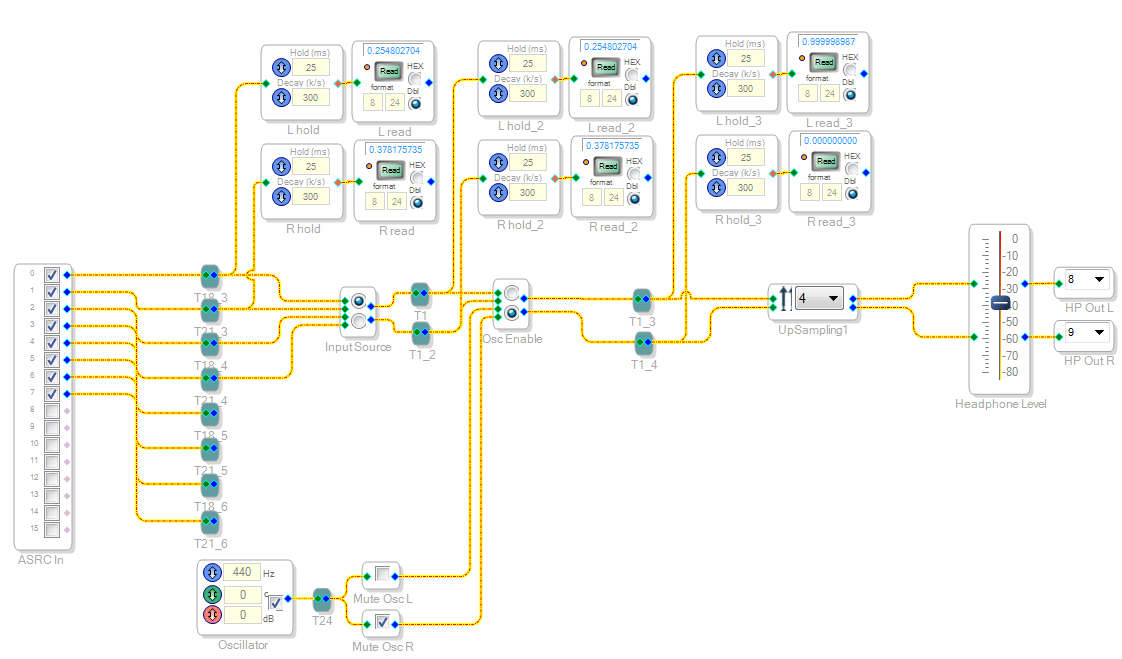
The Sigma is running at 192k (START PULSE is Base_FS * 4) with four 48k stereo inputs (4 ASRCS with output rate set to Internal FS) . That is, every wire before the upsampler shows 48000 and those after show 192000.
Notice the second pair of readbacks showing the same levels as the third pair of readbacks, which it should show the same as the first pair of readbacks.
With the "Input Source" selector in the first position, you hear the oscillator regardless of which position the "Osc Enable" switch is in.
Take the same setup and add a couple of blocks after the upsampler (what they are isn't super important, it's the result that matters):
Now, "Input Source" is set to the 4th position... but the audio passing to the output is that of the first pair of inputs. Haven't a clue what's happening there.
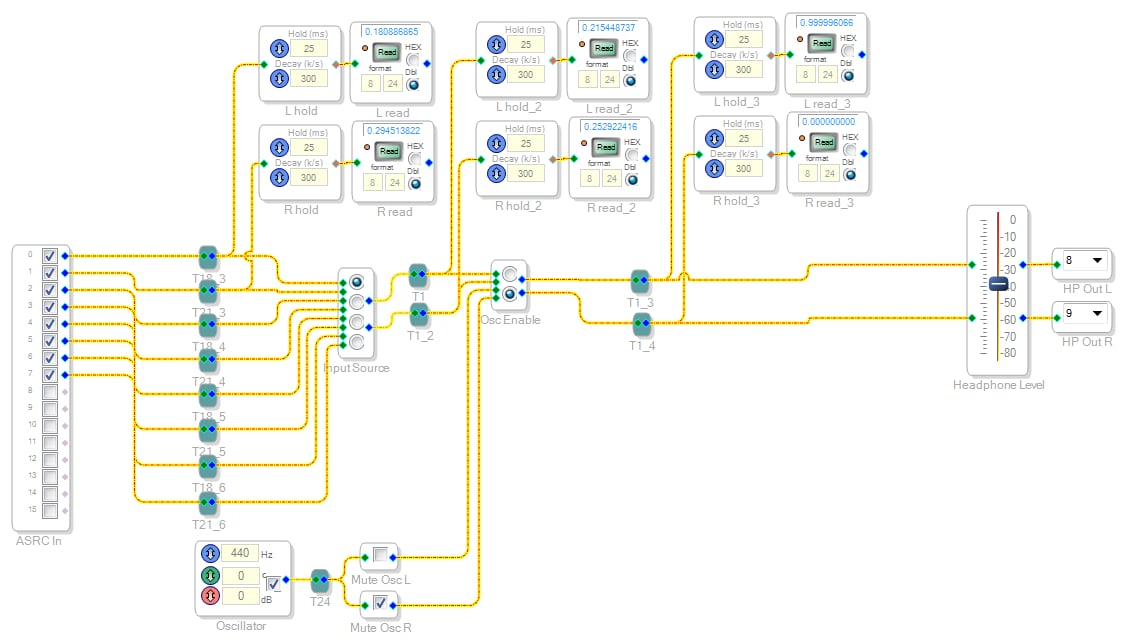
If you take the first example again, and remove two pairs of inputs from the "Input Source" mux:
This fixes the problem, and now the "Osc Enable" switch does switch between the inputs and the oscillator. The readbacks show the correct levels.
If you take the same setup again but remove the upsampling block:
This also fixes the problem.
I've attached the project, but the IO is set up for my hardware. I don't have the dev board, but I imagine this can easily be tweaked to show some similar results on it.
Audio Signal Processors
bug_report
adau1451
multi-rate
sigmastudio
adau145x
SigmaDSP Audio Processors
Show More


Hello InoJosh,
You are not using the blocks properly. These blocks only work inside the DSP core and not outside of the core. You cannot up-sample from the core sample rate and then send it out of the core to a serial port. The serial port and output of the DSP will always be at the core rate. (of course if you have the serial port running as a slave or going through the ASRC is another discussion.) These up and down sample blocks are designed to down-sample from the current core rate to allow processing at a slower rate. then the up-sample block allows you to get it back up to the core rate before exiting the core. It only works going down then up. It is impossible to have part of the core running at a faster rate then the core rate so therefore you cannot up-sample then down-sample.
So this is for processing slower band limited signals only at a slower rate.
Dave T
Hello InoJosh,
The job of the ASRC is one of these:
1) to take a sample rate from outside of the core and resample it to match the core's rate
2) Take the core's rate and resample it to an external rate.
The difference is only if the data is going into the core or coming back from the core. You cannot have the ASRC send data to the core at a different rate from the core.
So yes, you have to come into the core at 192kHz and then downsample the 48kHz signals back down for processing. Then at the end go back up to 192kHz to output the data out of the DSP. I suppose you will be going back through the ASRC to get back to 48kHz once outside the DSP.
If you are tight for instructions, you can send over your project and we can look it over to see if there are things that can be optimized.
Dave T
Dave,
Ok, let me see if I've got this straight - these 145x Sigmas seem to be confusing me quite a bit with their options.
So if I'm running at 192k (BASE_FS * 4), it's not possible to have the inputs go through the ASRCs with an output rate of 48k (BASE_FS), which is processed at 48k then upsampled by 4 to 192k and output through the serial ports at 192k (BASE_FS * 4)? This is what my example does - the input is 48k, so upsampling by 4 at the end brings it up to 192k.
I'm trying to figure out the most efficient way to implement multi-rate in order to squeeze in the most instructions. If I want to process at two rates (48k and 192k) but the vast majority of it is at 48k, do I have to have all the inputs come in through ASRCs with an output rate of 192k then immediately downsample all inputs by 4, do all my 48k processing, then upsample by 4 later? It seems like the first downsample could be eliminated just by setting the ASRC outputs to 48k to begin with.
Also - are there any plans to implement a proper FIR interpolation block instead of/in addition to the upsampler? It would be much more user friendly (and I think more efficient?) to have it in one block.
Dave,
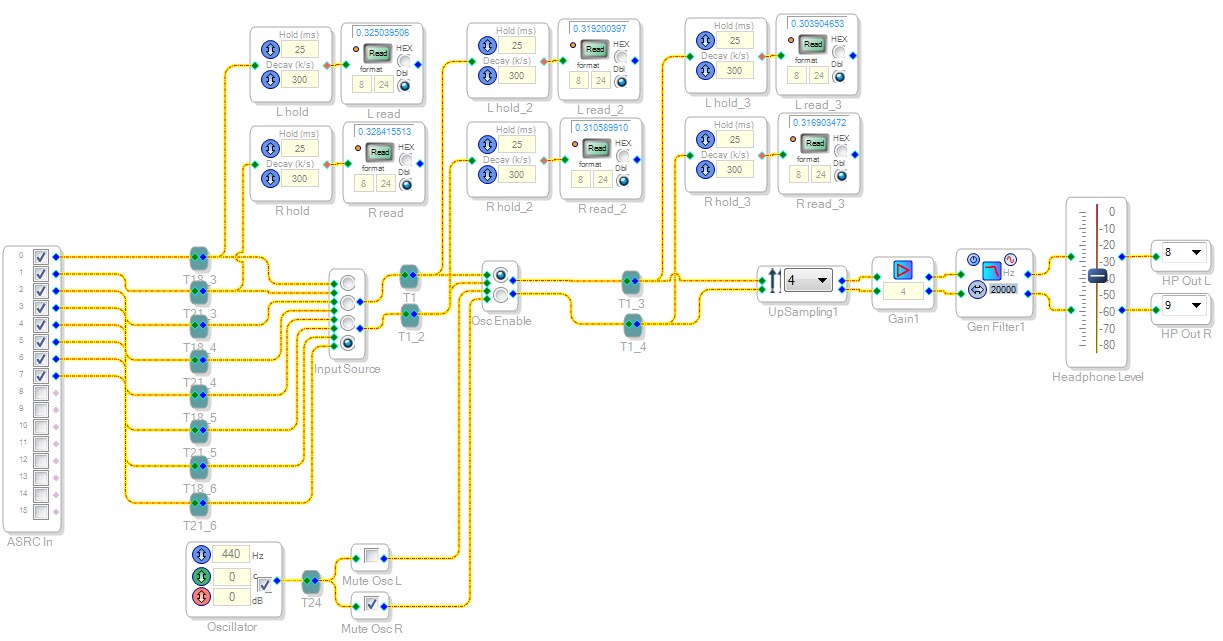
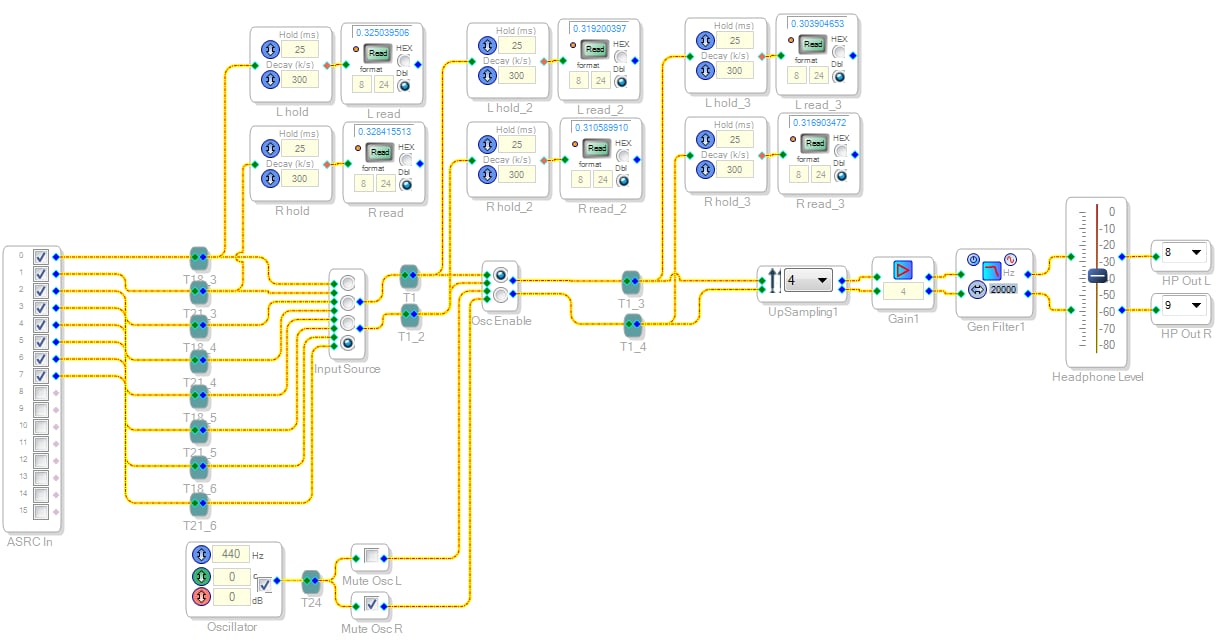
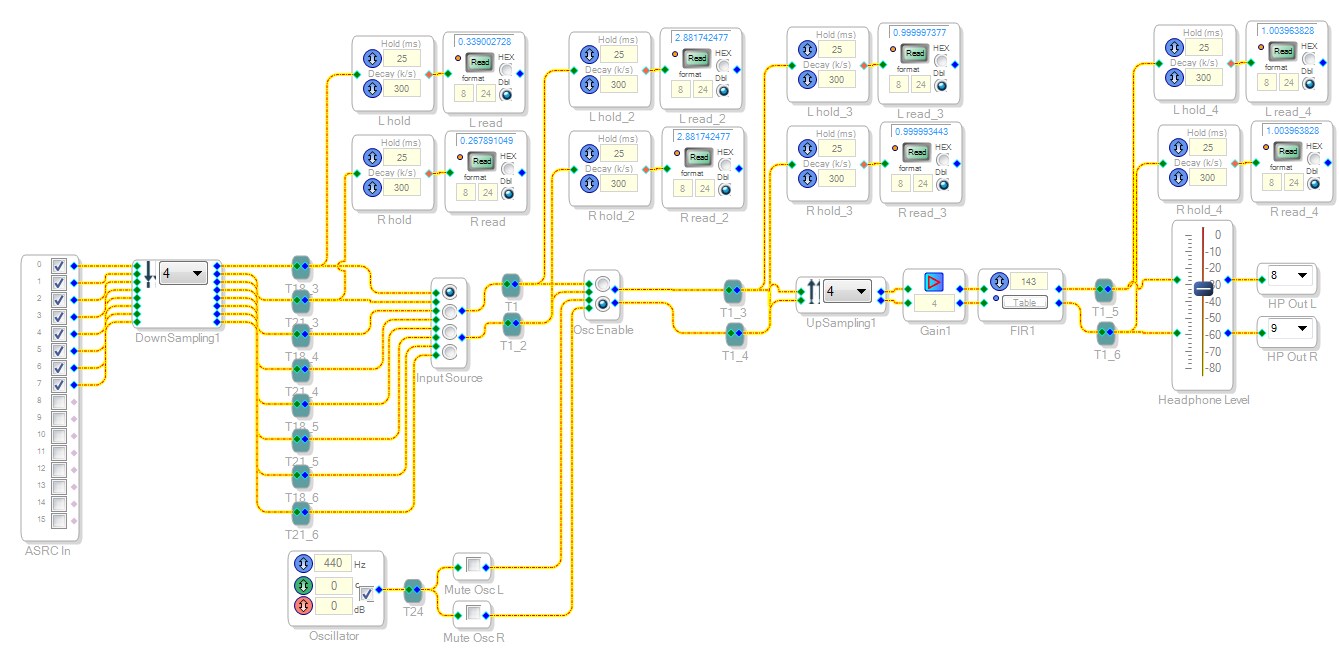
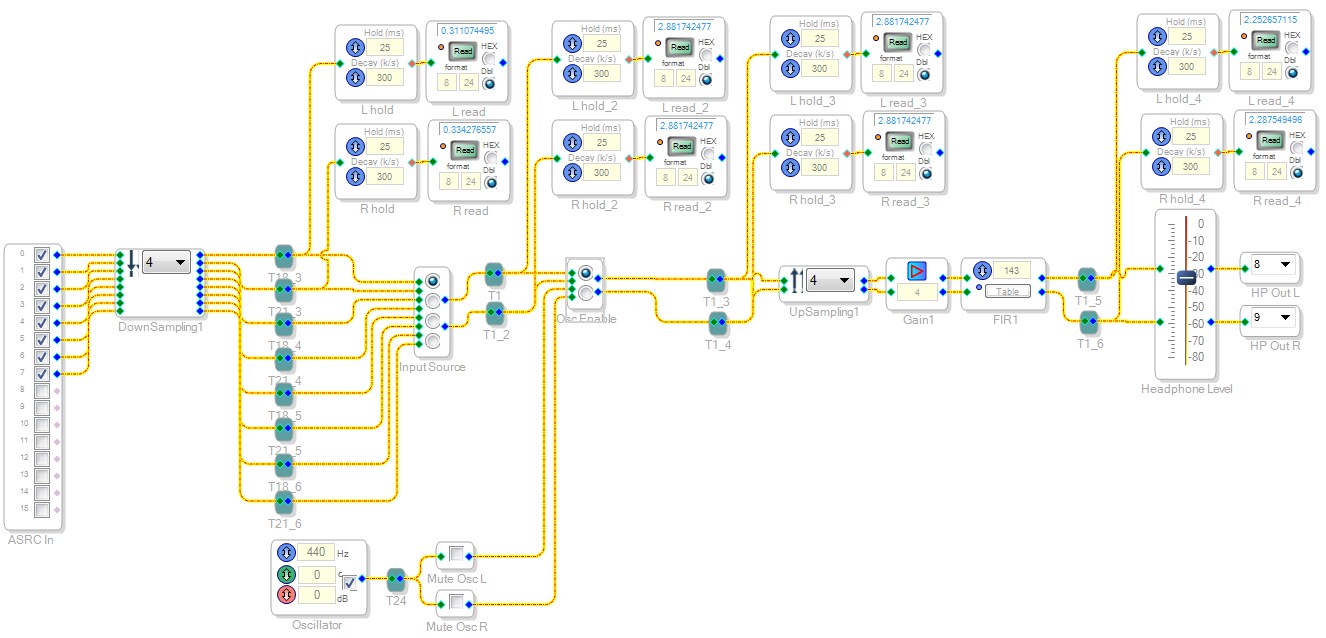
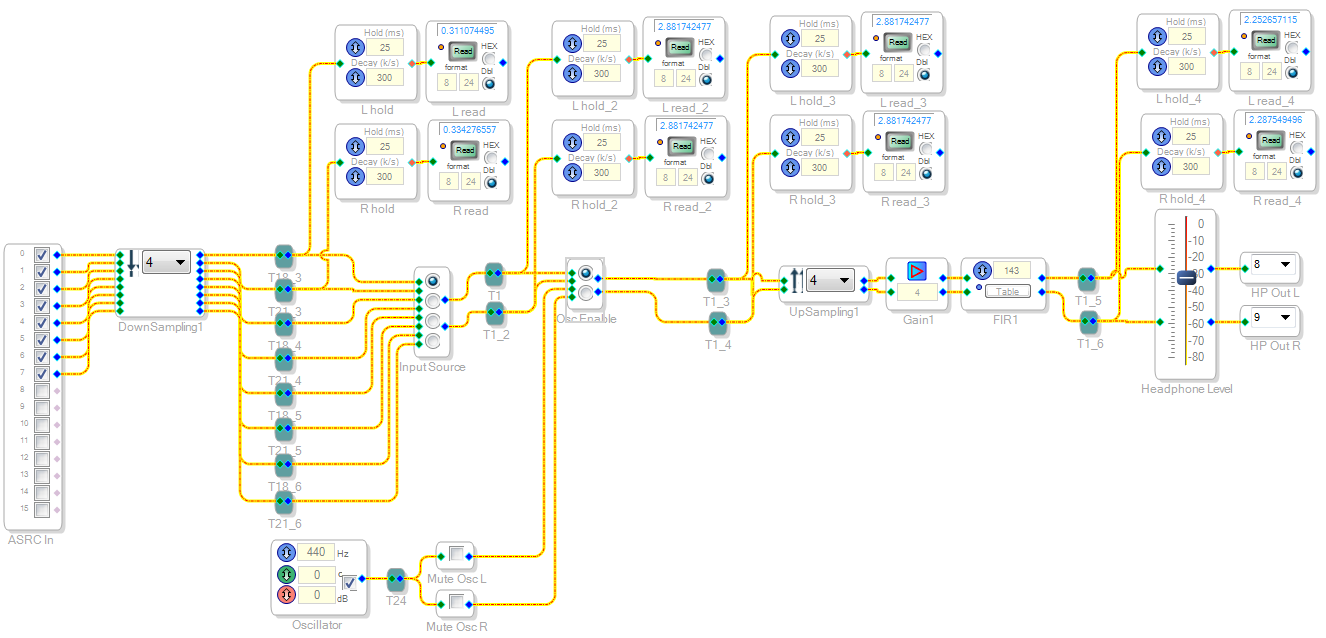
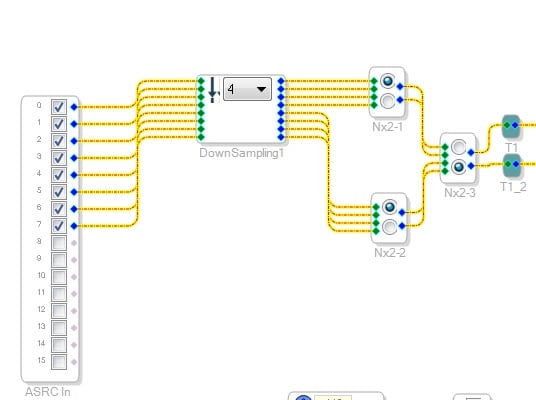
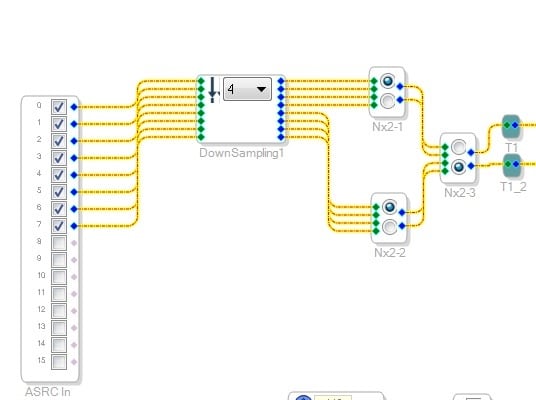
OK - I think I understand now. I applied the technique of downsampling all inputs to my previous example, this time with the input ASRC output rates set to match the core rate of 192k. This way, everything between the downsample/upsample blocks is 48k while anything outside is 192k (within the core - the Headphone output is 48k, through another ASRC).
I end up seeing a very similar issue:
The first pair of readbacks is correctly showing the level of the 1st stereo pair (ASRC In 0/1).
The second pair of readbacks after the switch is showing some other high level signal, but it should match what is on the first pair of readbacks.
Flipping the "Osc Enable" switch up:
The high level, high pitched noise then propagates through to the output, though it should match what is actually coming in and presented on the first pair of readbacks.
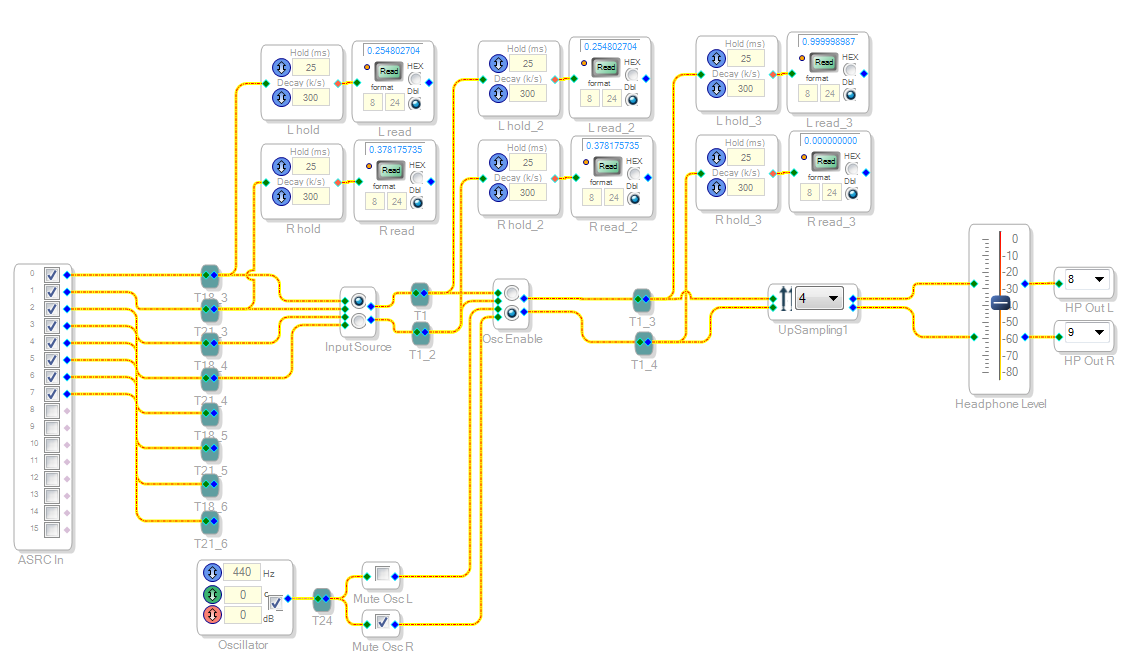
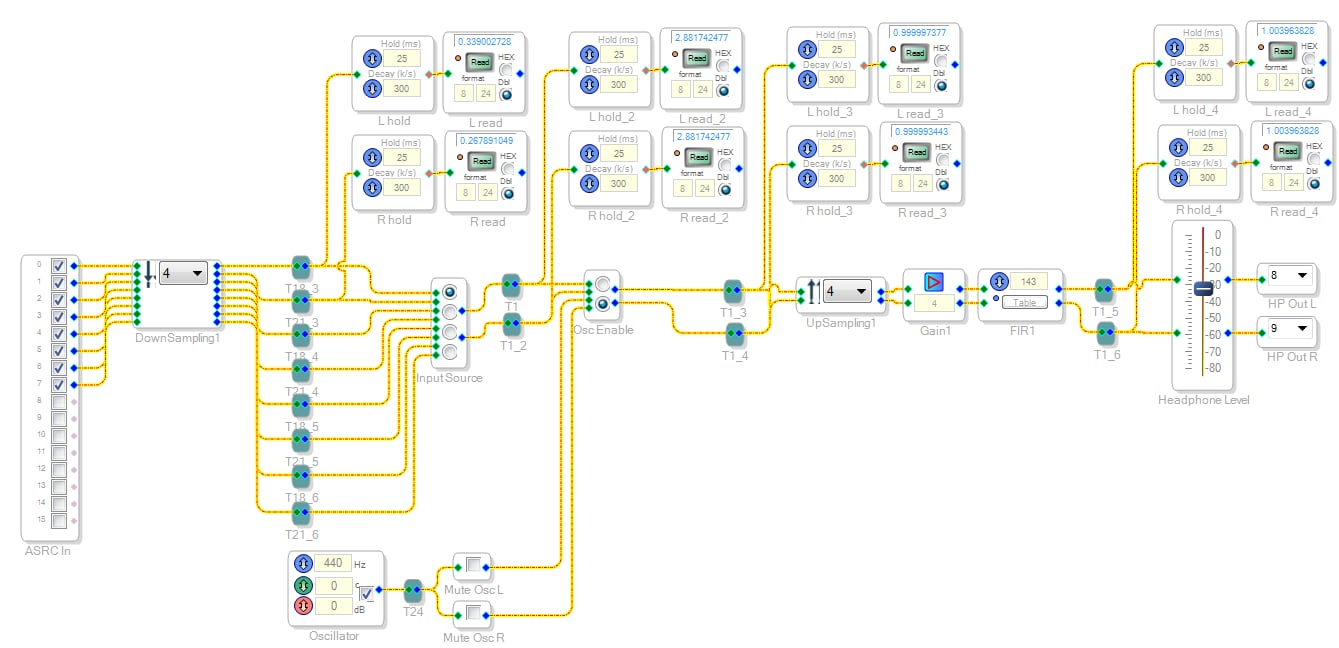
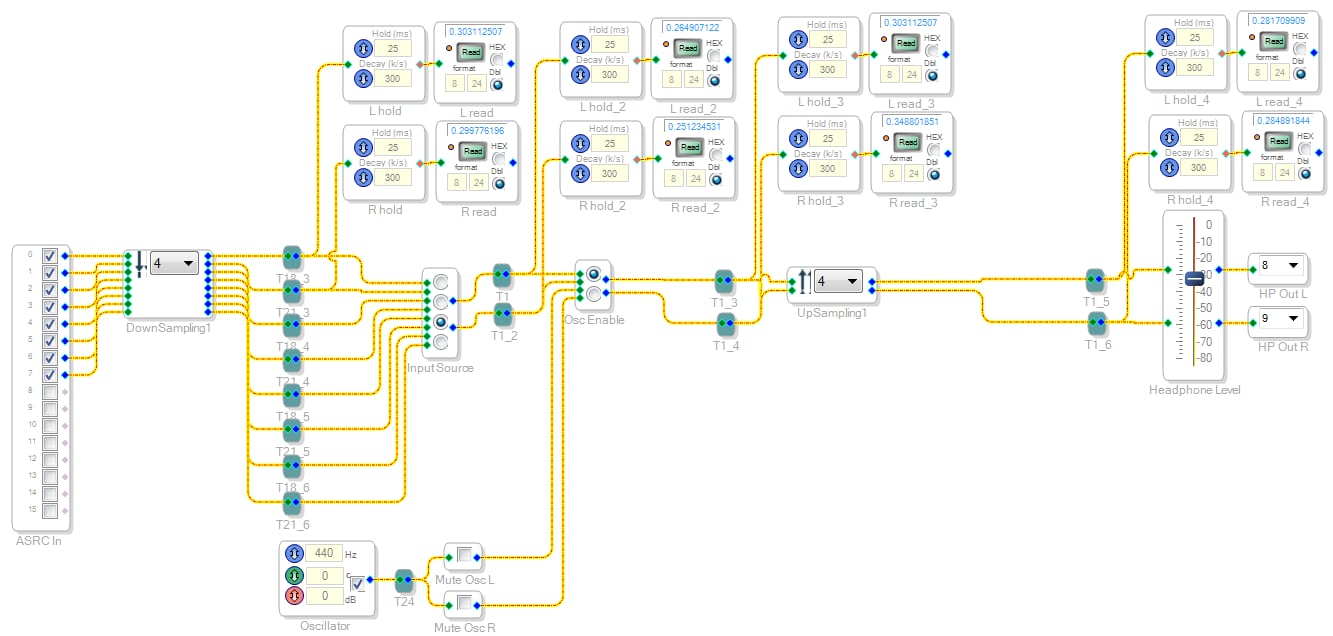
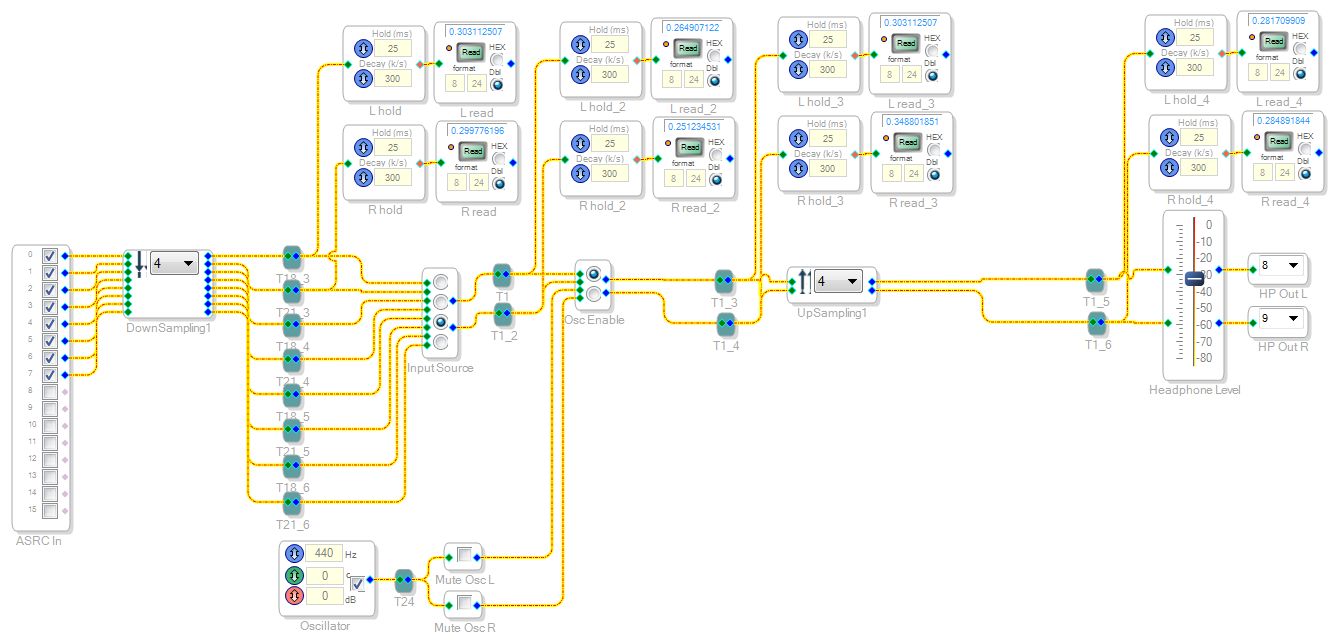
Now, if you take the same project but remove the gain+filter after the upsampling, you get different results but they are also strange:
Now setting the Input Source switch to the third position propagates inputs 0/1 to the output, and switching the Input Source switch to the second position passes the Oscillator to the output that is supposed to be controlled by Osc Enable.
I must be doing something wrong, this is driving me nuts! Either that or there is a bug, and my down/upsampling error in my original post through us off the track.
Hello InoJosh,
There seems to be a problem with the 4-way switch. Try replacing it with 2-way switches as shown below.
Regards,
Chris
Chris,
So it is a bug with the switch? Why does it only show up in certain circumstances?
More importantly, will it be fixed in the next version of Sigma Studio?
Please log in to reply.