*_REG.h file output from Sigma Studio appears corrupt?
I am trying to use Sigma Studio to set the registers on a 1761 codec on my custom-designed board. My architecture uses an FPGA/EEPROM pair to store and load register contents - I don't have a processor available. I was banking on using the *_REG.h file output as a source of Register settings values that I can store in an EEPROM (I will translate from .h text to hex file EEPROM programming values using a spreadsheet).
I can compile a filter design in Sigma Studio 3.12beta/3.11 and load it into a 1761 CODEC on the Analog Devices development board. I get code and parameter files that 'work' when used by my system, however when I run 'export files', the *_IC_1_REG.h file that describes the required register settings appears corrupt:
I can see the corruption in the first register @ 4000h, which I expect to contain 01h for 'direct MCLK - bypass PLL', but instead SS produces a _REG.h file with 0Fh @ 4000, which is enabling the PLL despite the SS GUI showing it is off. Other register entries contain similar nonsense.
Is there some special procedure that I must follow to get an up-to-date _REG.h file out of Sigma Studio that reflects my design choices as displayed in the GUI?
Regards - John Dunn
Audio Signal Processors
sigma studio output files
sigma studio
reg.h output file
SigmaDSP Audio Processors
adau1761
reg.h file
sigma studio output file
corrupt reg.h file
Show More
Hello John,
You are absolutely right! I tried it here at my desk and got the same results. I will report this to the software team. Meanwhile, can I suggest a work-around? This might actually be better for you.
In SigmaStudio.
If it is not already open, open the capture window which usually is parked at the lower part of the screen. Hit link/compile/download and load in the program. You can verify it works.
Then on the Hardware Configuration tab select the 1761 Register Controls at the bottom of that window.
In the Capture Window, click on the red "X" where you clear out the data in the Capture Window.
Then on the Register Controls window, click on "Read All". This will read every register in the part and list it in the Capture Window.
So click on the first line in the Capture Window and then pull the scroll bar down to the last line and "Shift-click" to select every line on the screen.
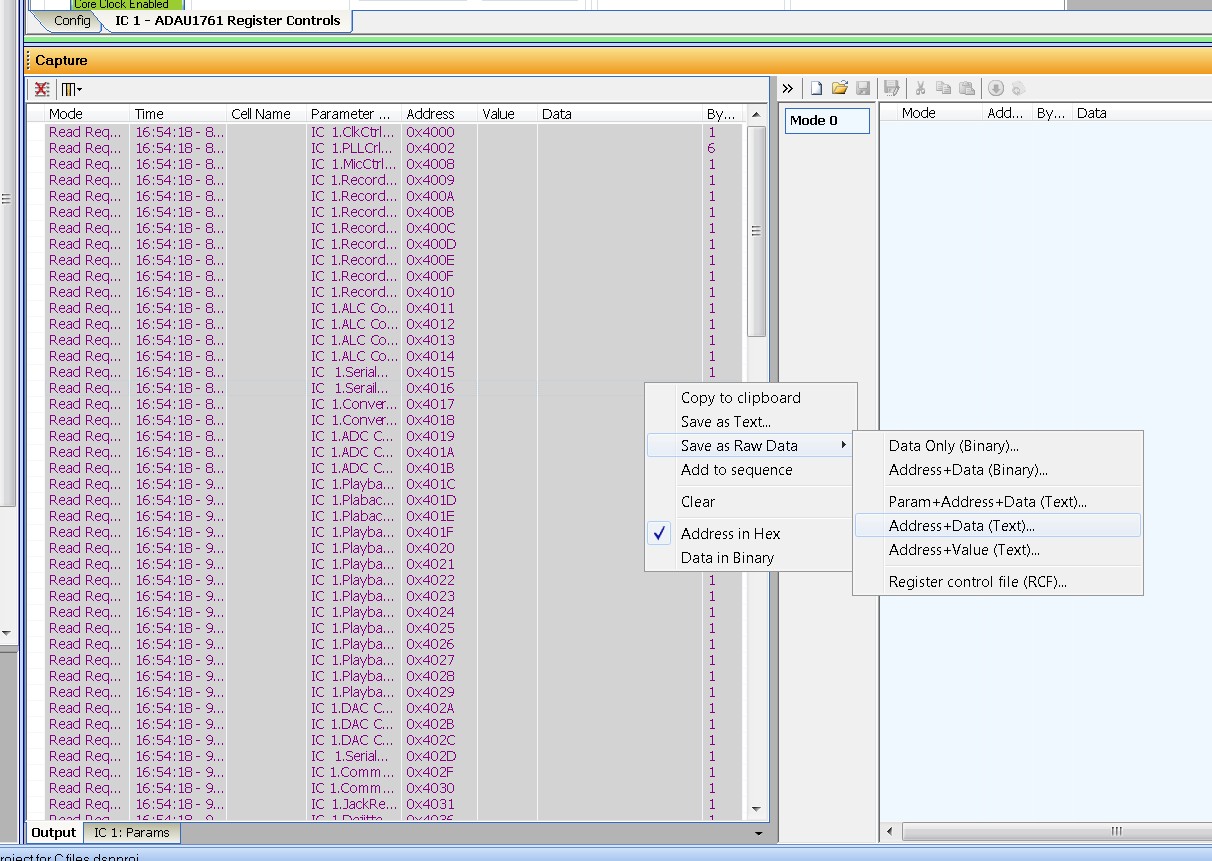
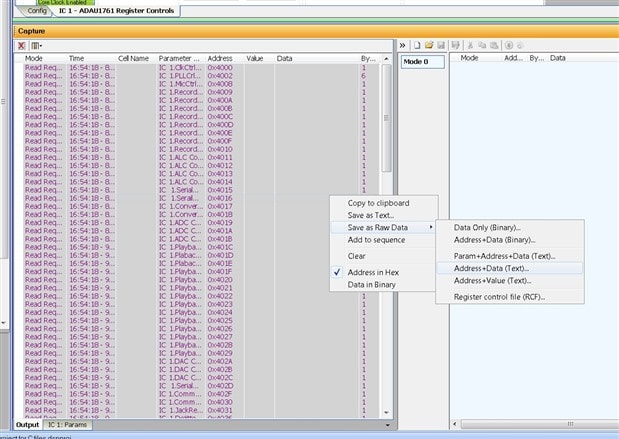
Now you position the mouse over the selected lines and RIGHT-CLICK. Then you will see the following menu appear and it should look like this:
Select "Save as Raw Data --> Address+Data (Text) and you will be prompted for a file name and location to save the file.
For some reason this file lists all the register addresses first then it gives the register address and its data on each line. Easy to edit and import into a spreadsheet etc. As you see, there are many more options that might suit you better.
I think this should help you continue on your project.
Dave T
Thanks Dave, I will try that
Hi Dave,
is there now a schedule for fixing the Sigma Studio software so we get good _REG files? I have to get my CODEC design certified for aerospace use, and part of the certification process involves demonstrating that the tools we use to generate our designs are industry standard tools with no known bugs that can affect the design adversely. I guess I could always document your workaround if I had to
FYI my CODEC DSP design is all executing nicely now - sometimes SS does output a correct _REG file, so I used one of the correct versions to get me going
Regards - John Dunn
So for a microcontroller to configure a 1761 we use:
program hex file generated by the compile step
parameters hex generated by the export system files
but registers is only available as a C header file or by doing text processing on captured register reads ... ?
Is there no way to get a hex file of the register initialization data? Sigma studio provides two of the three blocks of data I need very nicely ... then comes up short on the last
My application uses a data file containing the program, parameters and register settings rather than embedding the DSP code in compiled C source for the micro - this way we can field update the DSP code independently from the micro code for different applications.
My main concern is that the release process requires some "arts-and-crafts" to capture the register data and requires two independent steps to generate the program and parameter data - this makes configuration management difficult since it creates the opportunity for lack of synchronization between the different hex files if the user misses a step or performs steps out of sequence.
Hello,
Sorry, that I have not gone back to update this question on the forum.
The Reg.h file holds all the default register values along with the address and the size of the register. These are the datasheet default values and are there for use in some systems that will restore the default values then update to the new values as a kind of warm-boot.
The *IC_1.h file. ( for most SigmaStudio projects the main DSP is labeled IC_1. If the user has changed the name of the GUI object in the configuration then this file will have a different name.) In this file is the procedure for booting up the part which includes things like delays for the PLL to lock. The values of the registers in this file are the correct values from the SigmaStudio program.
So look at the *IC_1.h file to see the correct values for the registers. The Reg.h will be the same default values for any project, the file is never different.
So this is not a bug but a failure to explain the purpose of the files.
Dave T
Please log in to reply.